






























What's new from Grafana Labs
Grafana Labs products, projects, and features can go through multiple release stages before becoming generally available. These stages in the release life cycle can present varying degrees of stability and support. For more information, refer to release life cycle for Grafana Labs.


Loading...
Area of interest:
Cloud availability:
Cloud editions:
Self-managed availability:
Self-managed editions:
No results found. Please adjust your filters or search criteria.
There was an error with your request.
The GET /api/alertmanager/grafana/api/v2/status endpoint previously required the legacy alert.notifications:read permission. It now requires a dedicated alert.notifications.system-status:read permission. This new permission is included in the fixed:alerting.notifications:writer role, which is granted to Admin users by default.
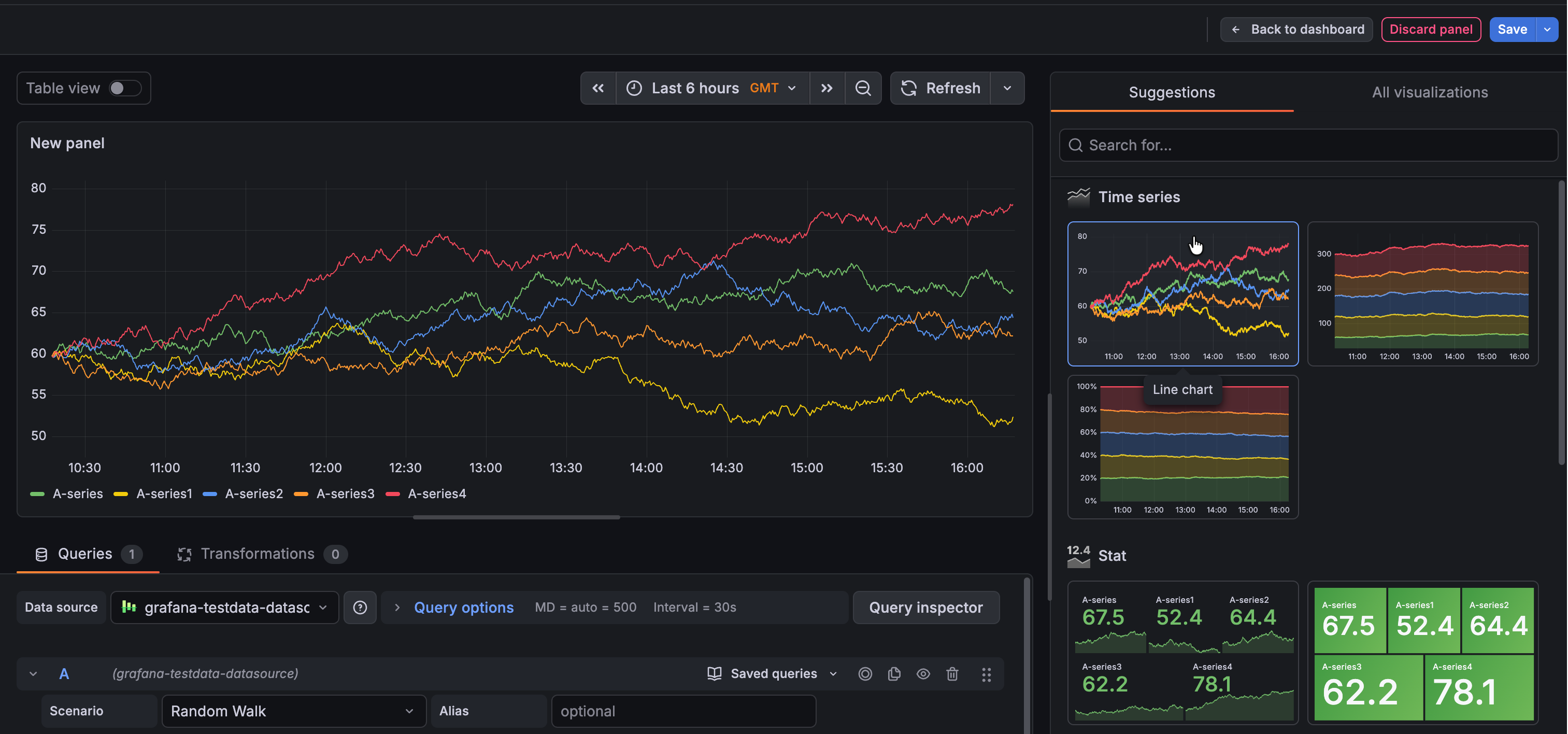
In January 2026, we announced improvements to visualization suggestions in public preview. These changes included higher quality suggestions leveraging information provided by data sources, as well as minor user interface updates. These improvements are now generally available.
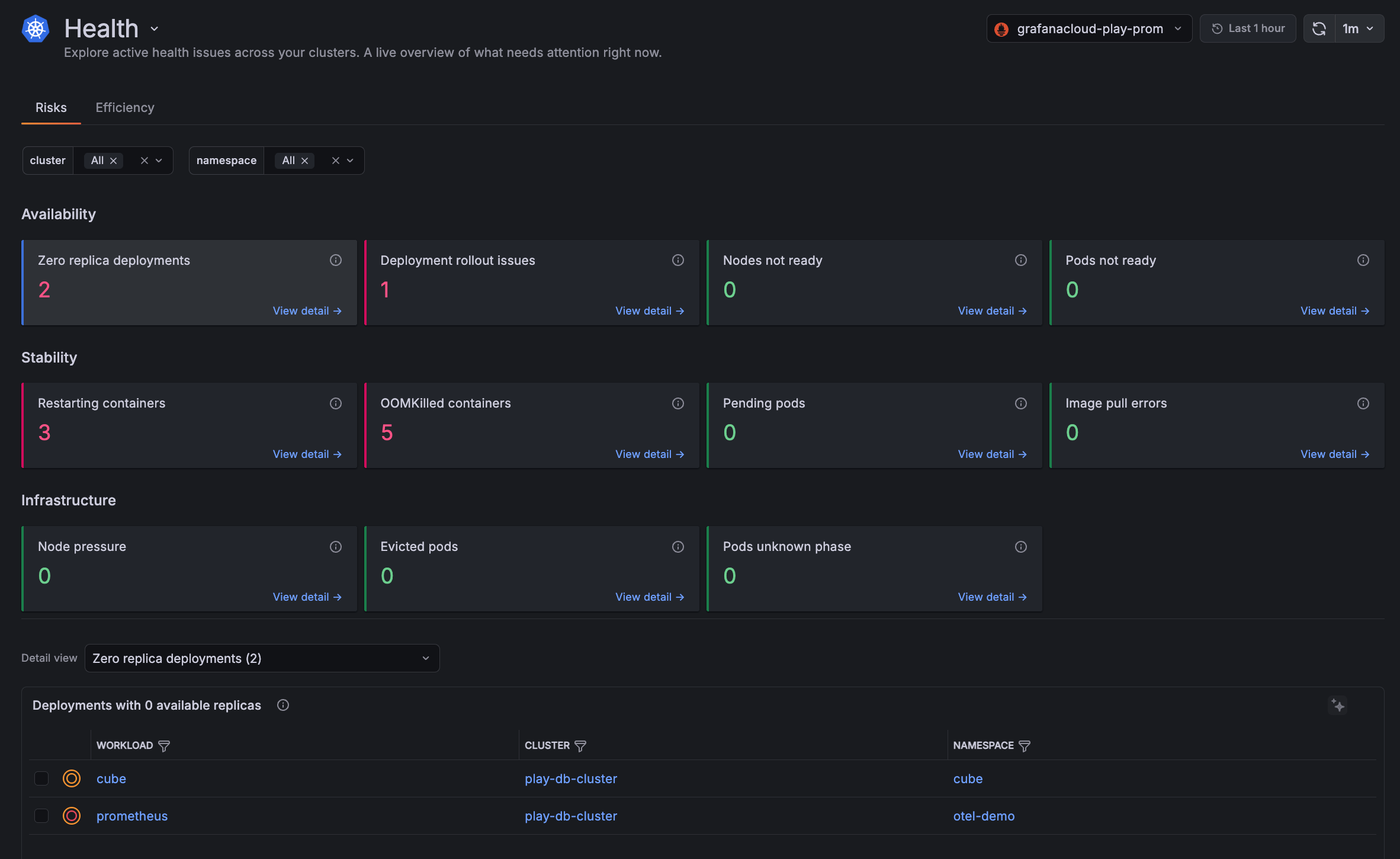
Kubernetes Monitoring has enhancements for faster troubleshooting and improved user experience:
- Health page shows a live snapshot of active issues across all your Clusters. The Risks tab surfaces reliability and availability problems across twelve checks, while the Efficiency tab highlights resource configuration gaps such as missing requests or limits and over-provisioned CPU or memory.
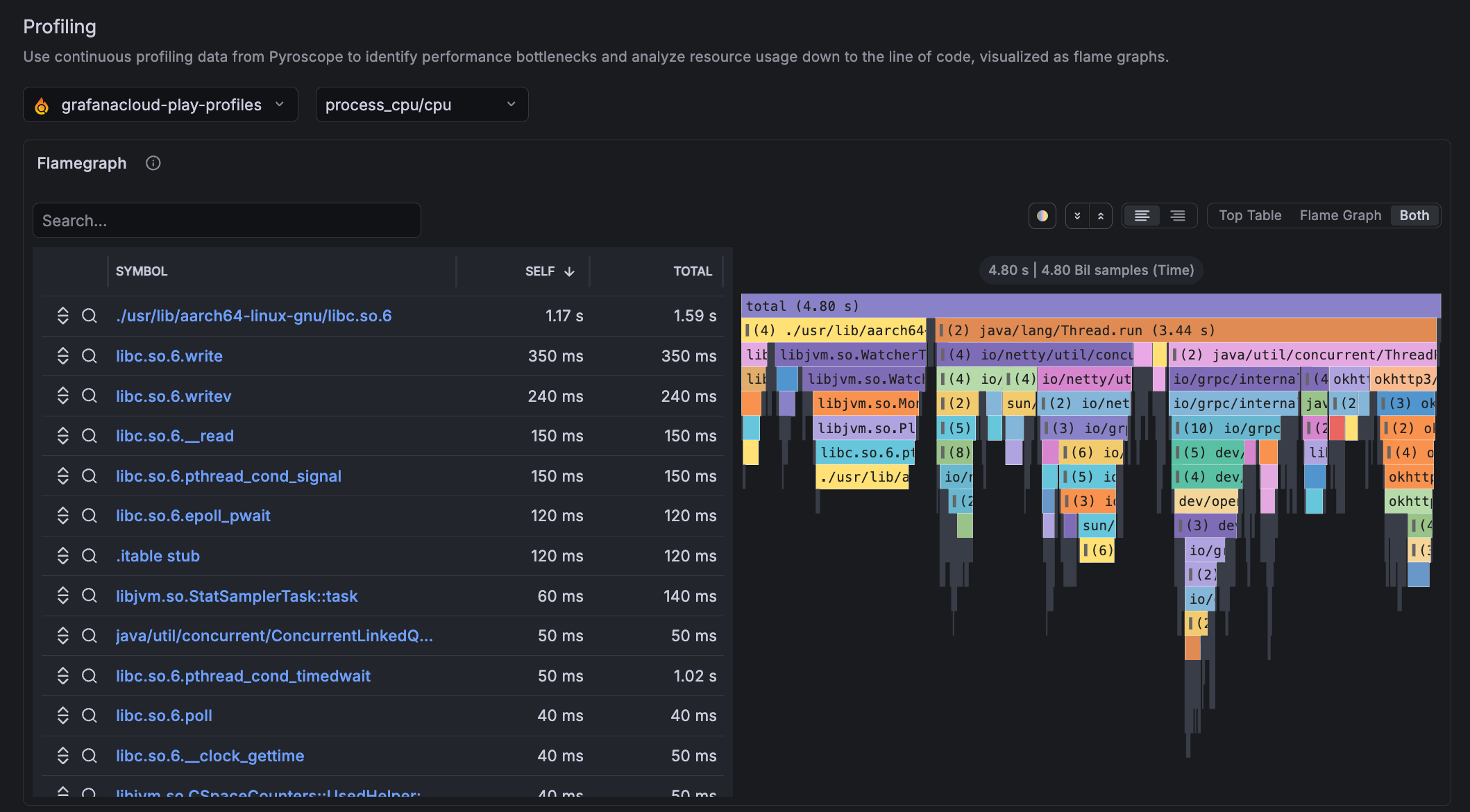
- Flame graphs are embedded in Workload and Pod detail pages. You can investigate which parts of your code are consuming the most CPU or memory without leaving Kubernetes Monitoring.
- Simplified configuration page showing four basic steps to configure using the Kubernetes Helm chart.
Set alerts scoped to specific teams, services, environments, and more using cost attribution labels
We’re excited to announce the general availability of Attribution Alerts in the Cost Management and Billing app!
The Alerting sidebar navigation has been refreshed for a new, more logical menu structure with new tabs added to the pages.
The Alert activity menu item now contains two tabs, one for Alerts, and another for Active notifications.
We’ve introduced several improvements to annotations to make them easier to explore, navigate, and manage at scale.
Annotation clustering
Group adjacent point annotations into a single combined region with the Annotation clustering switch. Clustered annotations aggregate their contents into a single, scrollable tooltip, so you can explore dense annotation data without overwhelming the panel.
Take full control of how you monitor your cloud services.
Cloud Provider Observability now lets you bring your own dashboards, offers you the ability to customize instance drilldown view panels, and make these assets available across all your teams. Everyone can monitor cloud services with the same trusted views, while still having the flexibility to tailor what they see.
Grafana Assistant arrives in Slack and lets you troubleshoot while on the go and with your colleagues in real-time.
Grafana Assistant in Slack allows you to access the data and knowledge in Grafana Assistant in Slack. Ask about your traces, metrics, the latest deployment and how to fix high p99 latency in your search service.
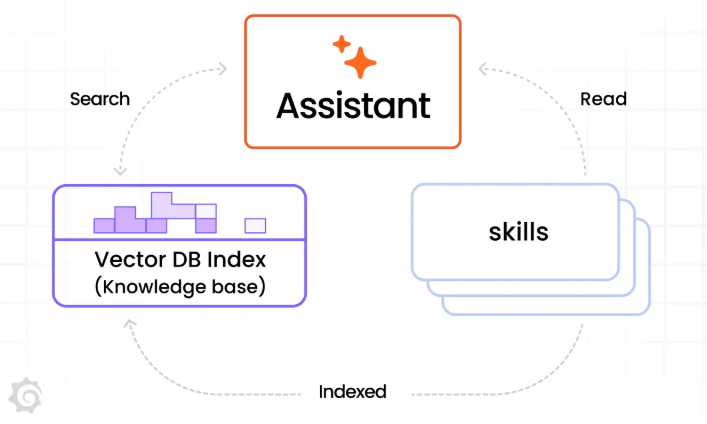
Skills are now generally available for all Grafana Assistant users.
Skills let you write runbooks, workflows, hints and context guides so that the Assistant can drill down even better in your stack. You can also associate slash commands with Skills so that /my-skill brings up your Skill and the Assistant works through it specifically.
Cloud Provider Observability now delivers broader Azure metric coverage and more precise metric behavior across key resource types including Azure Cognitive Services and Azure Front Door. This update adds important new metrics, expands dimension support, and refines aggregations so teams can monitor Azure services with better depth and consistency.
Grafana Assistant arrives in the CLI!
Use Grafana Assistant right in the CLI alongside all the other tools you use for your observability job. In the CLI, the Assistant can help you with all the things it can also do in the browser or in Slack. Ask about recent errors, latency or traces - get the answer in the CLI. With the CLI, Grafana Assistant can also read, create, update and delete local files for you: bring observability, coding and configuration closer than ever in one tool without the need to context switch.
When you send Grafana-managed alert email notifications to multiple recipients (without the “Single Email” option), Grafana Cloud Alertmanager now uses BCC instead of TO headers by default. This means individual recipient addresses are not visible to other recipients in the same notification, and the TO field is empty.
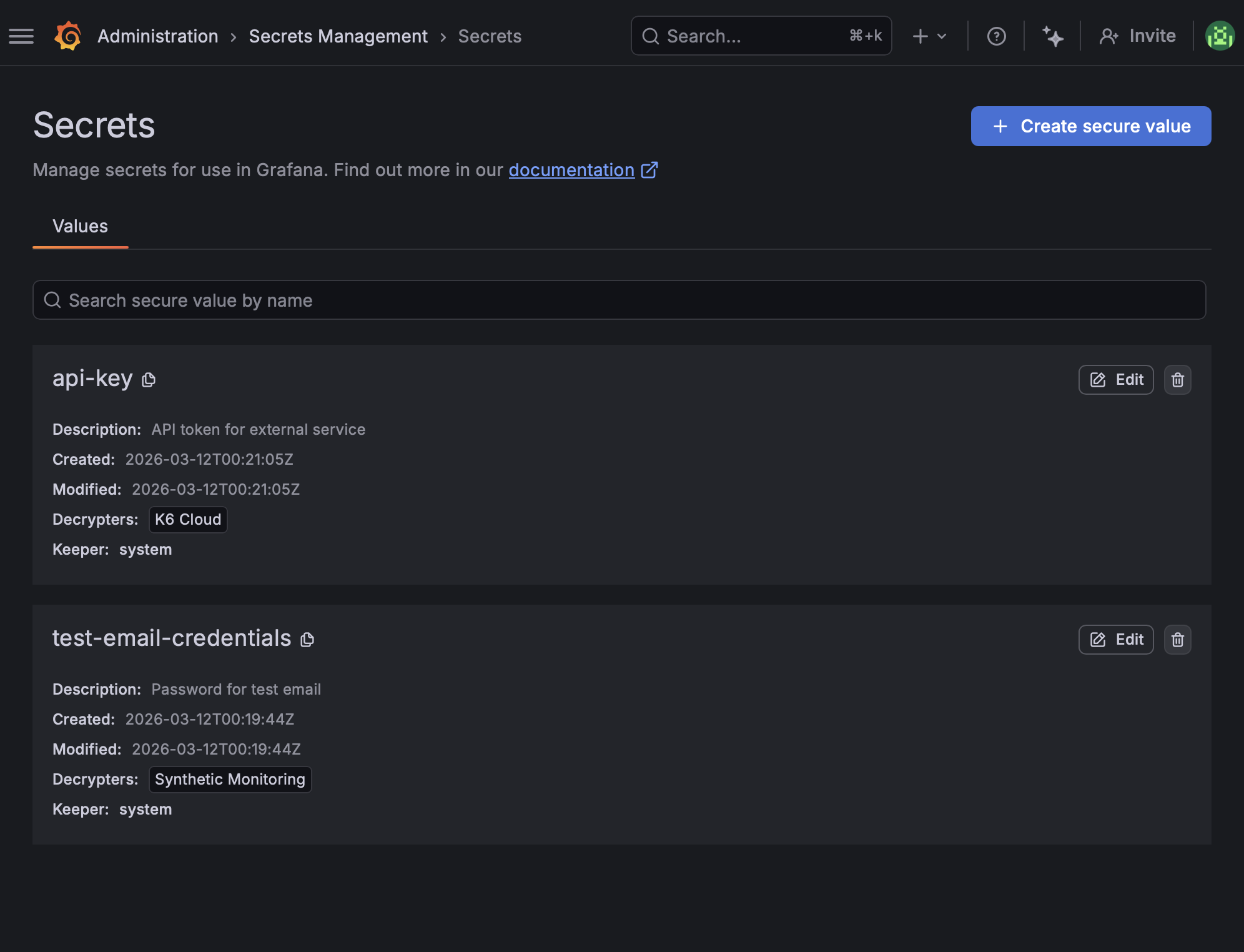
Secrets management launched in Grafana Cloud in August 2025, with integrations in Synthetic Monitoring, and later expanded to Grafana Cloud k6 workflows and Git Sync. Now, we’re introducing a centralized Secrets Management UI that brings secret operations into one place across Grafana solutions.
You can now substitute variables when selecting a saved query without modifying the original query.
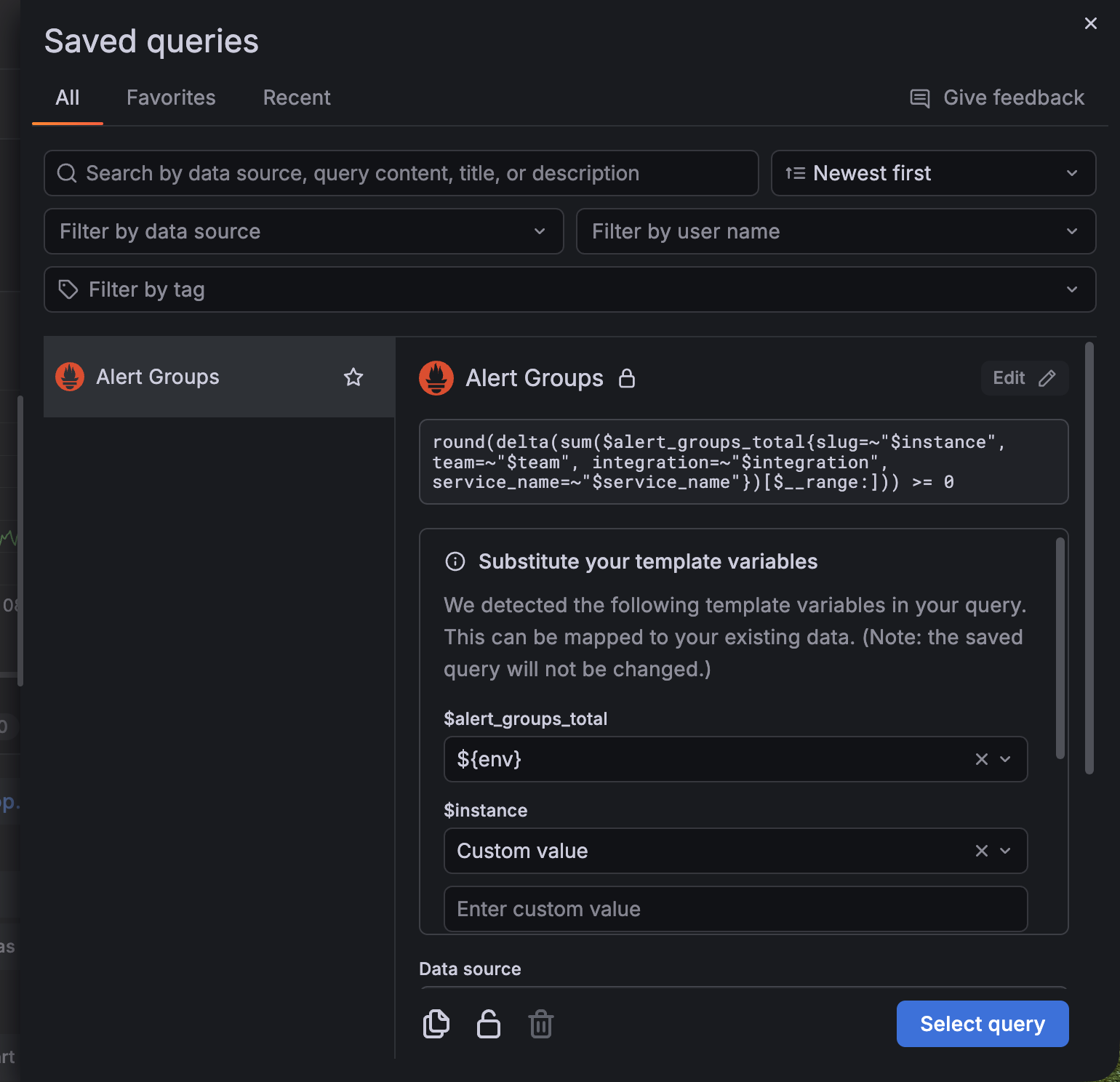
Previously, if a saved query contained variables that weren’t in your dashboard, Grafana displayed a compatibility warning and limited how the query could be reused.
With this update, the warning is replaced with a section where you can update the variable (for example, ${job}) inline by mapping the variable to either:
We’ve removed the legacy plugin that previously served the homepage within Grafana Cloud stacks, cloud-home-app. If you still have links saved that go to <YOUR-STACK>.grafana.net/a/cloud-home-app, update them to go to <YOUR-STACK>.grafana.net instead.