






























Menu

Grafana Cloud
Savings
The Savings tab has these panels:
- Optimized CPU allocation: The amount you could have saved if all unused CPU cores had been deprovisioned over the selected time range
- Reduced memory overhead: The amount you could have saved if all unused RAM had been deprovisioned over the selected time range
- Reclaimed storage waste: The amount you could have saved over the selected time range by:
- Removing deleted unattached volumes
- Resizing oversized disks
- Archiving infrequently accessed data to lower-cost storage tiers
- Optimized GPU allocation: What you could have saved by optimizing GPU resources over the selected time range
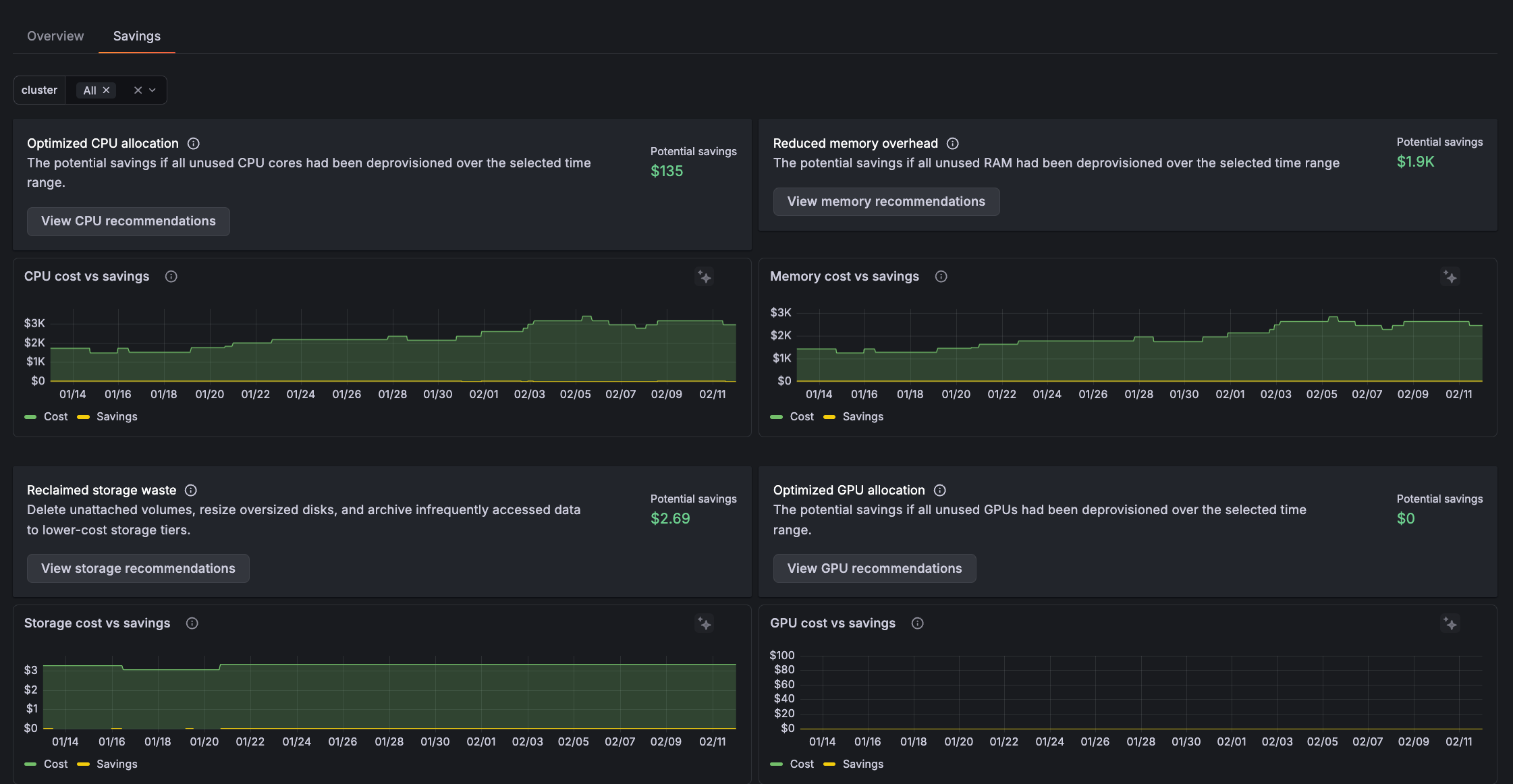
You can use this information to:
- Easily prioritize where to start optimizing.
- Correlate with deployments, traffic patterns, or configuration changes to understand changes like a memory waste spike.
- Create a case for optimization work.
- Determine cost-benefit analysis to answer whether it’s worth engineering time to optimize resources.

Give it a try using Grafana Play
With Grafana Play, you can explore and see how it works, learning from practical examples to accelerate your development. This feature can be seen on the Savings tab.
Get details and recommendations
On any panel, click View recommendations to see a detail of potential savings.
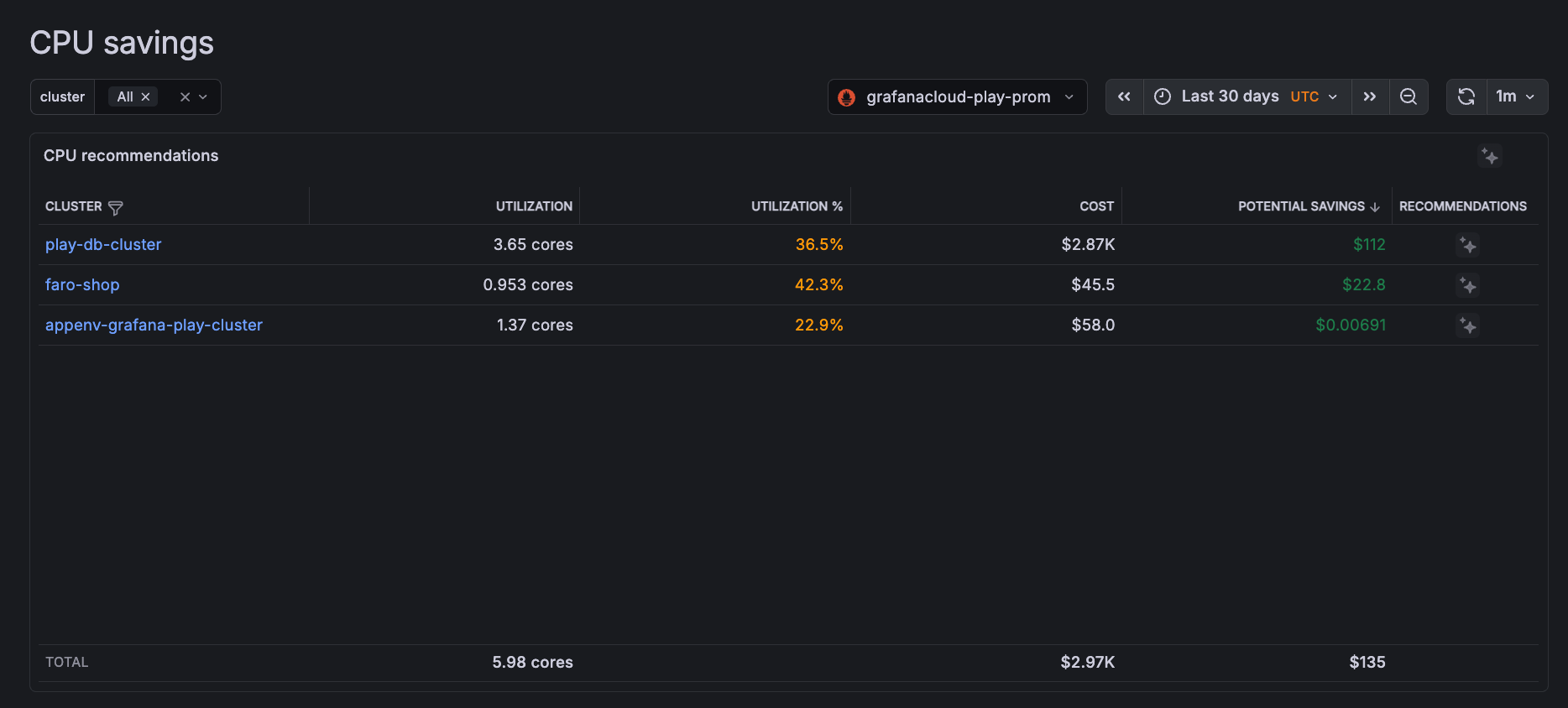
On any row, click the Grafana Assistant icon to get specific recommendations on savings for the Cluster.




