
 Hold or reroute alerts outside team hours in Grafana IRM

Hold or reroute alerts outside team hours in Grafana IRM
In Grafana IRM, you can set team hours, the time intervals when a team is working, and use them in escalation chains and routes. For example, a low-priority alert at 2 AM can wait until the team starts work in the morning, while a critical alert goes to whoever is on call overnight.
Team hours replace a common workaround: an on-call schedule with “business hours” shifts, set up only to make an escalation step skip outside those hours. Instead, you configure hours for each team, and use a dedicated escalation step and routing variable to reference them.
Set your team’s hours
Go to IRM > Settings > Teams and click Edit team. In the Team hours section, turn on Enable, select the team’s timezone, and choose working days and times.
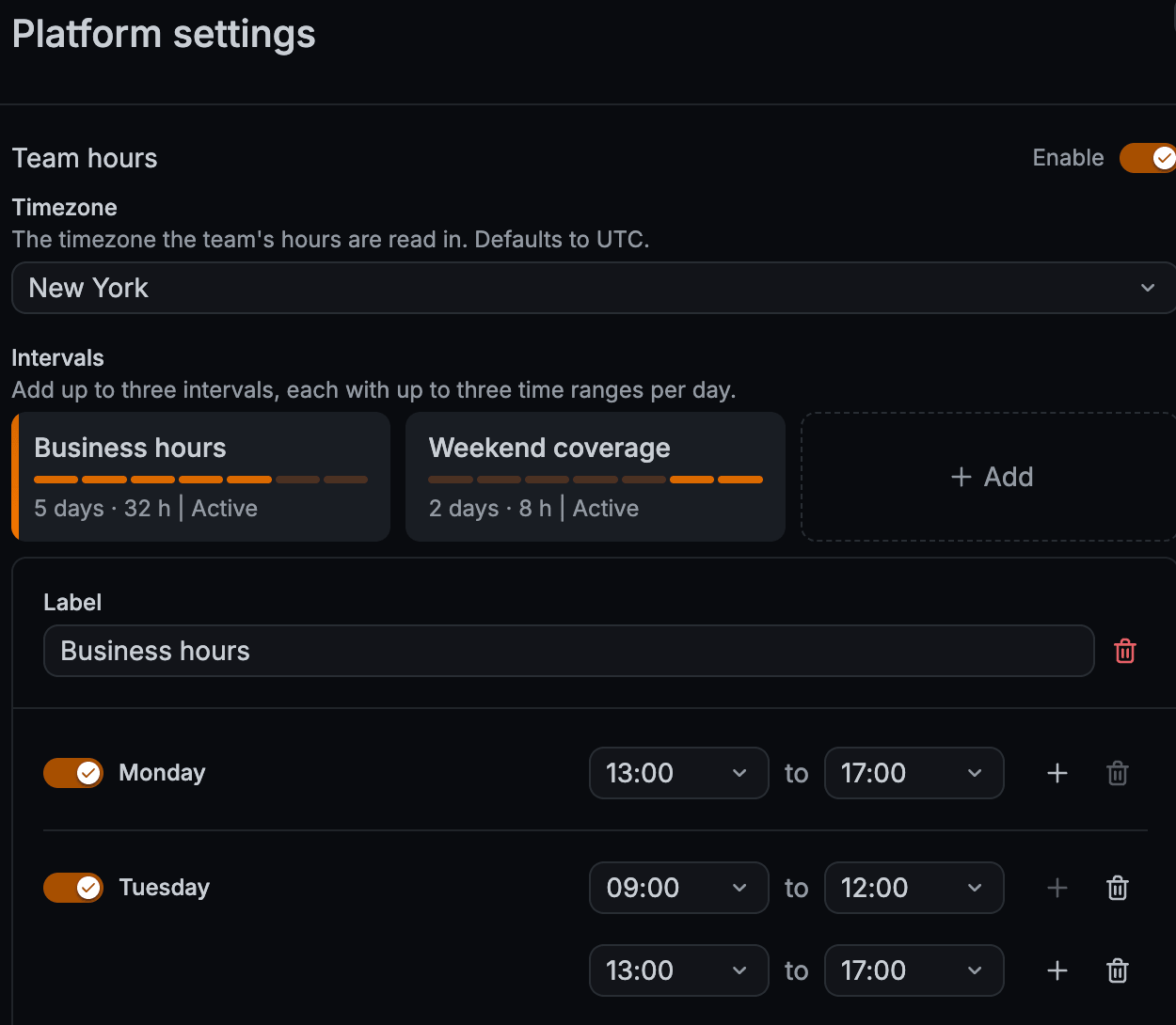
A team can have up to three defined time intervals, such as Business hours and Weekend coverage.
Each interval allows up to three time ranges per day, so you can leave a gap for lunch or a handover.
IRM treats the team as working when the current time falls in any range of any interval.
It also accounts for daylight saving time changes in the team’s timezone.
To manage hours as code or in bulk, use the /api/v1/team_hours/ endpoint in the Team hours HTTP API.
Hold an escalation until the team is working
Add the Pause escalation until team hours step to an escalation chain. If the escalation reaches this step outside the team’s hours, it pauses until the team’s next working period starts. When the pause ends, the escalation steps after it run as usual.
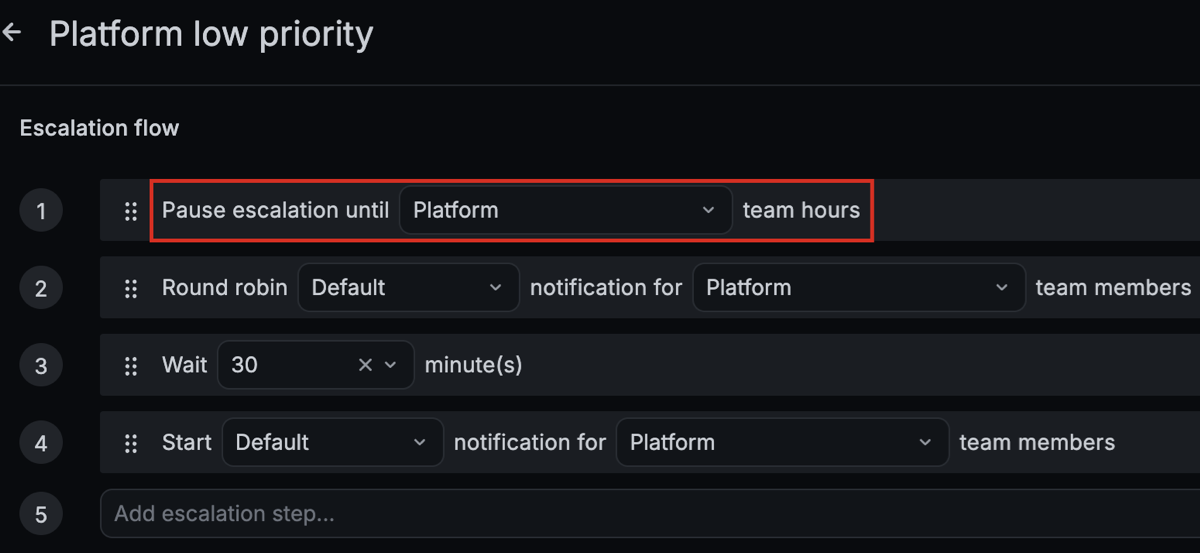
The alert group timeline shows when the escalation paused, when it’s due to resume, and when it resumed. If someone needs to act sooner, select Skip to next escalation to end the pause immediately.
Route alerts by team hours
Routing templates have a within_team_hours variable.
It’s True while the integration’s team is working and False outside its hours.
For example, this route sends critical alerts that arrive after hours to a separate escalation chain:
{# Critical, outside team hours #}
{{ payload.severity == "critical" and not within_team_hours }}
Use the routing variable when different people should handle the alert at different times. Use the escalation step when the same people should handle it, but not until they’re working. You can combine the two.
Good to know
- A team with no team hours counts as always working. The pause step doesn’t pause, and
within_team_hoursisTrue. This means you can build chains and routes before you set the hours. - Routing uses the team assigned to the integration, not the team of the escalation chain.
- A time range can’t cross midnight. For overnight coverage, set the first day’s End time to
00:00and start the next day’s range at00:00. - The template preview doesn’t evaluate
within_team_hours. To check a route that uses it, send a test alert. - The API can’t change a team’s timezone. Set it in IRM > Settings > Teams.
