
 Grafana visual UI refresh
Grafana visual UI refresh
Grafana’s biggest visual refresh since v7 now in public preview
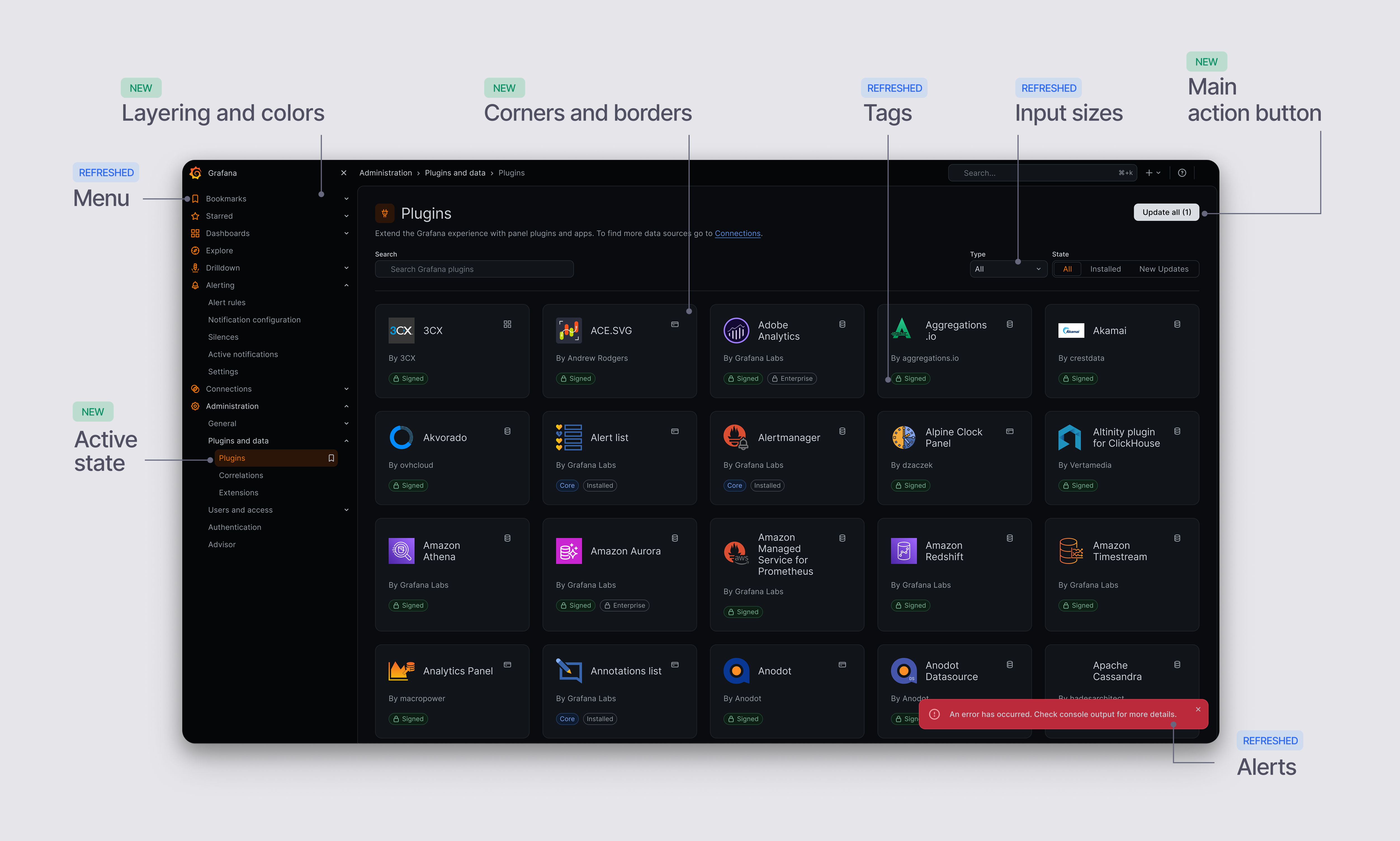
It’s been a long time since Grafana’s UI has had a real facelift. Today, we’re excited to give you a first proper look at our visual refresh: a new color system, typography, and theme that’s about to enter public preview. It’s the biggest visual modernization effort we’ve undertaken since Grafana v7.
Just as importantly, we want to stress that this is only the beginning of our visual transformation. What’s landing now is phase one of a much larger effort to bring Grafana’s look and feel into line with where the product, and the industry, is headed.
Why we’re doing this
Over the last few years, we have put enormous focus on expanding Grafana’s functionality and technical capabilities. Following our Big Tent philosophy, we have enabled organizations of all sizes to bring their own data stacks and have shipped solutions to a myriad of technical use cases. At the same time, this fast approach to developing many solutions has, over time, created inconsistencies in our style, behavior, and overall user experience. With the recent support of Agentic-first experiences using Grafana Assistant and Assistant Workspace, we discovered an opportunity to not only rethink the way these experiences feel like, but to overhaul the style of our platform. Over the next release cycles we aim to increase consistency, put forward a modern look and feel, and bring interaction patterns that feel more familiar and intuitive, all while keeping all the functionality and features that you’ve learned to love and rely on.
What’s changing
This release introduces a new theme built on a refreshed set of design principles, colors, and UI elements.
New default dark and light themes
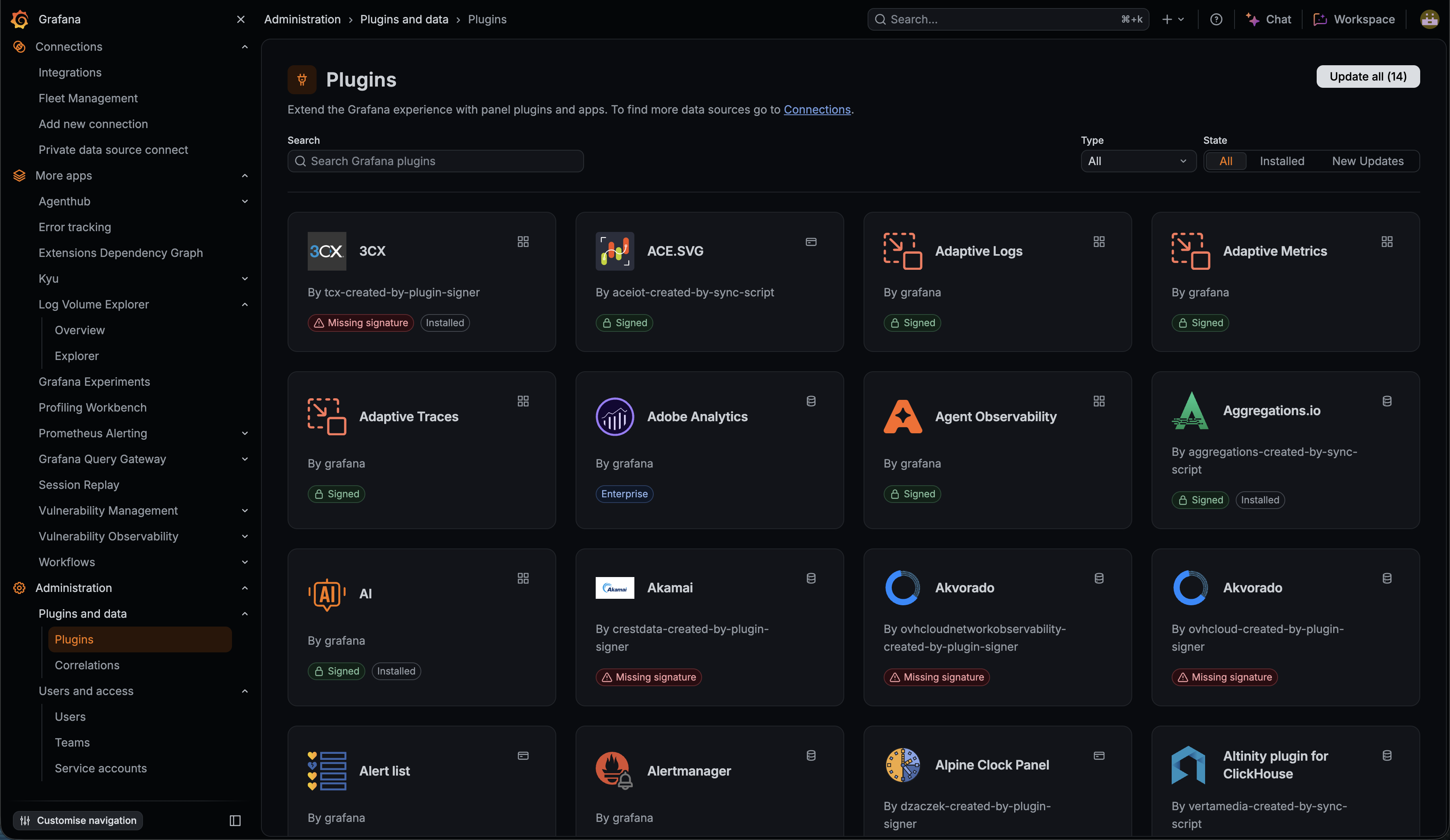 Dark mode
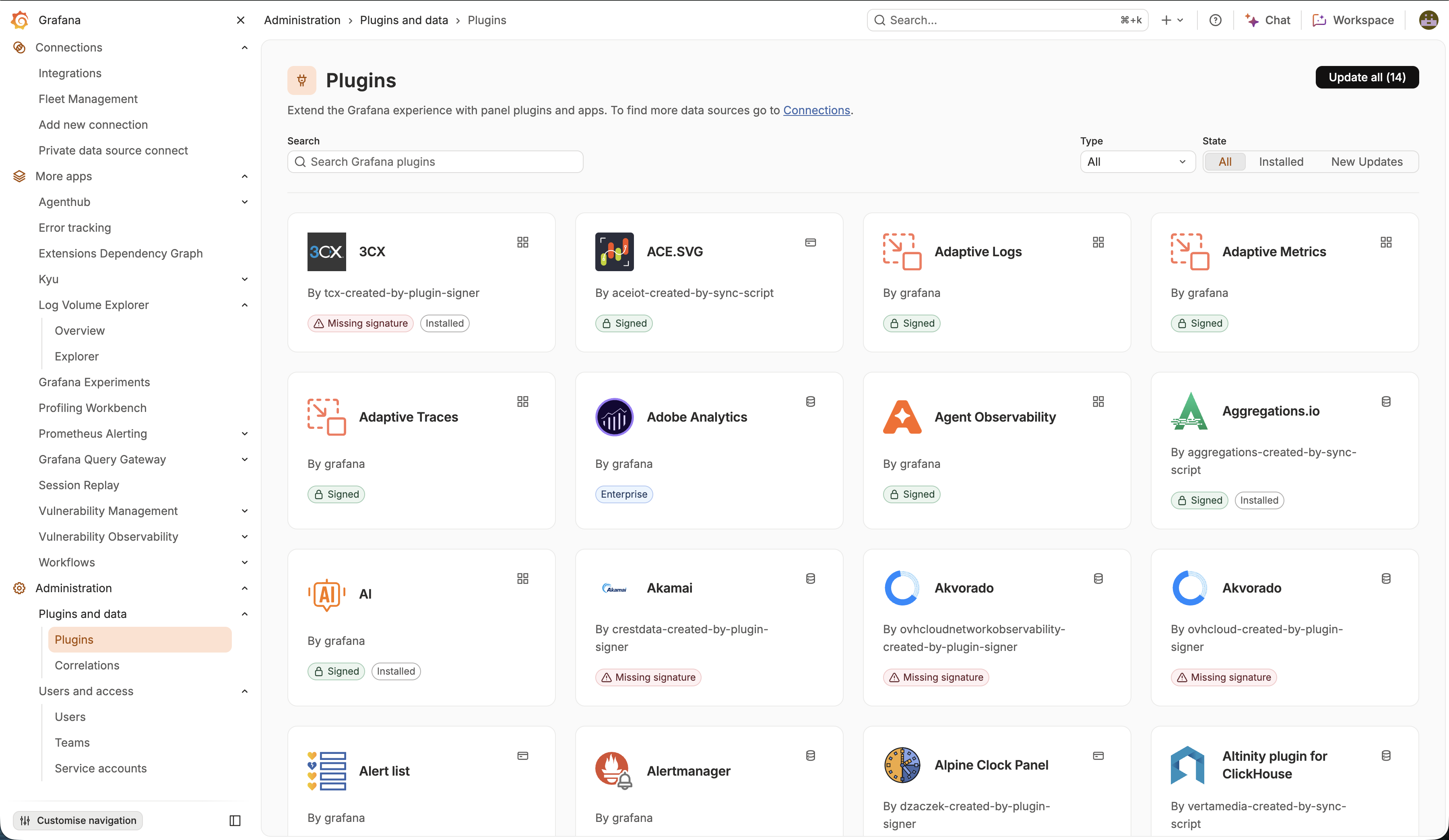 Light mode
We’ve completely reviewed all of our theme colors, creating a set of deeper and more opinionated grays and our Grafana Orange. We have increased the number of shades so that we can have more flexibility and creative range. Orange remains our brand color, but we are choosing to use it more carefully and deliberately, while the main action buttons in any page will be solid white (for dark mode) and white (for light mode).
New borders and floating components
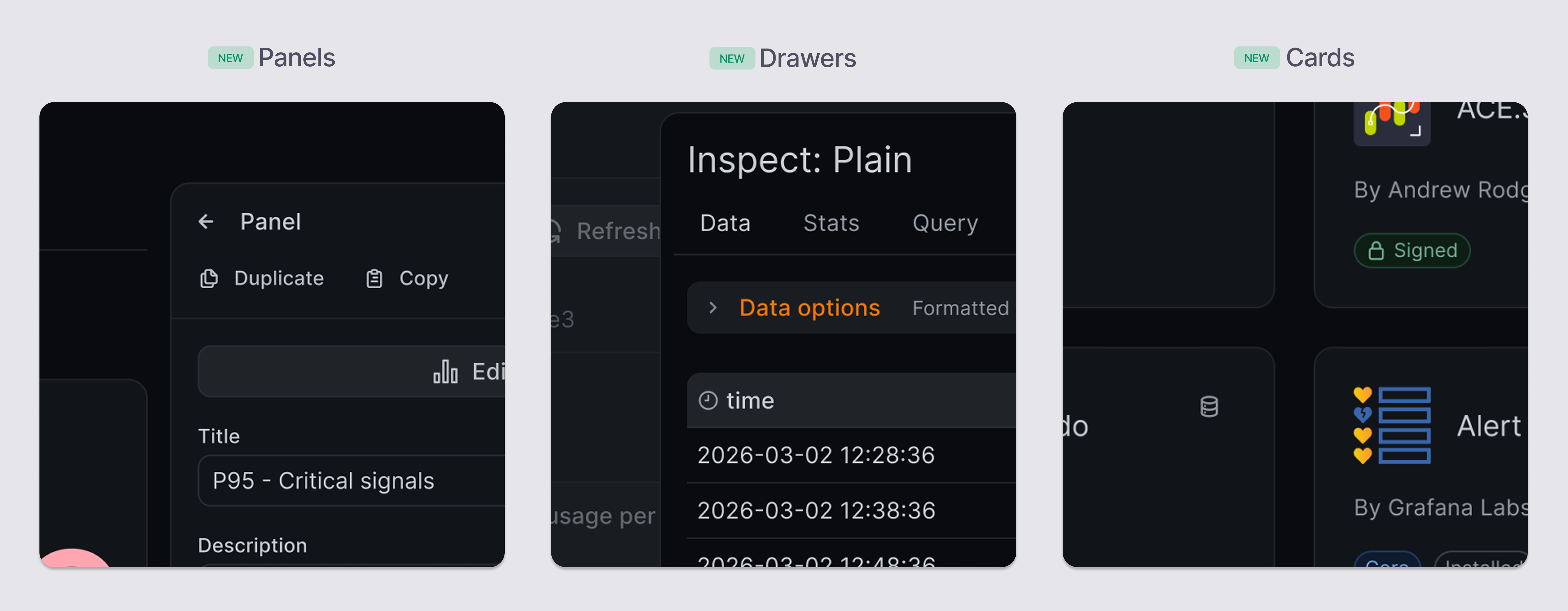
We have increased the radius of our borders to achieve a softer, more modern look. Thanks to our new palettes, we can create a bigger sense of depth and are able to better separate the toolbar and navigation bar from the rest of the page content. New subtle borders on cards, panels and other floating elements like drawers further a sense of layering and information hierarchy.
Updated inputs, drop-downs, buttons, and tags
We have reviewed our most critical components and overhauled them. Not only adjusting their sizes to be more proportional and consistent, but also reassessing how we want them to look like. Elements like tags, which were supported by multiple different components, are being refactored into a single, consistent component with shared behaviors and visual styles.
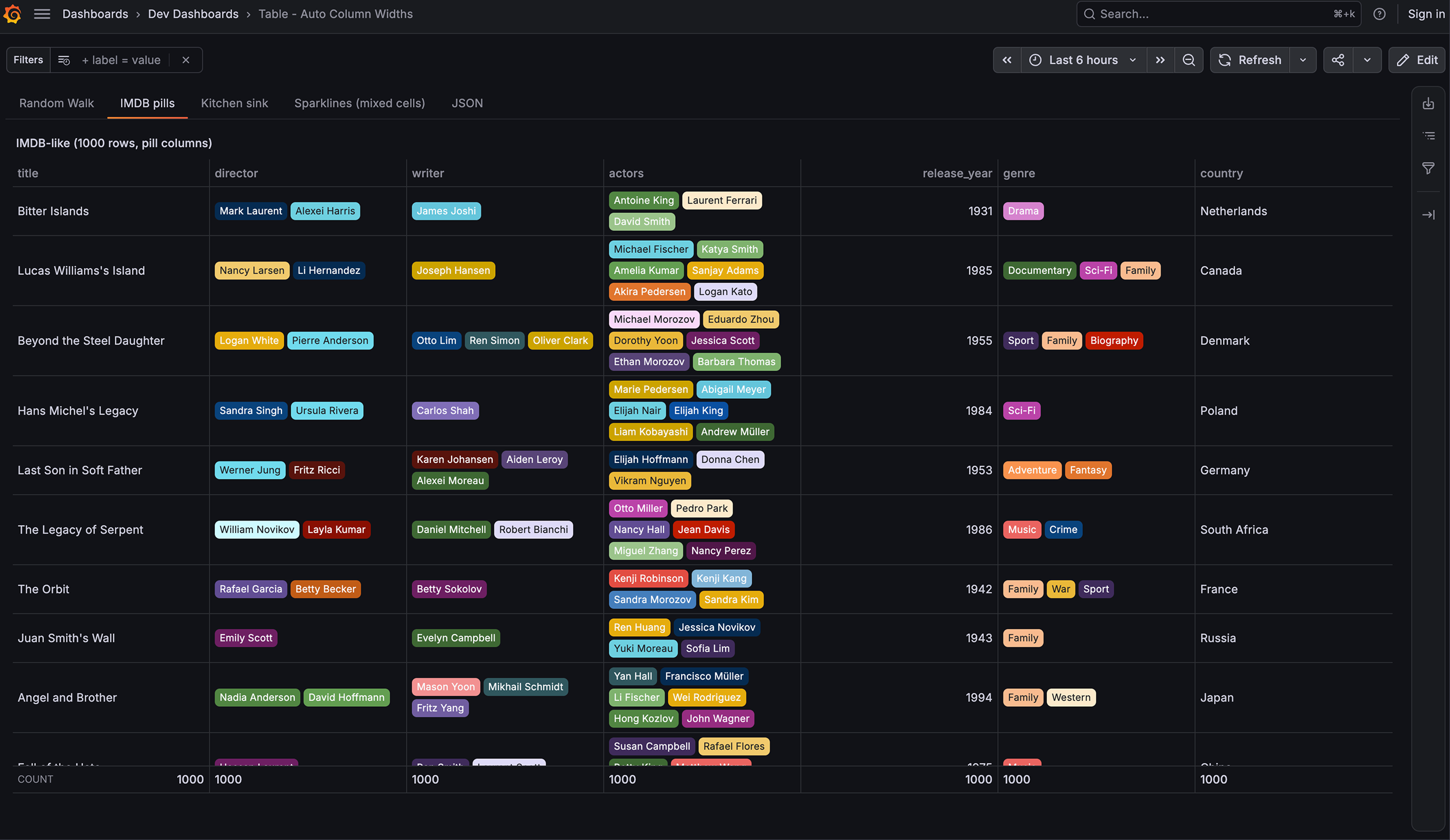 Old tags
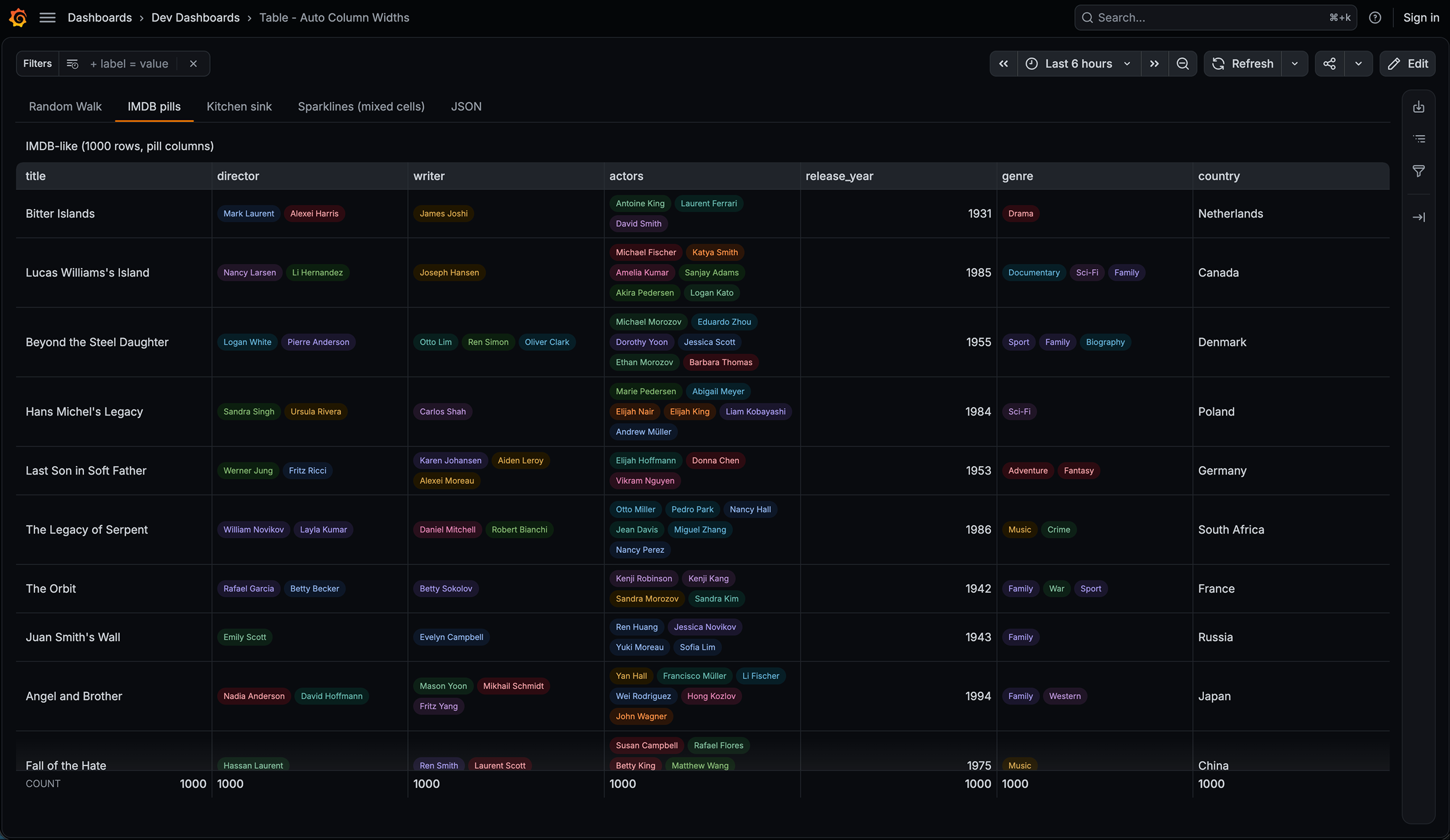 New tags
Revised typography styles
Our previous set of text styles did not take full advantage of various font weights and forced us to base information hierarchy solely on font size. We have introduced a mix of weights and sizes that follow a more harmonious scale and that can better support the information architecture of any page.
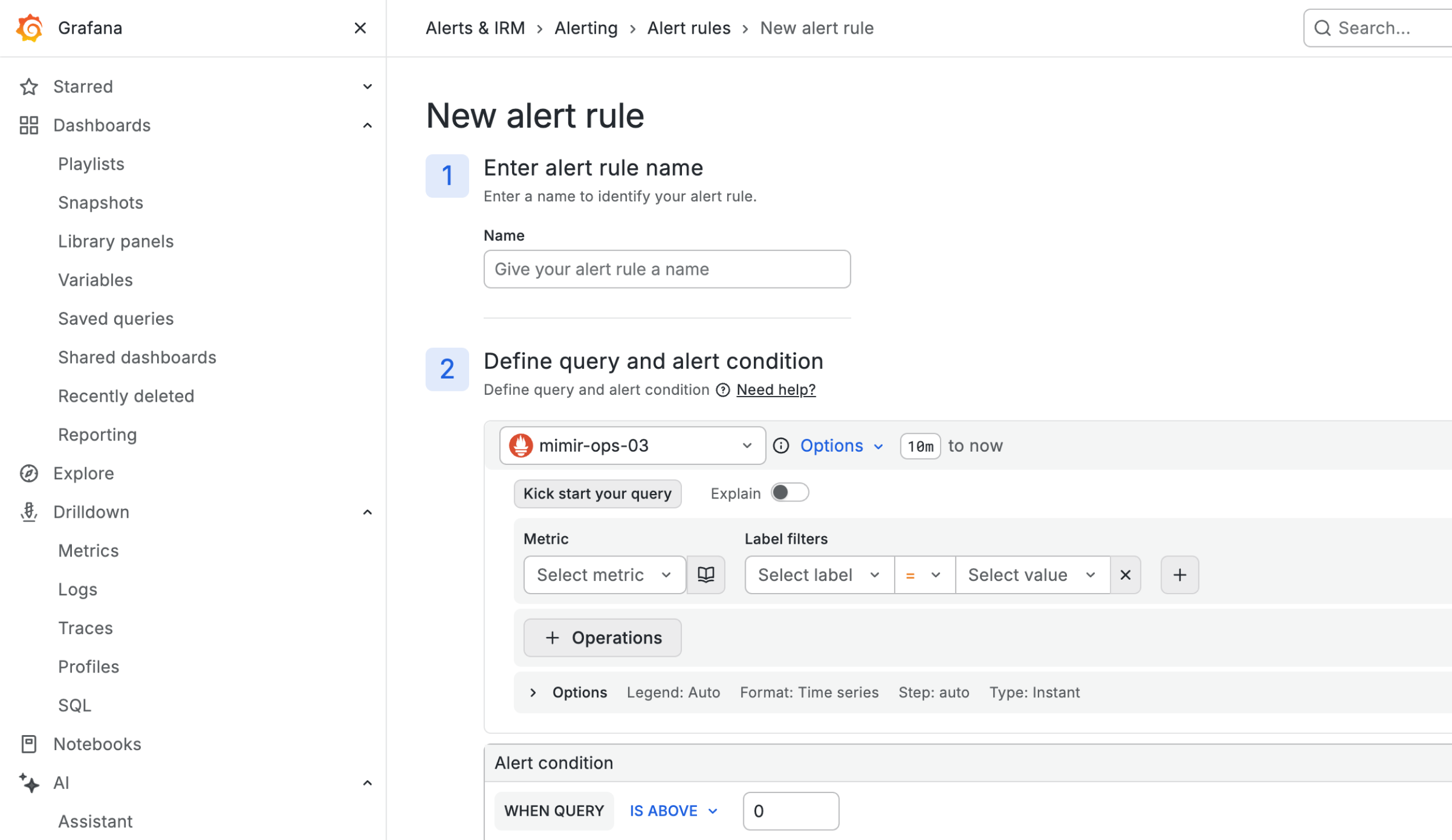 Old text styles
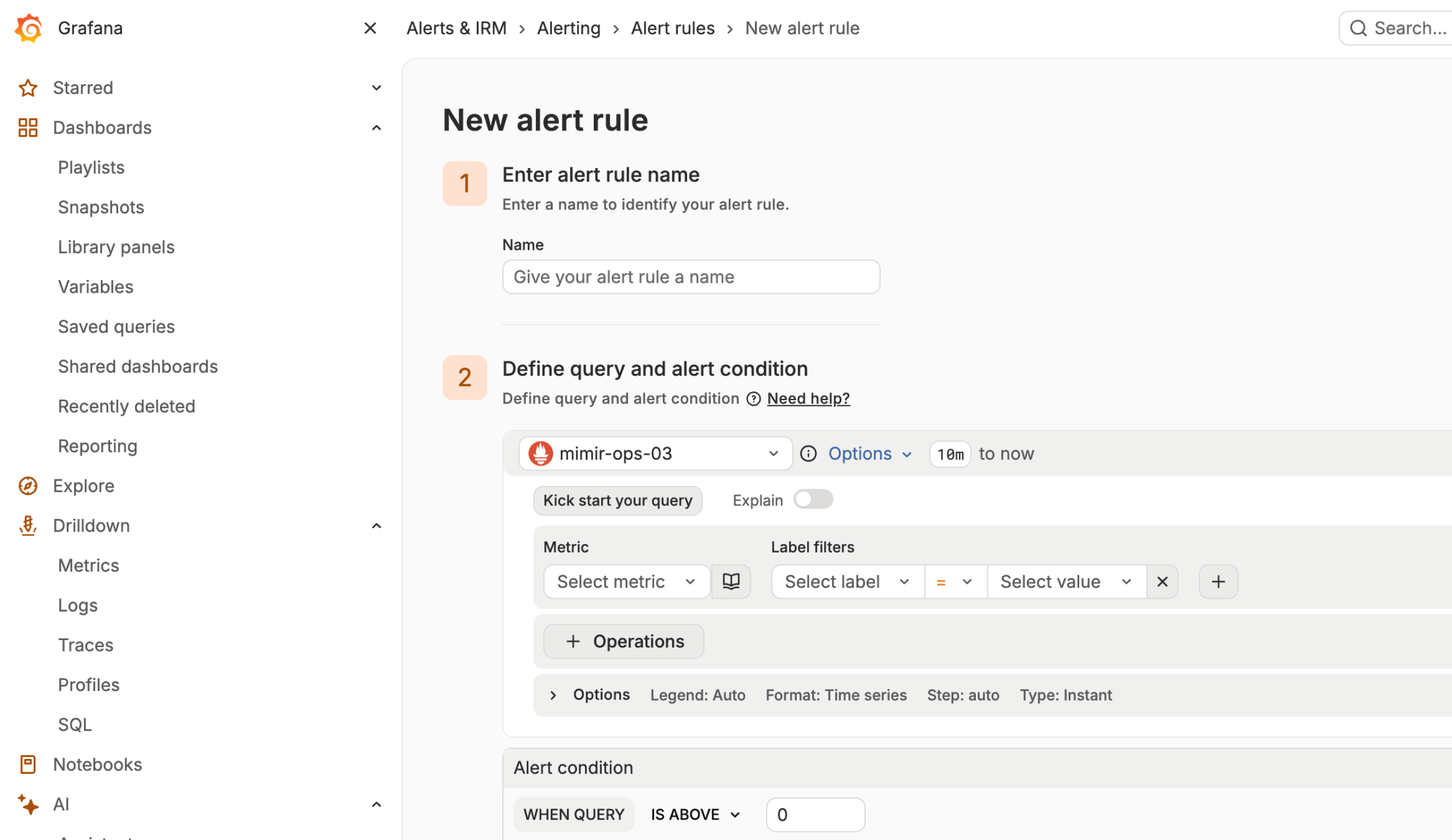 New text styles
What’s not changing (yet)
This is a visual refresh, not a redesign. We’re deliberately keeping this phase narrow:
- No changes to component APIs, properties, or interaction patterns.
- No changes to UX flows or navigation.
- No breaking changes for plugins. If you developed a plugin and it uses standard Grafana components and theme tokens, it inherits the new look automatically. If you’re hardcoding colors or styles, migration is on your timeline, not ours.
Put simply, everything still works the way it always has. It just looks a lot better doing it.
We’re also building this out carefully and we are not forcing it on anyone. You can easily revert to the previous design if the new one isn’t working for you yet, and we’re adding a feedback form so issues and opinions have a direct path back to us.
Where this is headed
This is just the start of a modernization and consistency effort all across the Grafana platform. Over the coming months, expect:
- Continued rollout support for plugin authors, including migration guides.
- Exploration of a richer icon set.
- Refreshed visualizations taking advantage of the new color palettes.
- More visual and structural improvements building on this foundation, and consolidation of similar UI components.
Try it
To try out the new UI, enable the grafana.visualDesignRefresh feature toggle.