
 Combine findings from across Grafana and share them with Notebooks
Combine findings from across Grafana and share them with Notebooks
Bring dashboard panels, Explore queries, and Grafana Assistant findings into one editable notebook. Add your reasoning alongside the evidence, then share it so teammates can understand how you reached your conclusions.
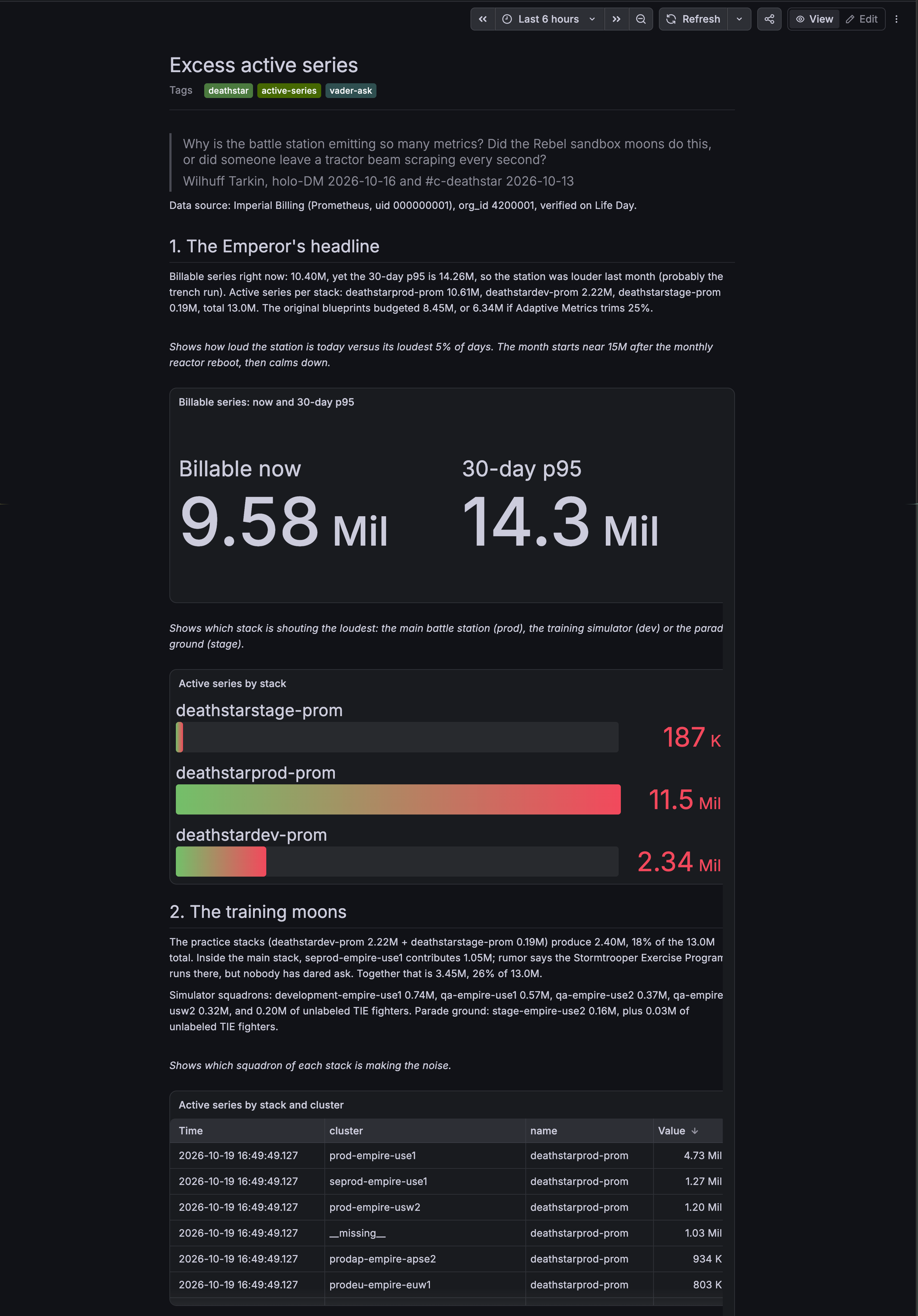
Bring your findings together with Grafana Notebooks
Your work can take you from a dashboard panel to an Explore query or a conversation with Grafana Assistant. Notebooks bring that evidence together in a shared, editable document, alongside your explanation of what it means.
Add panels from Dashboards or Explore, include findings from the Assistant, and write down your observations. Share and collaborate on the notebook so teammates can follow your reasoning and discuss what to do next, with the relevant data in the same place.
You can use a notebook to explore a question about your data, document an investigation, or prepare a post-incident review. Create one manually or through Grafana Assistant, including Workspace. As your understanding develops, you can edit and reorder the content. Your notebook saves automatically as you work, and you can export it as Markdown or a PDF.
When you want to build on earlier work, find your notebook on the Notebooks page and continue your analysis.
Build on what you already learned
You can load a saved notebook as context for a new or continuing Grafana Assistant investigation. This lets future investigations build on earlier findings instead of starting from scratch.
Notebooks also pick up where the Grafana Assistant Workspace canvas leaves off. While you investigate in Workspace, the canvas collects your questions, panels, and findings. When the investigation is worth keeping, create a notebook and continue refining it as an editable, human-in-the-loop record.
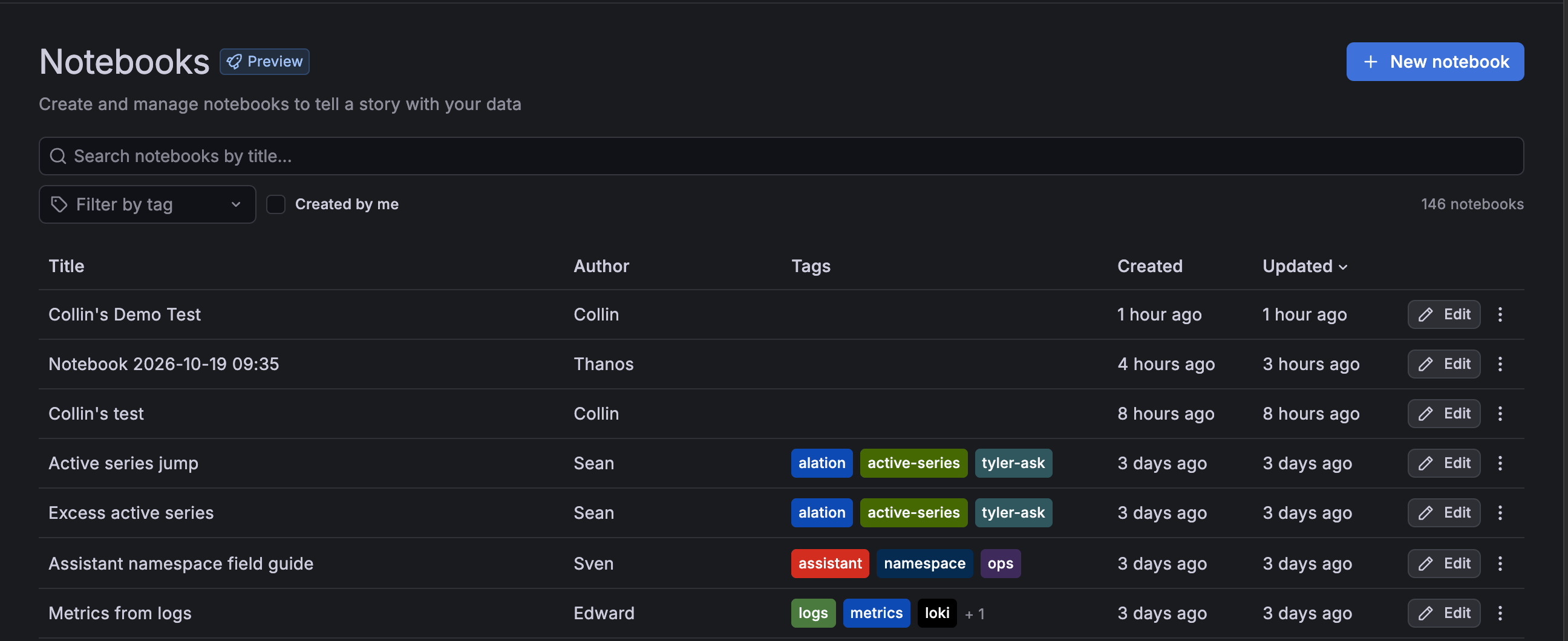
Use the Notebooks page to search by title, filter by tags or notebooks you’ve authored, and edit, share, delete, or export your notebooks.
This feature is gradually being rolled out to Grafana Cloud. To try out Notebooks, enable the dashboard.notebooks feature toggle.