
 Automate incident response and operations with Grafana Workflows
Automate incident response and operations with Grafana Workflows
Grafana Workflows is now in public preview for all Grafana Cloud stacks. Workflows is an automation engine built into Grafana Cloud. You define a series of steps that run when something happens, on a schedule, or on demand.
Use it to automate the repetitive parts of incident response and operations, so your team can focus on fixing the problem.
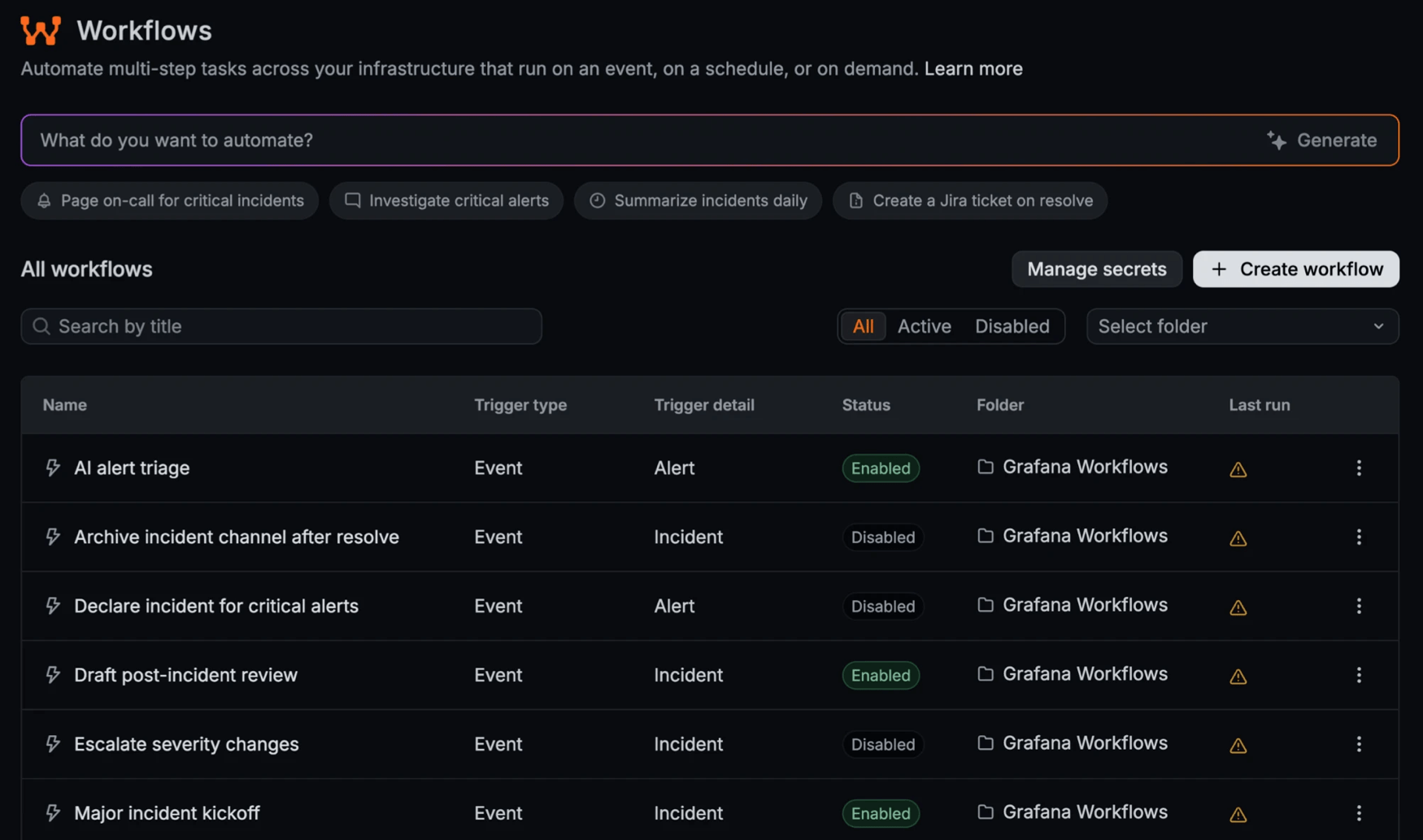
React to what’s happening in Grafana IRM
Trigger a workflow when any of these happen in IRM:
- An incident is created or updated.
- An alert group is created or updated.
- The on-call users of a schedule change.
You can also run workflows on a cron schedule in any time zone, or start them manually.
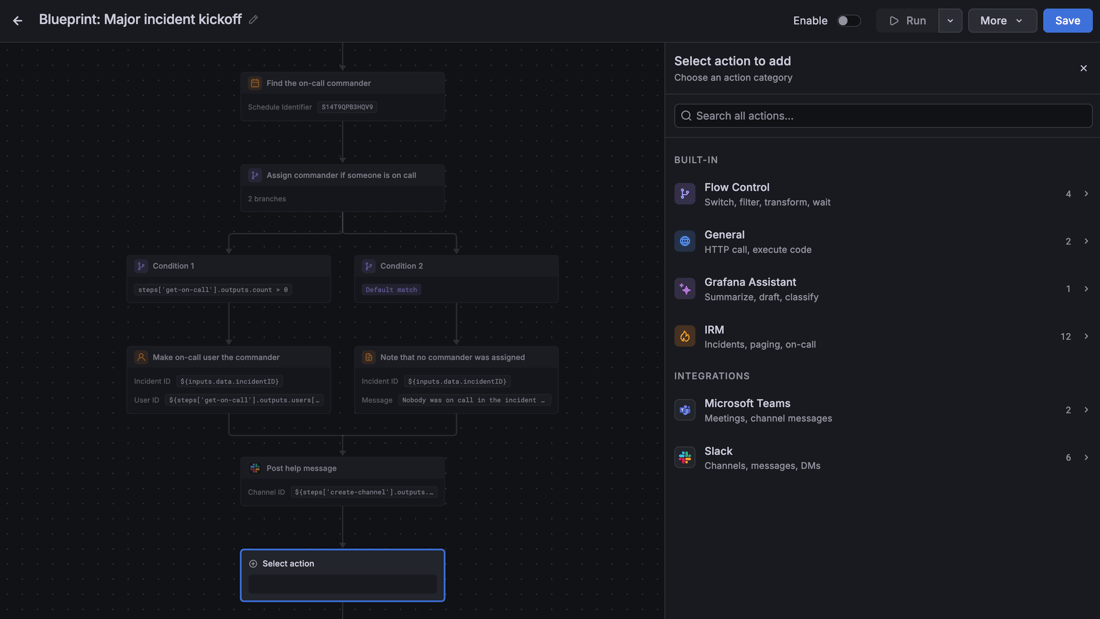
Connect the tools you already use
Steps can do any of the following:
- Declare and update incidents, page users and teams through IRM, and invite whoever’s on call.
- Create and archive Slack channels, post messages, and send direct messages.
- Create Microsoft Teams meetings and post to Teams channels.
- Call any HTTP API and run sandboxed Python.
Flow control steps let you filter, branch, transform data, and wait.
Bring Grafana Assistant into your automations
The Ask Assistant step lets a workflow hand a task to Grafana Assistant. For example, Assistant can triage a new alert group, draft a post-incident review, or write a weekly on-call handoff report.
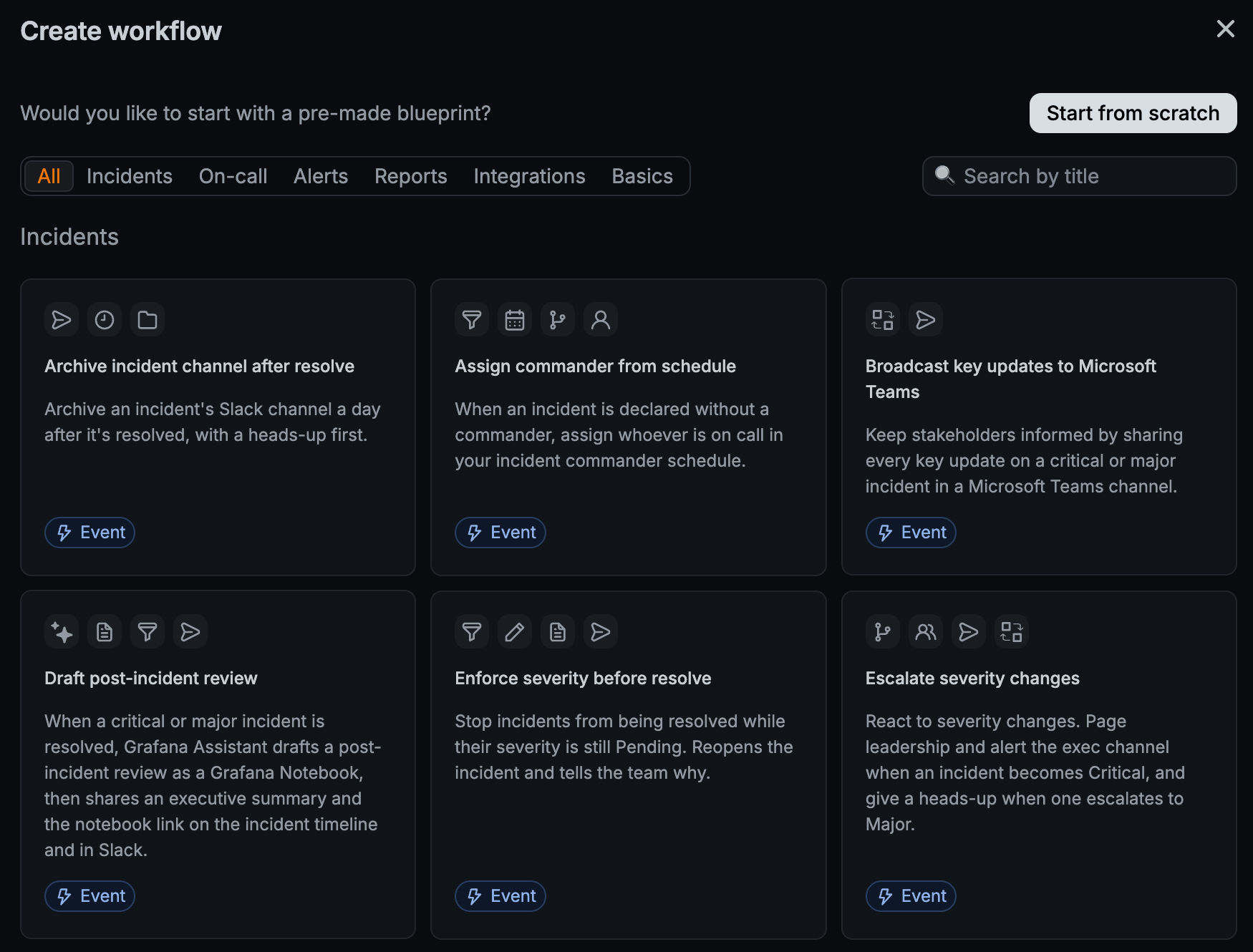
Start from a blueprint
Choose from more than 25 Blueprints, prebuilt workflows that you can customize for your team. Blueprints are grouped into incidents, on-call, alerts, reports, integrations, and basics.
Build workflows your way
Use the visual editor or YAML, and connect steps with CEL expressions. Store API tokens as secrets, control who can edit workflows with RBAC roles, and inspect every run step by step.
To manage workflows as code, use gcx or Terraform. You can also describe what you want in plain language and let an AI agent build and test the workflow for you.
Get started
To build your first workflow, open Workflows directly or go to More apps > Workflows in the Grafana Cloud main menu.
