
 Secrets management is generally available with AWS Secrets Manager support
Secrets management is generally available with AWS Secrets Manager support
We’re excited to announce the general availability of secrets management in Grafana Cloud, along with a new AWS Secrets Manager integration. Secrets management gives you one safe place to store the API keys, tokens, and passwords that your Synthetic Monitoring checks and Grafana Cloud k6 tests need, so credentials never end up in your scripts.
With the AWS Secrets Manager integration, you don’t even have to store them in Grafana. Your secrets can stay in your own AWS account, under the IAM policies, rotation, and audit logging you already have, and Grafana fetches each value only at the moment a check needs it.
Secure storage out of the box
If you’re new to secrets management, here’s the model: you store a credential once as an encrypted secret, give it a name, and reference that name wherever you need it. A central page in your Grafana Cloud instance lists every secret, so you can see what exists, update a value, or remove it without hunting through scripts.
Secrets are protected with envelope encryption, and their metadata is stored separately from their values. Each secret has a list of decrypters (the Grafana services allowed to read it), and once saved, a value can’t be viewed again through the UI or API. Checks and tests read it at run time with secrets.get('<name>'). No AWS account required.
Already using AWS Secrets Manager? Connect it
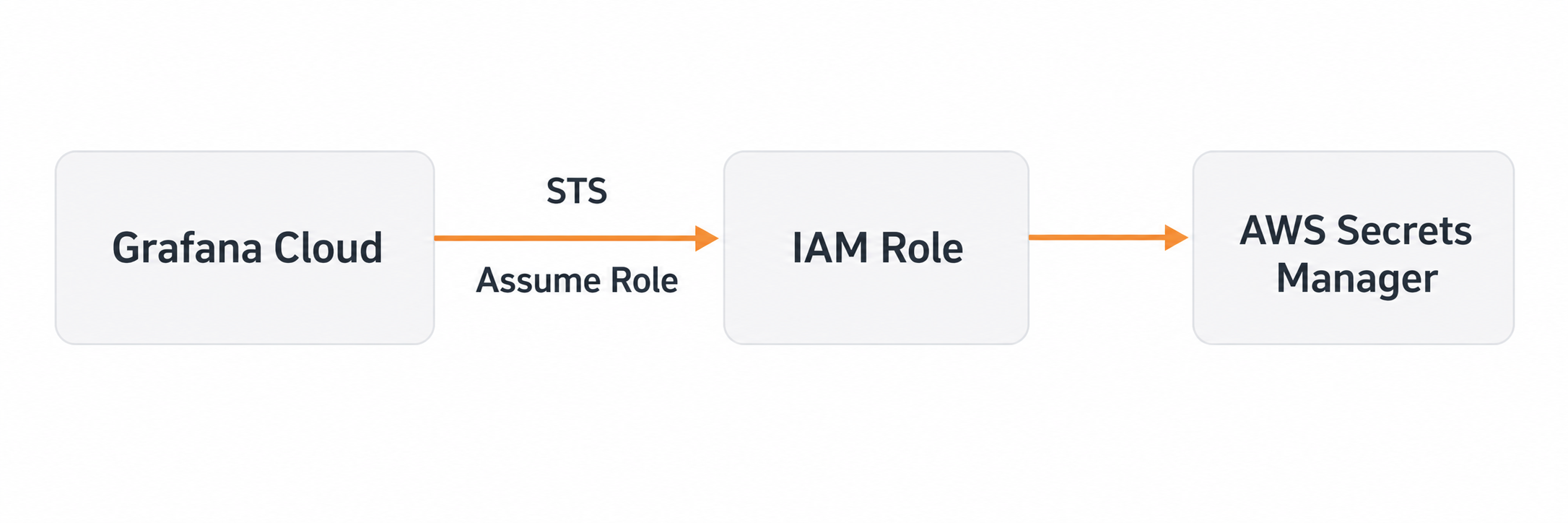
The integration works the way you’d expect from AWS. You create a cross-account IAM role with an external ID, and Grafana assumes it through STS whenever it needs a secret. There are no access keys to manage, every read appears in CloudTrail, and disconnecting is as clean as deleting the role.
Once connected, your AWS account is the single home for your secrets, whichever direction they arrive from. Point Grafana at secrets that already live in your account, and it reads the value at the moment a check runs. Or create a new secret from Grafana, and it’s written to your AWS Secrets Manager instead, where it’s tagged and visible in your console like any other secret.
Either way, rotation happens in AWS. Rotate a secret manually or automatically, and every check picks up the new value with no changes in Grafana. Your scripts don’t change either — secrets.get() works the same against both stores.
