
 k6 Studio 2.0: browser test authoring and autocorrelation are generally available
k6 Studio 2.0: browser test authoring and autocorrelation are generally available
Building a realistic performance test usually means writing selectors by hand, hunting down session tokens that break your script on playback, and tuning configuration before you can run anything. The latest Grafana k6 Studio release takes that work off your plate, with browser test authoring and autocorrelation now generally available.
Record browser tests without writing selectors
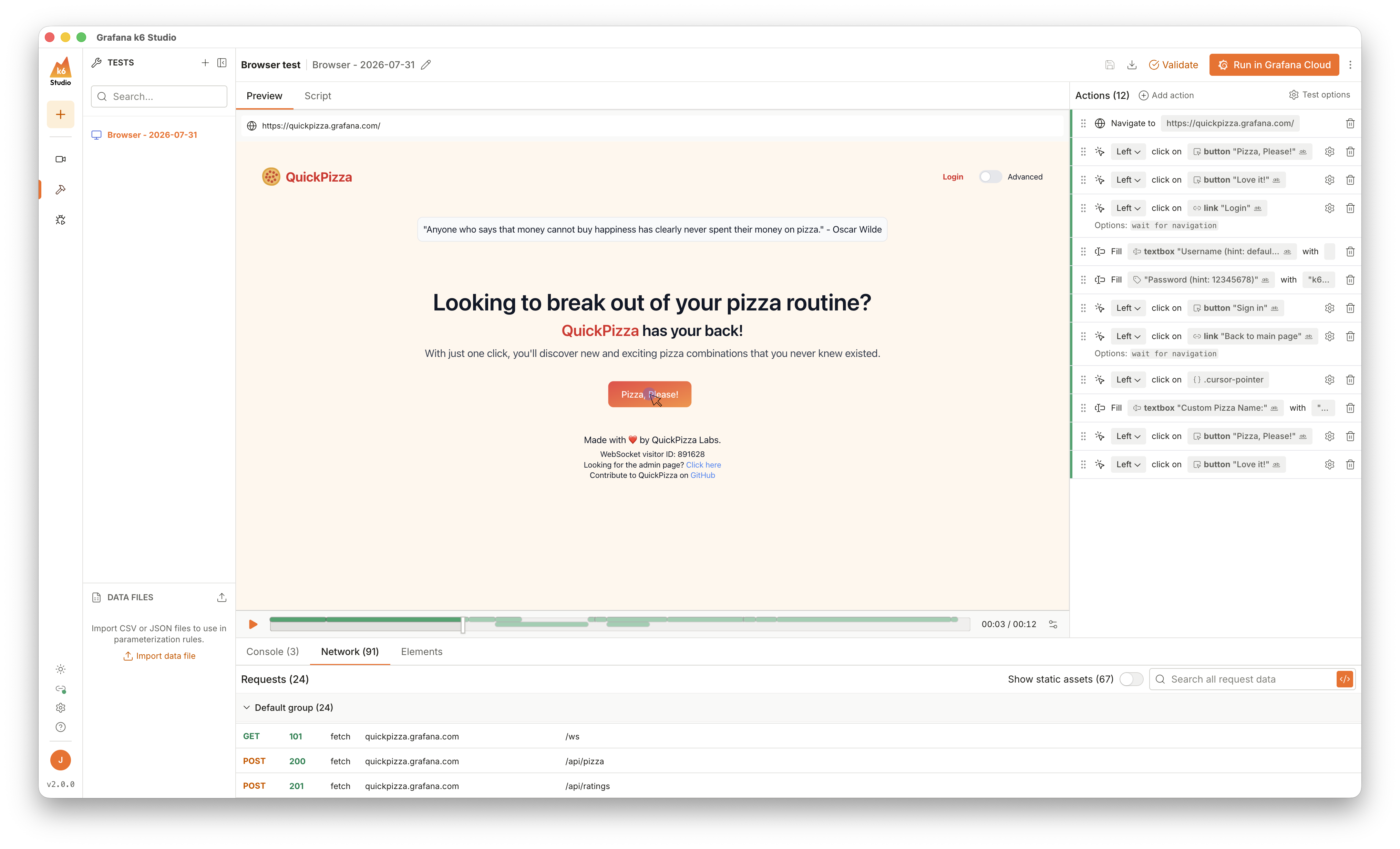
Record a real user flow directly in your browser and k6 Studio turns it into a k6 browser test script, with no hand-written selectors or navigation logic. Export the recording as a browser test to inspect, tweak, and refine each step in the browser test editor, or skip recording entirely and build a test from scratch. Recording and testing also support iframes end to end: interactions inside iframes are captured, iframe elements appear in the editor and session replay.
Autocorrelate dynamic values automatically
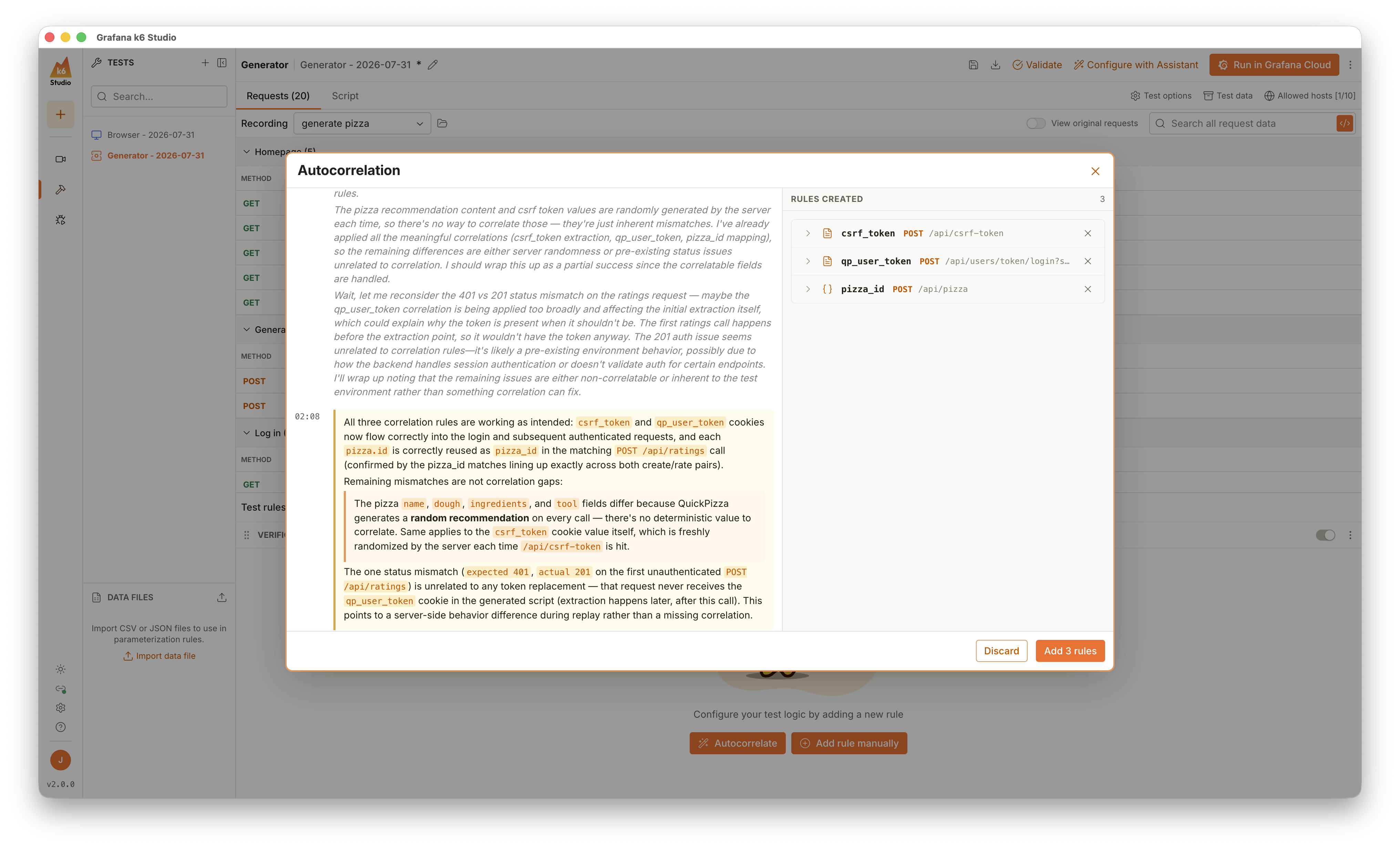
Powered by Grafana Assistant, autocorrelation detects dynamic values in your recording, like session tokens, CSRF tokens, and resource IDs, that change between recording and playback. It creates correlation rules to extract and reuse them, so your generated scripts run correctly without manual correlation work.
Get a guided test setup from Grafana Assistant
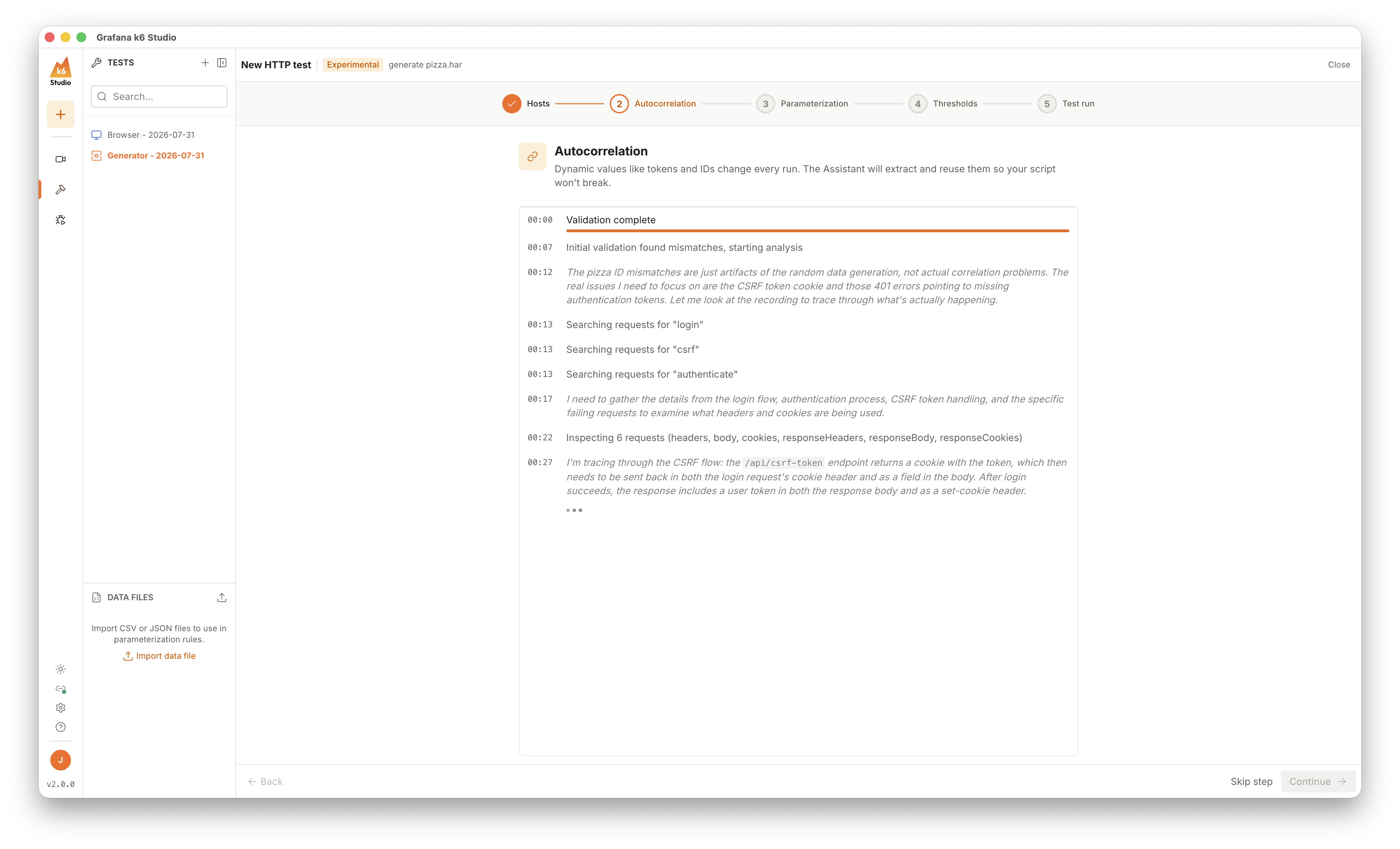
A new experimental guided setup walks you through turning a recording into a fully configured HTTP test. It analyzes your recording step by step and proposes a configuration for you to review and adjust. It selects hosts, correlates dynamic values, parameterizes hard-coded values, and sets thresholds before running the test in Grafana Cloud k6.
Debug tests with more control
The debugger now includes a DOM inspector, so you can examine page structure while a browser test runs. You can edit your script in place without leaving the debugger, pick which scenario to run in multi-scenario tests, and export the network traffic captured during a debug run to create HTTP tests from browser tests.
Better file management
k6 Studio adds file menus for opening, saving, and exporting, native save dialogs, and deletion to the system Trash with undo. You can open recordings and data files from anywhere on disk and pick which page to export from multi-tab recordings.
These features ship in k6 Studio 2.0, available since July 31, 2026. Download the latest release and record your first flow.
