
What's new from Grafana Labs Know your Grafana Cloud k6 plan limits before you hit them
Know your Grafana Cloud k6 plan limits before you hit themWhat's new from Grafana Labs

Know your Grafana Cloud k6 plan limits before you hit them
You can see your Grafana Cloud k6 plan limits and current stack usage in one place. That view helps you know what your subscription allows before you run a large test or add shared resources.
Open Testing & synthetics > Performance > Settings, then select Stack limits under Usage. The page shows per-test caps, shared capacity such as monthly VU hours and concurrent tests, and result retention. When a cap applies, it also shows usage against the plan limit.
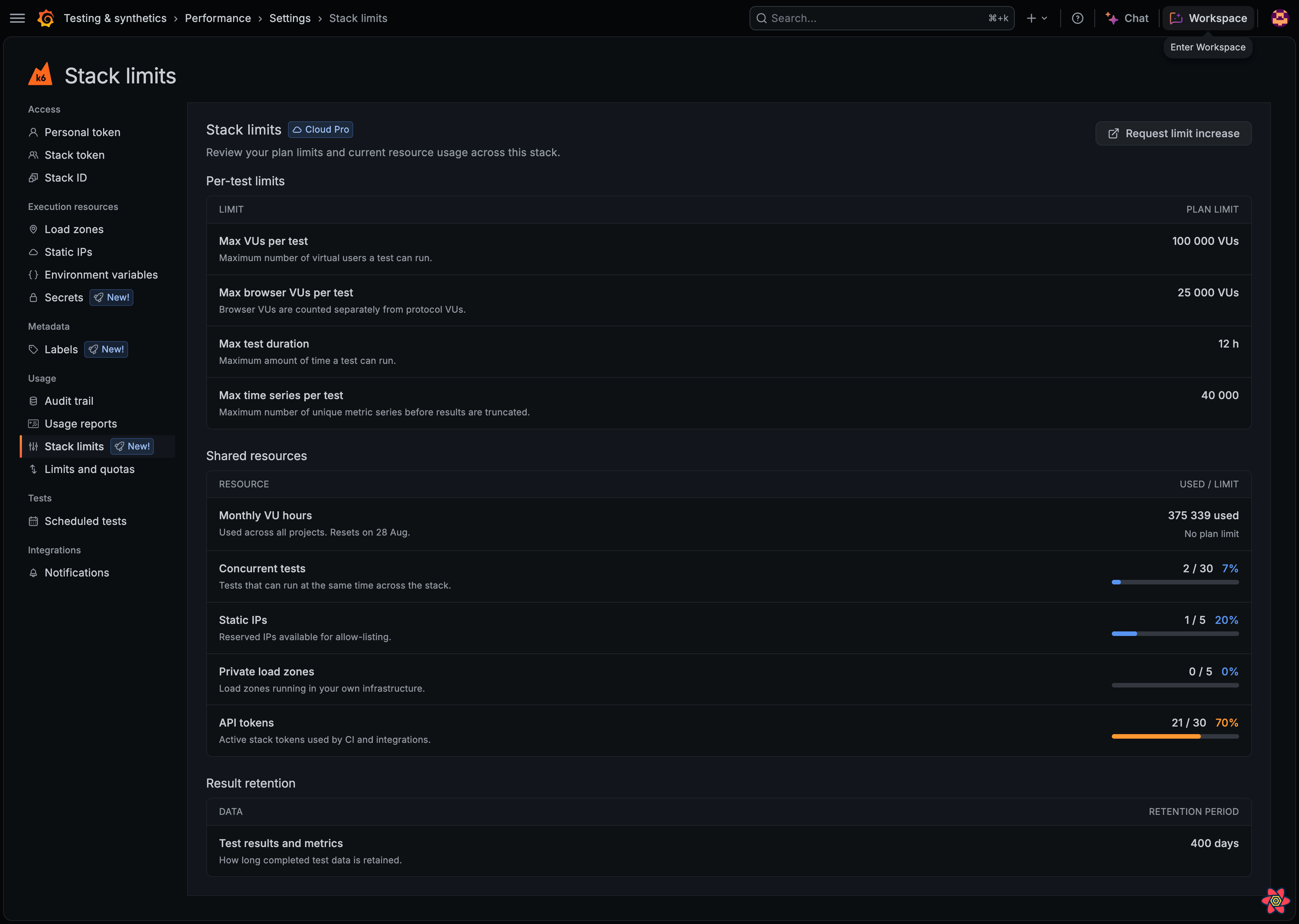
On paid plans, use Request limit increase to open a support request. On the Free plan, each row also shows the Cloud Pro comparison so you can see what an upgrade unlocks.
For more information, refer to View stack limits.
Related What's new posts
