
What's new from Grafana Labs Improved auto layout indication when editing dashboards
Improved auto layout indication when editing dashboardsWhat's new from Grafana Labs

Improved auto layout indication when editing dashboards
When you edit a dashboard that uses auto layout, Grafana manages panel sizes automatically. Until now, it wasn’t always clear why dragging the lower-right corner of a panel had no effect or how to change the layout.
In edit mode, Grafana now shows a layout indicator on the tab you’re working with and when you hover over a row. Also, when you try to resize a panel in auto layout, a small dialog box explains that panel sizes are managed by auto layout and provides two options:
- Edit auto layout to adjust its configuration
- Switch to custom layout to resize and position panels manually
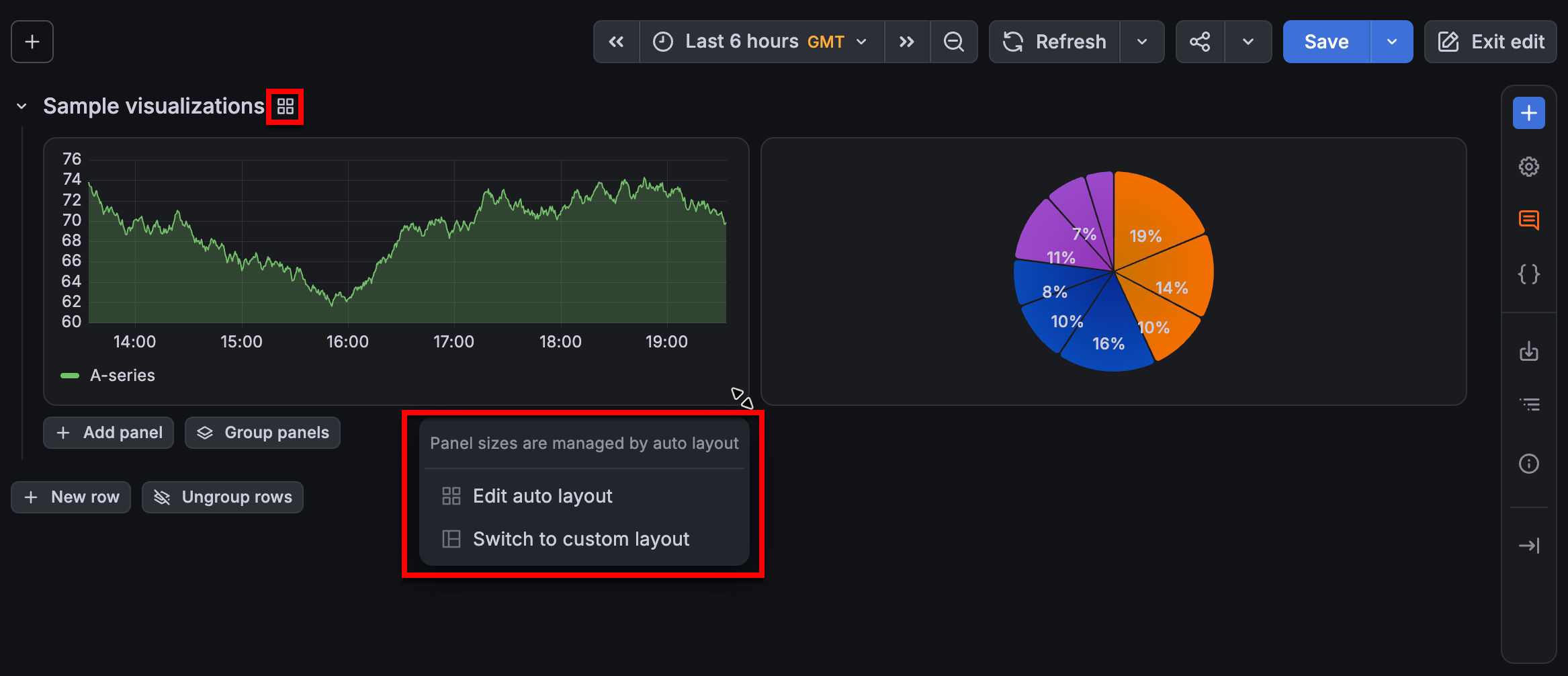
For repeated panels, this interaction is available on the last panel in the repeated group.
These changes make it clearer when auto layout is controlling panel sizes and provide a direct path to change the layout when manual resizing is needed.
Related What's new posts
