
What's new from Grafana Labs Catch hardcoded secrets in Grafana Cloud k6 scripts
Catch hardcoded secrets in Grafana Cloud k6 scriptsWhat's new from Grafana Labs

Catch hardcoded secrets in Grafana Cloud k6 scripts
As you write a performance test in Grafana Cloud k6, the script editor can flag hardcoded API keys, tokens, and passwords before you run the test. Those values are stored in plaintext in the script, so leaving them there puts credentials at risk when you share the file or check it into version control.
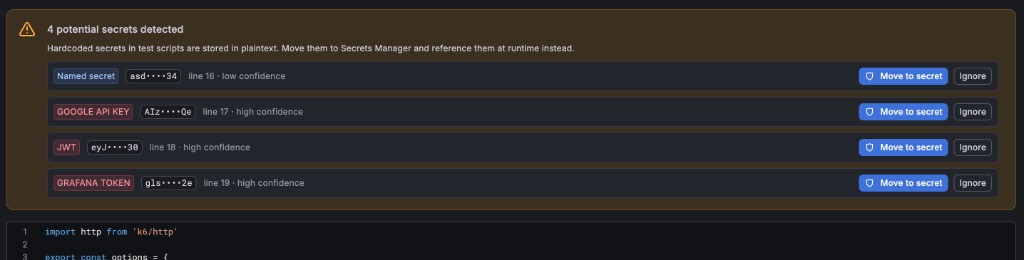
In the Grafana Cloud k6 script editor, the editor flags potential secrets as you write. Move a finding into Secrets Management in one click, and k6 rewrites the script to reference the secret at runtime instead of keeping the value in plaintext.
For more information, refer to Move secrets from the script editor.