
What's new from Grafana Labs Choose your k6 runtime version when you create tests in Grafana Cloud k6
Choose your k6 runtime version when you create tests in Grafana Cloud k6What's new from Grafana Labs

Choose your k6 runtime version when you create tests in Grafana Cloud k6
You can now select which k6 major version your script targets when you create a test in the script editor. New tests default to v1.x (default). Select v2.x when your script uses the k6 v2.x runtime. Grafana Cloud k6 stores the version on the load test and uses it for future runs, including scheduled runs.
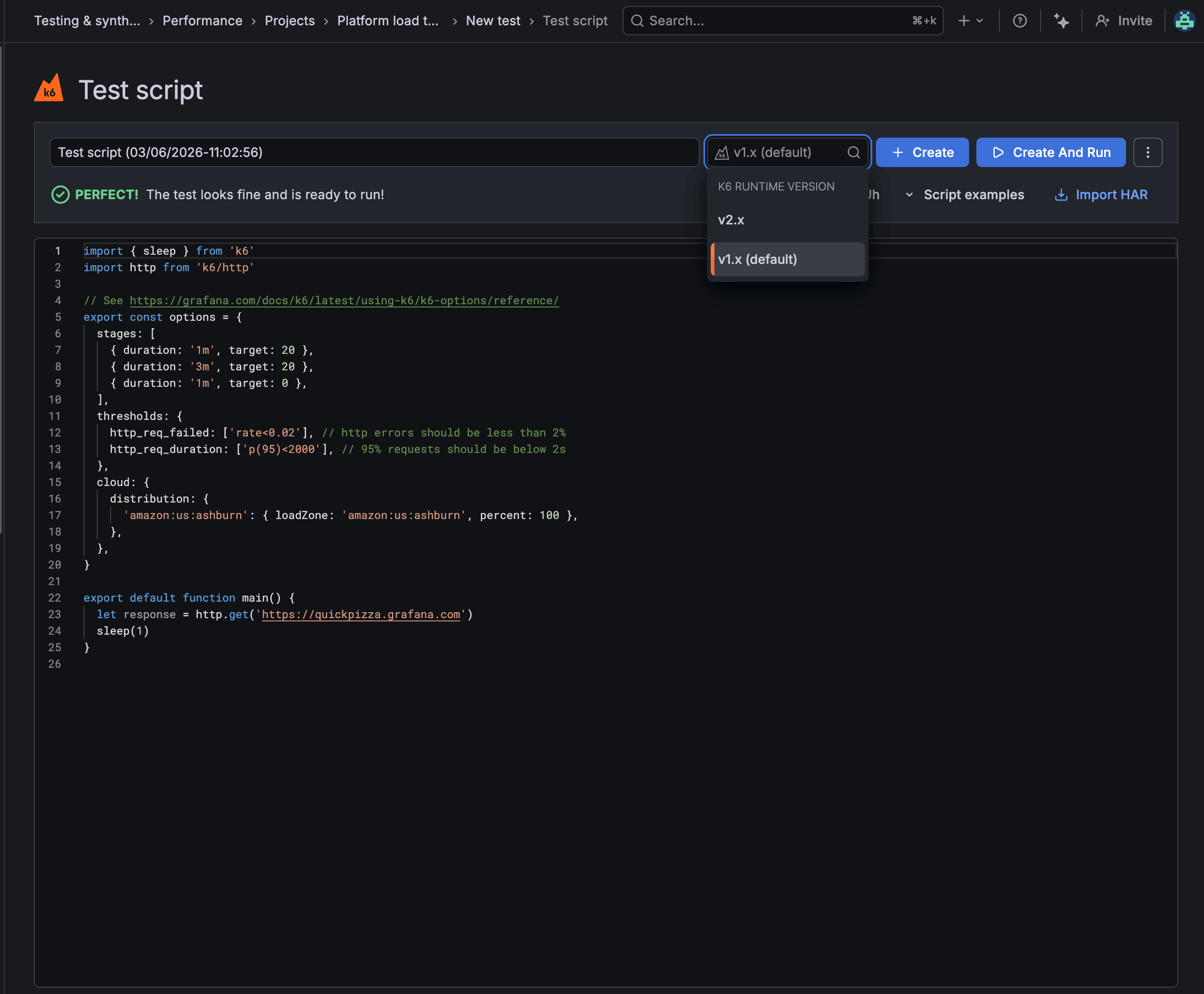
In the script editor, open the k6 runtime version menu before you select Create or Create and run. You can try k6 v2.x on a new test without changing the runtime for other tests in your organization. After each run, confirm which version executed on the Test results page.
To learn more, refer to Use the script editor.
Related What's new posts
