
What's new from Grafana Labs Triage upfront with Kubernetes Monitoring home page
Triage upfront with Kubernetes Monitoring home pageWhat's new from Grafana Labs

Triage upfront with Kubernetes Monitoring home page
Get started with troubleshooting and problem solving on the Kubernetes Monitoring home page’s **Overview tab**.
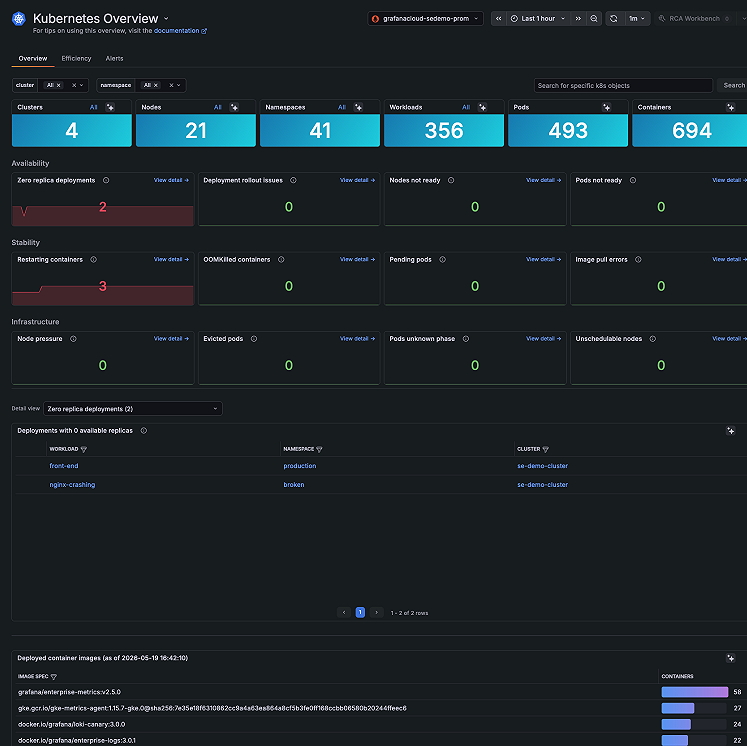
- Confirm the scope of an issue before you start triage. Is this one Cluster or many? One namespace or all?
- Spot resource pressure across namespaces before drilling into specific workloads.
- Detect failing or crashlooping Pods without knowing which namespace to look in first.
- Drill into a specific Cluster, namespace, or Deployment from a single starting point.
On the Efficiency tab on Kubernetes Overview, you can answer the question: where is compute being paid for but not used?
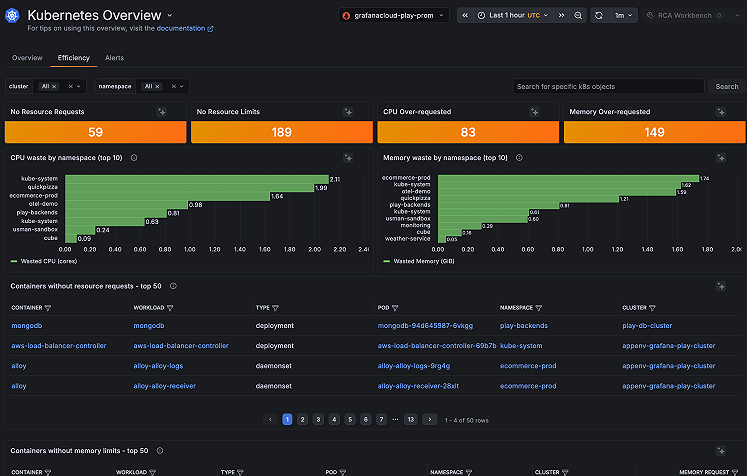
Use this data when you need to:
- Plan for capacity
- Find out why the scheduler is pending Pods despite Nodes appearing available
You can find containers running without CPU or memory limits, so misconfigured workloads are easy to spot.
Learn more
Refer to Triage your infrastructure to learn more.
Related What's new posts
