
What's new from Grafana Labs Sidebar and toolbar improvements for the new dashboard experience
Sidebar and toolbar improvements for the new dashboard experienceWhat's new from Grafana Labs

Sidebar and toolbar improvements for the new dashboard experience
With the new dashboarding experience now generally available, we’ve introduced a series of UI enhancements that make dashboard creation and editing more discoverable, consistent, and easier to navigate.
First, we’ve addressed two common pain points by adding a back button and moving the dock/undock control into the sidebar header:
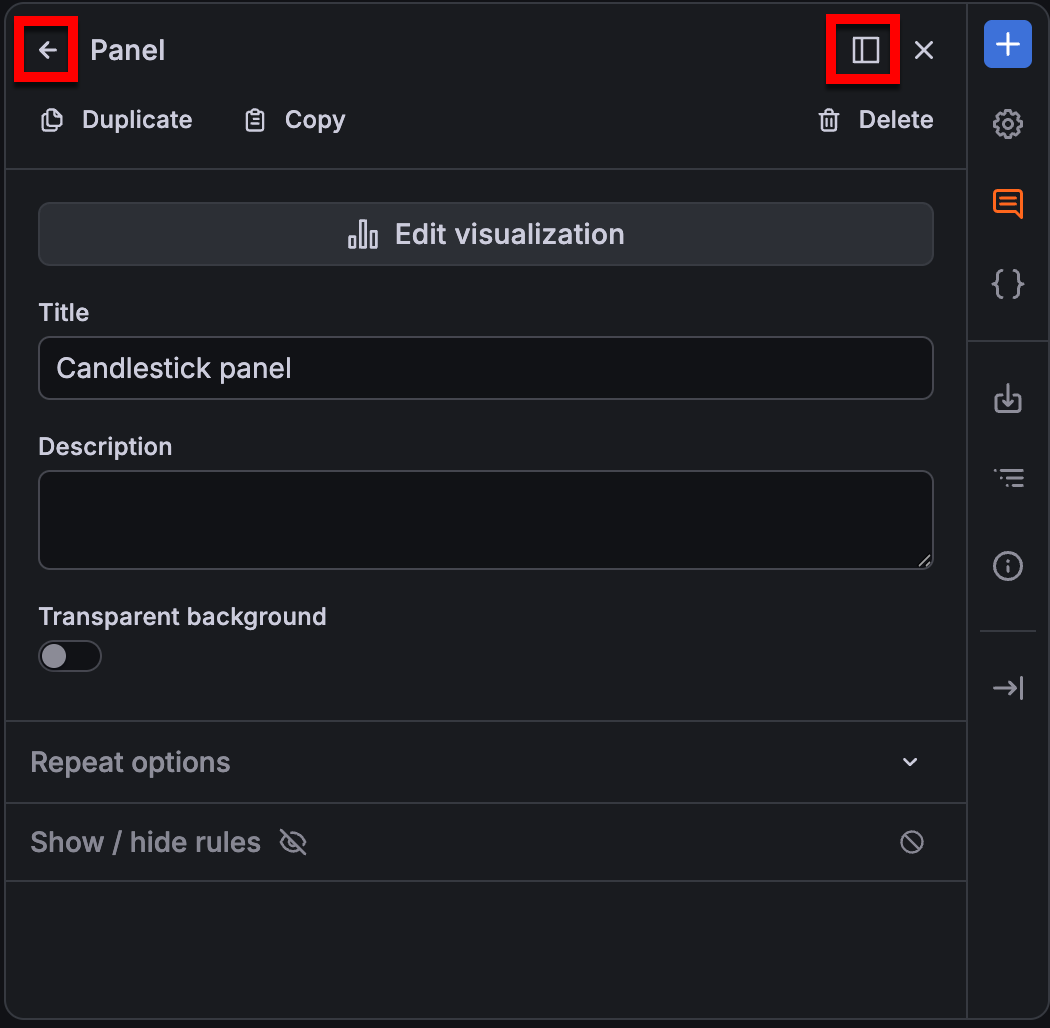
The back button lets you return to the previous set of sidebar options with minimal clicking, making it easier to keep working on the same dashboard elements.
The dock/undock controls are now easier to find in the sidebar header, and we’ve improved how the sidebar behaves while you’re editing a dashboard.
We’ve also surfaced copy and duplicate actions in the sidebar header, removing them from nested menus:

Related What's new posts
