
 Create k6 tests with Grafana Assistant and k6 Script Authoring mode
Create k6 tests with Grafana Assistant and k6 Script Authoring mode
Writing a solid k6 performance test still means juggling URLs, VU counts, checks, thresholds, and how metrics will look in Grafana after the run. It is easy to get stuck on a blank script or to ship something that runs locally but does not match how your service actually behaves in production.
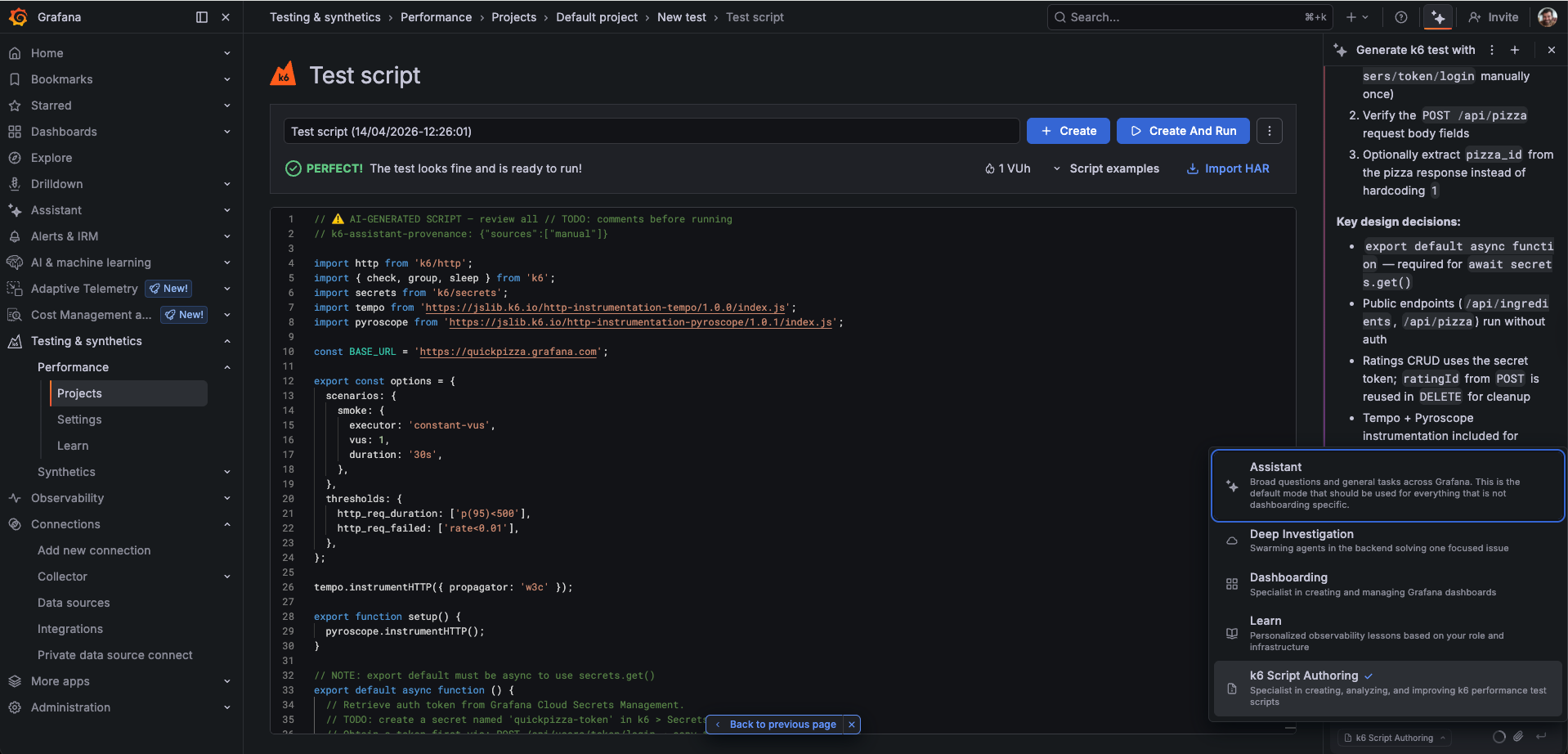
k6 Script Authoring is a mode in Grafana Assistant that turns plain-language goals into production-ready k6 scripts in Grafana Cloud. You stay in one place: describe the scenario, lean on telemetry or a repo when you have them, or paste what you already have—and you get back structured JavaScript with checks, thresholds, URL grouping to keep cardinality under control, and optional Tempo tracing and Pyroscope profiling hooks so results line up with the rest of your stack.
You can write a new test from a short prompt, discover and generate from a service name plus metrics, logs, and traces in your Grafana Cloud stack (with optional OpenAPI or GitHub context), or work with an existing script for review, tuning, or conversion—for example from Postman or curl.
To try it, open Testing & synthetics > Performance, start Assistant, and choose k6 Script Authoring. Grafana Assistant must be enabled on your stack. For access steps, example prompts, limitations, and a runnable QuickPizza example, refer to Use k6 Script Authoring mode.
