


Overview
This data source plugin enables data comparison capabilities by supporting queries from multiple data sources. It allows you to use custom time shifts to display data from different time ranges within a single graph.
Key features:
- Compatible with Grafana 11/12/13+
- Resolves issues with undefined data points
- Introduces support for timeShift aliases
- Supports Grafana Alerting through backend execution
- Delegates dashboard variables and Ad Hoc filters to target datasources
- Supports Math expressions with multi-value variables (v2.1.0+)

Quick start
Step 1. Add the real target datasource you want to compare, such as Elasticsearch. CompareQueries does not store metrics by itself; it runs queries against this target datasource.
Step 2. Create a datasource of type CompareQueries.
Grafana -> Connections -> Data sources -> Add new data source -> search compare.

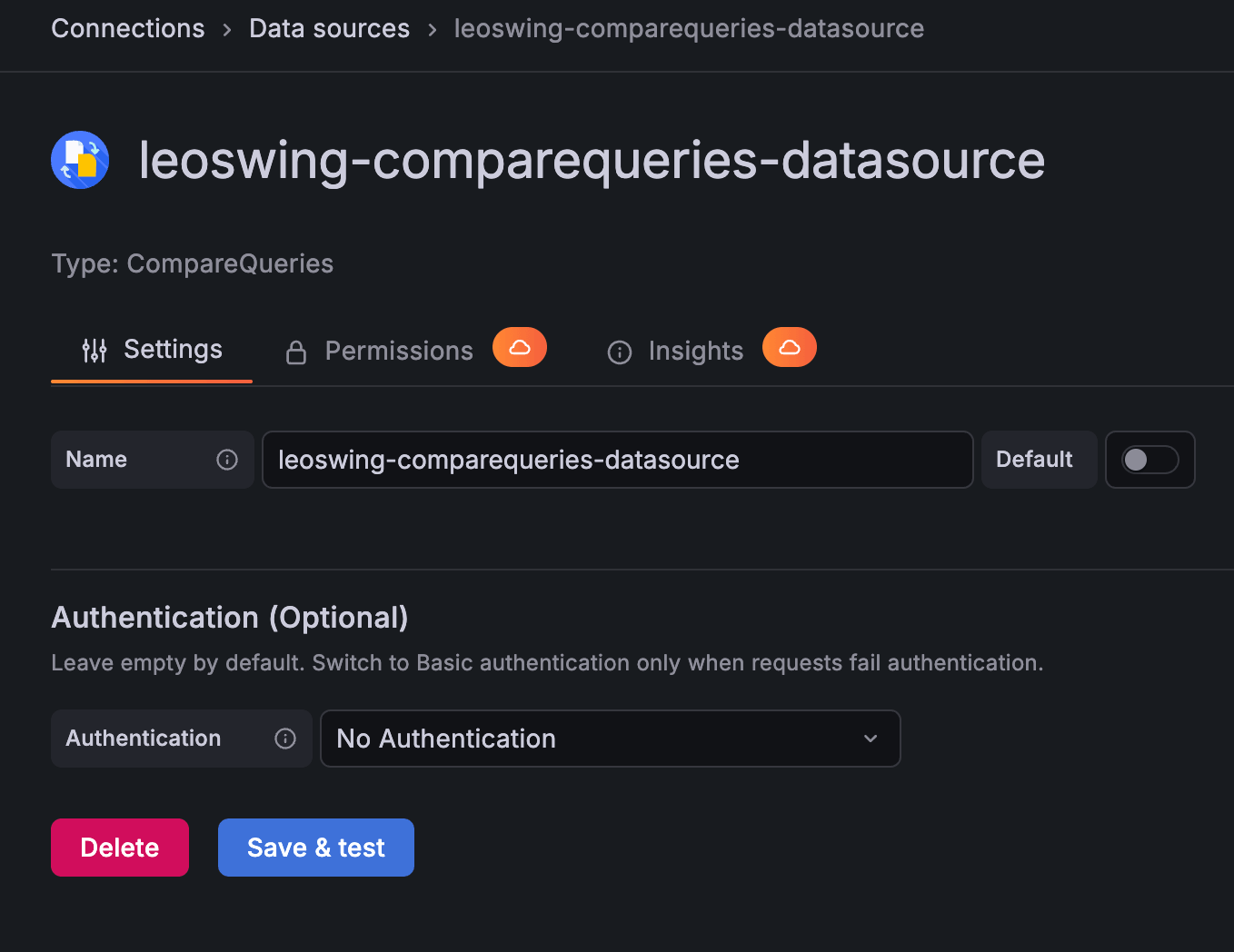
Step 3. Configure CompareQueries datasource settings.
Authentication (Optional)defaults toNo Authentication- Switch to
Basic authenticationonly when backend or alerting requests fail authentication - Fill
Service Accountand optionalGrafana URLonly in that case
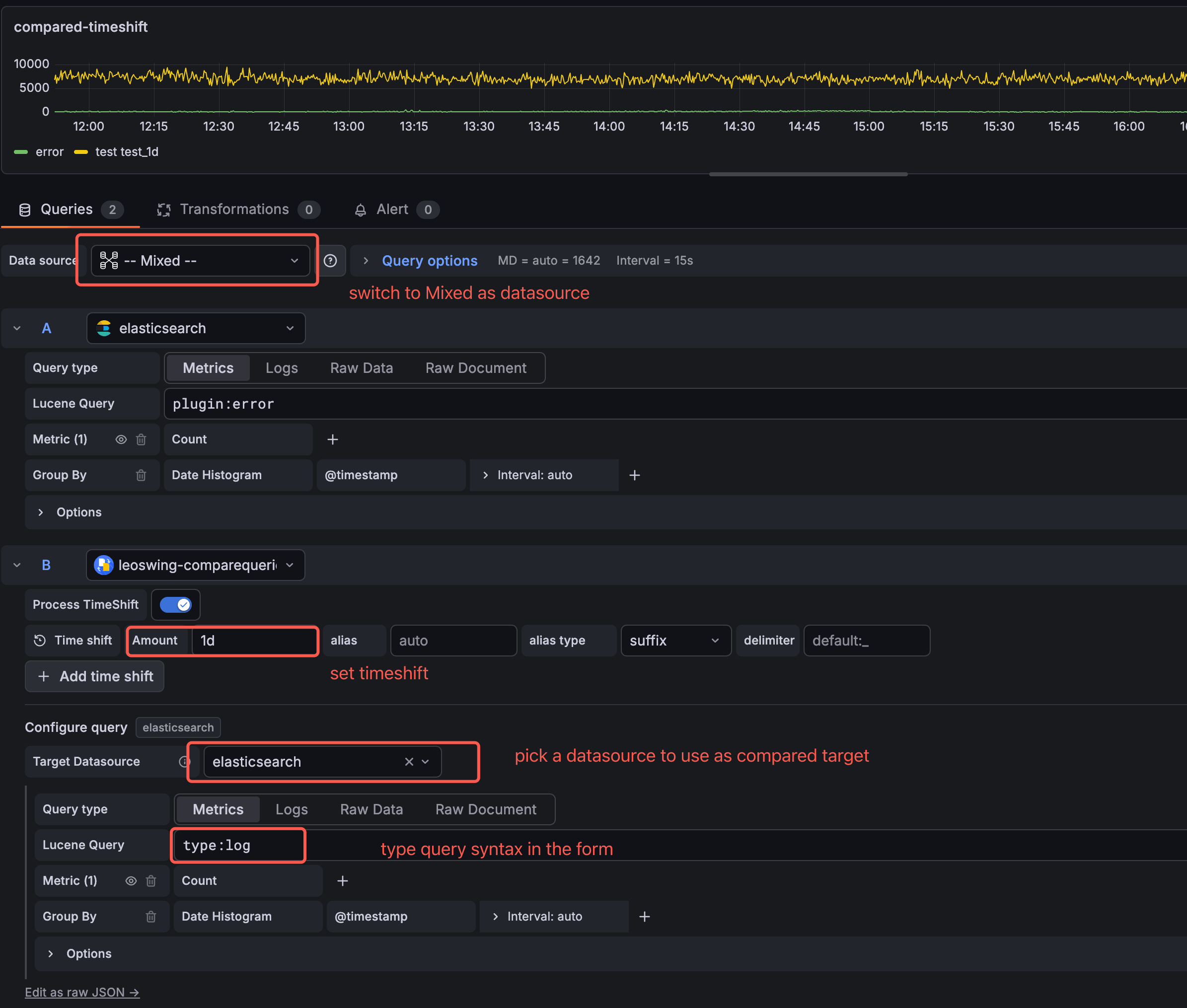
Step 4. Create a dashboard panel and set panel datasource to -- Mixed --.
Step 5. Add a query row and select CompareQueries as that row's datasource.
Step 6. Pick Target Datasource inside CompareQueries, build target query inline, and add time shift rows (Amount like 1d, 1w, etc.).
Dashboard variables & Ad Hoc filters
CompareQueries delegates variable and Ad Hoc filter formatting to the target datasource (Elasticsearch, Prometheus, SQL, etc.). It does not maintain per-datasource multi-value syntax rules.
- Panel / Math expression / Alerting:
targetQueryJSONis interpolated via the target plugin'sapplyTemplateVariableswhen available. - Multi-value variables: formatted by the target (e.g. Elasticsearch →
("a" OR "b" OR "c")), not CompareQueries' glob fallback{a,b,c}. - Ad Hoc filters: select CompareQueries as the variable datasource, enable Use static key dimensions, and enter fields as
label,fieldName(for example,moduleName,moduleName). Enable Allow custom values only when users need to type values in the Grafana UI. - URL filters: pass one
var-filterparameter per filter, for examplevar-filter=moduleName%7C%3D%7Caction. URL filters do not require Allow custom values. - Verify: open Query inspector and check that the final target query includes the selected filters.
Mathematical expressions (2.1.0+)
Use with Grafana Math expressions in a -- Mixed -- panel: base query + CompareQueries shifted query + Expression row.
- Enable Basic authentication + Service Account token on the CompareQueries datasource when backend expression execution requires auth.
- Enable Process TimeShift when the expression must align shifted series on the same time axis.
Details: Wiki — Mathematical Expressions.
Legacy RefId usage (Grafana < 13 existing dashboards only)
Use this only if you are on Grafana versions below 13 and already have dashboards using the old CompareQueries RefId workflow.
- Query A: build normal source query (e.g. Elasticsearch)
- Query B: use CompareQueries and reference Query A by RefId
- Keep panel datasource as
-- Mixed --
For Grafana 13+, use Step 4 recommended flow instead: select Target Datasource inside CompareQueries.
Grafana Alerting (2.1.0+)
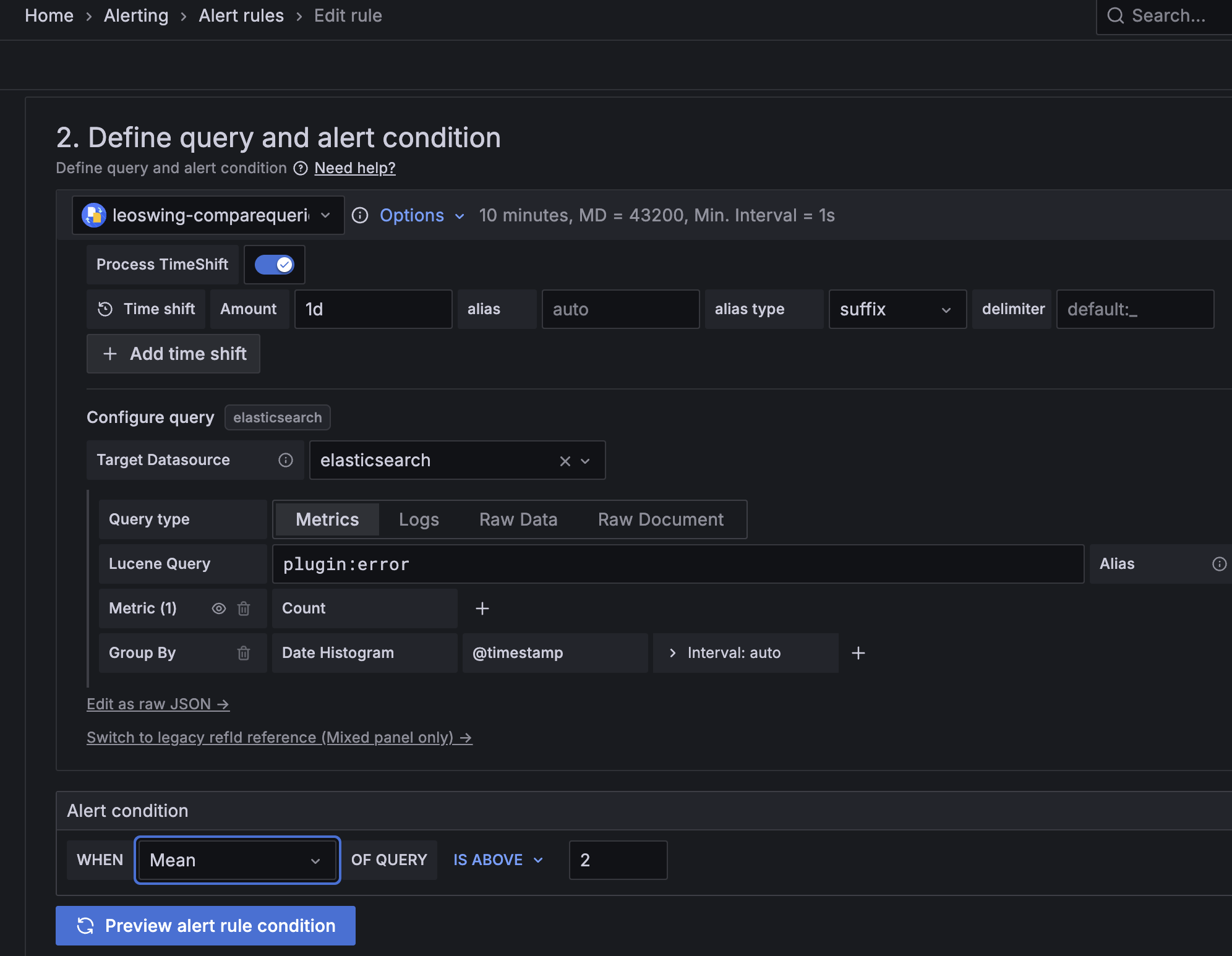
Alerting uses backend execution. Alert rules do not use the panel -- Mixed -- datasource flow.
Configure CompareQueries directly with Target Datasource, Time shift, and query inline.
- The backend treats
targetQueryJSONas an opaque target-datasource payload. Any remaining variables or datasource-specific macros are forwarded for the target datasource to validate. - Default datasource auth mode is
No Authentication. - If backend or alerting requests fail authentication, switch to
Basic authentication. - In
Basic authentication, configureService Accounttoken and (optionally)Grafana URL.
Reference alert rule setup (query + condition):
Grafana Cloud
Connect any plugin in Grafana Cloud.
- 150+ data source integrations
- Grafana Assistant - AI that correlates your data, builds queries, and answers questions
- 10k Prometheus metrics + 50 GB logs, traces, and profiles on the free tier
- ...and more
Insights
- Adoption
Running on 5,484 active Grafana instances.
- Activity
Last updated 18 Sep 2026.
4 releases in the past year.
- Queries
965,679 total queries served across all Grafana Cloud instances.
- Version
- 2.2.1
- Dependencies
- Grafana >=8.4.0
- Developer
- leoswing
Grafana Cloud
Connect any plugin in Grafana Cloud.
- 150+ data source integrations
- Grafana Assistant - AI that correlates your data, builds queries, and answers questions
- 10k Prometheus metrics + 50 GB logs, traces, and profiles on the free tier
- ...and more