






























Plugins 〉GizmoSQL

GizmoSQL


GizmoSQL Data Source Plugin for Grafana
A Grafana data source plugin that connects to GizmoSQL via Apache Arrow Flight SQL.
Features
- Native Arrow Flight SQL connectivity for high-performance data transfer
- TLS/SSL support with optional certificate verification skip
- Username/password and token-based authentication
- SQL query editor with syntax highlighting
- Time series and table format support
- Grafana template variable support
- Time range macros (
$__timeFrom,$__timeTo,$__timeFilter) - Alerting and annotation support
Supported Data Types
| Arrow Type | Grafana Type |
|---|---|
| INT8/16/32/64 | number |
| UINT8/16/32/64 | number |
| FLOAT32/64 | number |
| DECIMAL128/256 | number (float64) |
| STRING | string |
| BOOL | boolean |
| DATE32/64 | time |
| TIMESTAMP | time |
Requirements
- Grafana >= 10.0.0
- GizmoSQL server running with Flight SQL enabled
Configuration
- In Grafana, go to Configuration > Data Sources
- Click Add data source
- Search for "GizmoSQL"
- Configure the connection:
| Setting | Description | Default |
|---|---|---|
| Host | GizmoSQL server hostname | localhost |
| Port | Flight SQL port | 31337 |
| Use TLS | Enable TLS encryption | false |
| Skip TLS Verify | Skip certificate verification | false |
| Username | Authentication username | - |
| Password | Authentication password | - |
| Token | Bearer token (alternative to password) | - |
Usage
Basic Query
SELECT * FROM my_table LIMIT 100
Time Series Query
For time series visualizations, ensure your query returns:
- A time column named
time,timestamp,ts, ordatetime - One or more value columns
SELECT
  order_date AS time,
  SUM(total_price) AS revenue
FROM orders
WHERE $__timeFilter
GROUP BY order_date
ORDER BY time
Macros
| Macro | Description | Example Output |
|---|---|---|
$__timeFrom | Start of time range | '2024-01-01T00:00:00Z' |
$__timeTo | End of time range | '2024-01-02T00:00:00Z' |
$__timeFilter | Time range filter | time >= '...' AND time <= '...' |
Sample Dashboards
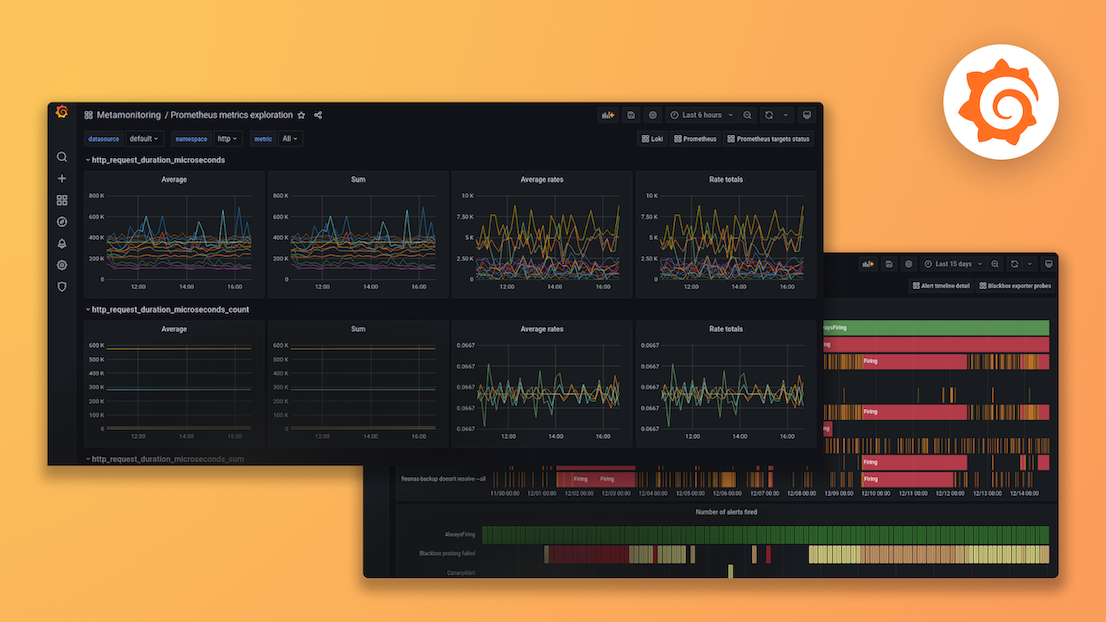
The plugin includes sample dashboards demonstrating its capabilities with the TPC-H dataset, including revenue analytics, customer breakdowns, and data type examples.
License
Apache License 2.0
Links
Grafana Cloud Free
- Free tier: Limited to 3 users
- Paid plans: $55 / user / month above included usage
- Access to all Enterprise Plugins
- Fully managed service (not available to self-manage)
Self-hosted Grafana Enterprise
- Access to all Enterprise plugins
- All Grafana Enterprise features
- Self-manage on your own infrastructure
Grafana Cloud Free
- Free tier: Limited to 3 users
- Paid plans: $55 / user / month above included usage
- Access to all Enterprise Plugins
- Fully managed service (not available to self-manage)
Self-hosted Grafana Enterprise
- Access to all Enterprise plugins
- All Grafana Enterprise features
- Self-manage on your own infrastructure
Grafana Cloud Free
- Free tier: Limited to 3 users
- Paid plans: $55 / user / month above included usage
- Access to all Enterprise Plugins
- Fully managed service (not available to self-manage)
Self-hosted Grafana Enterprise
- Access to all Enterprise plugins
- All Grafana Enterprise features
- Self-manage on your own infrastructure
Grafana Cloud Free
- Free tier: Limited to 3 users
- Paid plans: $55 / user / month above included usage
- Access to all Enterprise Plugins
- Fully managed service (not available to self-manage)
Self-hosted Grafana Enterprise
- Access to all Enterprise plugins
- All Grafana Enterprise features
- Self-manage on your own infrastructure
Grafana Cloud Free
- Free tier: Limited to 3 users
- Paid plans: $55 / user / month above included usage
- Access to all Enterprise Plugins
- Fully managed service (not available to self-manage)
Self-hosted Grafana Enterprise
- Access to all Enterprise plugins
- All Grafana Enterprise features
- Self-manage on your own infrastructure
Installing GizmoSQL on Grafana Cloud:
Installing plugins on a Grafana Cloud instance is a one-click install; same with updates. Cool, right?
Note that it could take up to 1 minute to see the plugin show up in your Grafana.
Warning
Plugin installation from this page will be removed in February 2026. Use the Plugin Catalog in your Grafana instance instead. Refer to Install a plugin in the Grafana documentation for more information.
Installing plugins on a Grafana Cloud instance is a one-click install; same with updates. Cool, right?
Note that it could take up to 1 minute to see the plugin show up in your Grafana.
Warning
Plugin installation from this page will be removed in February 2026. Use the Plugin Catalog in your Grafana instance instead. Refer to Install a plugin in the Grafana documentation for more information.
Installing plugins on a Grafana Cloud instance is a one-click install; same with updates. Cool, right?
Note that it could take up to 1 minute to see the plugin show up in your Grafana.
Warning
Plugin installation from this page will be removed in February 2026. Use the Plugin Catalog in your Grafana instance instead. Refer to Install a plugin in the Grafana documentation for more information.
Installing plugins on a Grafana Cloud instance is a one-click install; same with updates. Cool, right?
Note that it could take up to 1 minute to see the plugin show up in your Grafana.
Warning
Plugin installation from this page will be removed in February 2026. Use the Plugin Catalog in your Grafana instance instead. Refer to Install a plugin in the Grafana documentation for more information.
Installing plugins on a Grafana Cloud instance is a one-click install; same with updates. Cool, right?
Note that it could take up to 1 minute to see the plugin show up in your Grafana.
Warning
Plugin installation from this page will be removed in February 2026. Use the Plugin Catalog in your Grafana instance instead. Refer to Install a plugin in the Grafana documentation for more information.
Installing plugins on a Grafana Cloud instance is a one-click install; same with updates. Cool, right?
Note that it could take up to 1 minute to see the plugin show up in your Grafana.
Installing plugins on a Grafana Cloud instance is a one-click install; same with updates. Cool, right?
Note that it could take up to 1 minute to see the plugin show up in your Grafana.
Warning
Plugin installation from this page will be removed in February 2026. Use the Plugin Catalog in your Grafana instance instead. Refer to Install a plugin in the Grafana documentation for more information.
Installing plugins on a Grafana Cloud instance is a one-click install; same with updates. Cool, right?
Note that it could take up to 1 minute to see the plugin show up in your Grafana.
For more information, visit the docs on plugin installation.
Installing on a local Grafana:
For local instances, plugins are installed and updated via a simple CLI command. Plugins are not updated automatically, however you will be notified when updates are available right within your Grafana.
1. Install the Data Source
Use the grafana-cli tool to install GizmoSQL from the commandline:
grafana-cli plugins install The plugin will be installed into your grafana plugins directory; the default is /var/lib/grafana/plugins. More information on the cli tool.
Alternatively, you can manually download the .zip file for your architecture below and unpack it into your grafana plugins directory.
Alternatively, you can manually download the .zip file and unpack it into your grafana plugins directory.
2. Configure the Data Source
Accessed from the Grafana main menu, newly installed data sources can be added immediately within the Data Sources section.
Next, click the Add data source button in the upper right. The data source will be available for selection in the Type select box.
To see a list of installed data sources, click the Plugins item in the main menu. Both core data sources and installed data sources will appear.
Changelog
All notable changes to the GizmoSQL Grafana Data Source Plugin will be documented in this file.
The format is based on Keep a Changelog, and this project adheres to Semantic Versioning.
1.8.0 - 2026-02-27
Added
- Catalog-facing README in src/ for Grafana plugin catalog display
- Plugin signing in release workflow via GRAFANA_ACCESS_POLICY_TOKEN
- CLAUDE.md with project guidelines and best practices
Changed
- Upgrade grafana-plugin-sdk-go from v0.250.0 to v0.290.0
- Update create-plugin from 6.6.0 to 7.0.0
- Update Go version requirement to 1.25
- Update Node.js version in CI workflows to 22
- CI and Build workflows now skip on tag pushes (only Release runs)
1.6.0 - 2026-01-06
Changed
- Scaffold project with @grafana/create-plugin for official build system
- Use official Grafana webpack configuration from .config directory
- Update dependencies to latest Grafana SDK versions
Fixed
- Fix js-map-no-match error by using official Grafana build tooling
1.5.6 - 2026-01-06
Fixed
- Add .gitattributes for consistent line endings
- Add explicit sourceMapFilename configuration
1.5.5 - 2026-01-06
Fixed
- Use ts-loader with inlineSources for accurate source maps
1.5.4 - 2026-01-06
Fixed
- Use resourcePath for source map paths (strips webpack:// prefix)
1.5.3 - 2026-01-06
Fixed
- Remove custom devtoolModuleFilenameTemplate to use default source map paths
1.5.2 - 2026-01-06
Fixed
- Fix LICENSE file being copied as directory instead of file
- Include CHANGELOG.md in plugin archive
- Switch back to swc-loader with proper configuration for source maps
1.5.1 - 2026-01-06
Fixed
- Specify Go 1.22 in release workflow to match go.mod requirements
1.5.0 - 2026-01-06
Changed
- Switch to official Grafana plugin build system (grafana/plugin-actions/build-plugin)
- Update Magefile.go to use Grafana SDK build targets
Fixed
- Fix no-go-manifest error by using SDK build which generates go_plugin_build_manifest
- Fix js-map-no-match error by using official Grafana build tooling
1.4.9 - 2025-01-06
Fixed
- Simplify source map paths using devtoolModuleFilenameTemplate
1.4.8 - 2025-01-06
Fixed
- Configure ts-loader with sourceMap for proper TypeScript source maps
1.4.7 - 2025-01-06
Fixed
- Switch from swc-loader to ts-loader for source map compatibility
1.4.6 - 2025-01-06
Fixed
- Add trailing newlines to source files to match webpack output
- Remove go.mod toolchain directive for better compatibility
1.4.5 - 2025-01-06
Fixed
- Fix source map content mismatch by using nosources-source-map
1.4.4 - 2025-01-06
Fixed
- Update Go module path to match repository name (grafana-gizmosql-datasource)
1.4.3 - 2025-01-06
Fixed
- Fix source map mismatch by removing dynamic date update from build workflow
1.4.2 - 2025-01-06
Changed
- Update plugin ID to gizmodata-gizmosql-datasource
1.4.1 - 2025-01-06
Fixed
- Fix release workflow LICENSE directory conflict
1.4.0 - 2025-01-06
Fixed
- Include LICENSE file in plugin archive for Grafana submission compliance
- Include Go manifest (go.mod, go.sum) in plugin archive
- Version consistency between source files and release tags
- Updated dependencies to address security vulnerabilities
Added
- Build provenance attestation for release artifacts
- CHANGELOG.md for release history
1.3.0 - 2025-01-06
Added
- Screenshots for plugin catalog display
- GizmoSQL logo and branding assets
- Plugin catalog metadata for discoverability
Changed
- Release workflow now dynamically injects version from git tags
1.2.0 - 2025-01-06
Added
- Provisioning configurations for easier setup
- Sample dashboards demonstrating plugin capabilities
1.1.0 - 2025-01-06
Added
- GitHub Actions CI/CD pipelines for automated builds and releases
- Multi-platform binary builds (Linux, macOS, Windows)
- SHA256 checksums for release artifacts
1.0.0 - 2025-01-06
Added
- Initial release of GizmoSQL Grafana Data Source Plugin
- Go backend with Arrow Flight SQL connectivity
- TypeScript frontend with query editor
- TLS/SSL support for secure connections
- Username/password authentication
- Template variable support for dynamic dashboards
- Support for DECIMAL128/256 Arrow data types
- Alerting support
- Annotations support

