
AWS ALB CloudWatch
AWS Application Load Balancer telemetry from the AWS/ApplicationELB CloudWatch namespace (RED method, then saturation and limits): load balancer, LCU, target, and target group health metrics.
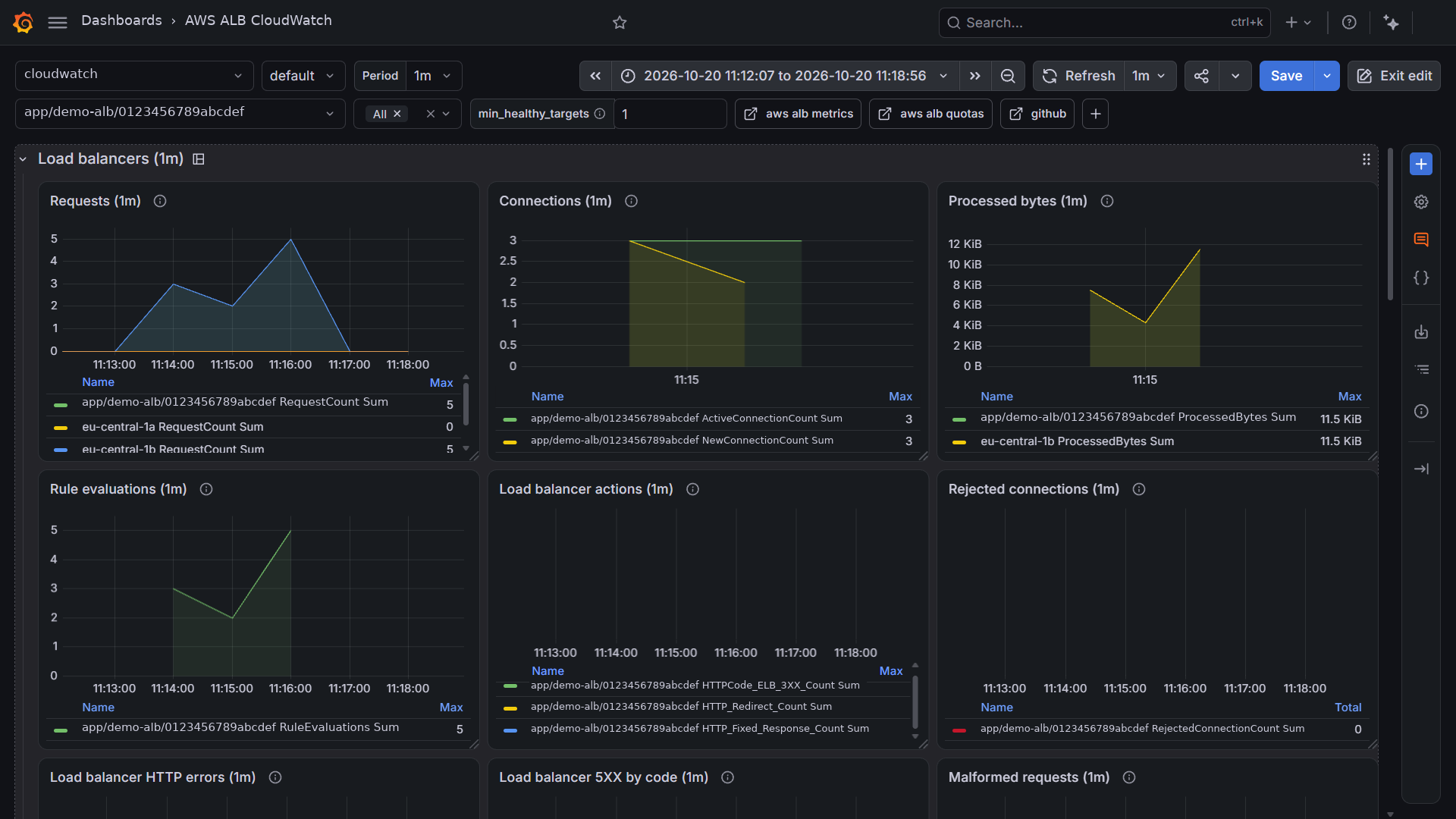
AWS ALB
Dashboard: https://grafana.com/grafana/dashboards/25950
Quotas: https://docs.aws.amazon.com/elasticloadbalancing/latest/application/load-balancer-limits.html
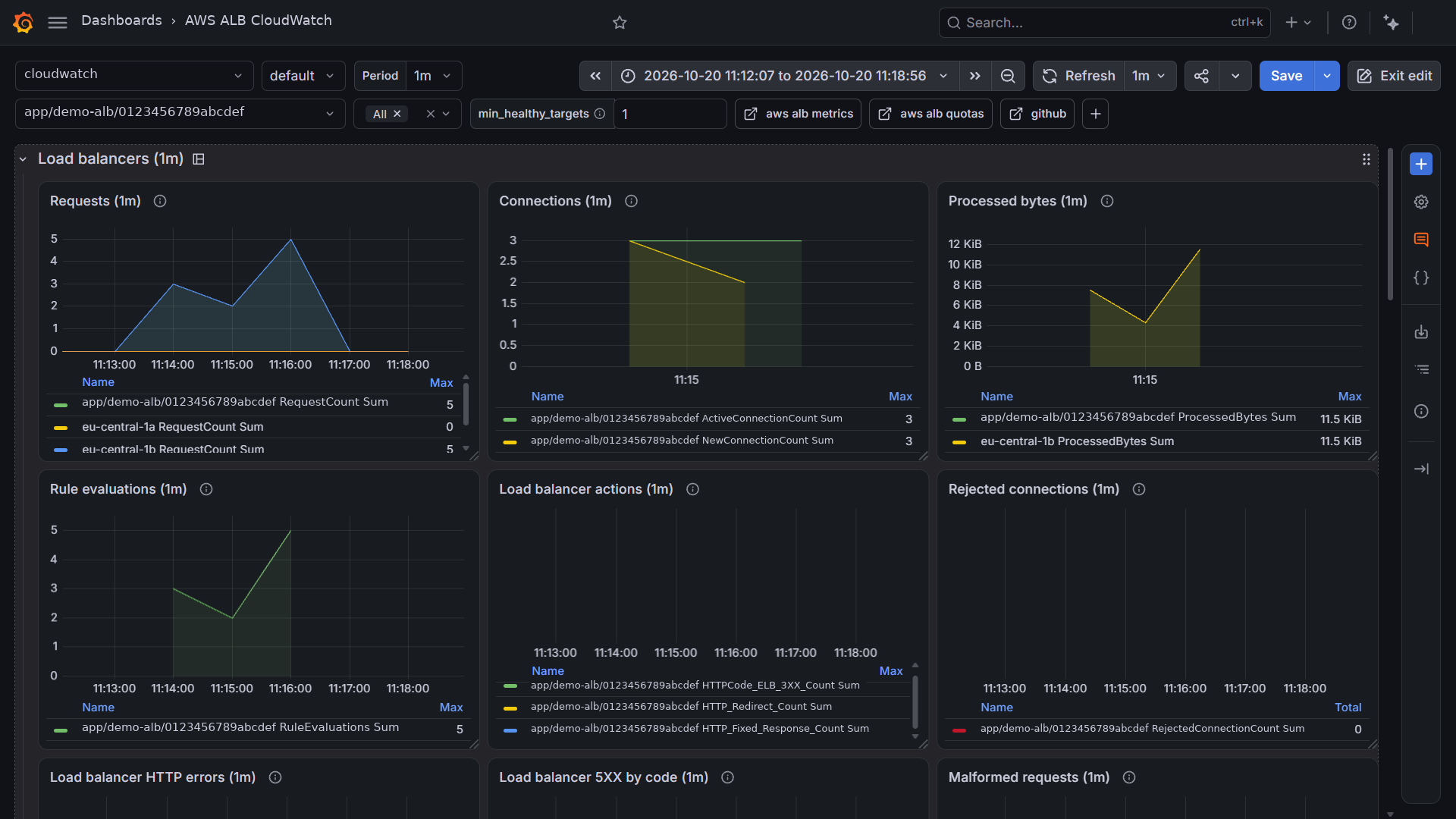
This dashboard uses the AWS/ApplicationELB CloudWatch namespace for an Application Load Balancer with the RED method (rate, errors, duration) followed by saturation and limits. All metrics on this page are free; the load balancer only reports while requests flow, and health check requests are excluded.
Rows follow the sections of the reference page. Metric families left out: TLS negotiation (no TLS listener), user authentication (no authenticate action), Lambda targets, stickiness, IPv6, BYoIP, low-reputation packet filtering, LCU reservation, and target optimizer, none of them deployed.
Deployed variant
Built for a load balancer created by the AWS Load Balancer Controller from a Kubernetes Ingress: internal scheme, one HTTP listener, IP targets (pods), one target group per Service, HTTP health check on the application's health path, cross-zone load balancing disabled, deletion protection in production only. No access logs, no WAF, no listener rules beyond the default.
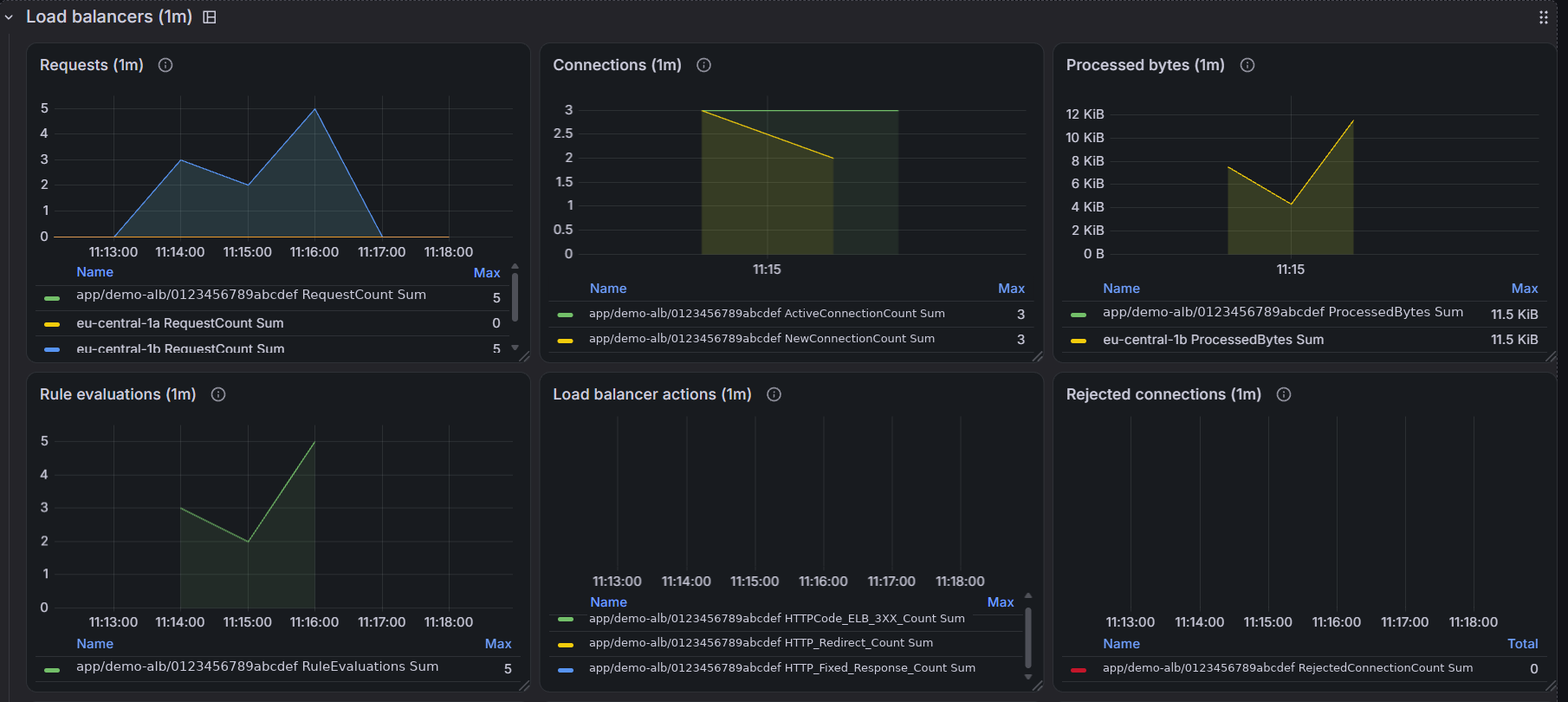
Load balancers
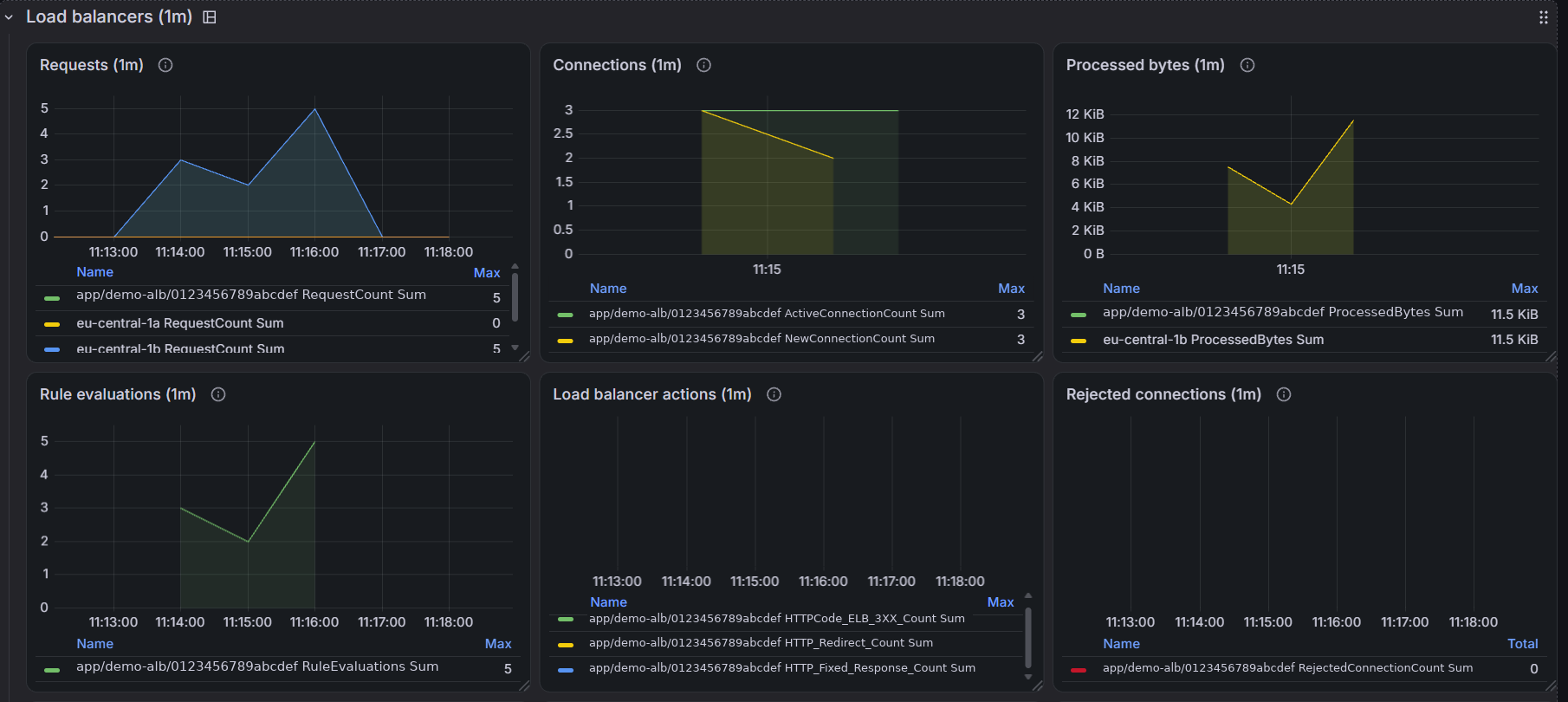
Dimension LoadBalancer, with a per-zone breakdown from the AvailabilityZone dimension where it helps.
- Rate: requests per load balancer and per zone, active and new connections, processed bytes, rule evaluations, redirect and fixed-response actions
- Errors: rejected connections at the load balancer's connection limit, 4XX and 5XX generated by the load balancer with the 5XX split by code, malformed requests
The connection limit is not a published number: it scales with the load balancer, and RejectedConnectionCount is the only signal. The 5XX split tells where to look: 502 at the target's response, 503 at target health, 504 at the idle timeout.
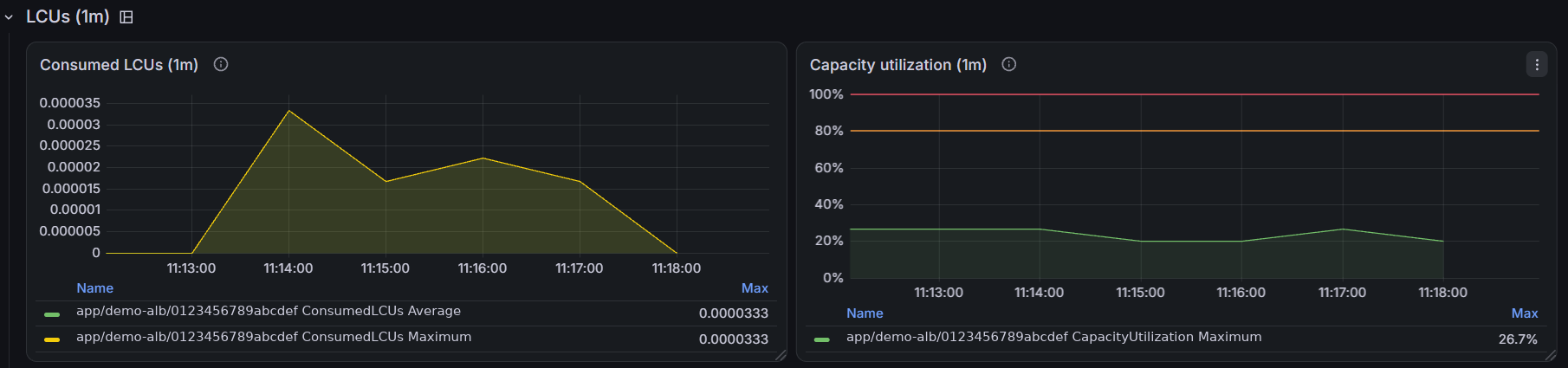
LCUs
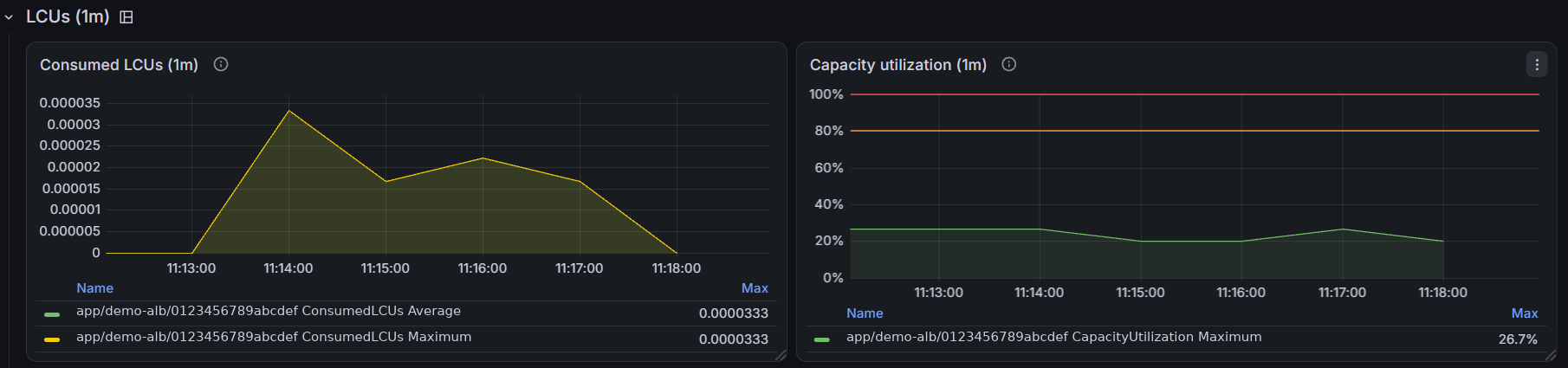
Capacity units drive the bill: the highest of new connections, active connections, processed bytes, and rule evaluations per hour. Capacity utilization draws a warning line; a sustained high value calls for an LCU reservation.
Pricing: https://aws.amazon.com/elasticloadbalancing/pricing/
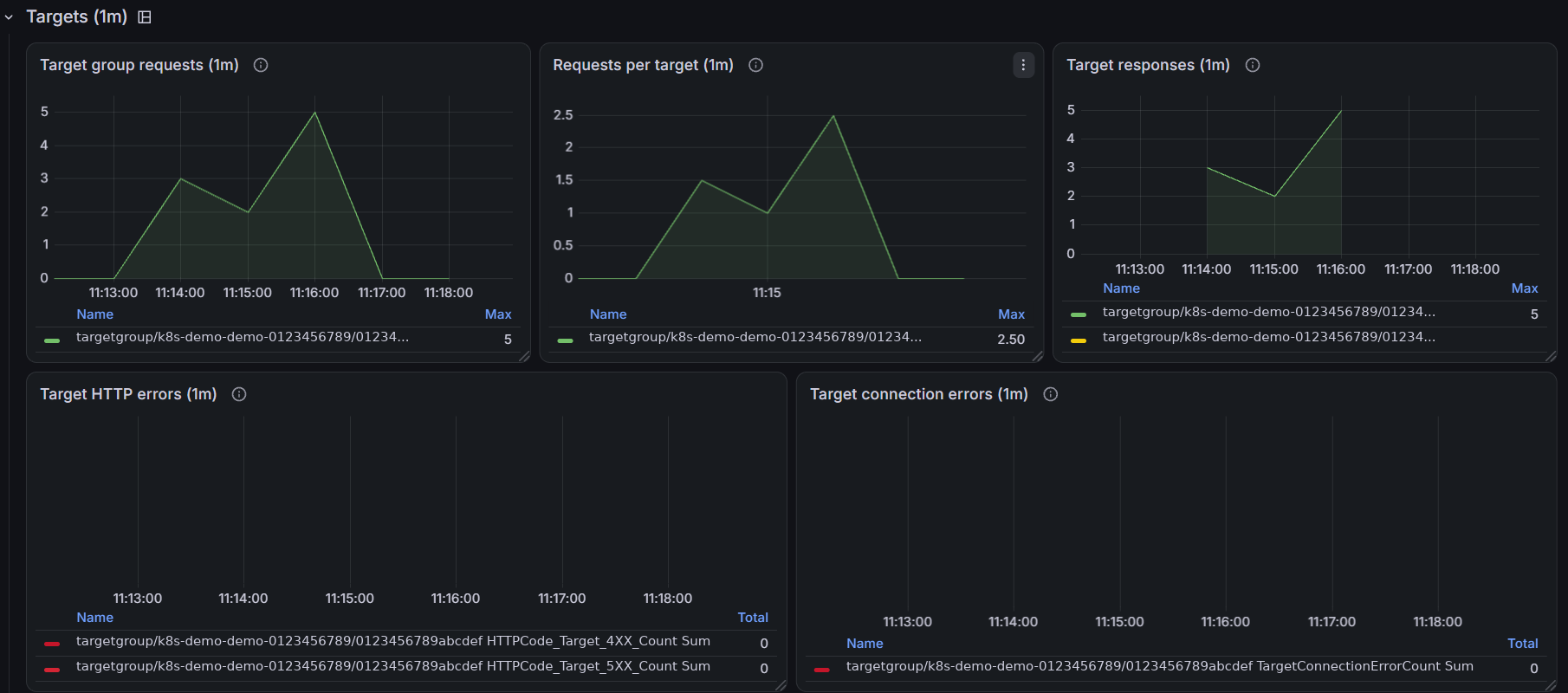
Targets
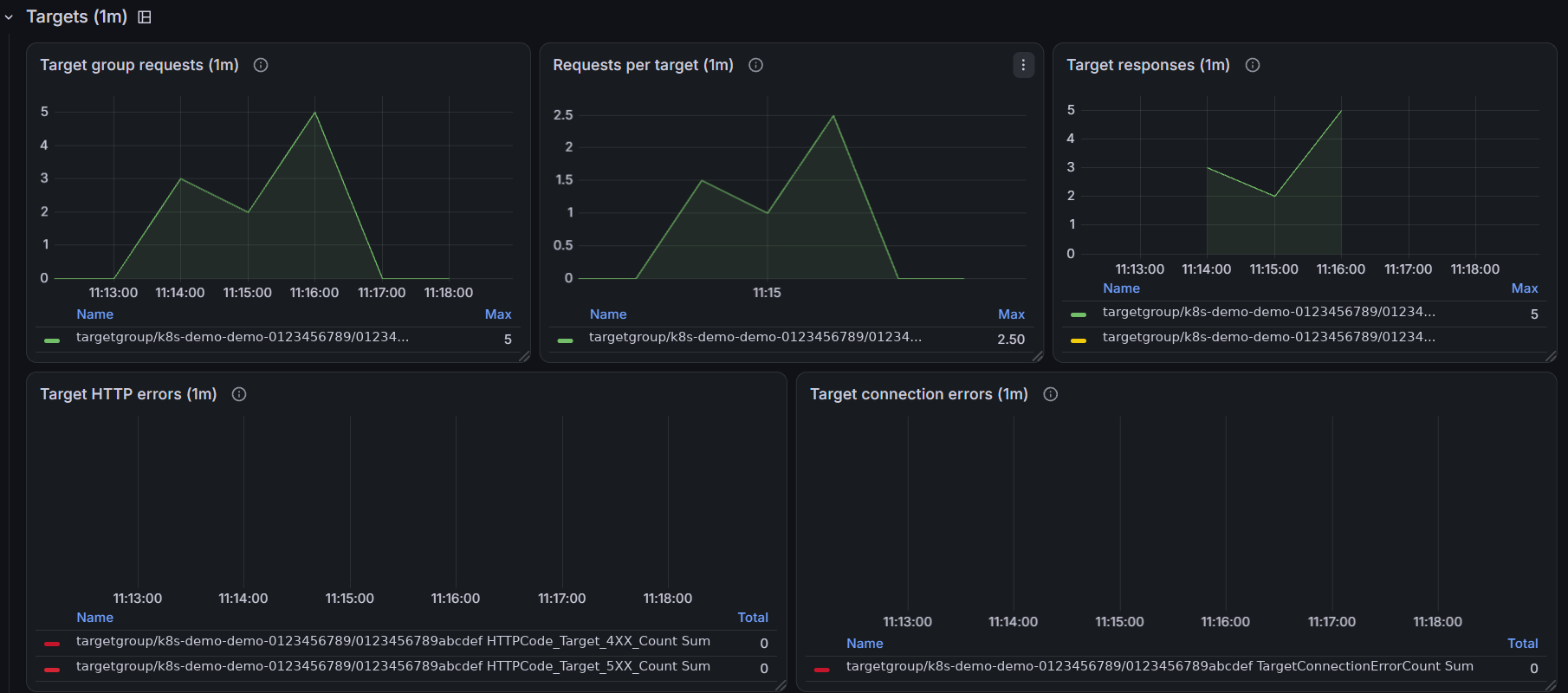
Dimensions LoadBalancer and TargetGroup. The target group variable is multi-select and filtered by the selected load balancer, so "All" stays on that load balancer.
- Rate: requests per target group, requests per target, 2XX and 3XX responses
- Errors: 4XX and 5XX generated by the targets, connection errors from the load balancer to the targets
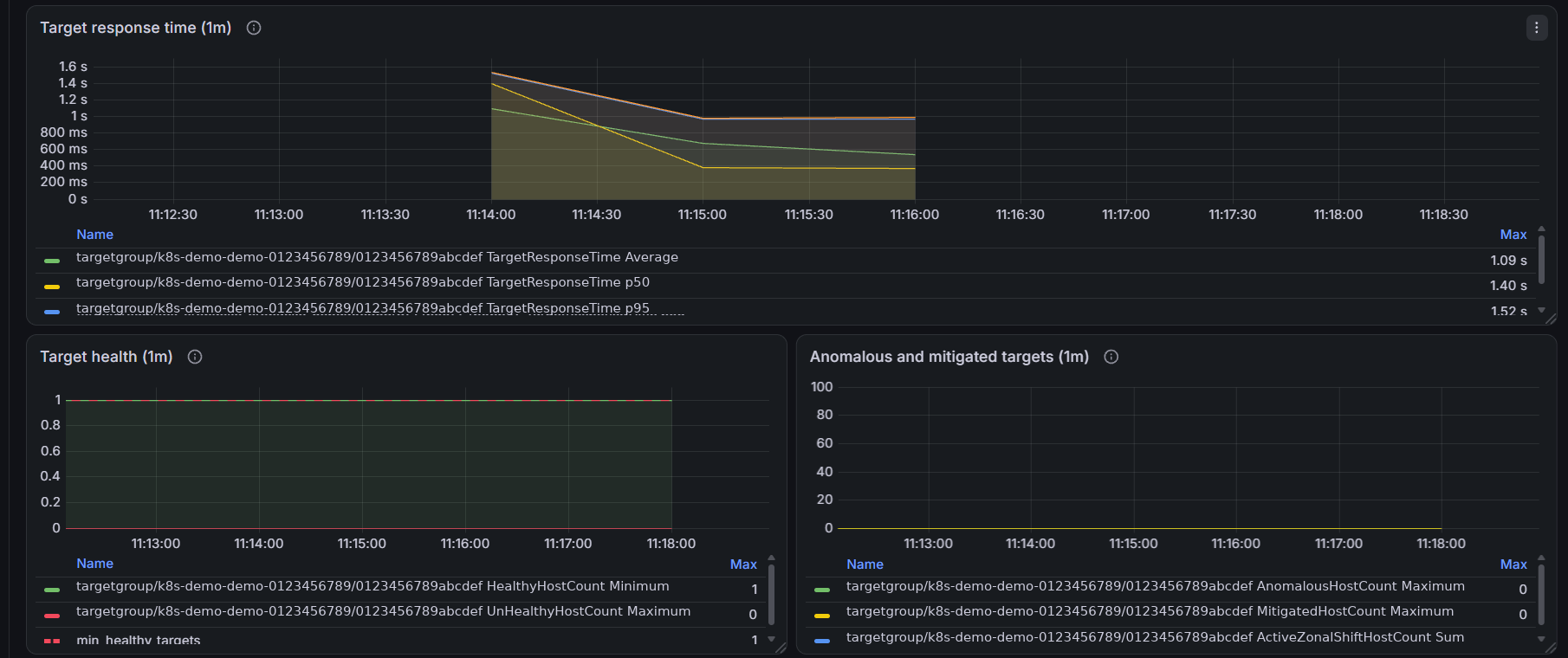
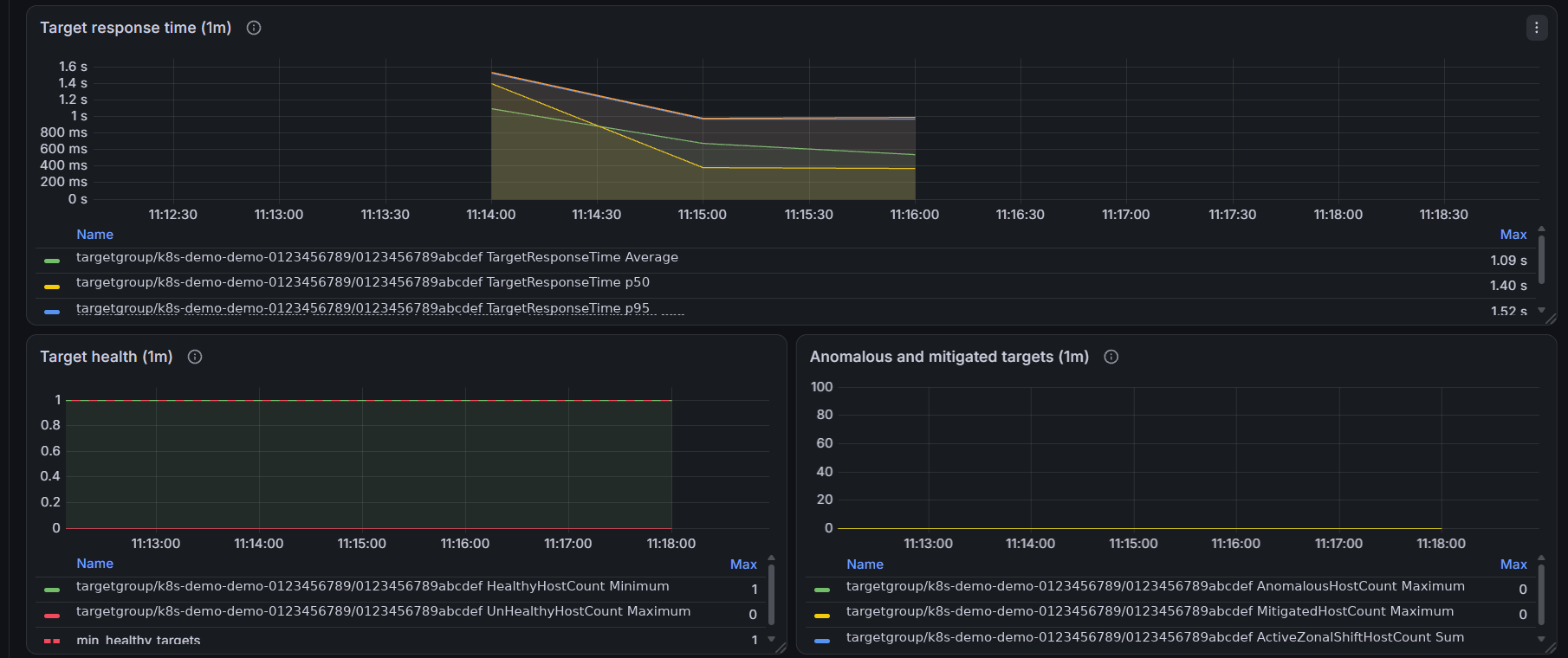
- Duration: target response time as average, p50, p95, and p99
- Saturation: healthy targets as the Minimum across load balancer nodes, the statistic AWS recommends for alarms, unhealthy targets as the Maximum, and a floor from the
min_healthy_targetsvariable; anomalous, mitigated, and zonal-shift targets
Set min_healthy_targets to the minimum replica count of the deployment.
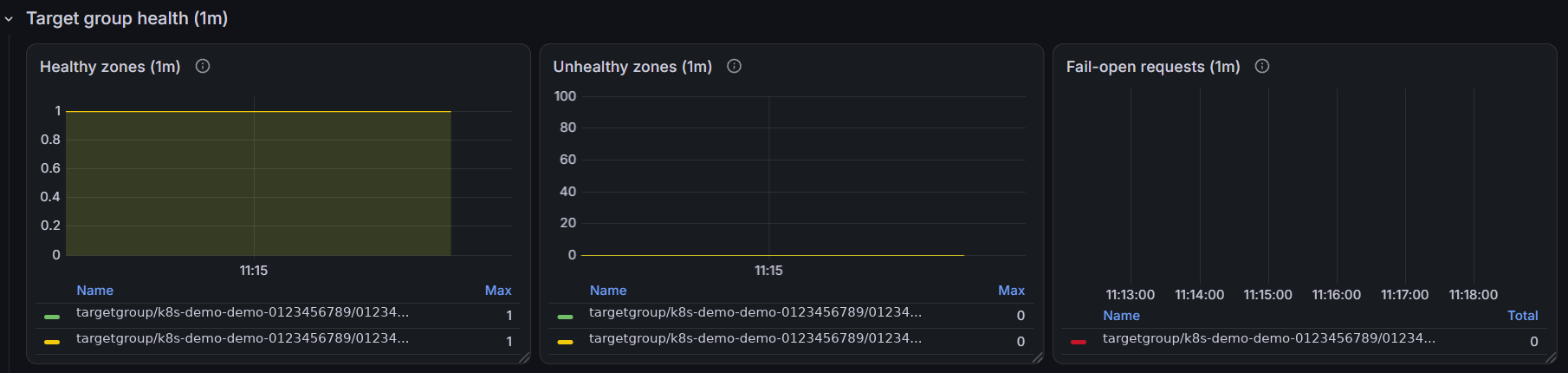
Target group health
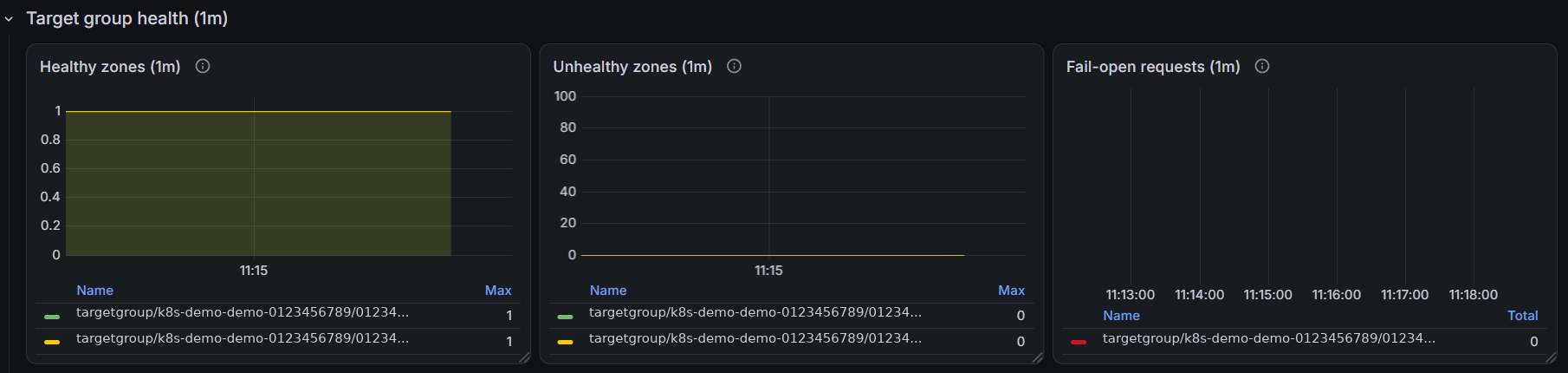
Zones meeting or missing the DNS and routing healthy-state thresholds, and requests routed by the fail-open action.
Logs
Access logs and connection logs go to S3, not to CloudWatch Logs, so this dashboard has no Logs row. Enable access logs on the load balancer and query them with Athena when the metrics are not enough.
Reference: https://docs.aws.amazon.com/elasticloadbalancing/latest/application/load-balancer-access-logs.html
Quotas
The reference page publishes no usage metric for these quotas, so the dashboard carries no quota panel. The describe-account-limits command reports current usage. Defaults and adjustability are on the quotas page.
| Quota | Console |
|---|---|
| Application Load Balancers per Region | https://console.aws.amazon.com/servicequotas/home/services/elasticloadbalancing/quotas/L-53DA6B97 |
| Listeners per Application Load Balancer | https://console.aws.amazon.com/servicequotas/home/services/elasticloadbalancing/quotas/L-B6DF7632 |
| Targets per Application Load Balancer | https://console.aws.amazon.com/servicequotas/home/services/elasticloadbalancing/quotas/L-7E6692B2 |
| Target Groups per Region | https://console.aws.amazon.com/servicequotas/home/services/elasticloadbalancing/quotas/L-B22855CB |
| Targets per Target Group per Region | https://console.aws.amazon.com/servicequotas/home/services/elasticloadbalancing/quotas/L-A0D0B863 |
| Rules per Application Load Balancer | https://console.aws.amazon.com/servicequotas/home/services/elasticloadbalancing/quotas/L-7EED9B64 |
Data source config
Collector config:
Upload an updated version of an exported dashboard.json file from Grafana
| Revision | Description | Created | |
|---|---|---|---|
| Download |

AWS

Easily visualize and alert on more than 60 Amazon Web Services (AWS) resources using the fully managed Grafana Cloud platform.
Learn more