
OKStatus · Uptime overview
Every monitor of an OKStatus organization, from its Prometheus export.
OKStatus · Uptime overview
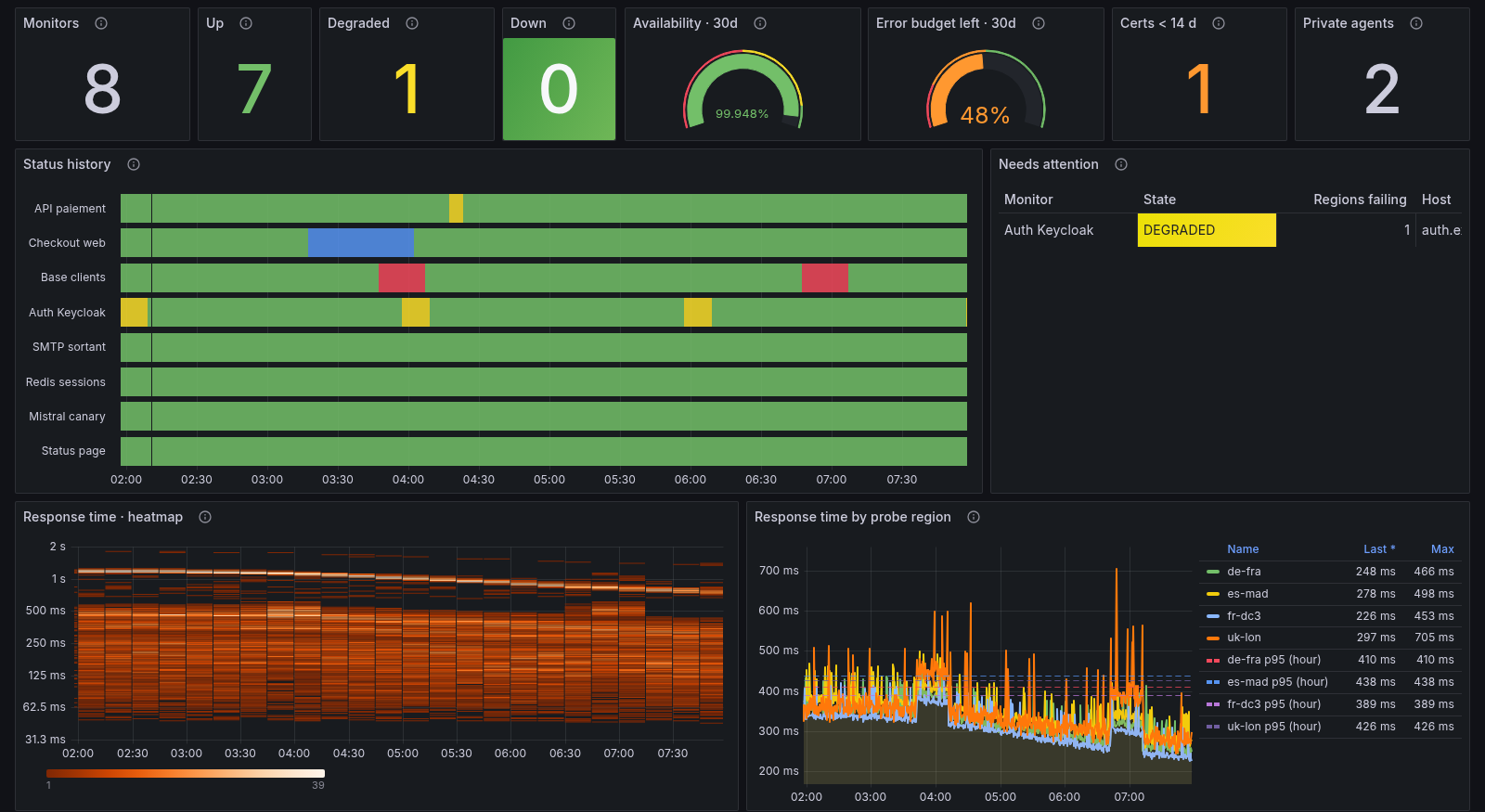
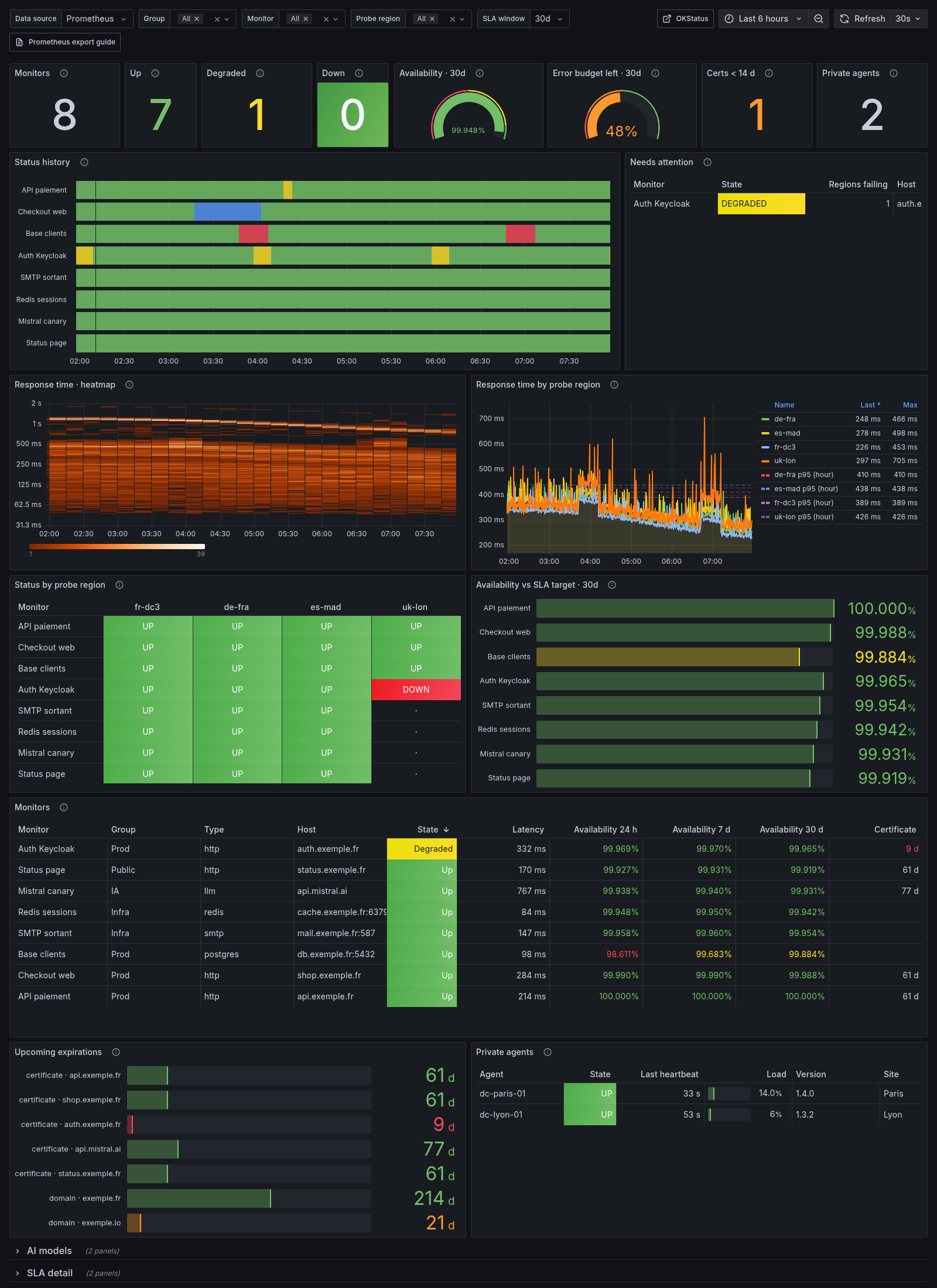
Every monitor of your OKStatus organization in Grafana: status under the multi-region majority rule, response times per probe region, availability against your SLA target, certificate and domain expiry, and your private agents.
Built only on the OKStatus Prometheus export
(https://api.okstatus.eu/api/v1/metrics), available from the Pro plan.
What's inside
- Headline figures: monitors up, degraded and down, mean availability and the error budget left against your SLA target.
- Status history of every monitor (up, degraded, down, maintenance, paused).
- Response times: a heatmap of every check, and per probe region with the hourly p95.
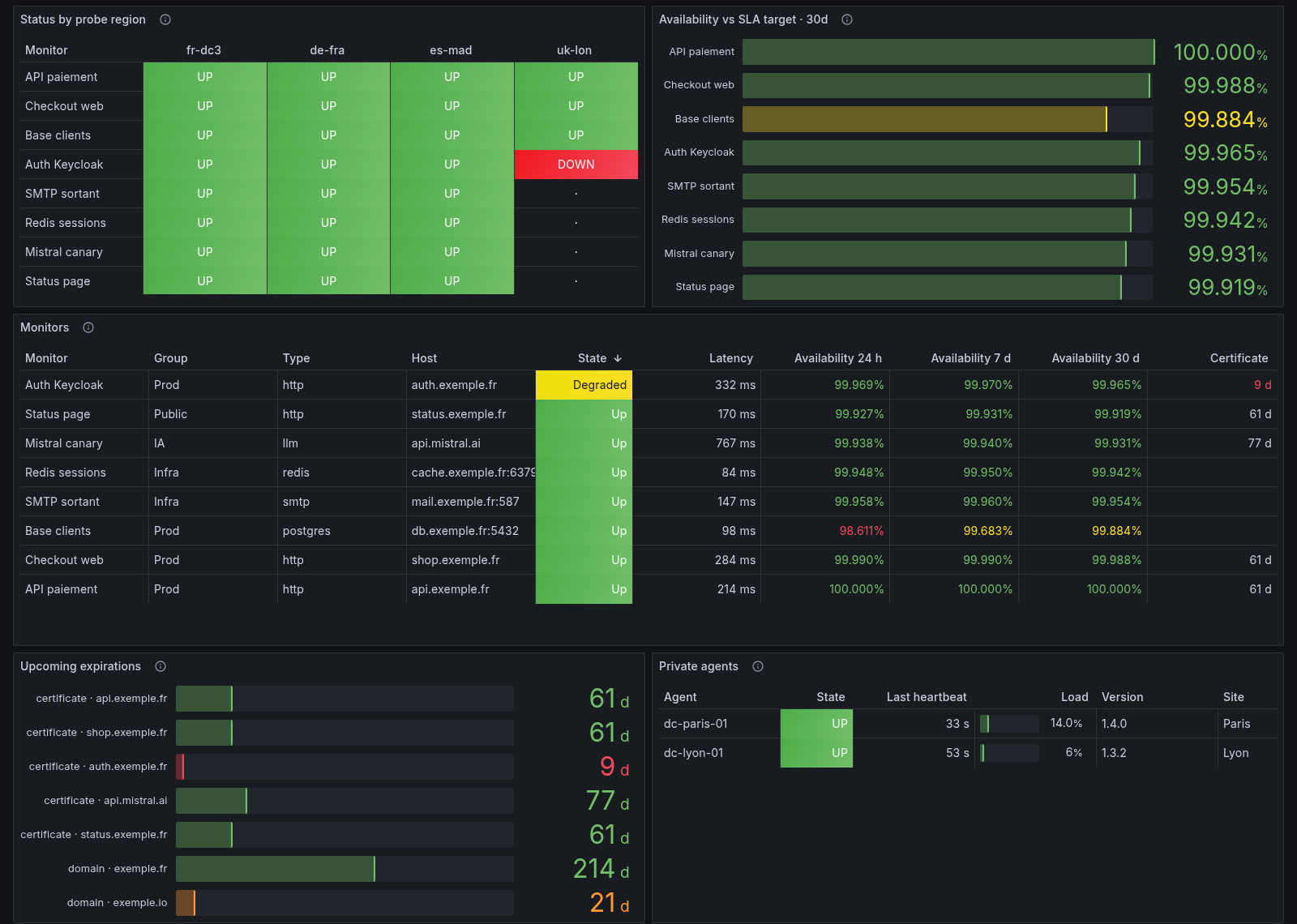
- Status by probe region: the last check of every monitor from every region, to tell a regional route problem from an outage.
- Availability vs SLA target for each monitor, over 24 h, 7 days or 30 days.
- Monitors table: state, latency, availability over three windows, days before the certificate expires.
- Upcoming expirations of TLS certificates and domains.
- Private agents: liveness, version and load.
- Collapsed rows for AI model monitors (time to first token, time per output token) and per-monitor SLA detail (downtime, error budget).
Filters: monitor group, monitor, probe region, SLA window.
Requirements
- An OKStatus organization on the Pro plan or above.
- A Metrics API key (Settings → API keys). It can only read the export.
- Prometheus 2.x/3.x, Grafana Alloy, VictoriaMetrics or any Prometheus- compatible store, and Grafana 10.4 or later.
Set up
Save the key in a file Prometheus can read:
umask 077
printf '%s' 'oks_live_…' > /etc/prometheus/okstatus.token
Add the scrape job:
scrape_configs:
  - job_name: okstatus
    scrape_interval: 30s
    scheme: https
    metrics_path: /api/v1/metrics
    authorization:
      credentials_file: /etc/prometheus/okstatus.token
    static_configs:
      - targets: [api.okstatus.eu]
Import this dashboard and pick your Prometheus data source.
Grafana Alloy and Prometheus Operator (ScrapeConfig) examples, the full
metric reference and ten ready-to-use alerting rules:
https://okstatus.eu/docs/integrations/prometheus/
Notes
- The export is computed once and cached 15 seconds per organization: a 30 s or 60 s scrape interval is enough.
- Labels carry the monitor host only, never its full URL. The probe region is
probe_region, so it never collides with aregionexternal label.
Data source config
Collector config:
Upload an updated version of an exported dashboard.json file from Grafana
| Revision | Description | Created | |
|---|---|---|---|
| Download |