
RabbitMQ 360 Monitoring kbudde/rabbitmq-exporter Compatible
RabbitMQ overview built for kbudde/rabbitmq-exporter: health, alarms, message flow, exchanges, queues, node resources, connections, shovels and exporter status.
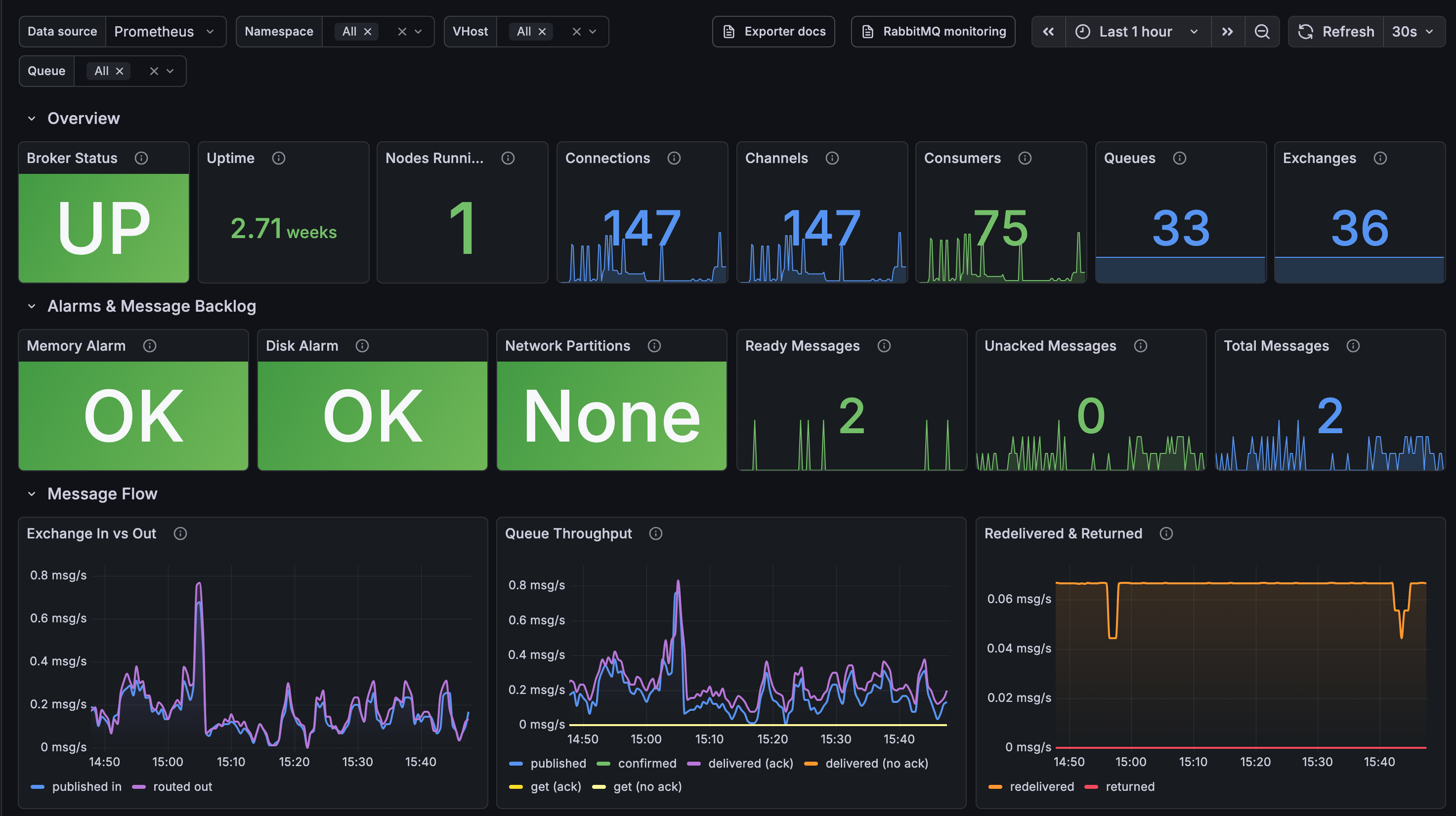
RabbitMQ Overview Dashboard
Grafana dashboard for RabbitMQ, built for kbudde/rabbitmq-exporter. It shows health, alarms, message flow, queues, node resources, connections and exporter status.
- File:
rabbitmq-dashboard.json - Requires: Grafana 10+ (11+ recommended), Prometheus, the exporter
Setup
1. Exporter. To enable every panel, set:
RABBIT_EXPORTERS=exchange,node,queue,connections,shovel
The exporter's RabbitMQ user needs the monitoring tag.
2. Prometheus. Scrape the exporter (port 9419):
- job_name: rabbitmq
  static_configs:
    - targets: ['rabbitmq-exporter:9419']
On Kubernetes, scrape via a ServiceMonitor or PodMonitor so series carry a namespace label.
3. Load the dashboard.
- UI import: Dashboards, New, Import, upload the JSON, pick your Prometheus.
- Provisioning: add the JSON to a ConfigMap labelled for your Grafana sidecar (commonly
grafana_dashboard: "1"). Choose your Prometheus in the Data source dropdown.
Layout
Filters: Data source, Namespace, VHost, Queue (multi-select).
| Row | Shows |
|---|---|
| Overview | Status, uptime, nodes, connections, channels, consumers, queues, exchanges |
| Alarms & Message Backlog | Memory and disk alarms, partitions, ready, unacked, total messages |
| Message Flow | Exchange in/out, queue throughput, redelivered and returned, per-queue rates |
| Exchanges | Per-exchange in and out |
| Queues | Inventory table and per-queue charts |
| Node Resources | Memory, disk, file descriptors, sockets |
| Queue Internals, Connections, Shovels, Exporter (collapsed) | Advanced and optional panels |
Troubleshooting
| Symptom | Fix |
|---|---|
| "Datasource not found" | Choose your Prometheus in the Data source dropdown and save, or re-import via the UI |
| All panels "No data" | Check rabbitmq_up returns 1 in Prometheus |
| Connections / Shovels empty | Add connections / shovel to RABBIT_EXPORTERS |
| Stats vanish after picking a Namespace | Series lack a namespace label; add it in scrape config or leave on All |
| Slow with many queues | Set SKIP_QUEUES or MAX_QUEUES on the exporter |
Notes
- Rates use
$__rate_interval. - Thresholds are starting points; edit them per panel.
- Queue Mirrors only applies to classic mirrored queues.
Data source config
Collector config:
Upload an updated version of an exported dashboard.json file from Grafana
| Revision | Description | Created | |
|---|---|---|---|
| Download |

RabbitMQ

Easily monitor RabbitMQ, the most widely deployed open source message broker, with Grafana Cloud's out-of-the-box monitoring solution.
Learn more