
Redis 360 Monitoring Dashboard oliver006/redis_exporter Compatible
Redis overview for Prometheus using oliver006/redis_exporter: uptime, memory, hit ratio, commands, per-command rate and latency, keys, clients and eviction.
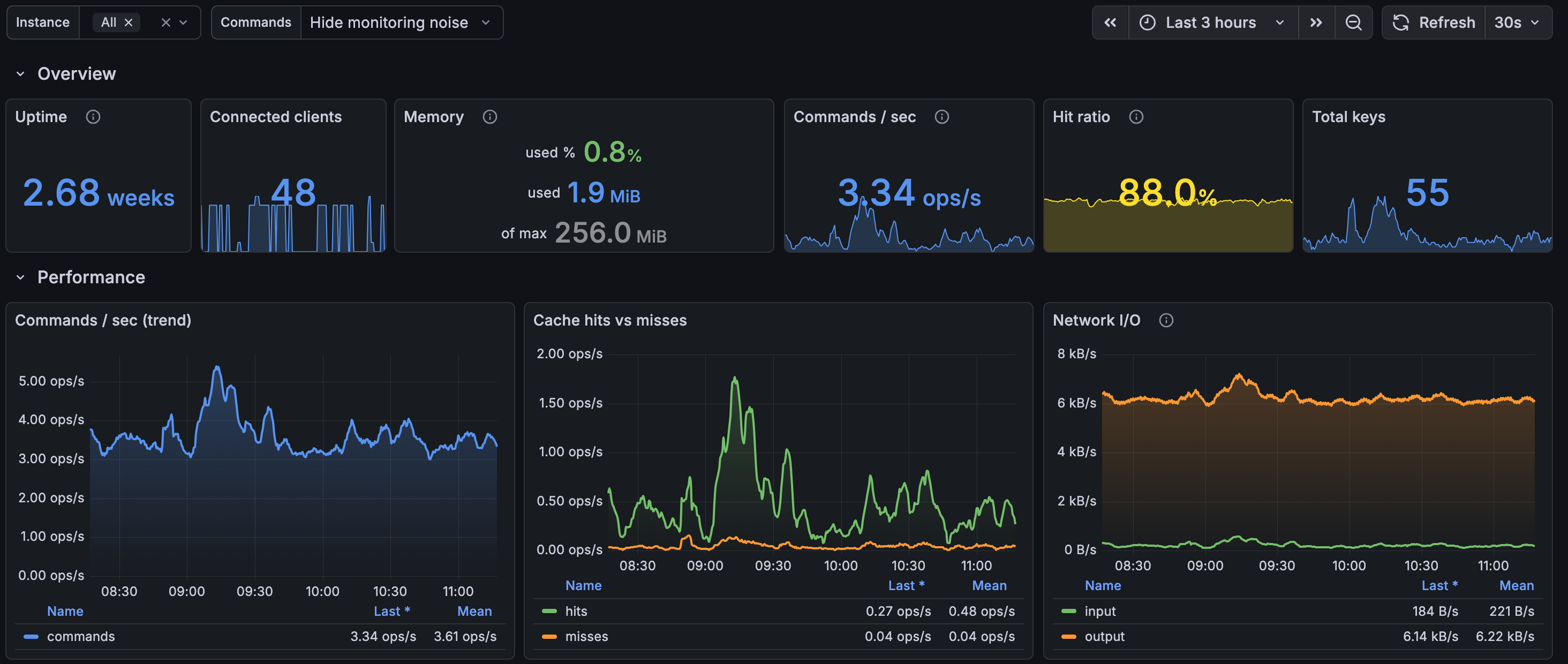
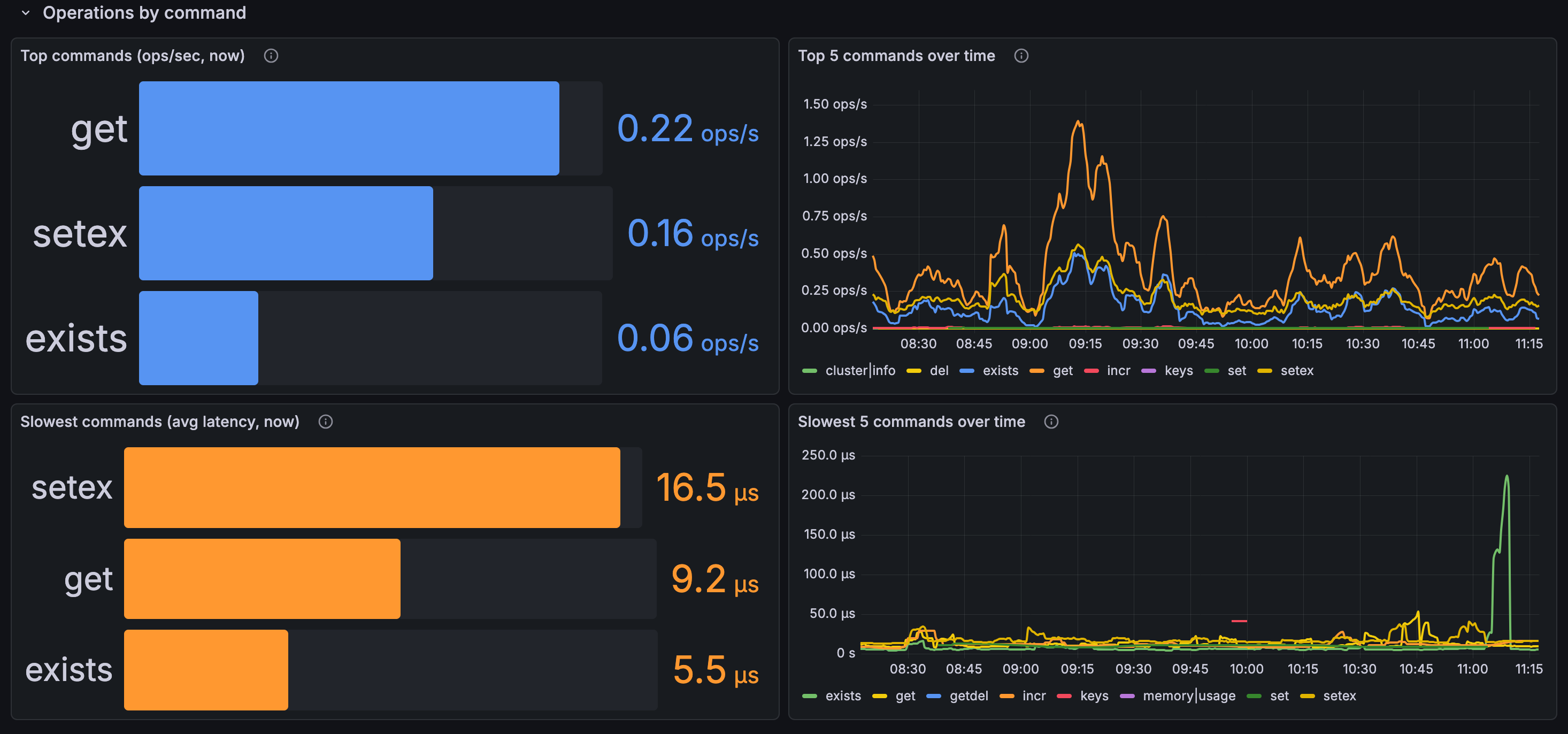
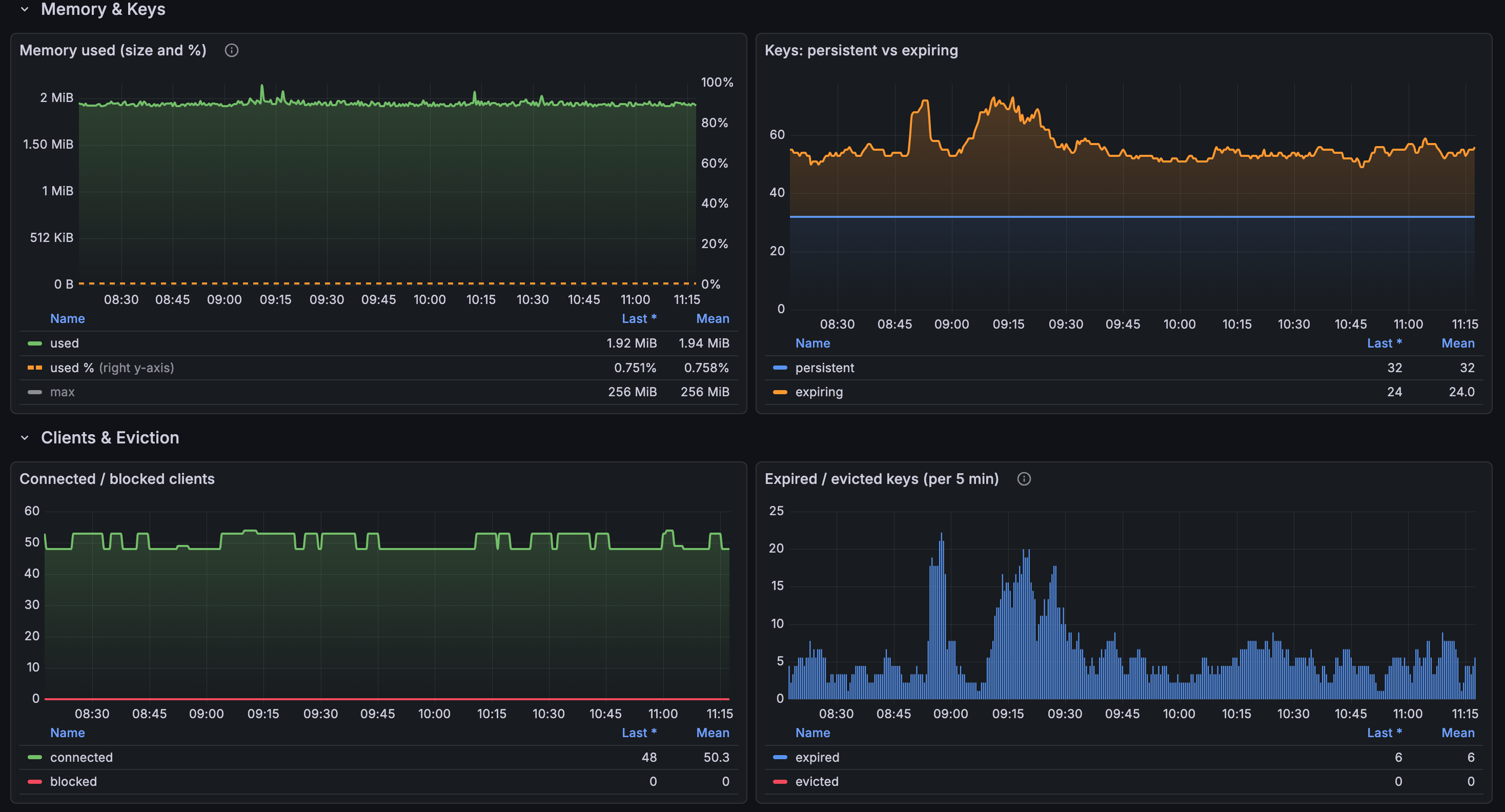
A general-purpose Grafana dashboard for monitoring Redis with Prometheus. It is built for, and compatible with, oliver006/redis_exporter (v1.x).
Overview of Panels Overview: Maximum uptime, connected clients, memory usage percentage, commands per second, and keyspace hits and misses per second. Memory: Used memory compared with maxmemory over time. When maxmemory is unlimited (set to 0), the usage gauge falls back to total system memory. Network: Input and output throughput. Keys: Total keys, expiring and non-expiring keys, and the rates of expired and evicted keys. Clients: Connected and blocked clients over time. Commands: Average and total time spent per command. Requirements Grafana 10.0 or later A Prometheus data source configured to scrape redis_exporter redis_exporter v1.x (the per-command panels rely on the redis_commands_total and redis_commands_duration_seconds_total metrics) Setup Run redis_exporter against your Redis instance(s) and add it as a scrape target in Prometheus. Import this dashboard and select your Prometheus data source. Use the Instance variable at the top of the dashboard to select one or more Redis instances, or choose All. Notes The dashboard works with a single instance or multiple instances. Panels aggregate data across the selected instances. No Kubernetes-specific labels are required. Filtering is performed using the standard instance label only.
Data source config
Collector config:
Upload an updated version of an exported dashboard.json file from Grafana
| Revision | Description | Created | |
|---|---|---|---|
| Download |

Redis

Monitor Redis with Grafana. Easily monitor your Redis deployment with Grafana Cloud's out-of-the-box monitoring solution.
Learn more