
KubeVirt VM
KubeVirt - VirtualMachine performance analytics
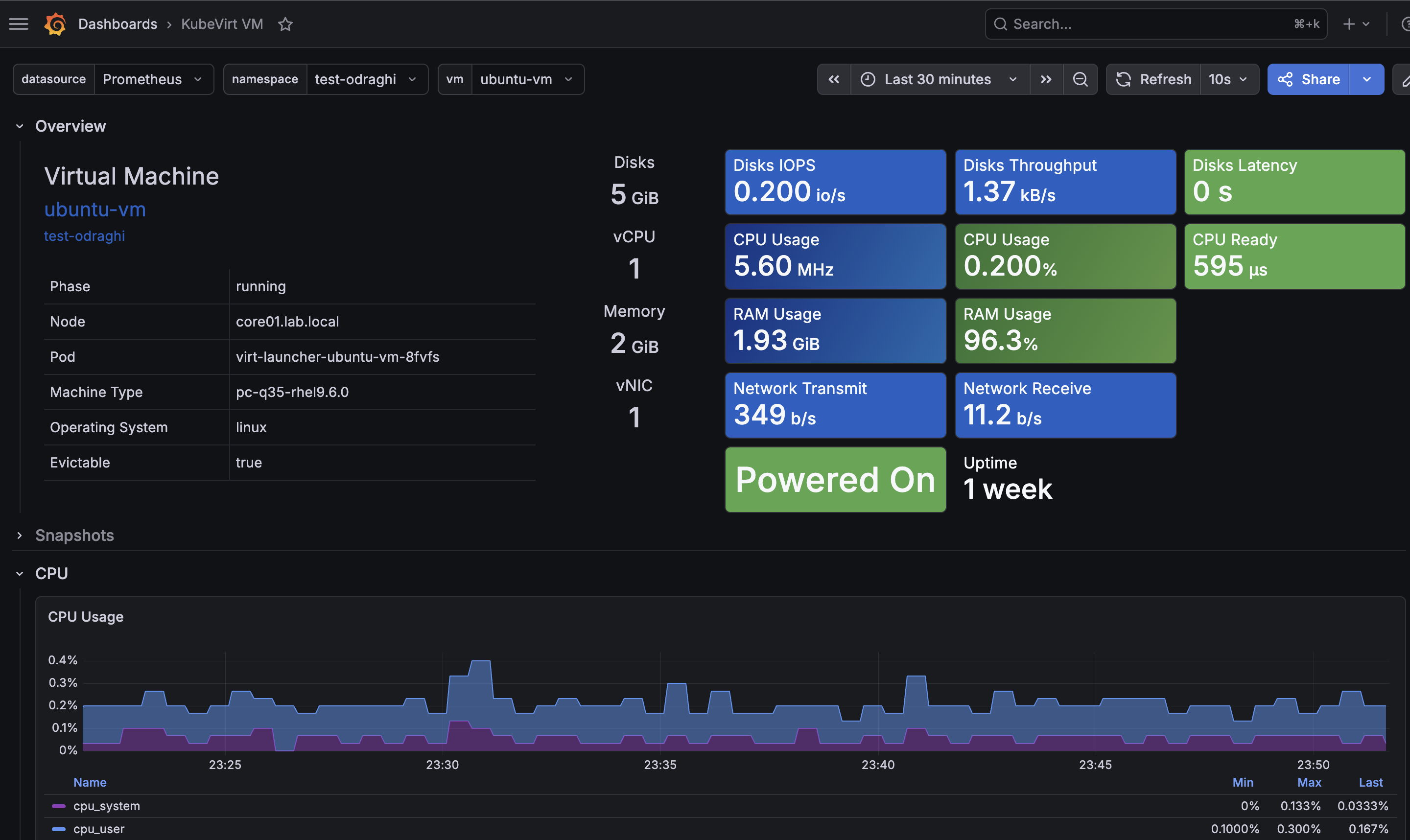
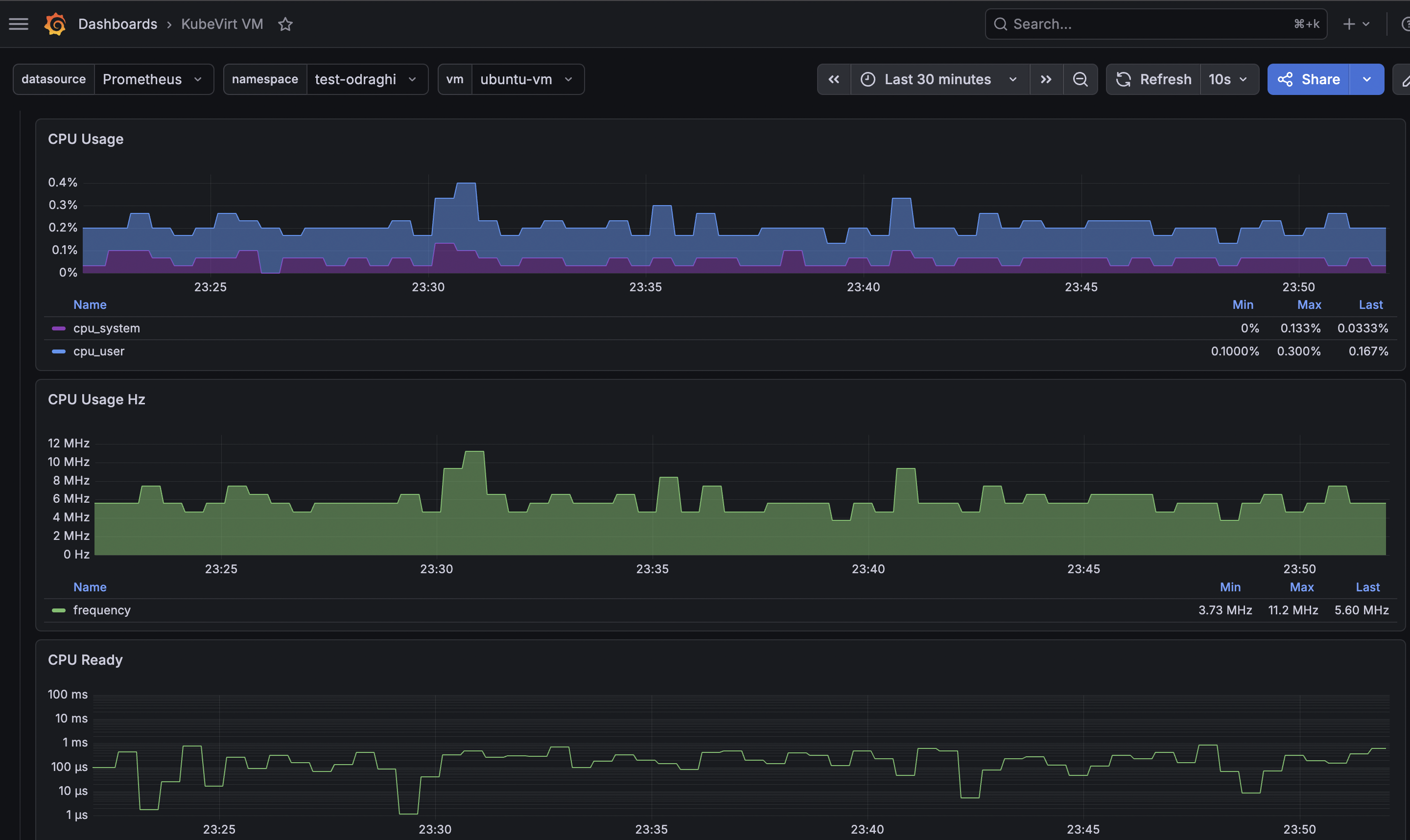
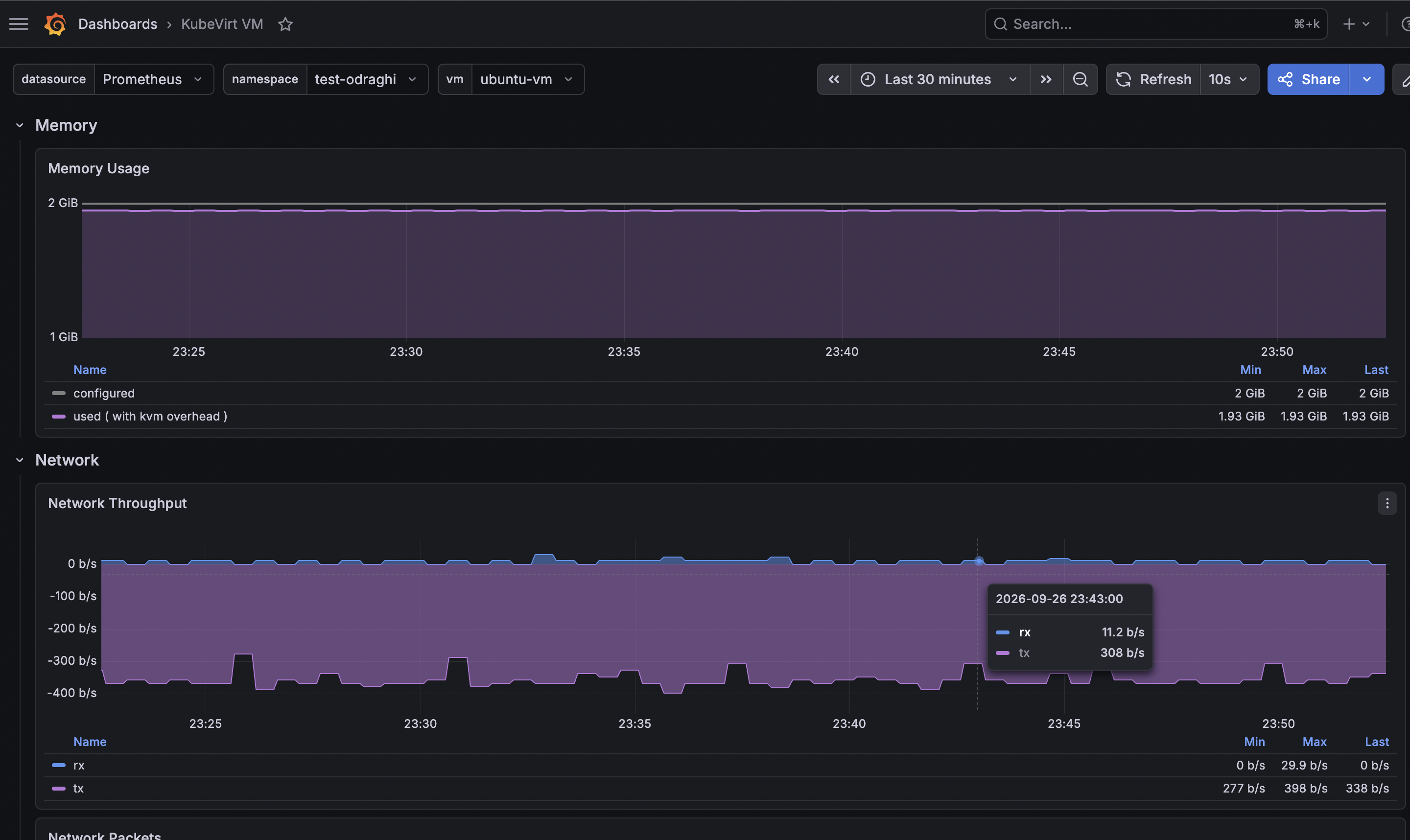
Description
This dashboard use Openshift Virtualization Prometheus as a datasource. It shows detail of the selected Virtual Machine.
Overview
Information about the VM and it status. Quick diagnostic metrics
- CPU Usage, CPU Ready
- Memory Usage
- Disks IOPS, Disks Througput, Disks Latency
- Network Througput
Snapshots
Array of snapshots of the VM.
CPU
Graphs
CPU Usage (precent)
CPU Usage Hz (this is an aproximation) Based on the consant default_cpu_frequency_mega_hertz if BIOS/UEFI Power supply profil is Static High_ Performance or Maximum Performance (because real node cpu frequency is not available in the datasource in that case)
CPU Ready Based on kubevirt_vmi_vcpu_delay_seconds_total mertics.
Memory
- Memory Usage
Network
- Network Througput
- Network Packets
- Network Througput by Interface
- Network Packets by Interface
- Network Drop by Interface
Disks
- Disks Size
- IOPS Total
- IO Througput Total
- IO Response Time Max
- IOPS - read/write
- IO Througput - read/write
- IO Response Time - read/write
- IOPS by Disk
- IO Throughput by Disk
- IO Response Time by Disk
Data source config
Collector type:
Collector plugins:
Collector config:
Revisions
Upload an updated version of an exported dashboard.json file from Grafana
| Revision | Description | Created | |
|---|---|---|---|
| Download |