
OPNsense - Infinity
This Grafana dashboard utilizes the Infinity datasource, eliminating the need for external collectors. It enables real-time monitoring and visualization of OPNsense data.
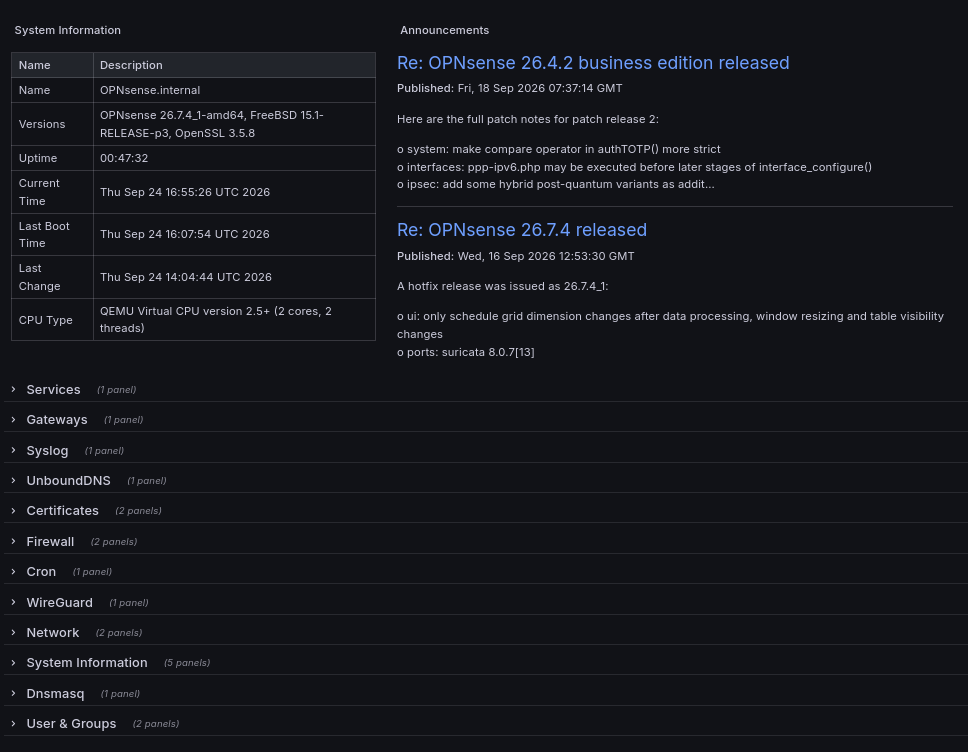
Grafana Dashboard with Infinity Datasource for OPNsense
This Grafana dashboard utilizes the Infinity datasource, eliminating the need for external collectors. It enables real-time monitoring and visualization of OPNsense data.
Prerequisites: OPNsense User and Privileges Setup
Create a Dedicated User
- Navigate to System > Access > Users in OPNsense.
- Add a new user (e.g.,
grafana) for dashboard access.
Assign Required Privileges
- Assign the Privileges below to the user created
Privilege Name Lobby: Dashboard Reporting: Traffic System: Static Routes System: Settings: Logging System: Trust: Certificates System: Settings: Cron System: Access: Management Status: Interfaces VPN: WireGuard: Configuration Diagnostics: Logs: Firewall: Live View Diagnostics: Firewall sessions
- Generate and Download the API Key
- Under the user settings, create an API key and download it securely.
Grafana Configuration
Add Infinity Datasource
- In Grafana, go to Configuration > Data Sources and add the Infinity datasource.
Configure Basic Authentication
- Set the authentication method to Basic Auth.
Enter Credentials
- Use the API Key as the username and the API Secret as the password.
Set the Base URL
- Enter the OPNsense base URL (e.g.,
https://your-opnsense-address).
Sources: https://docs.opnsense.org/development/how-tos/api.html ( how to create API key).
Data source config
Collector type:
Collector plugins:
Collector config:
Revisions
Upload an updated version of an exported dashboard.json file from Grafana
| Revision | Description | Created | |
|---|---|---|---|
| Download |