
Mimir / Sizing
Capacity-planning / sizing view for a Grafana Mimir microservices deployment. Compares required vs requested vs used CPU, memory and disk per component, using the ratios from the Mimir 'Planning capacity' docs.
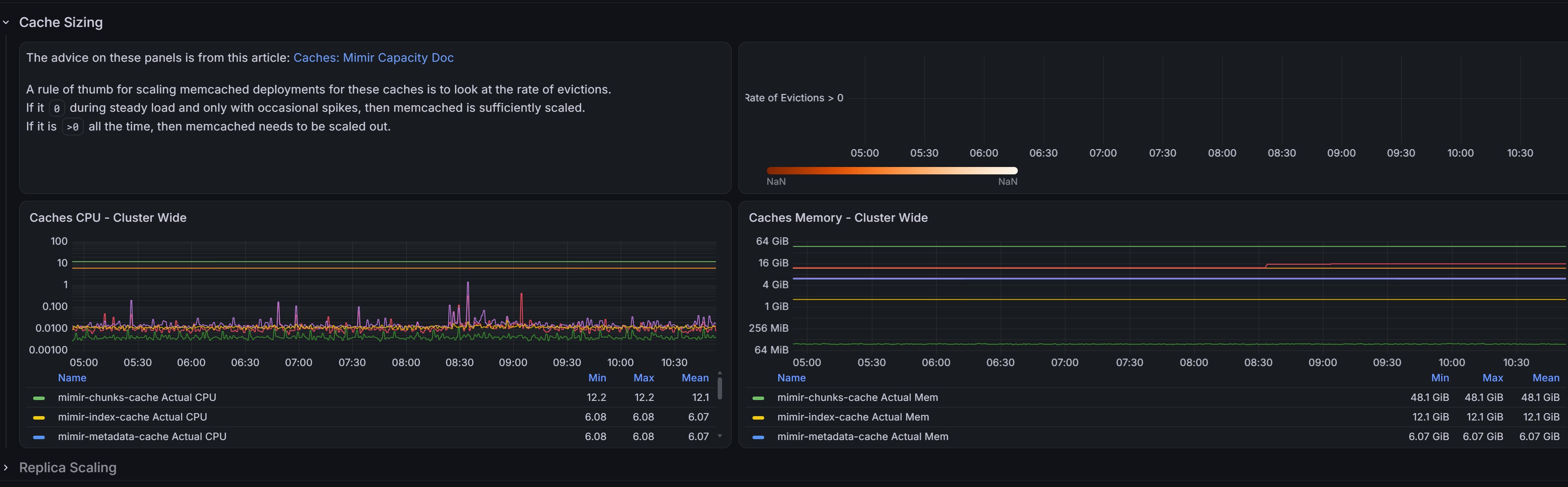
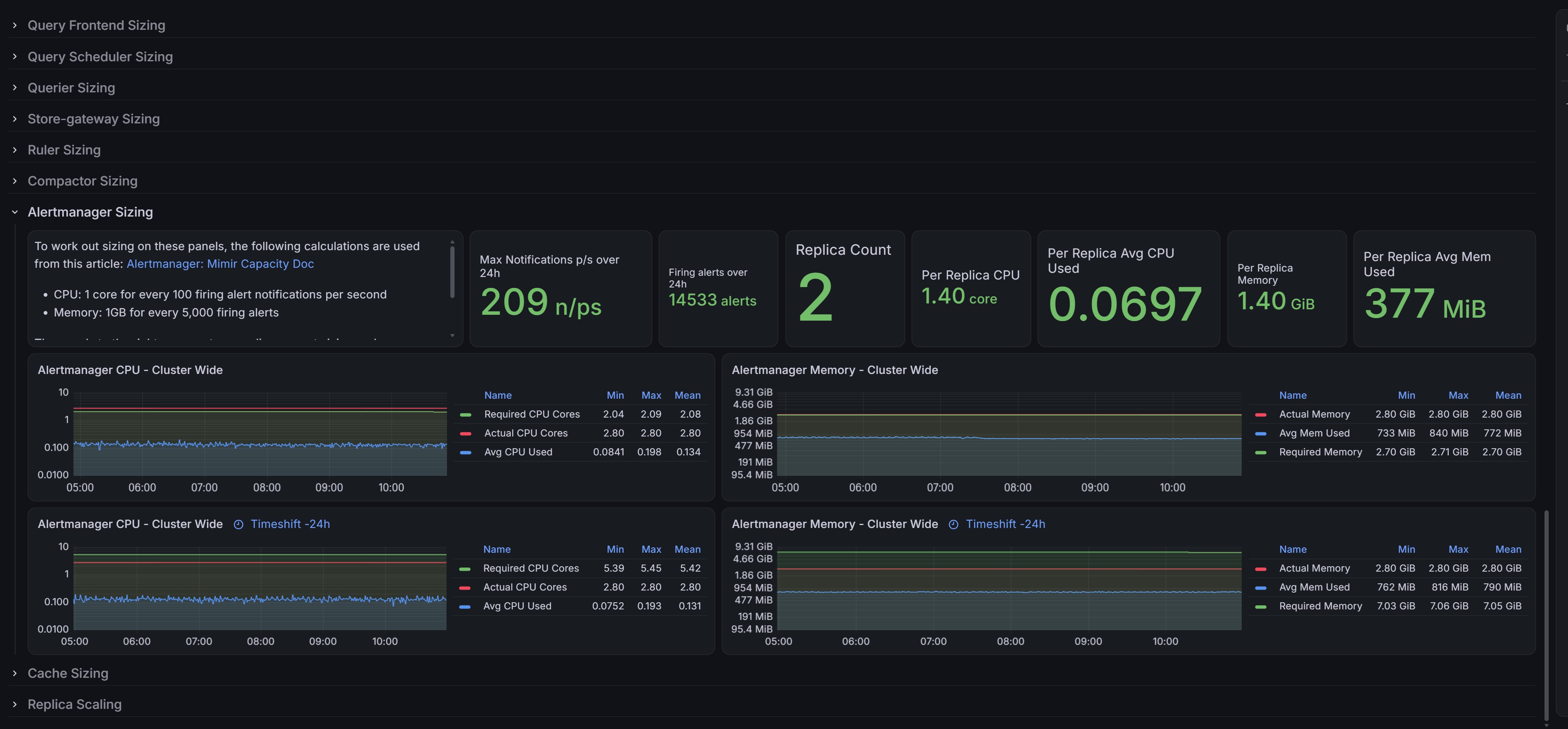
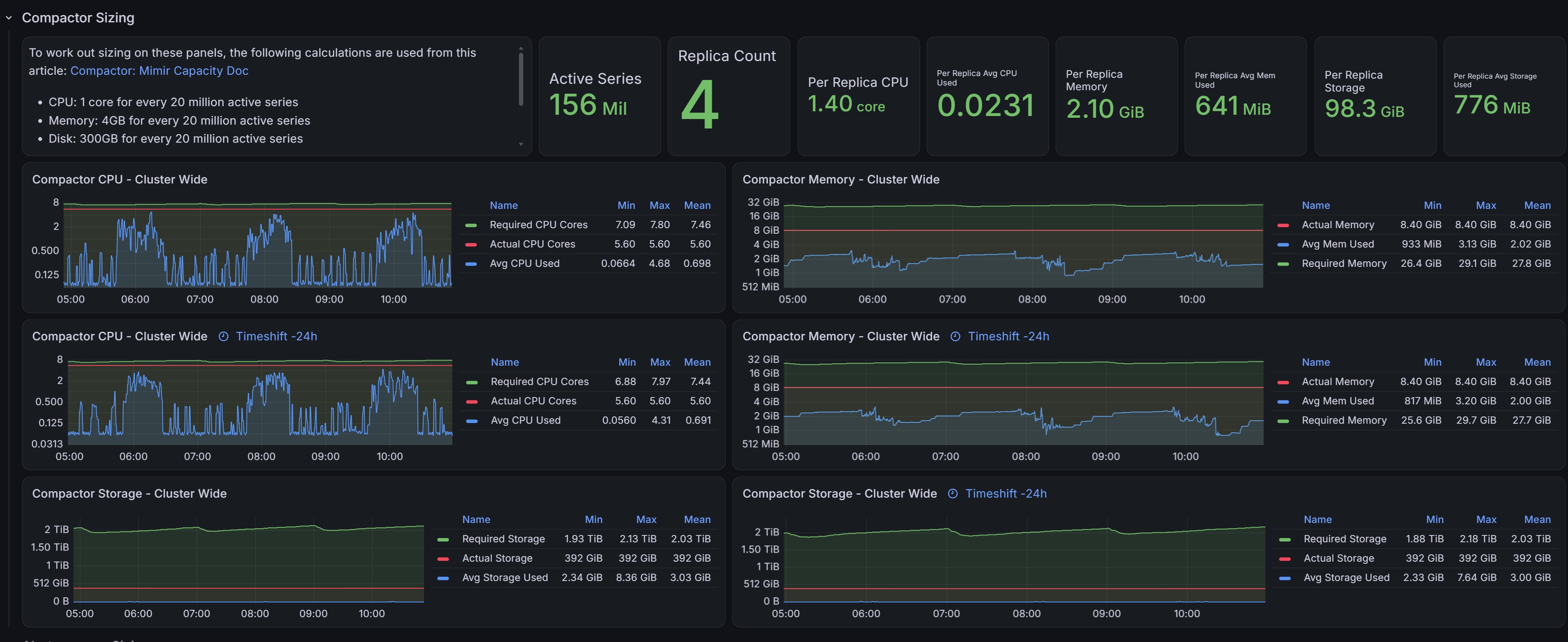
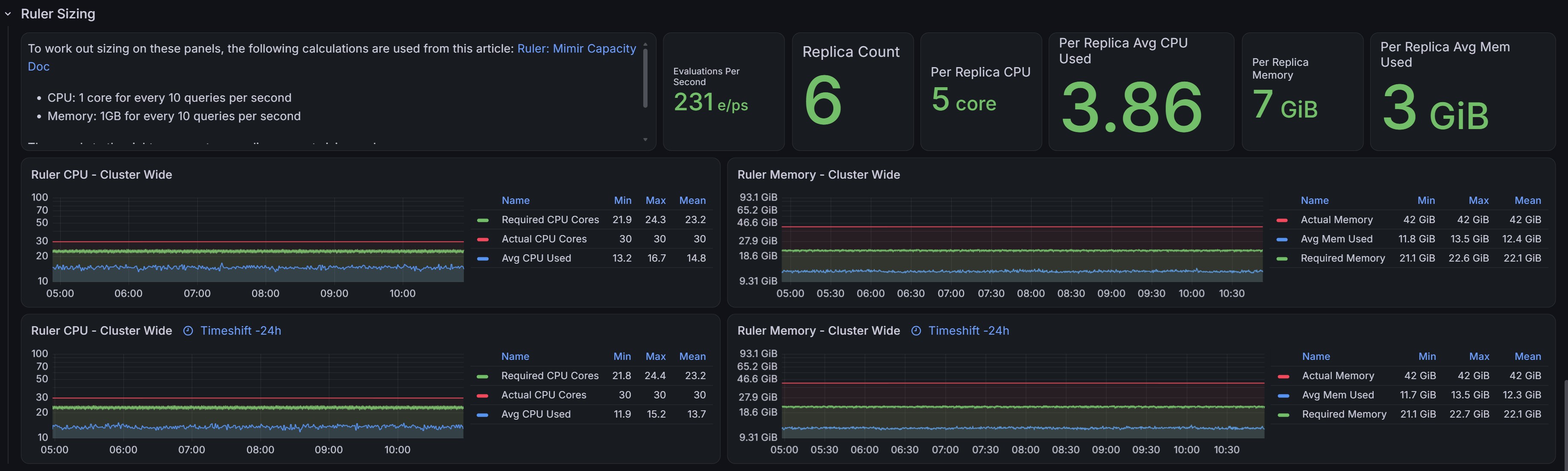
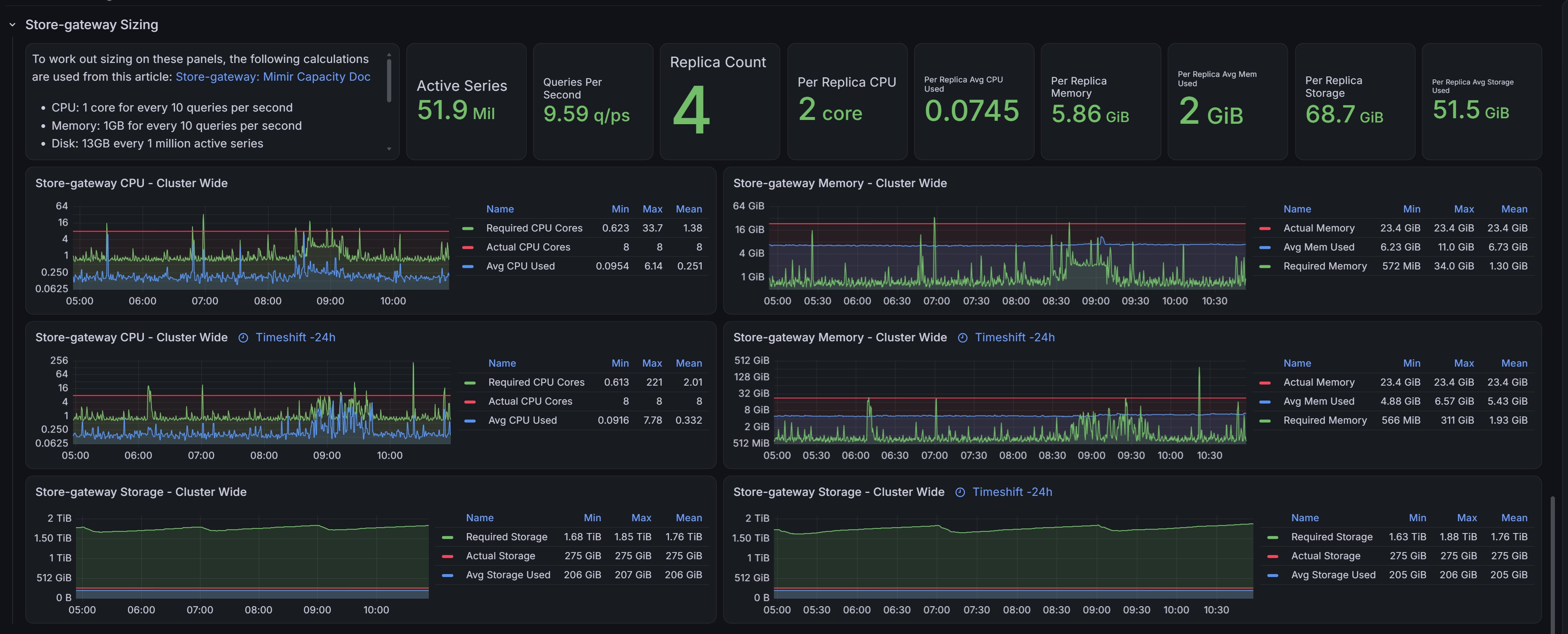
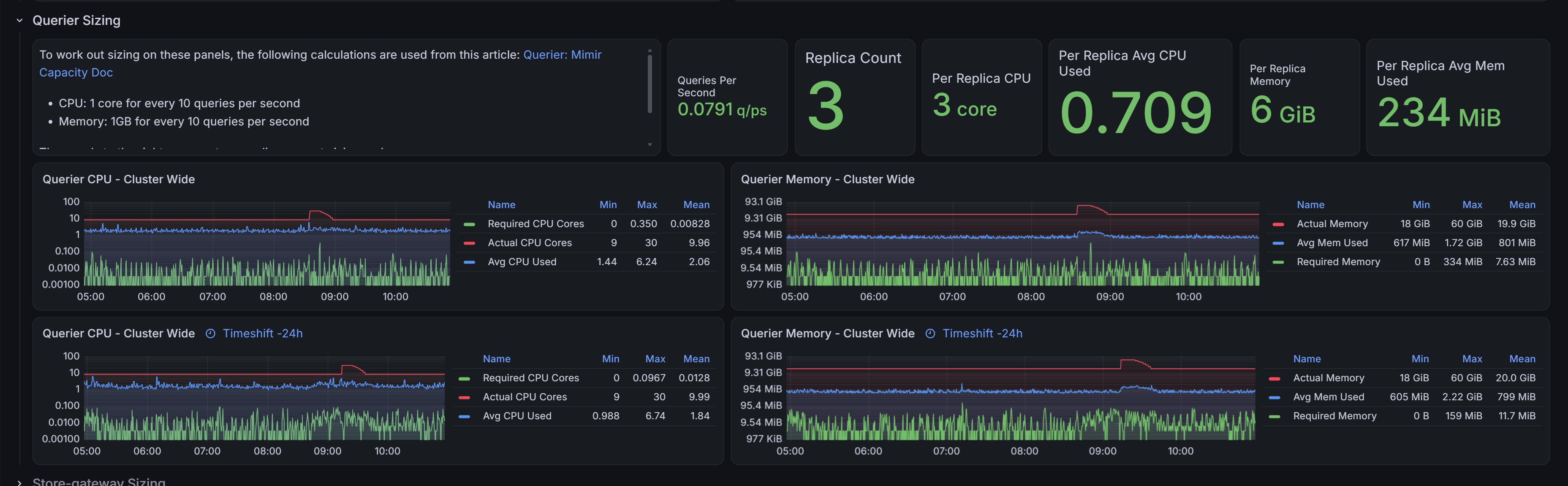
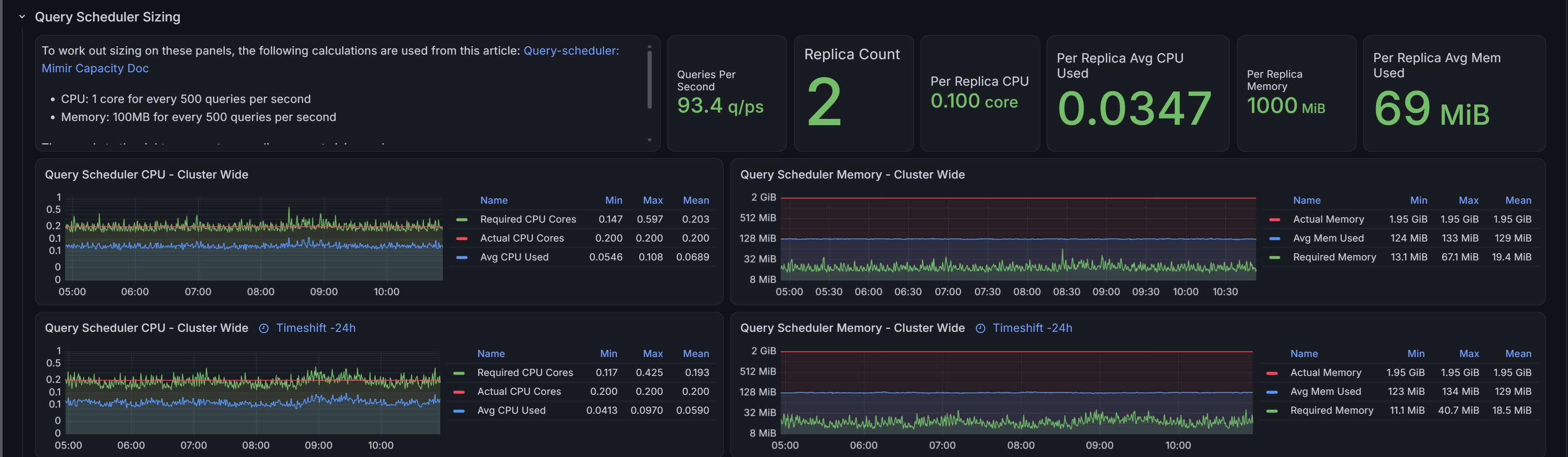
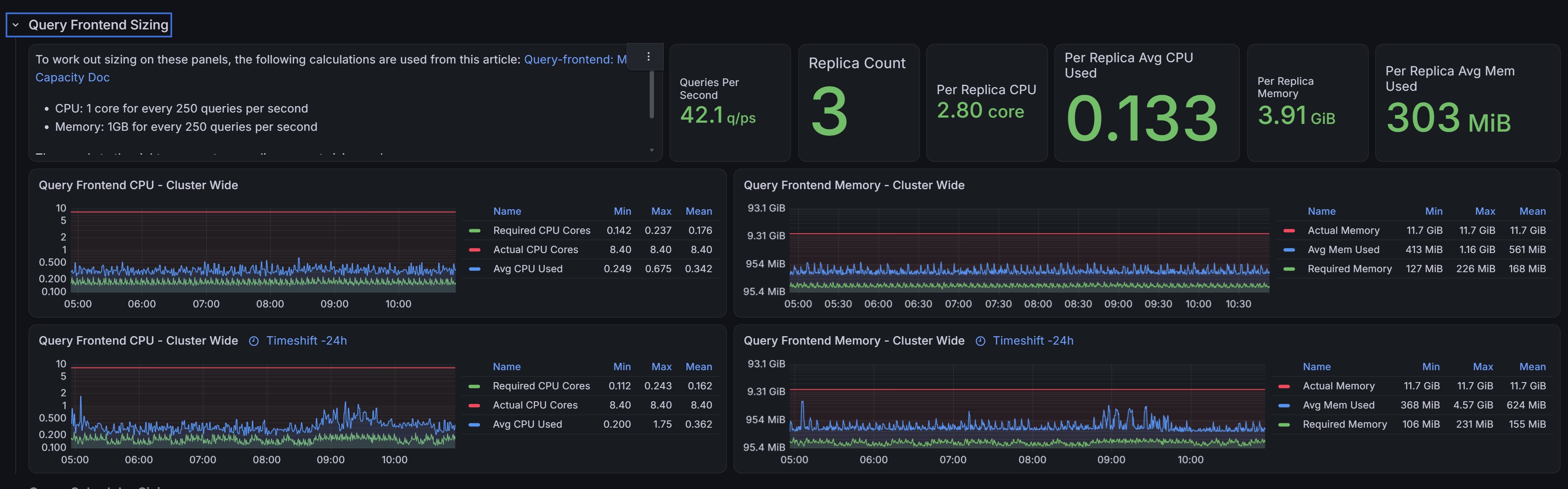
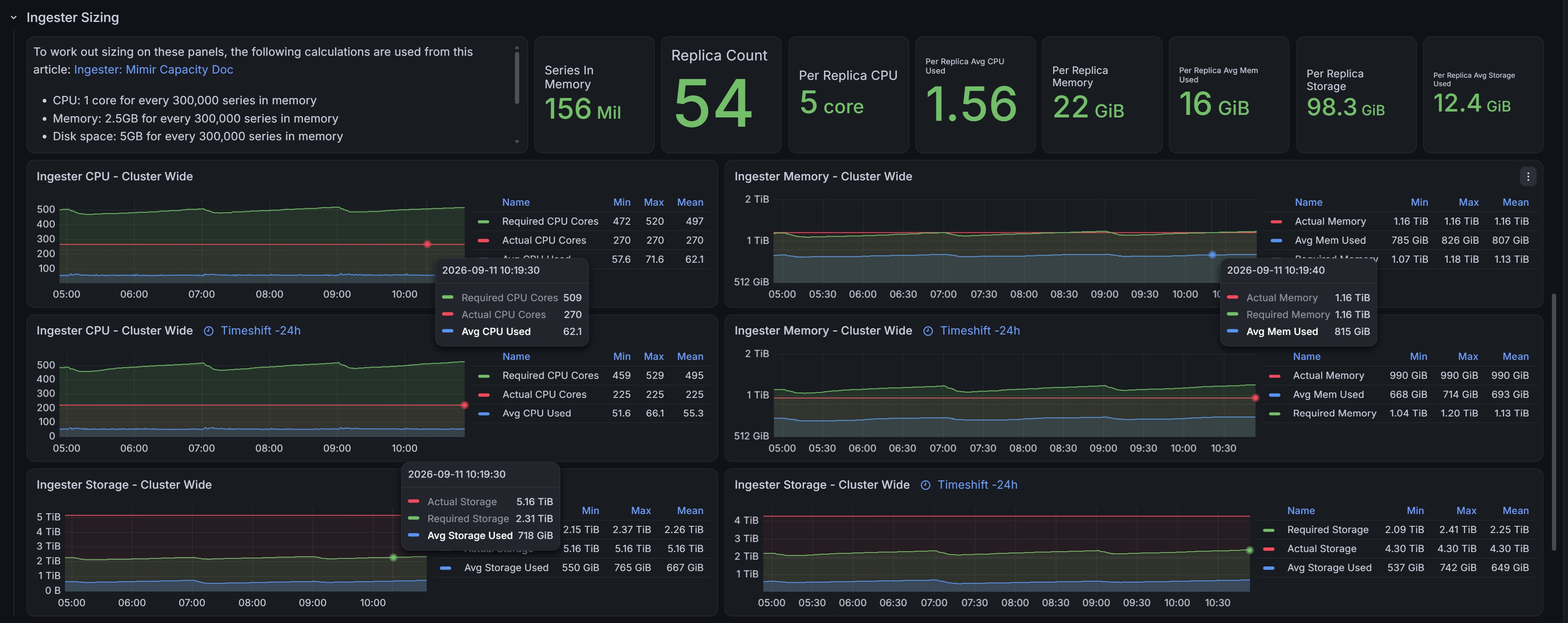
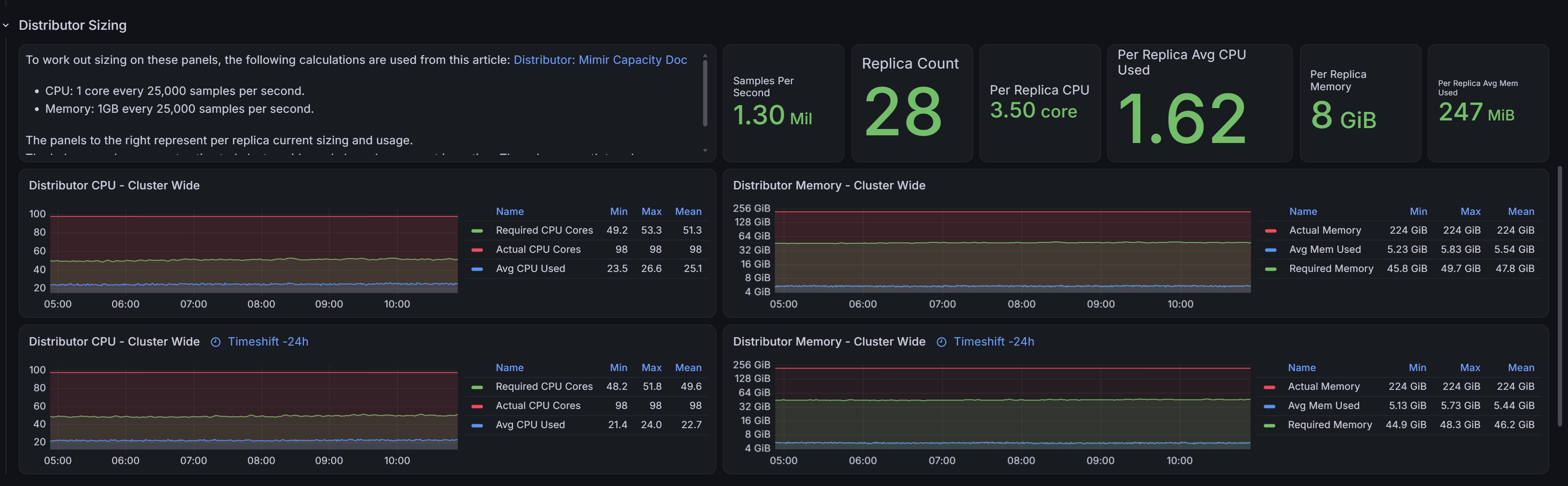
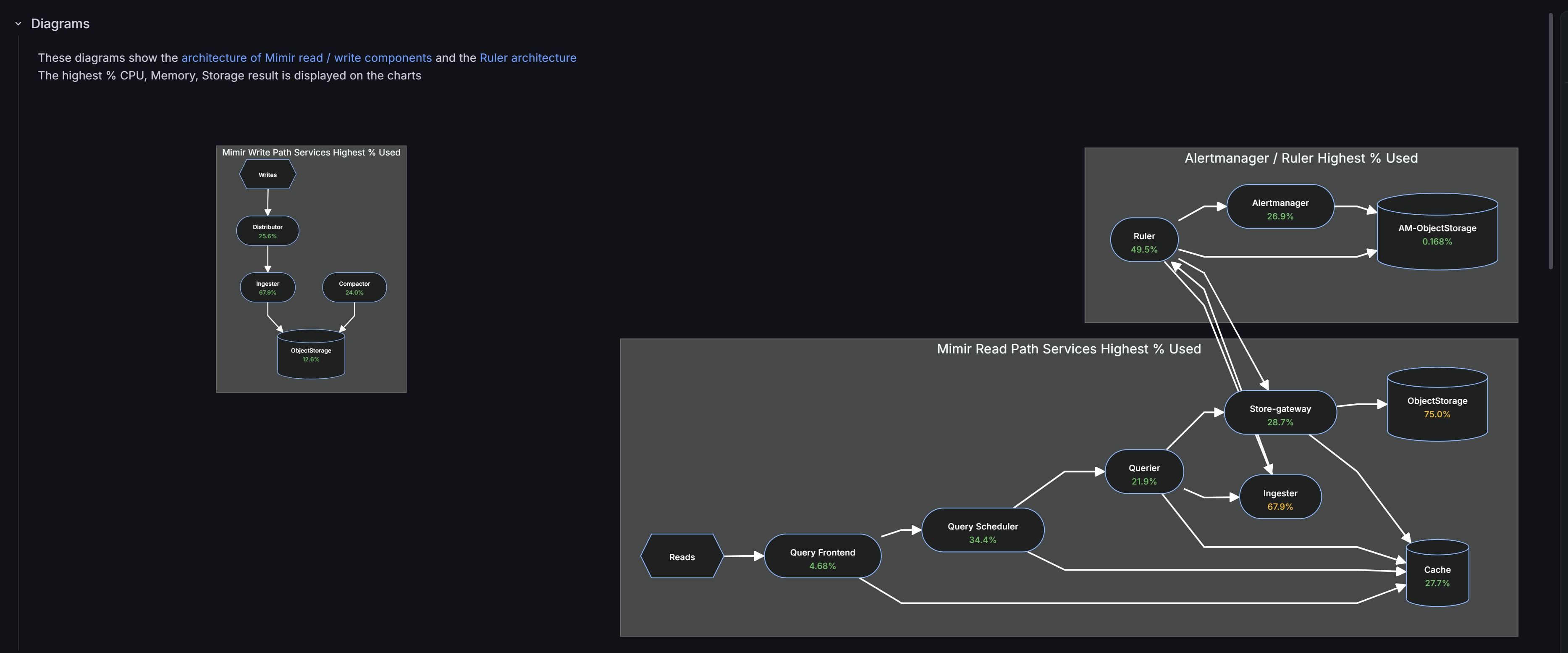
Capacity-planning / sizing dashboard for a Grafana Mimir microservices deployment running on Kubernetes, based on the recommendations in Grafana's own Planning capacity guide.
For each component (distributor, ingester, query-frontend, query-scheduler, querier, store-gateway, ruler, compactor, alertmanager, caches) it compares:
- Required CPU / memory / disk, estimated from current load using the ratios from that guide
- Actual CPU / memory requested (Kubernetes resource requests)
- Used CPU / memory / disk (actual consumption)
so you can see at a glance whether each component is under- or over-provisioned, plus a replica-scaling table and read/write-path diagrams showing the highest-utilised resource per service.
Data sources
- Prometheus (required): scraping Mimir's own metrics (
cortex_*) plus Kubernetes cluster metrics. The latter are fully covered by the grafana/k8s-monitoring-helm chart withclusterMetrics.enabled: true(kube-state-metrics, cAdvisor and kubelet sub-collectors, all on by default), which supplies every raw metric this dashboard needs (kube_pod_container_resource_requests,container_cpu_usage_seconds_total,container_memory_working_set_bytes,kubelet_volume_stats_*_bytes,kube_pod_owner, etc.) with the expectedkube-state-metrics/kubeletjob labels. You'll additionally need the kubernetes-mixin and mimir-mixin recording rules evaluated on top of those metrics (e.g. loaded into your Mimir ruler or Prometheus); the collector chart doesn't ship rule evaluation itself. - Loki (optional): only used for the disabled-by-default "Kubernetes events" annotation. Enable
clusterEvents.enabled: truein the same chart, its defaultjobLabel: "integrations/kubernetes/eventhandler"is exactly what the annotation query expects, no extra config needed.
Variables: $datasource / $loki_datasource (pick your Prometheus/Loki), $cluster, $namespace (auto-populated from cortex_build_info), $timeshift (comparison window for the "previous period" panels, e.g. 24h, 7d).
Requires the Diagram panel plugin (jdbranham-diagram-panel) for the two read/write architecture panels.
Data source config
Collector config:
Upload an updated version of an exported dashboard.json file from Grafana
| Revision | Description | Created | |
|---|---|---|---|
| Download |

Grafana Mimir (self-hosted)

Easily monitor your self-hosted instance of Grafana Mimir, an open source, horizontally scalable, highly available, multi-tenant TSDB, with Grafana Cloud's out-of-the-box monitoring solution.
Learn more