
Storage System (MetricsHub)
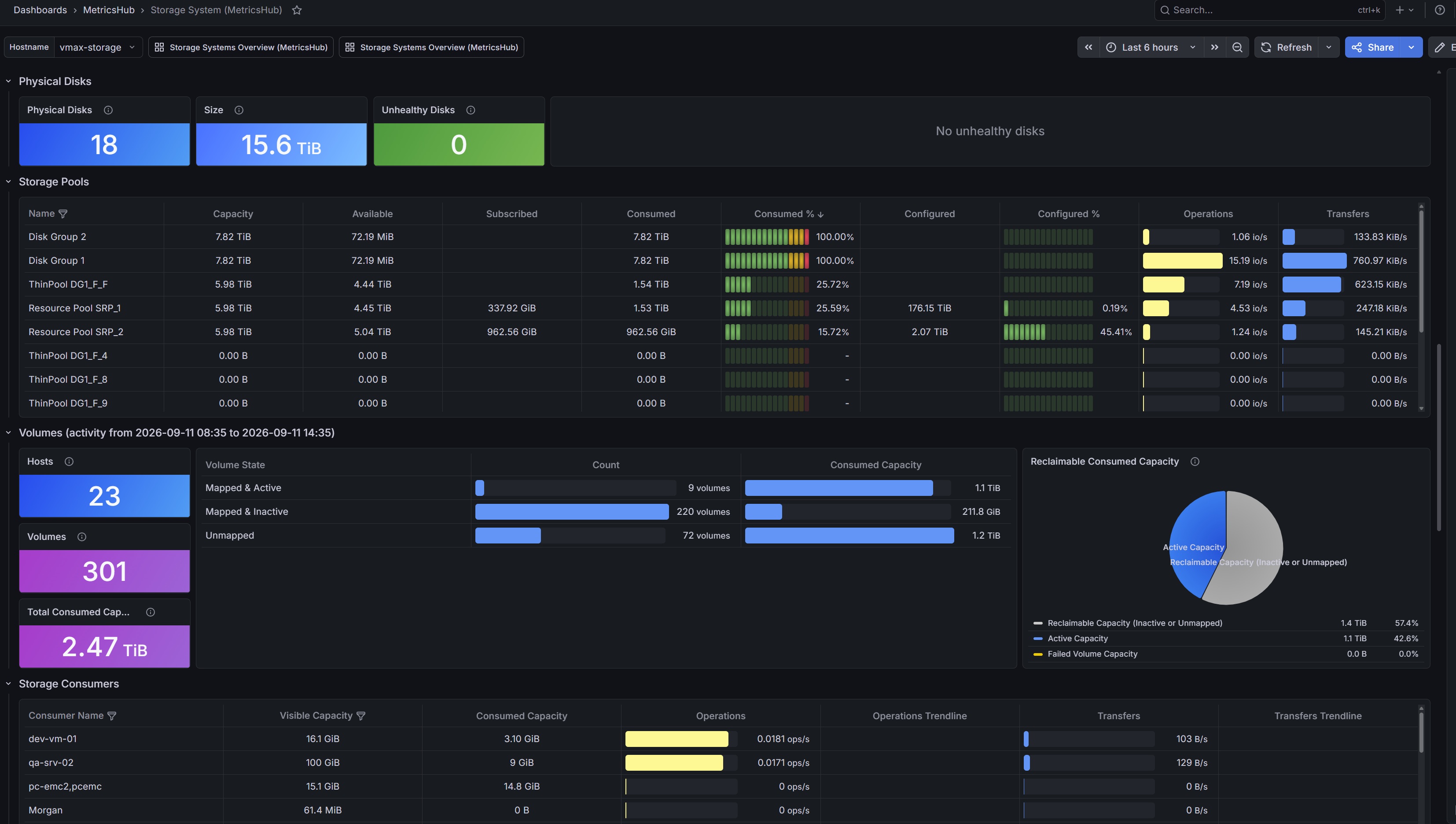
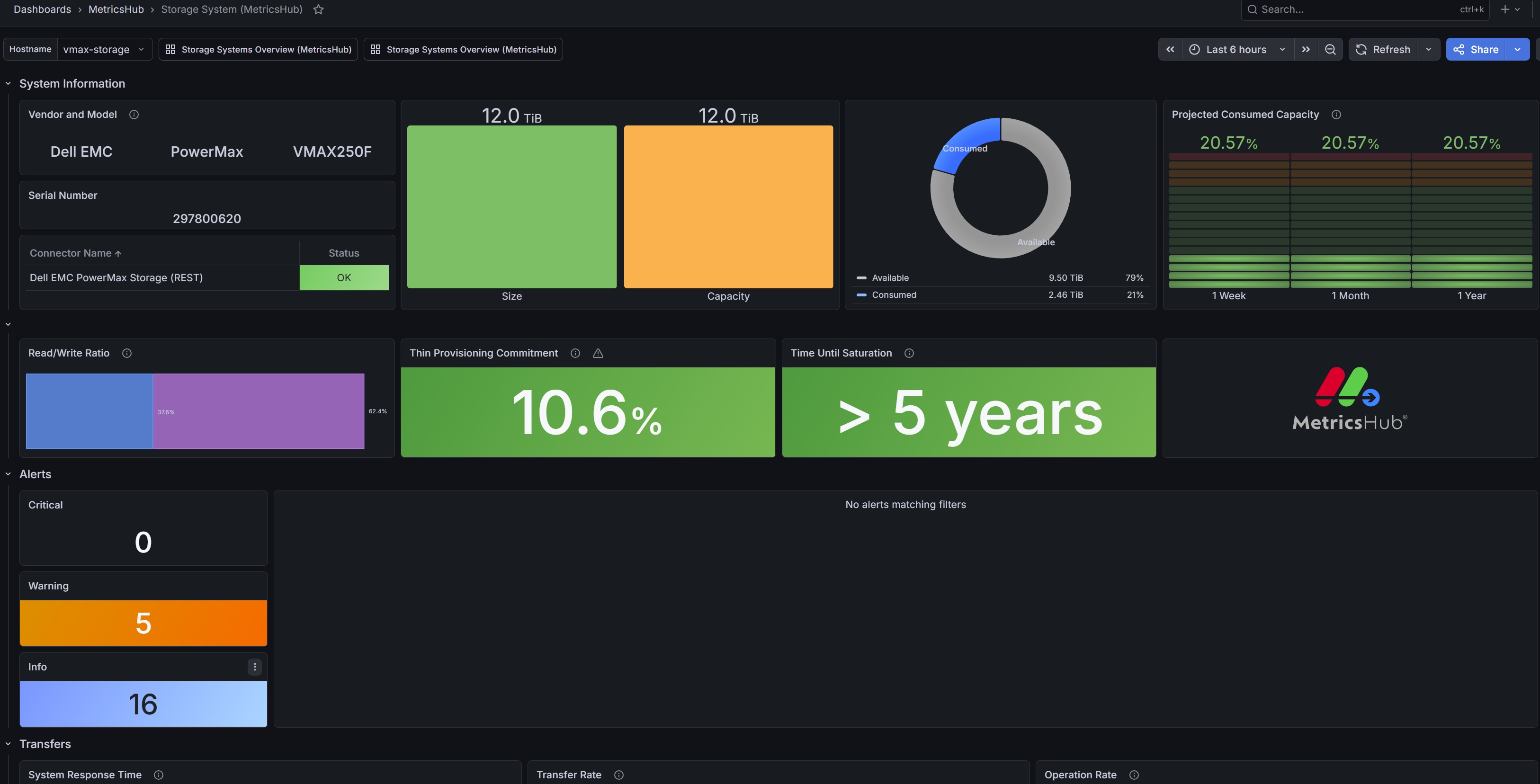
Use Cases
- Detect latency spikes and storage bottlenecks
- Monitor storage health across vendors
- Identify unused or reclaimable storage
- Gain better control over capacity and utilization to address rising storage costs
- Consolidate monitoring across multi-vendor storage environments and eliminate siloed vendor-specific tools
- Ensure storage performance scales with business and application workload demands
Prerequisites
- MetricsHub installed and configured
- A Prometheus server configured to expose the collected metrics
- The Storage System (MetricsHub®) Grafana dashboard
MetricsHub Overview
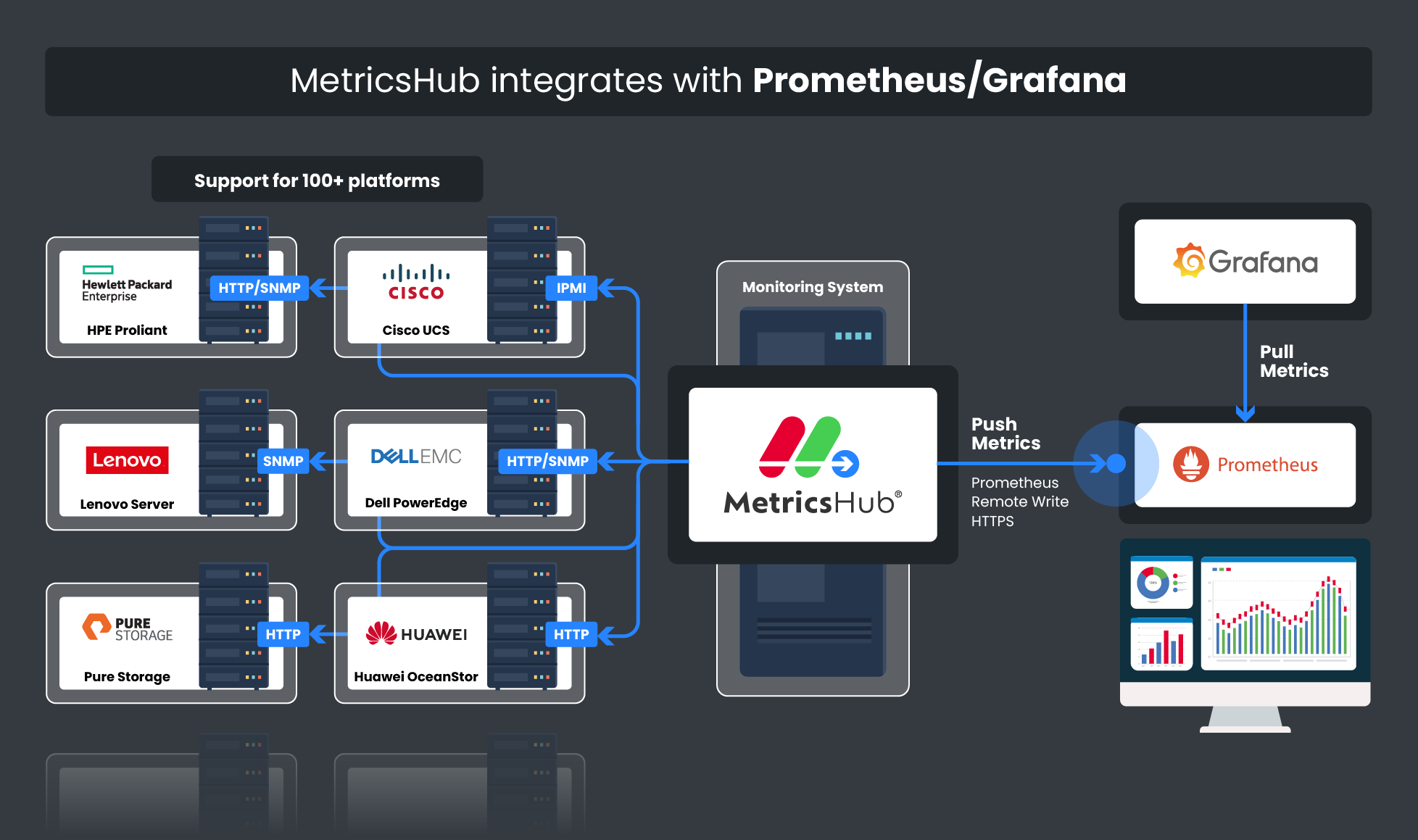
MetricsHub is a universal metrics collection agent for OpenTelemetry deployed within your infrastructure. A single instance can remotely monitor multiple storage systems across leading vendors, including Dell, Hitachi, HPE, IBM, NetApp, EverPure, and others.
MetricsHub collects critical metrics from storage arrays, controllers, disks, and storage pools, including IOPS, throughput, latency, capacity utilization, and storage provisioning.
Storage monitoring is available exclusively with a MetricsHub Enterprise Edition license. You can try the Enterprise Edition for free for 30 days to explore its full capabilities.
Key Features
- Multi-vendor storage monitoring
- Standardized metrics across storage platforms
- Health, capacity, and performance monitoring
- Capacity growth and saturation risks forecasting
- Latency and throughput tracking
- Oversubscribed storage pools identification
- Reclaimable volume detection
Setup and Configuration
- Install and configure MetricsHub.
- Send telemetry to Prometheus.
- Import the Storage System (MetricsHub®) dashboard into Grafana.
Other MetricsHub Grafana Dashboards
MetricsHub provides several Grafana dashboards to help you monitor your infrastructure at different levels, from a global view of all monitored environments to detailed metrics for individual systems.
System Performance Metrics - Overview (MetricsHub)
Unified view of key performance indicators from Linux, Windows, HP-UX, and IBM AIX systems, including CPU utilization, memory consumption, file system capacity, network traffic, and protocol response times. All metrics are collected by MetricsHub® and presented in a clear, meaningful, and actionable dashboard.
System Performance Metrics (MetricsHub) Dashboard
Visualizes key system performance indicators, including CPU usage, memory consumption, filesystem capacity, network traffic, and protocol response time, for Linux, Windows, HP-UX, and IBM AIX systems.
Hardware Main (MetricsHub) Dashboard
Provides a centralized view of hardware health and performance metrics across all monitored environments. It aggregates telemetry collected by MetricsHub to help you quickly assess the status of your infrastructure.
Hardware Site (MetricsHub) Dashboard
Displays metrics associated with a specific site, such as a data center or server room, and the hosts monitored within that environment.
Hardware Host (MetricsHub) Dashboard
Focuses on a single monitored host and its internal components, providing detailed visibility into hardware health and performance metrics.
Data source config
Collector config:
Upload an updated version of an exported dashboard.json file from Grafana
| Revision | Description | Created | |
|---|---|---|---|
| Download |