
AI CLI Tools — Overview
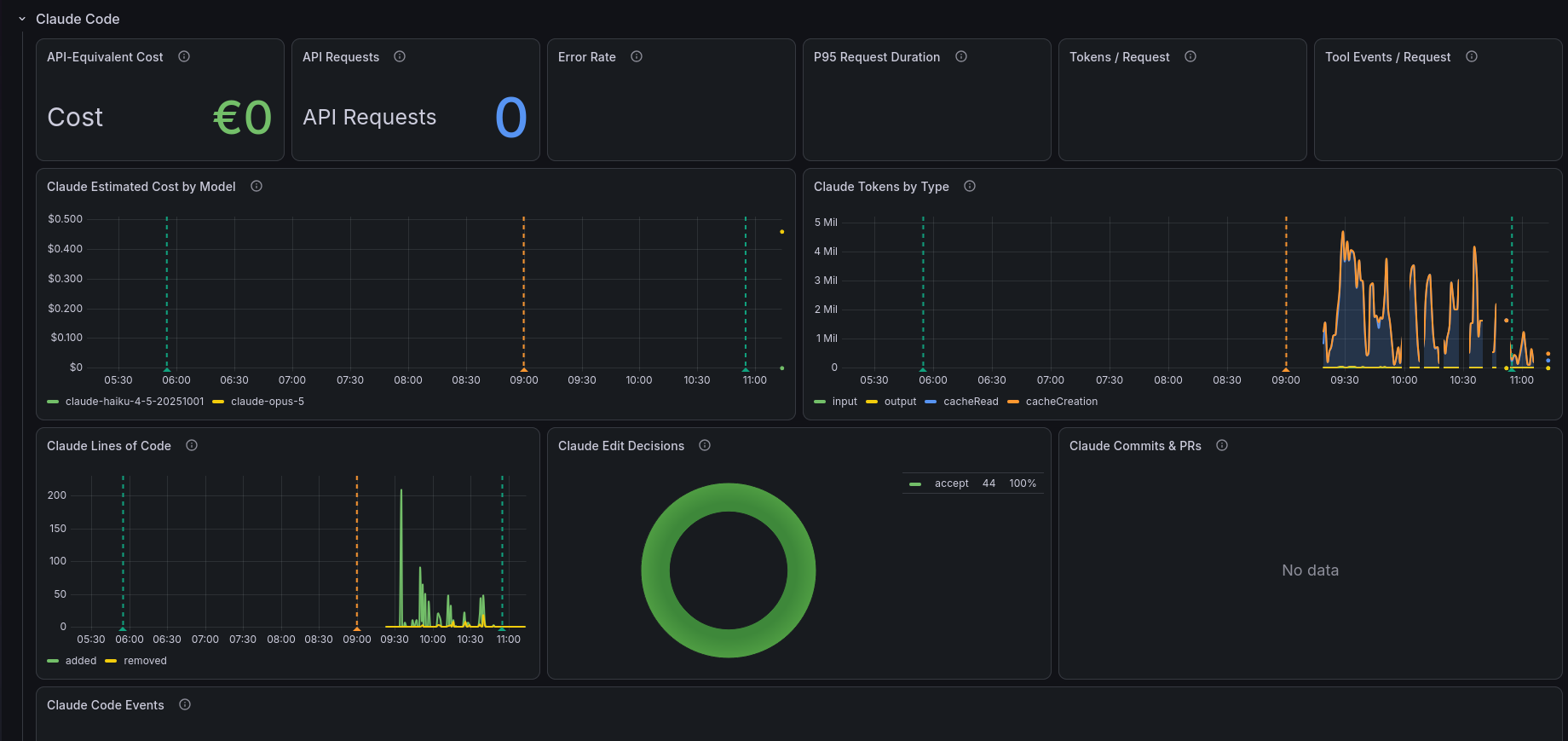
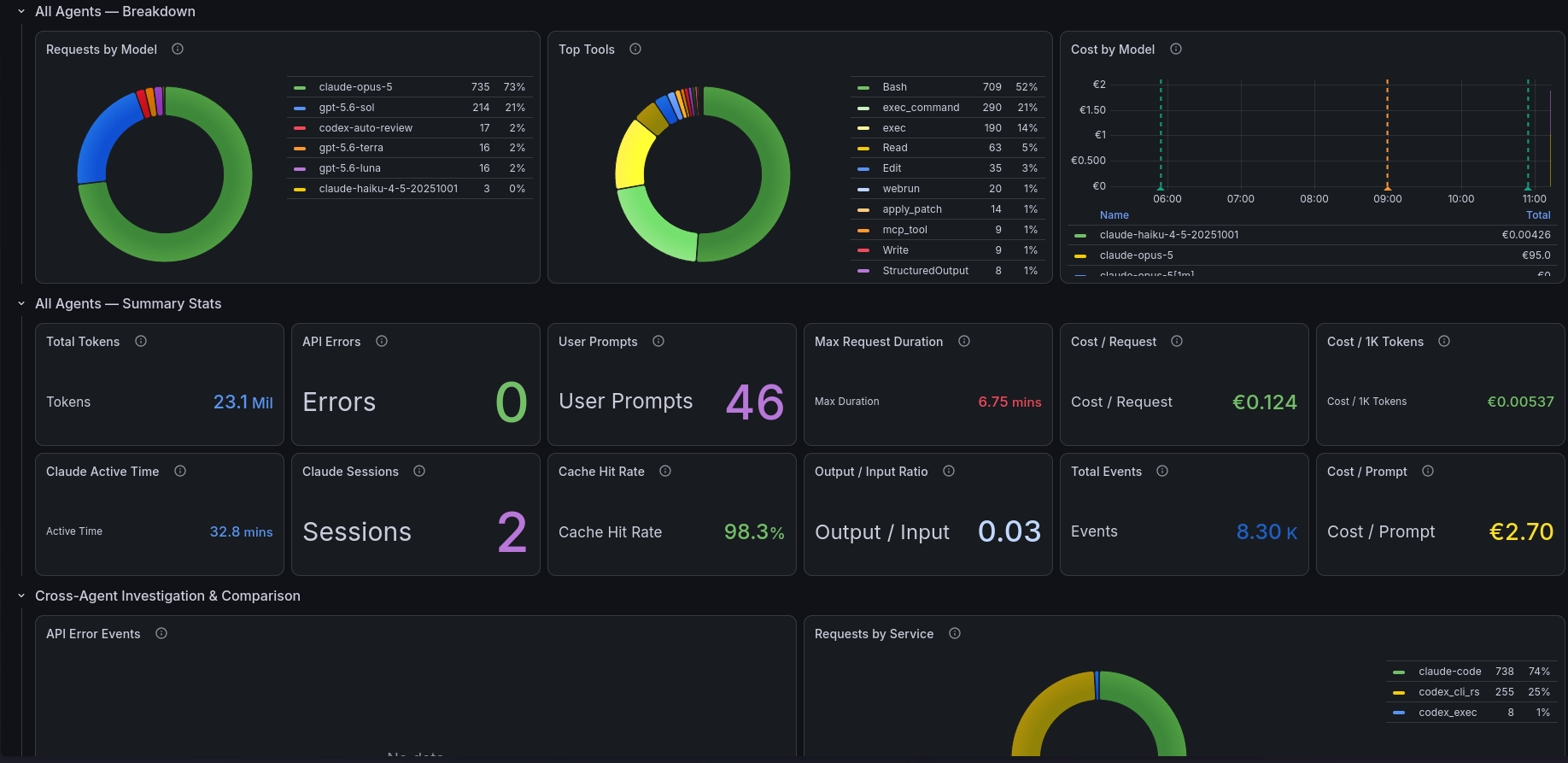
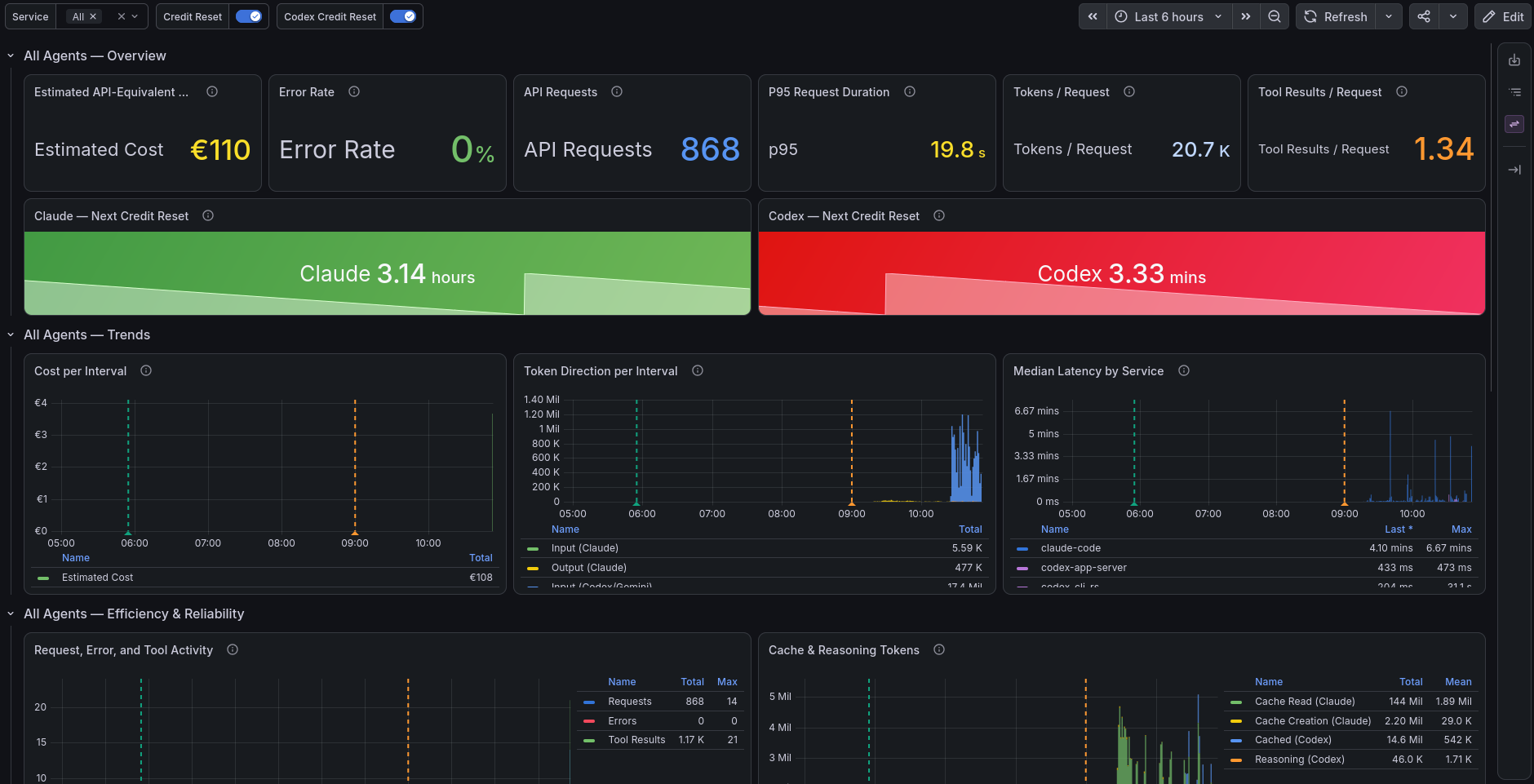
Overview
A unified dashboard for Claude Code, Codex CLI, and Gemini CLI, built from OpenTelemetry logs and metrics.
Compare activity across tools, inspect individual sessions, and track token usage, estimated API-equivalent costs, latency, and errors.
Included views
- Request counts, error rates, and request latency.
- Input, output, cached, and reasoning/thinking tokens.
- Estimated API-equivalent costs by model and over time.
- Tool activity, model distribution, and session events.
- Dedicated Claude Code, Codex CLI, and Gemini CLI sections.
- Cross-agent logs for investigation.
- Configurable Claude and Codex credit-reset countdowns.
Panel availability depends on the telemetry emitted by each CLI.
Requirements
- Grafana with the VictoriaLogs data source plugin.
- VictoriaLogs for telemetry logs and request events.
- VictoriaMetrics configured through Grafana's Prometheus data source.
- OpenTelemetry Collector receiving telemetry from the CLI tools.
The collector must normalize event fields to match the dashboard queries. Codex and Gemini cost panels also depend on collector-side cost enrichment.
The EUR conversion variable requires the usd_eur_exchange_rate metric.
Setup
- Enable OpenTelemetry telemetry in the CLI tools you use.
- Route their telemetry through the OpenTelemetry Collector.
- Export logs to VictoriaLogs and metrics to VictoriaMetrics.
- Map both data sources when importing the dashboard.
- Select the services to display using the Service filter.
- Adjust the reset-offset constants to match your account.
Cost estimates
Cost panels show estimated API-equivalent usage, not subscription charges or invoices.
Claude Code uses native cost estimates when available. Codex and Gemini use collector-side estimates for supported models. Accuracy depends on emitted token counts and configured pricing.
Credit-reset countdowns
Countdowns assume a repeating five-hour cycle. They do not query provider quota APIs.
For each account, calculate the offset as:
Unix timestamp of a known reset modulo 18000
The included offsets are examples and should be adjusted if your reset schedule differs.
Data source config
Collector config:
Upload an updated version of an exported dashboard.json file from Grafana
| Revision | Description | Created | |
|---|---|---|---|
| Download |