
NVIDIA GPU for AI Workloads — Efficiency, Cost & Health (DCGM)
GPU monitoring for self-hosted AI: are your tensor cores actually working, what does each run cost in kWh, and is your VRAM degrading? Built and battle-tested on a local LLM rig (100B+ parameter models). Requires dcgm-exporter with DCP/profiling metrics enabled. Multi-GPU via UUID variable.
NVIDIA GPU for AI Workloads — Efficiency, Cost & Health
Most GPU dashboards tell you the GPU is busy. This one tells you whether it's doing useful AI work, what it costs, and whether the hardware is degrading. Built to run 100B+ parameter LLMs on self-hosted hardware, and battle-tested there.
The three questions it answers
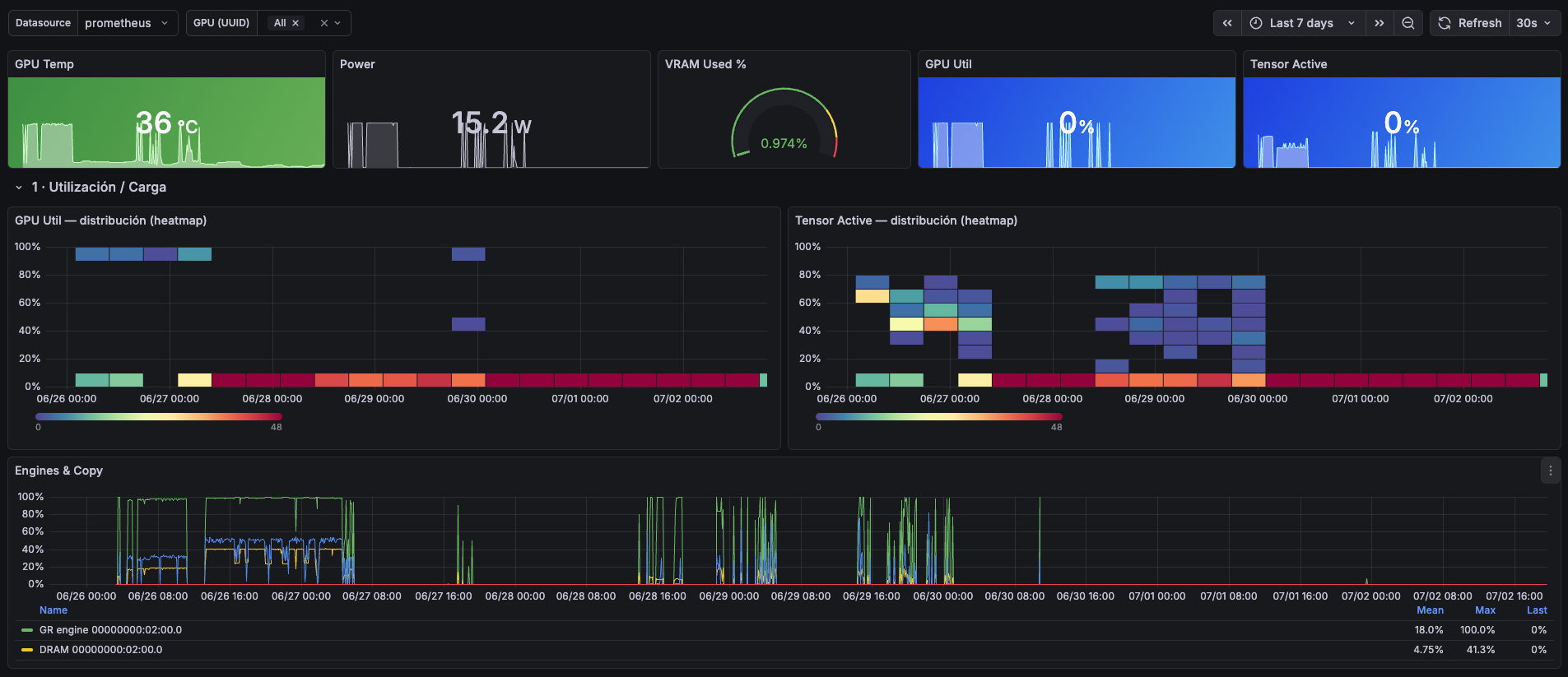
1. Efficiency — busy ≠ working. GPU Util can read 100% while tensor cores sit
idle (memory-bound pipelines, slow dataloaders). The paired distribution heatmaps —
GPU Util vs Tensor Core Activity (DCGM_FI_PROF_PIPE_TENSOR_ACTIVE) — expose that
gap at a glance, plus a full engine breakdown (graphics engine, DRAM, copy, NVENC/NVDEC).
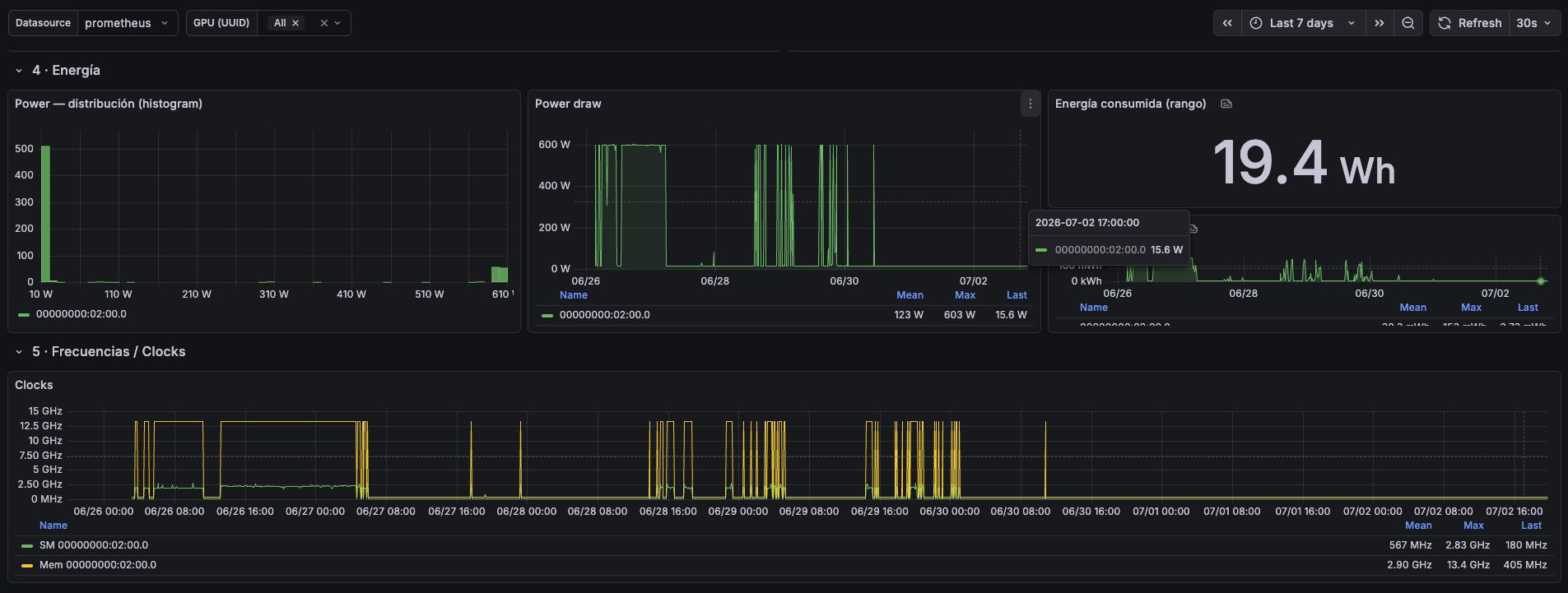
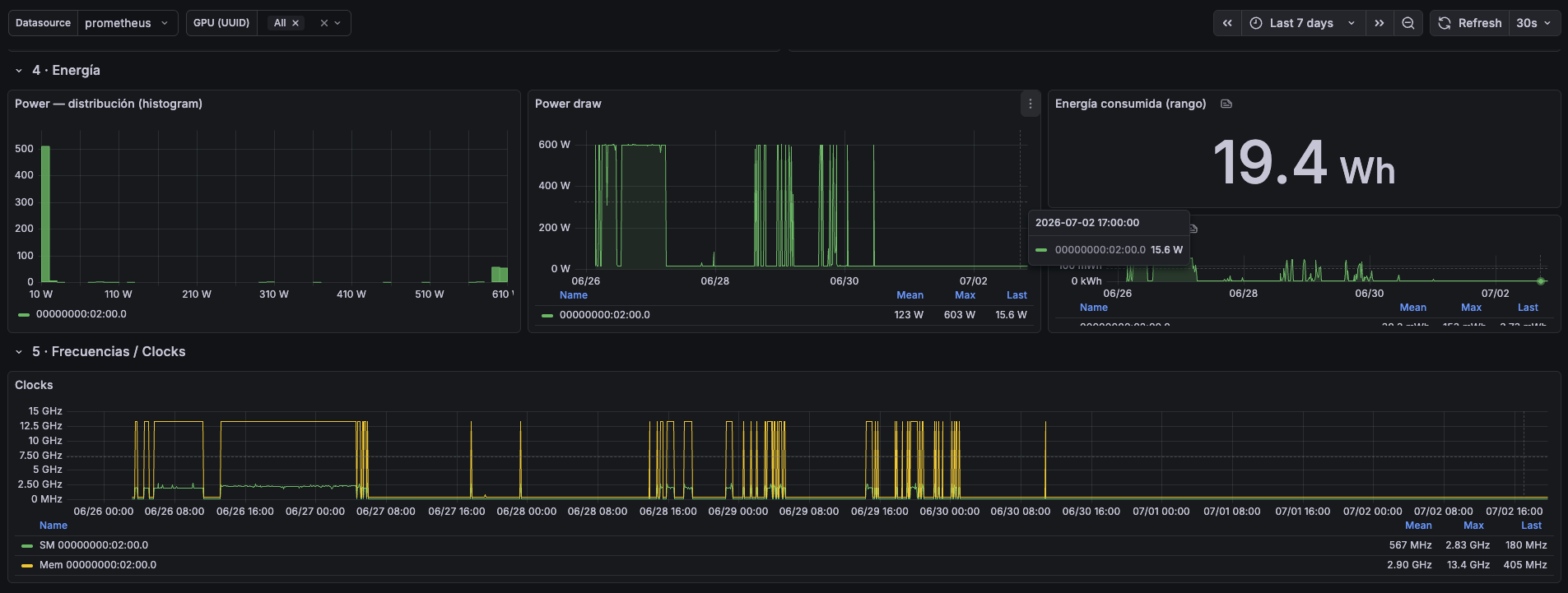
2. Cost — kWh, not just watts. Energy consumed over the selected time range
(DCGM_FI_DEV_TOTAL_ENERGY_CONSUMPTION), so you can price a fine-tuning run or an
inference session directly from the dashboard. Per-interval energy series included.
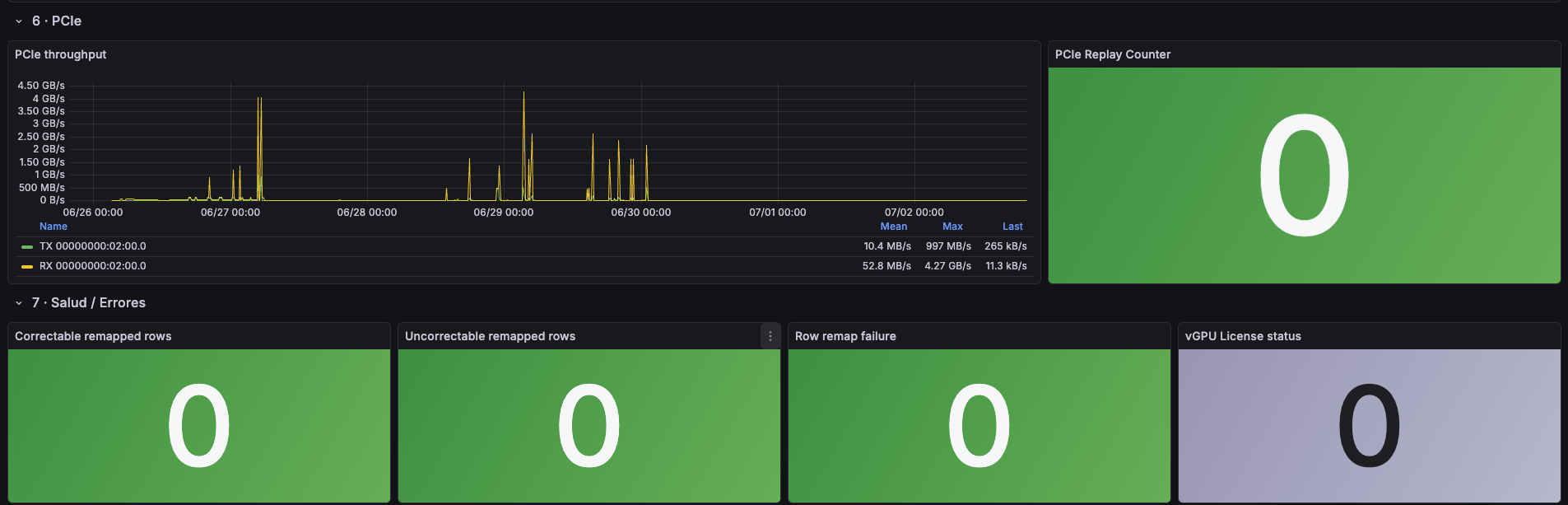
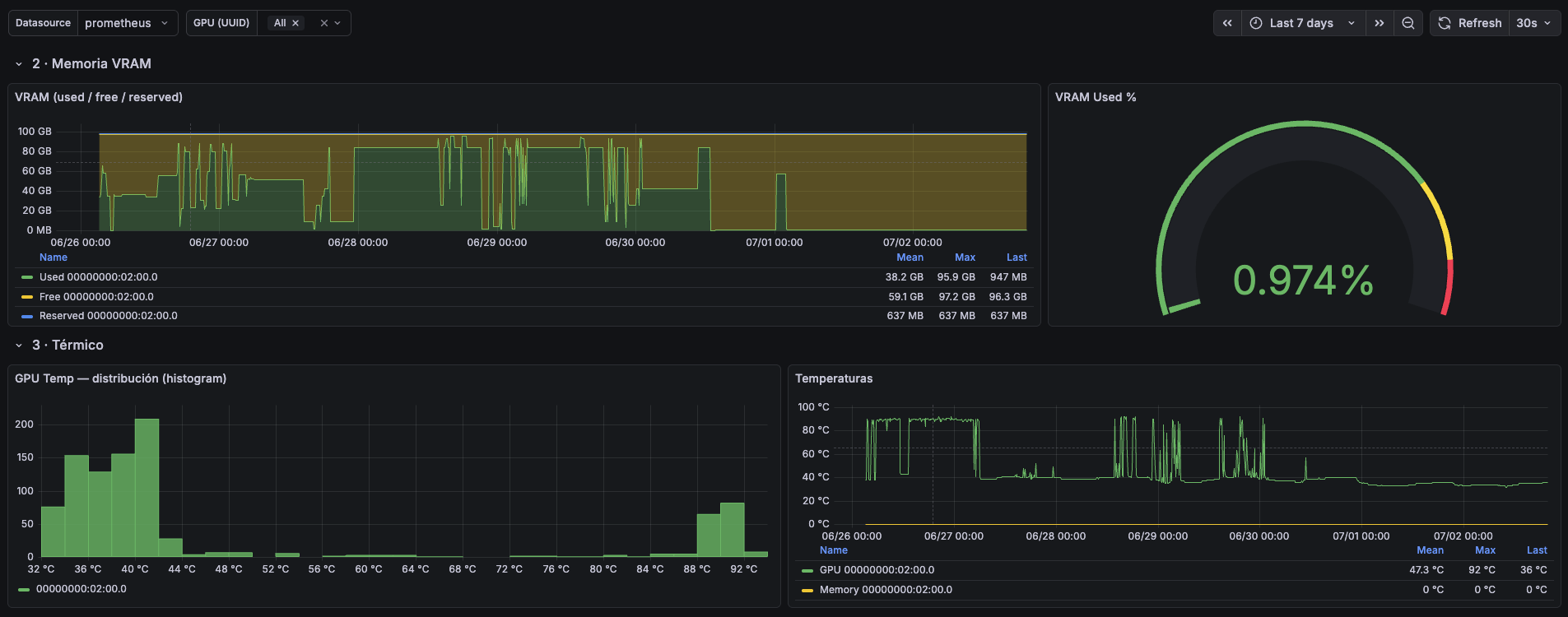
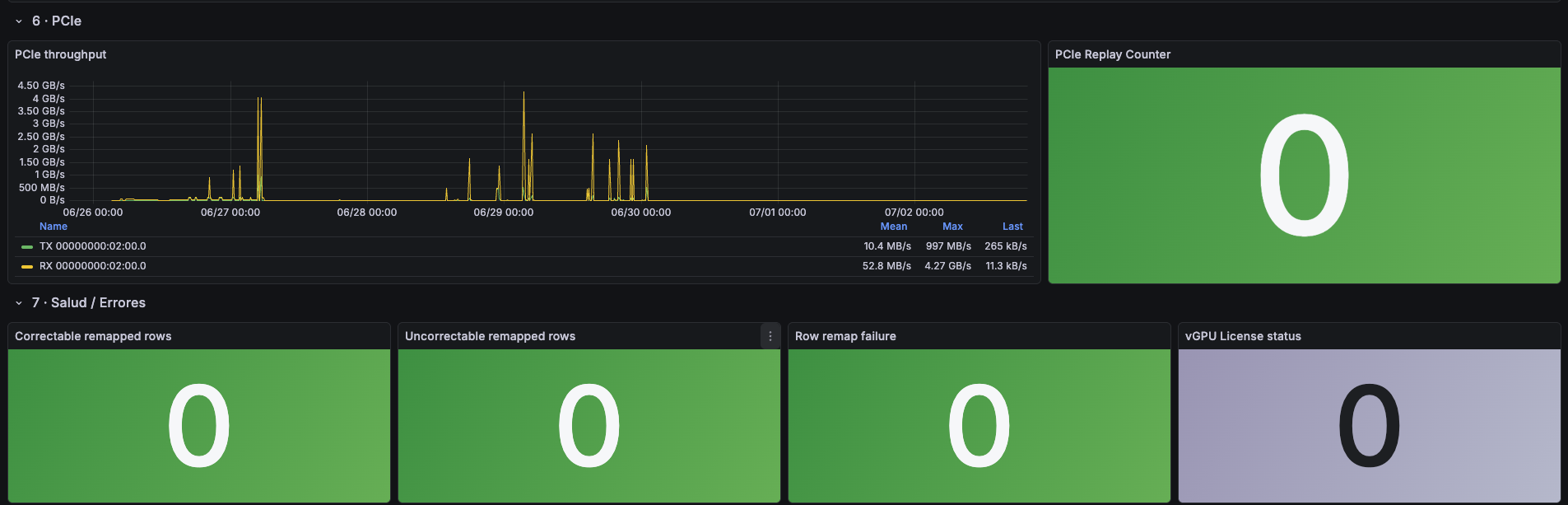
3. Health — catch dying VRAM early. Correctable/uncorrectable remapped rows and row-remap failures (the early warning that matters on second-hand GPUs), PCIe replay counter for link integrity, plus thermals for GPU core and memory.
Sections
Header stats · Utilization & load (heatmaps + engines) · VRAM (used/free/reserved) · Thermals · Energy (kWh) · Clocks · PCIe · Health/RAS · vGPU license status
Requirements
- dcgm-exporter with profiling (DCP) metrics enabled
— the
DCGM_FI_PROF_*panels need them in your collectors CSV - Prometheus datasource; multi-GPU supported out of the box (UUID variable, multi-select)
Author
Héctor Barbosa — CTO & Solutions Architect (Zaragoza, Spain). AI implementation
Data source config
Collector config:
Upload an updated version of an exported dashboard.json file from Grafana
| Revision | Description | Created | |
|---|---|---|---|
| Download |