
Eero Mesh Network
Eero mesh network monitoring via eero-prometheus-exporter 4.x. Graph-first: every exported metric family has a panel; secondary rows start collapsed and optional tiers live in collapsed rows named after the flag that enables them.
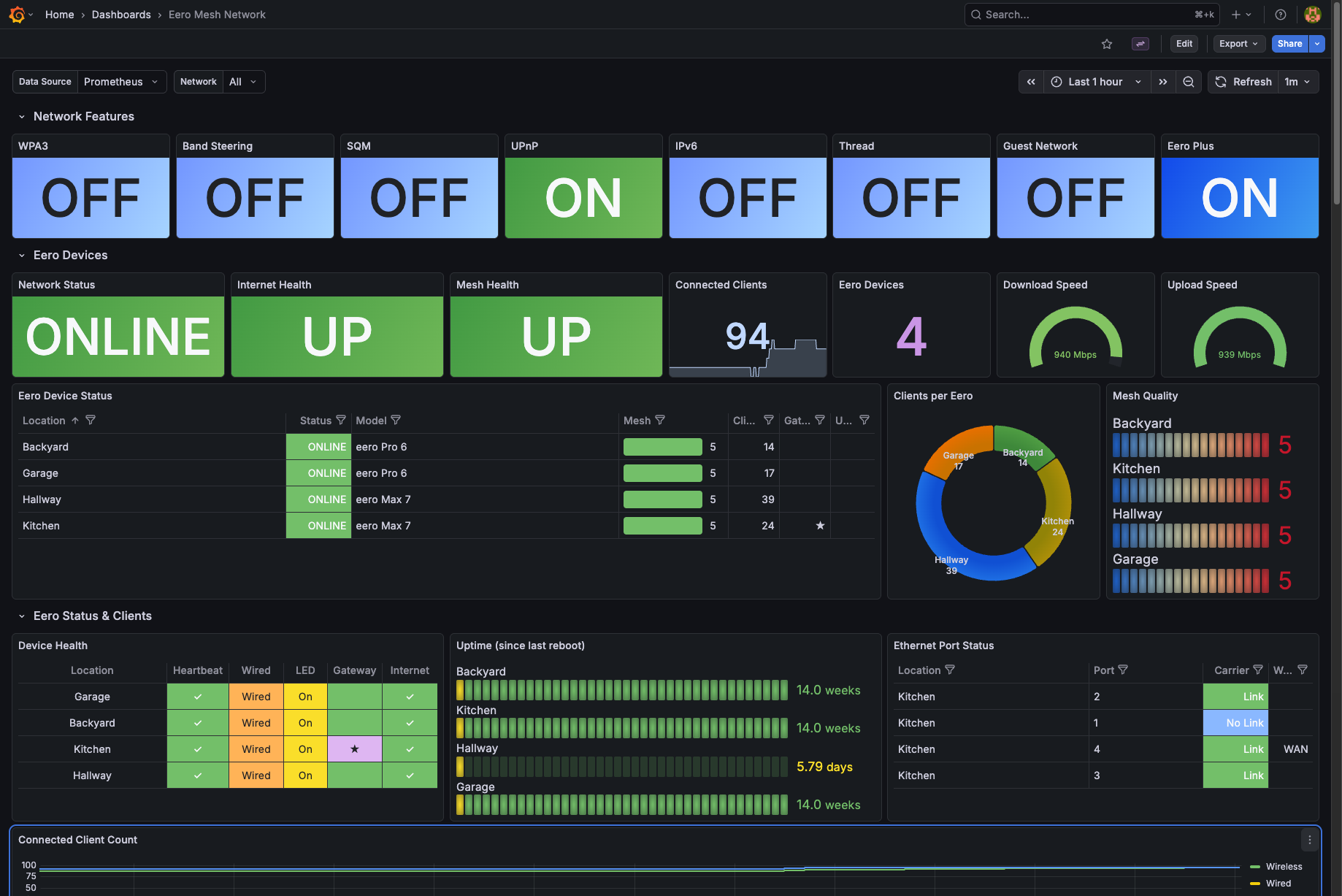
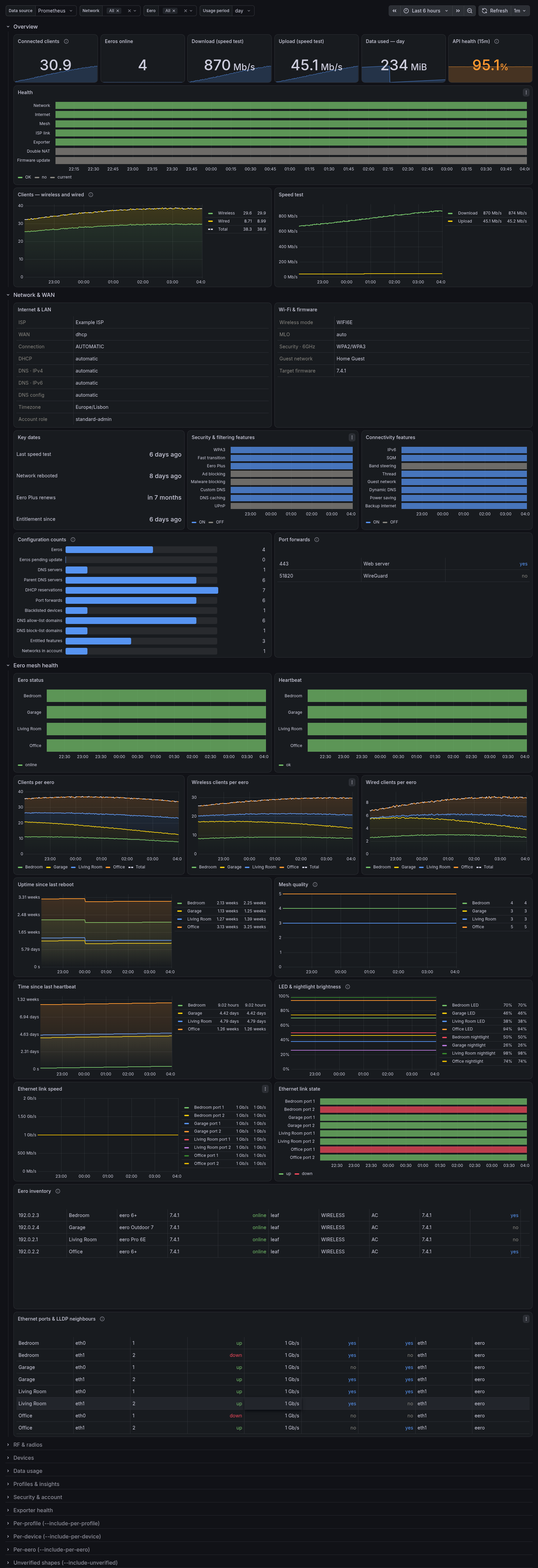
Eero Mesh Network Dashboard
Comprehensive Grafana dashboard for monitoring your eero mesh WiFi network, powered by the eero-prometheus-exporter.
Visualizes 115+ metrics across 15 categories: network status, eero hardware health, connected devices, Ethernet ports, Thread, Eero Plus features, speed tests, data usage, and more.
Variables
| Variable | Description |
|---|---|
datasource | Prometheus data source (select on import) |
network_id | Filter by eero network (multi-select, defaults to all) |
period | Usage period for data-transfer panels: day / week / month |
Requirements
- Grafana 11.5 or newer (schemaVersion 42)
- Prometheus datasource scraping the eero exporter
- eero-prometheus-exporter running and authenticated against your eero account
Setup
1. Install and authenticate the exporter:
pip install eero-prometheus-exporter
eero-exporter login your-email@example.com
eero-exporter serve
Metrics are then exposed at http://localhost:10052/metrics.
Docker users: see the Docker guide.
2. Add a Prometheus scrape job (see Collector Config above), then reload Prometheus.
3. Import this dashboard in Grafana and select your Prometheus datasource when prompted.
Panels
Organized into rows for quick navigation:
- Network Features — guest network, IPv6, thread, band steering, SQM, captive portal status
- Network Overview — uptime, gateway health, ISP info, public IP
- Eero Hardware — per-node status, model, firmware, uptime, LED state
- Connected Devices — online/offline counts, top talkers, signal strength, connection type
- Ethernet Ports — link status, speed, duplex per port
- Speed Tests — download/upload throughput history
- Data Usage — per-device and per-network transfer by day/week/month
- Eero Plus — activity tracking, backup network, ad blocking, threat scans
- Thread Network — device count, network status
- Exporter Health — scrape success, collection duration, last-update age
Links
License
Apache 2.0
Data source config
Collector config:
Upload an updated version of an exported dashboard.json file from Grafana
| Revision | Description | Created | |
|---|---|---|---|
| Download |