
Ark Survival Ascended
Ark Survival Ascended dashboard for displaying Ark server metrics.
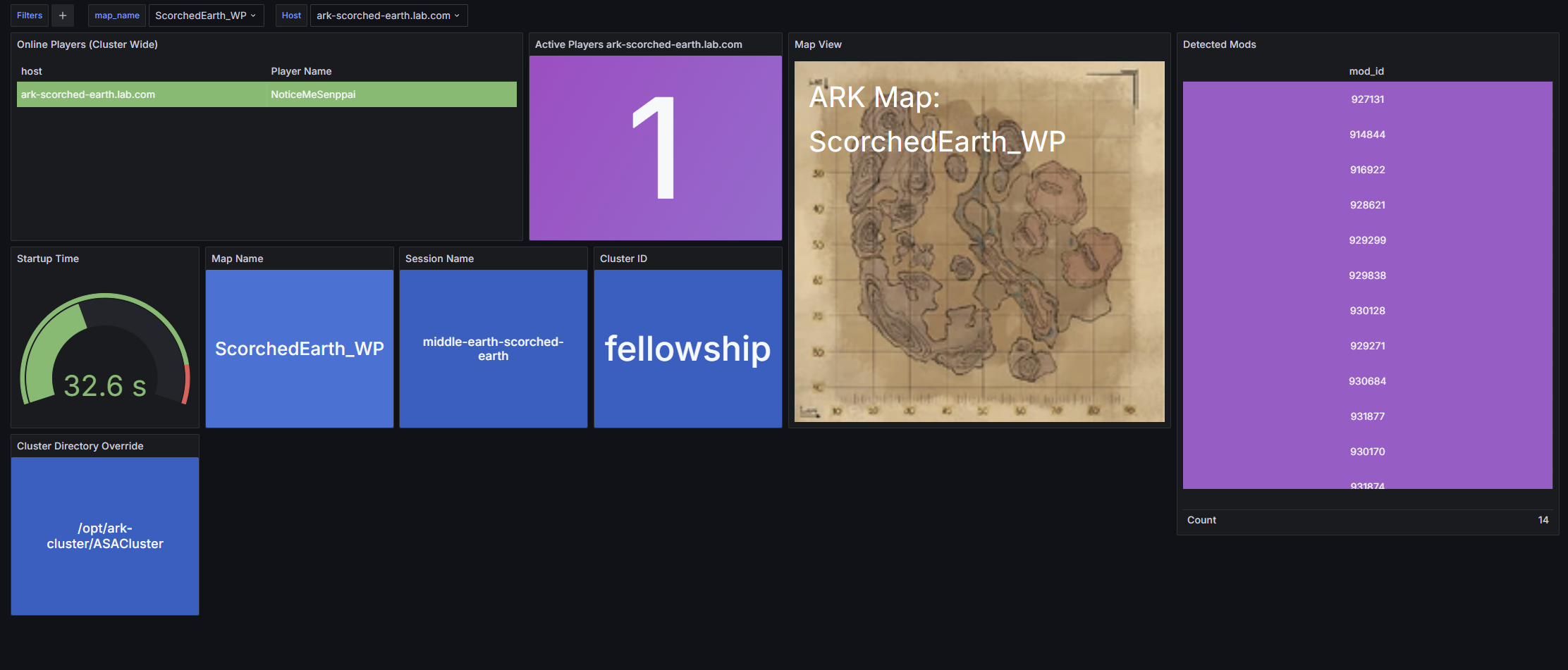
Ark Survival Ascended Metrics Dashboard
A dashboard to display metrics for Ark servers collected using ark-metrics-collector: https://github.com/TheSudoYT/ark-metrics-collector
Ark Requirements
The following arguments are required when starting Ark to display all possible metrics:
-servergamelog -servergamelogincludetribelogs -ServerRCONOutputTribeLogs
Grafana Alloy Configuration
Metrics from the local host unix system and the ark-metrics-collector /metrics endpoint are both required.
- Ensure
hostis set to the fully qualified domain name (FQDN) of the host. __address__is the address of the server running the ark-metrics-collector. Leave aslocalhost:<port>if alloy is running on the same host as ark-metrics-collector.- Ensure
endpoint urlis set to the address of the prometheus server.
prometheus.scrape "scrape_ark" {
  targets = [
    {"__address__" = "localhost:5000", "host" = "ark-scorched-earth.lab.com"},
  ]
metrics_path = "/metrics"
forward_to      = [prometheus.remote_write.metrics_service.receiver]
scrape_interval = "10s"
}
prometheus.scrape "scrape_metrics" {
targets         = prometheus.exporter.unix.local_system.targets
forward_to      = [prometheus.remote_write.metrics_service.receiver]
scrape_interval = "10s"
}
prometheus.remote_write "metrics_service" {
endpoint {
url = "http://monitor.lab.com:9090/api/v1/write"
    // basic_auth {
    //   username = "admin"
    //   password = "admin"
    // }
}
}
Data source config
Collector config:
Upload an updated version of an exported dashboard.json file from Grafana
| Revision | Description | Created | |
|---|---|---|---|
| Download |