






























NYRR
Visualization of NYRR.org race result export . Note, this is not an official NYRR product.
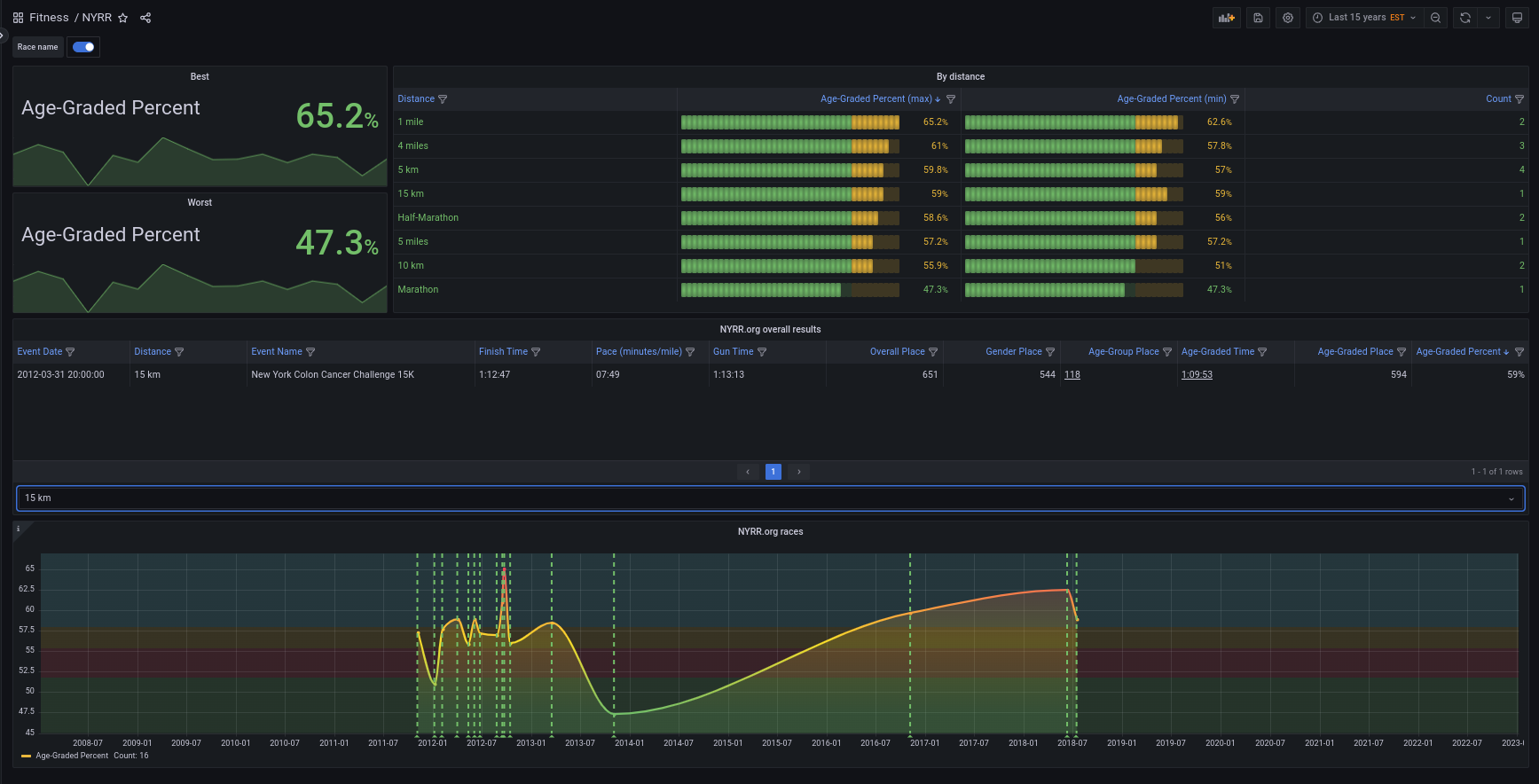
About this dashboard:
- You can search your race search results and then:
- Save them to Excel.
- Then export to CSV (Make sure the dates are normalized to ISO format)
- Make them available to Grafana CSV plugin as a file or from the file system
You can make a very simple Docker/ PODMAN container to share your NYRR.org race results as follows. You could use the following Dockerfile to make a very simple container:
# This is not a high performance HTTP server, also it is not recommended for production.
# Please check: https://docs.python.org/3/library/http.server.html#http-server-security
# Author Jose Vicente Nunez <kodegeek.com@protonmail.com>
FROM fedora:37
ARG HTDOCS=/var/www/htdocs
ARG UID=1000
ARG USER=www
ARG GRP=www
EXPOSE 8080/tcp
RUN dnf install -y htop curl &&

dnf clean -y all
RUN useradd –comment 'WebServer' –home-dir $HTDOCS –create-home –uid $UID –user-group $USER
USER $USER:$GRP
WORKDIR $HTDOCS
CMD exec python3 -m http.server 8080
HEALTHCHECK –interval=30s –timeout=30s –start-period=5s –retries=1 CMD curl –fail –silent –show-error http://localhost:8080 || exit 1
LABEL HOW_TO_BUILD="BUILDKIT=y docker build –file Dockerfile –tag static_server ."
LABEL HOW_TO_RUN="docker run –init –detach –name home_fitness –publish 8080:8080 –restart=always –volume /home/josevnz/fitness:/var/www/htdocs:ro static_server"
You can see a demonstration video here
Data source config
Collector config:
Upload an updated version of an exported dashboard.json file from Grafana
| Revision | Description | Created | |
|---|---|---|---|
| Download |