
Covid-19 Taiwan Dashboard
Get Data from Set https://covid-19.nchc.org.tw/api/covid19
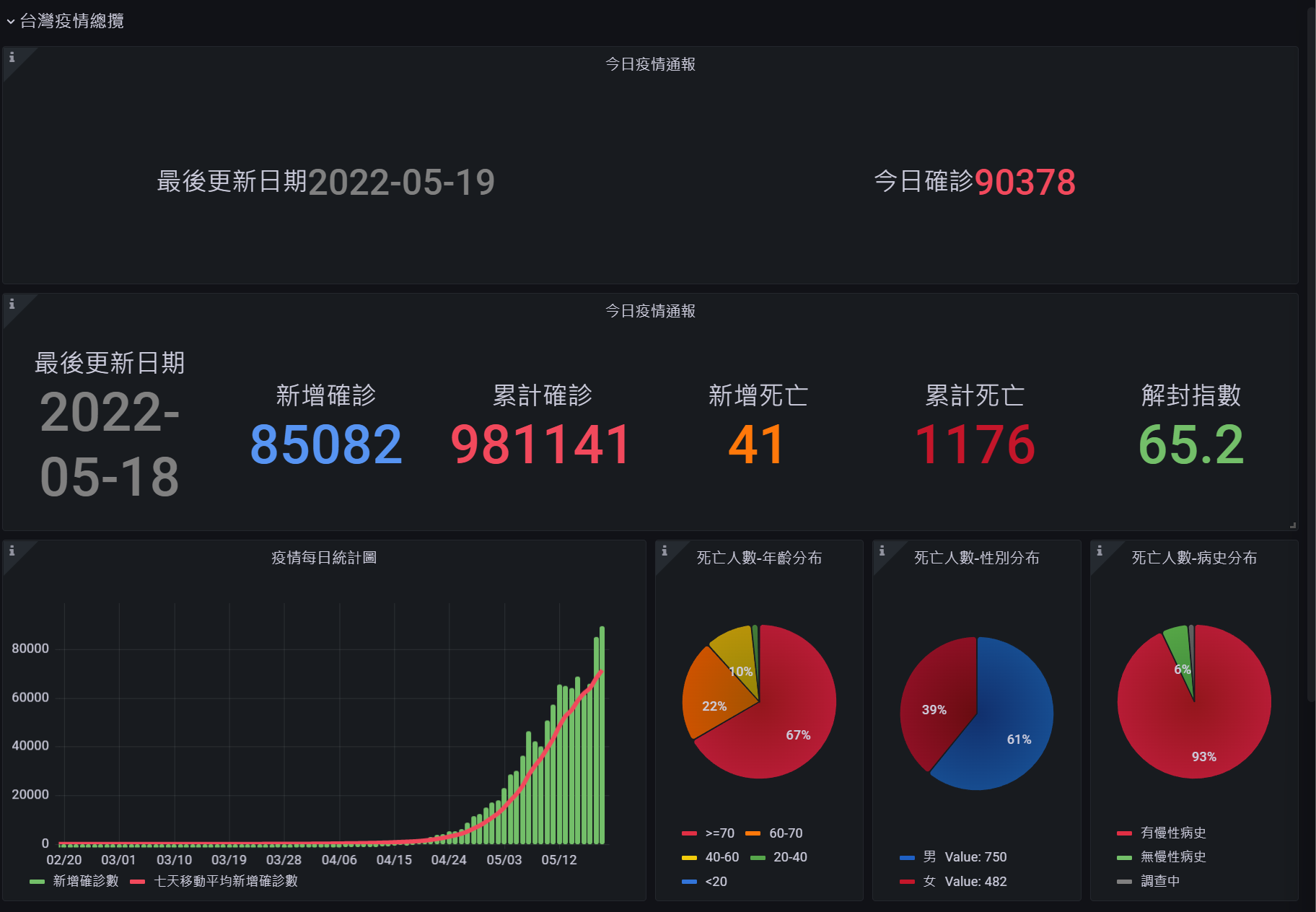
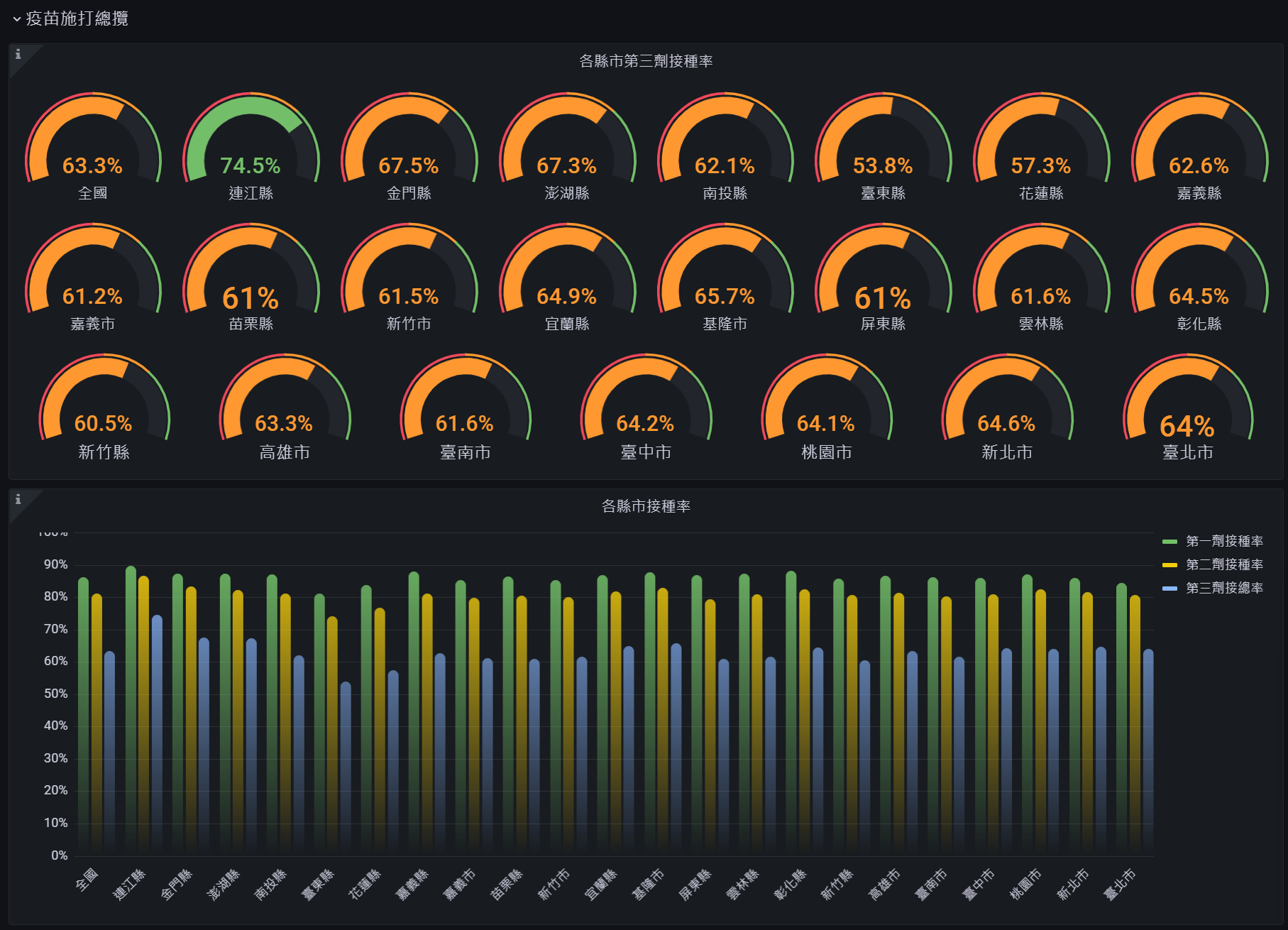
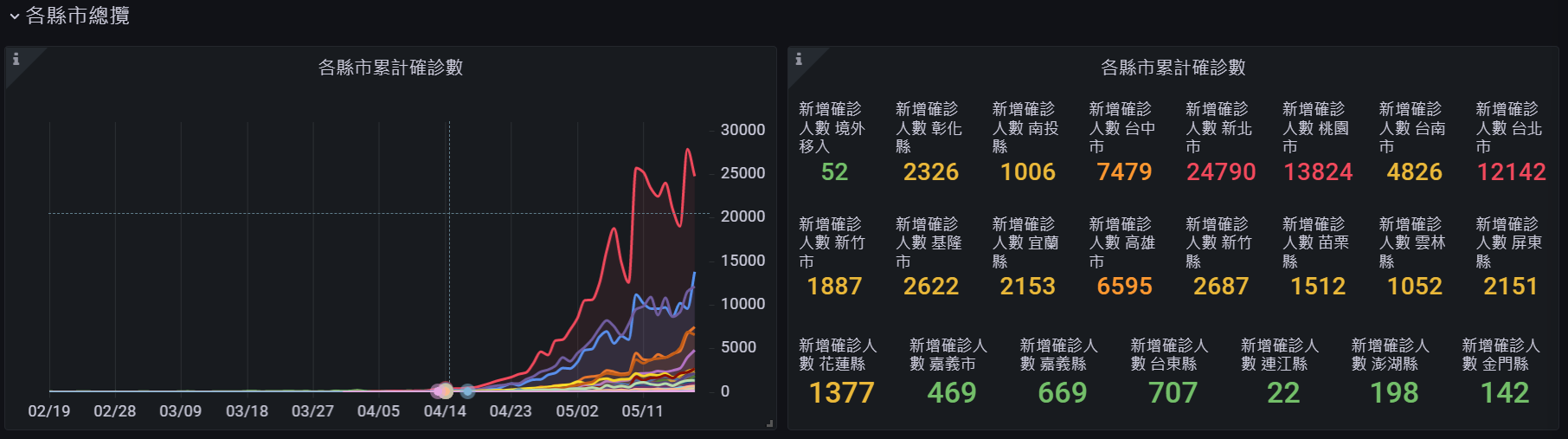
Taiwan-COVID19-dashboard
Usage
1. Install plugin
- In Grafana, select
Plugins-> searchJSON API
2. Add Data Source
- In Grafana select
Data Sources->Add datasource - Set URL = https://covid-19.nchc.org.tw/api/covid19
3. Import dashboard
- In Grafana Import dashboard ID = 16301
- Select JSON API datasource what you created last step
Screenshot


Data source config
Collector type:
Collector plugins:
Collector config:
Revisions
Upload an updated version of an exported dashboard.json file from Grafana
| Revision | Description | Created | |
|---|---|---|---|
| Download |