This is documentation for the next version of Grafana Tempo documentation. For the latest stable release, go to the latest version.

Model Context Protocol (MCP) Server
Tempo includes an MCP (Model Context Protocol) server that provides AI assistants and large language models (LLMs) with direct access to distributed tracing data through TraceQL queries and other endpoints.
For examples on how you can use the MCP server, refer to LLM-powered insights into your tracing data: introducing MCP support in Grafana Cloud Traces.
For more information on MCP, refer to the MCP documentation.
Configuration
You can enable the MCP server in your Tempo configuration via YAML:
query_frontend:
  mcp_server:
    enabled: true
Or via a command-line flag: --query-frontend.mcp-server.enabled=true.
Warning
Be aware that using this feature may cause tracing data to be passed to an LLM or LLM provider. Consider the content of your tracing data and organizational policies when enabling this feature.
The MCP server uses the same authentication and multi-tenancy behavior as other Tempo API endpoints.
Available tools
The MCP server exposes the following tools that AI assistants can use to interact with your tracing data:
Retrieve a trace
The get-trace tool takes a trace_id. The optional start and end arguments limit the
lookup to an RFC3339 time range; both must be provided together. Tempo searches all blocks
for the trace when the range is omitted, so provide a range when it is known.
Compare traces
The experimental traces-diff tool compares a baseline trace with another complete trace.
Provide base_trace_id and compare_trace_id. By default, the tool returns
trace-summary-v0-composed, which always contains a compact summary and includes the full
span-level patch when the patch is no larger than 64 KiB. The 64 KiB limit applies only
to the attached patch, not to the complete composed response.
Omit format to use the composed response. Set it to trace-summary-v0-native to
return only the compact summary, or to trace-patch-v0 when you need the complete
span-level patch. An explicitly empty format is invalid. If a composed response
contains patchOmitted, use the summary for initial analysis. Request trace-patch-v0
only when span-level evidence is required and the client can accept a patch of
patchOmitted.bytes bytes. Full patch responses have no output-size guarantee.
The optional base_start and base_end arguments limit the baseline lookup to an
RFC3339 time range; both must be provided together. The same rule applies to
compare_start and compare_end for the comparison trace. Tempo searches all blocks
for a trace when its range is omitted. Partial traces are rejected because their
comparison could be inaccurate.
Available resources
The MCP server also provides the following resources containing TraceQL and configuration documentation:
Quick start
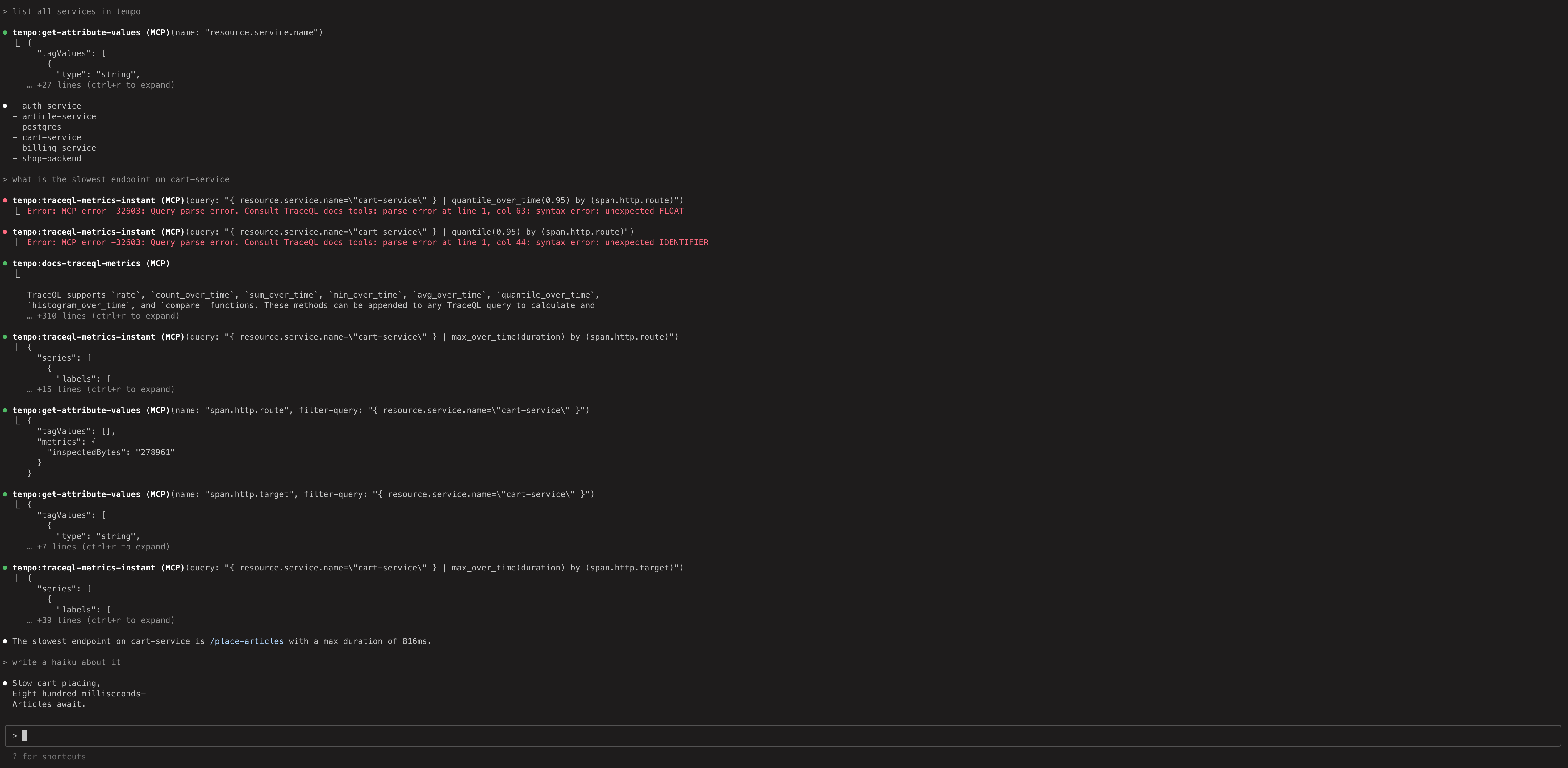
To experiment with the MCP server using dummy data and Claude Code:
- Run the local docker-compose example in
/example/docker-compose/single-binary. This exposes the MCP server athttp://localhost:3200/api/mcp - Run
claude mcp add --transport=http tempo http://localhost:3200/api/mcpto add a reference to Claude Code. - Run
claudeand ask some questions.
The Tempo MCP server uses the Streamable HTTP transport.
Any MCP client that supports this transport can connect directly using the URL http://<tempo-host>:<port>/api/mcp.
For example, in Cursor you can add the server with type: "streamableHttp" in your MCP configuration.
If your client doesn’t support Streamable HTTP natively, you can use the mcp-remote package as a bridge.
Was this page helpful?
Related resources from Grafana Labs