
Menu
Important: This documentation is about an older version. It's relevant only to the release noted, many of the features and functions have been updated or replaced. Please view the current version.

Open source
Grafana Mimir Writes resources dashboard
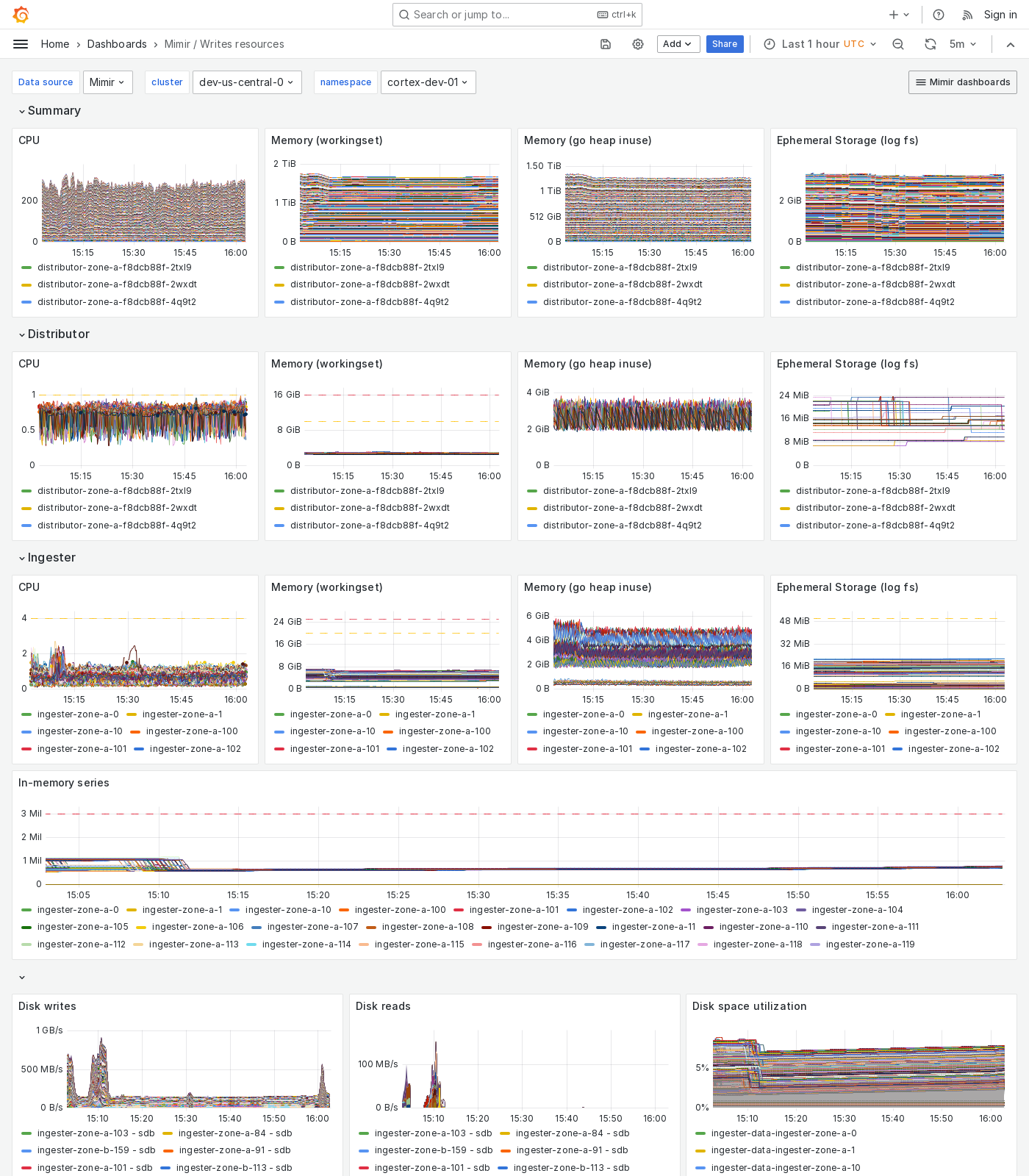
The Writes resources dashboard shows CPU, memory, disk, and other resource utilization metrics. The dashboard isolates each service on the write path into its own section and displays the order in which a write request flows.
This dashboard requires additional resources metrics.
Use this dashboard for the following use cases:
- Monitor the resource utilization of each component involved in the write path of a Mimir cluster.
- Identify which component is experiencing capacity issues.
Example
The following example shows a Writes resources dashboard from a demo cluster.
Was this page helpful?
Related resources from Grafana Labs

Video

Intro to metrics with Grafana: Prometheus, Grafana Mimir, and beyond
In this webinar, we’ll go over challenges when scaling metrics systems, with a particular focus on Prometheus and Grafana Mimir.
Video

Scaling and securing your Prometheus metrics in Grafana Cloud
Learn how Grafana Cloud Metrics, powered by Grafana Mimir, overcomes Prometheus limitations with a fully managed, scalable service. Optimize cardinality, reduce costs, and scale seamlessly—no maintenance required.

Blog
Less is more: How Grafana Mimir queries run faster and more cost efficiently with fewer indexes
By avoiding inverted index lookups in the Prometheus TSDB, Mimir's memory usage was reduced by up to 64%.