Section 1 · k6 performance testing fundamentals

How developers, QA engineers, and SREs use performance testing differently

Estimated time: 2 min

Three roles, three questions

The same HTTP metrics support goals you already talk about in incidents and planning: end users waiting on slow responses, clients or gateways hitting timeout limits, and 5xx or failed requests when concurrency looks normal. k6 does not replace real user monitoring (collecting performance data from actual user sessions in production) or browser testing, but it does give you a repeatable load script and numbers you can gate on.

These are simplified labels; real teams mix responsibilities. The point is the question each workflow optimizes for, not that only one role may open an editor.
RoleQuestion they need answeredTypical k6 touchpointOutcome you might see
DeveloperDid my change regress latency or errors before it lands on main?k6 run in CI on the branch with thresholds on http_req_duration / http_req_failedMerge blocked when p95 or error rate crosses a defined line
QA / release validationIs this build within the same performance envelope as the last release?Scheduled or on-demand k6 run against staging, compare runs in Grafana CloudRelease note or ticket when a metric drifts beyond an agreed budget
SRE / platformWhat is normal load and latency, and how much margin do we have before an event?Baseline against production-like traffic, then capacity or incident follow-up outside this intro journeyAutoscaling, limits, or comms grounded in measured steady state

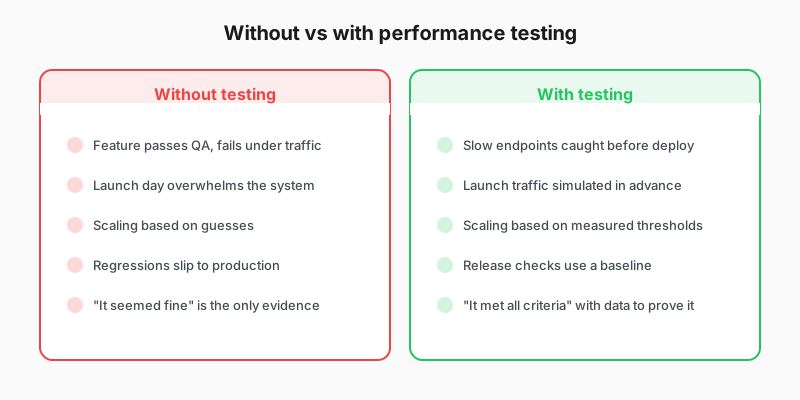
Without vs with performance testing comparison

Where you’ll start

This journey teaches the skills all three workflows share: writing a test, setting thresholds, and establishing a baseline that produces an automated pass or fail verdict. How you apply those skills depends on your role: in merge review, release validation, or capacity planning.