Read transcript
Audio transcript
There’s something that holds people back from using remote configuration: fear. Fear of assigning a bad config and breaking production. Fear of accidentally stopping data collection. Fear of making things worse during an incident.
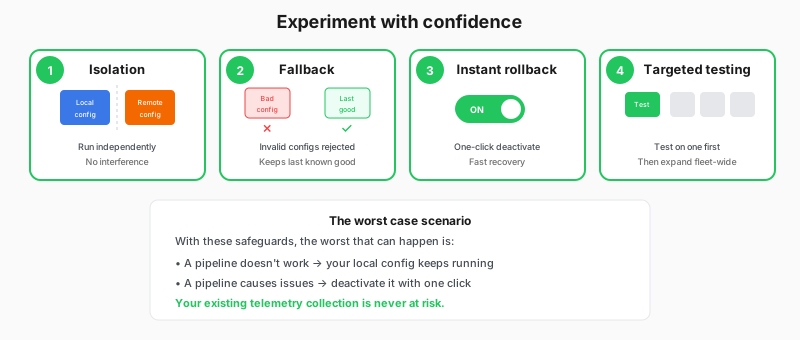
These fears are reasonable. Configuration management can be risky. But Fleet Management is designed with safety in mind. Here are the safeguards that make it safe to experiment.
First, isolation. Local and remote configurations run on completely separate component controllers inside Alloy. They don’t interfere with each other. If your remote configuration has a bug, your local configuration keeps running normally.
Second, fallback behavior. When Alloy polls for remote configuration and receives something invalid (maybe there’s a syntax error or a component that doesn’t exist), it doesn’t apply that config. Instead, it keeps running the last known good configuration.
Third, instant rollback. If you push a config that causes problems, you can deactivate the pipeline with one click. The collector stops running that pipeline on the next poll cycle.
Fourth, staged rollout. Because of attribute matching, you can assign a new pipeline to a single test collector first. Verify it works. Then expand to more collectors.