Attribute matching
Attribute matching is the mechanism that connects pipelines to collectors. When you create a pipeline, you define matchers, which are rules that specify which collectors should receive that pipeline based on their attributes.
Matchers determine which collectors receive a pipeline.
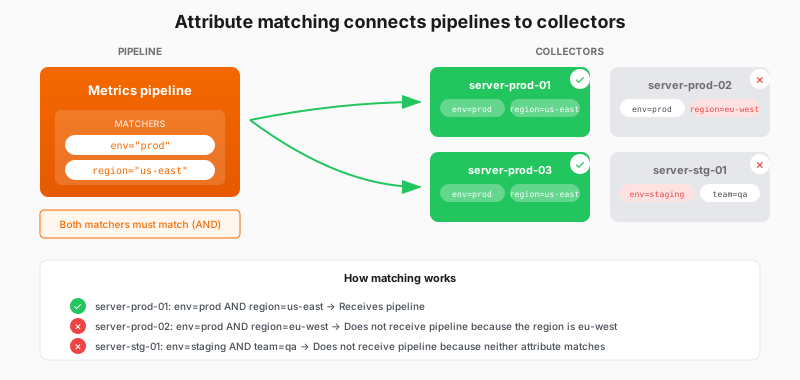
How matchers work
Matcher syntax
Each matcher combines an attribute name, an operator, and a value. Matchers follow the same syntax as Prometheus Alertmanager matchers, so they may look familiar.
Matching rule: AND logic
When you assign multiple matchers to a pipeline, Fleet Management combines them with AND logic. All matchers must match for a collector to receive the pipeline.
This lets you be precise about which collectors receive a configuration. The more matchers you add, the narrower your matching becomes.