Slide 3 of 5

Alert on your data

Alert on your data

You can alert on a connected data source using Grafana-managed alerting. A Grafana-managed alert rule runs a query against your data source on a schedule and fires when a condition is met, for example when error rate stays above a threshold.
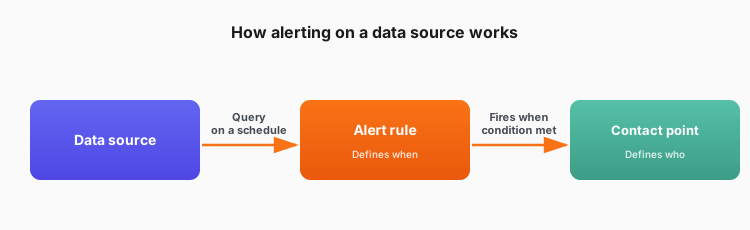
An alert rule queries a data source on a schedule and fires when a condition is met. The rule defines when something is wrong; a contact point defines who gets notified.

Two things to know

ConsiderationDetail
Not every source supports alertingA data source must support alerting to be used in a rule. Common sources like Prometheus, Loki, Elasticsearch, CloudWatch, InfluxDB, MySQL, and PostgreSQL do.
Rules and notifications are separateA rule defines when something is wrong. To control who gets notified, set up contact points and notification policies in Alerts & IRM.

Key insight: Alerting works on data in place. You don’t have to move your data to Grafana Cloud to alert on it.

Create your first alert rule

Ready to set one up? This hands-on learning path builds the alert query in one of these:

  • Prometheus or Mimir (for metrics)
  • Loki (for logs)

The concepts apply to any alerting-capable data source, but if you connected a different one, you must write the query in that source’s own query language.

Learning path

Create infrastructure alerts

Learn how to create alert rules for your infrastructure metrics and logs in Grafana Cloud.

20 min
Beginner
Docs & blog posts

Open in Grafana Cloud

Complete this learning path directly in your Grafana Cloud stack, or in the Grafana Play stack, with an interactive learning experience.

Script

You can alert on a connected data source using Grafana-managed alerting.

A Grafana-managed alert rule runs a query against your data source on a schedule and fires when a condition is met, like error rate staying above a threshold.

Two things to keep in mind. First, the data source has to support alerting. Common ones like Prometheus, Loki, Elasticsearch, CloudWatch, InfluxDB, MySQL, and PostgreSQL do. Second, a rule defines when something is wrong, not who gets told. To receive notifications, set up contact points and notification policies separately.

When you’re ready to create one yourself, try the hands-on learning path at the end of this slide. It walks you through building an alert rule on your infrastructure metrics or logs.