AWS CloudWatch data source
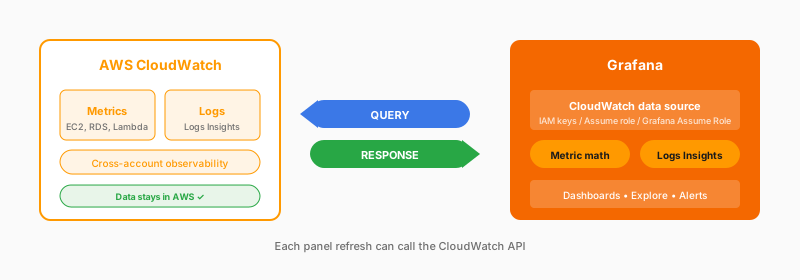
Provide IAM credentials: access keys, an assumed role, or, in Grafana Cloud, Grafana Assume Role, which uses an IAM role that trusts Grafana’s AWS account. Once connected, you can query both metrics and logs. Build a dashboard that shows EC2 CPU, Lambda invocations, and RDS connections together, all pulling live from CloudWatch. Cross-account observability uses CloudWatch’s monitoring-account feature; alternatively, configure one data source per account.
What you get
- Metrics and logs in one source
- Cross-account and cross-region
- Metric math and statistics
- Template variables
- Logs Insights queries
Considerations
- CloudWatch API costs per query
- CloudWatch query language
- API latency affects dashboards
- Rate limits with many panels
- Alert evaluation calls the API. A query that times out returns an error
- Private resources are reached from Grafana Cloud with Private data source connect
Documentation
View the CloudWatch data source documentation.