Two Instance IDs
To send OpenTelemetry metrics and traces directly to Grafana Cloud, you also need an OTLP endpoint URL and an OTLP instance ID.
- The OTLP endpoint URL, the address OpenTelemetry exporters send metrics and traces to. It is the value for
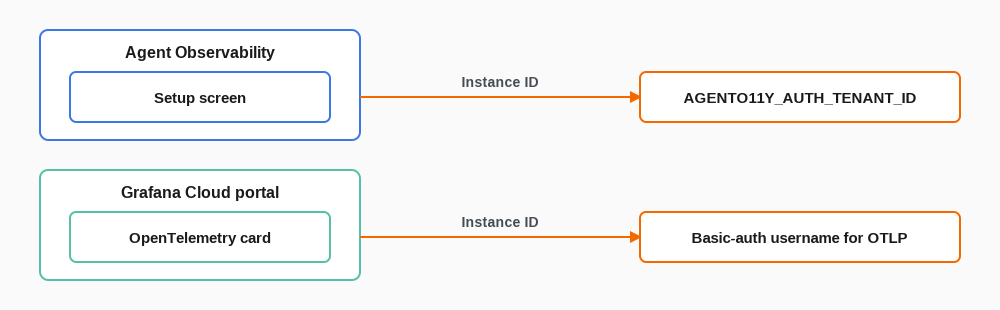
OTEL_EXPORTER_OTLP_ENDPOINT. - The OTLP Instance ID. An Instance ID is a numeric Grafana Cloud stack ID. This one is the basic auth username for OTLP. Basic auth uses a username and a secret: this Instance ID is the username, and the access policy token is the secret.
How to locate the OTLP endpoint URL and Instance ID
The page at https://grafana.com/orgs/<org>/stacks/<stack-id> shows a card for each product on your stack, and each card contains information about that product. The OpenTelemetry card shows the OTLP endpoint URL and the Instance ID.
The two Instance IDs can differ
The Instance ID on the OpenTelemetry card is not necessarily the same as the Agent Observability Instance ID you copied from the setup screen and use as AGENTO11Y_AUTH_TENANT_ID.
Caution
Use the number shown on the card for OTLP.
Why not to generate a second token
The access policy token already covers the OTLP scopes because you selected metrics:write, logs:write, and traces:write when you created the access policy.
Caution
Don’t click Generate now on the OpenTelemetry card.