How to capture a generation
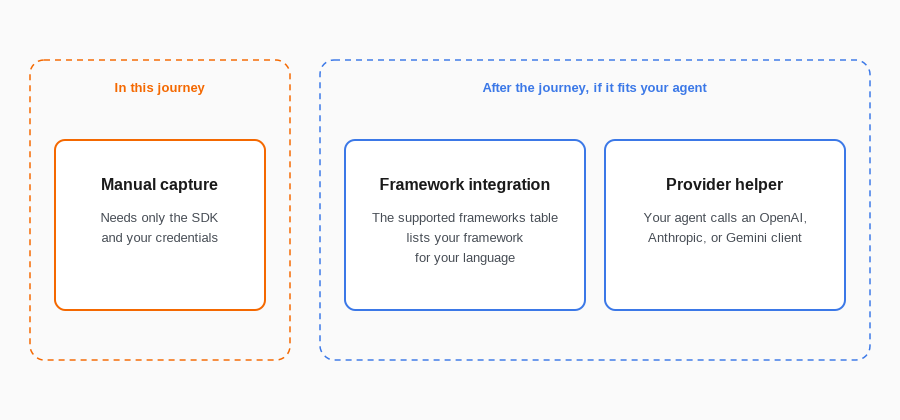
You can capture a generation with manual capture, a framework integration, or a provider helper. In this journey, you capture your first generation manually. The other two are options to switch to afterwards, if one fits how your agent makes its model calls.
Manual capture
To instrument calls without a framework, use manual capture, where your own code captures the generation manually, starting it and setting its result.
Manual capture needs only the SDK and the credentials you set in the previous section, with no framework or provider client, so the same steps work whichever method fits your agent in the long run. The rest of this journey builds on that manually captured generation. In .NET, the sample uses the OpenAI provider helper instead, because the .NET page has no manual-capture sample.
Framework integration
If you use an agent framework, for example LangChain, LangGraph, or Google ADK, use a framework integration: install the corresponding framework package for automatic generation capture. Framework integrations capture generations automatically by attaching to your agent framework, so you don’t need to instrument each LLM call manually.
Note
Framework integrations are available for Python, TypeScript, Go, and Java (supported frameworks table).
Provider helper
A provider helper wraps your calls to an OpenAI, Anthropic, or Gemini client and captures generations from them automatically.
Caution
If a framework integration or a provider helper fits your agent, switch to it after you finish the journey, following the instructions for your language on your language page and in Instrument agents with framework integrations. Don’t install one in place of the manual sample. The rest of this section describes the values in that sample, and a framework integration maps the conversation ID from the framework context for you.