How the SDK reads environment variables
The token is shown only once. Store it securely, for example, in an environment variable, a named value you set in your application’s process, or in a secret manager.
The five variables
Set these environment variables in your application’s process. The SDK reads these environment variables when you create the client, the Agent Observability SDK object in your application code, so you can construct the client with no arguments instead of passing each value in code.
Where each value comes from
Two values from the setup screen, one from the access policy, and the two documented values http and basic fill the five variables.
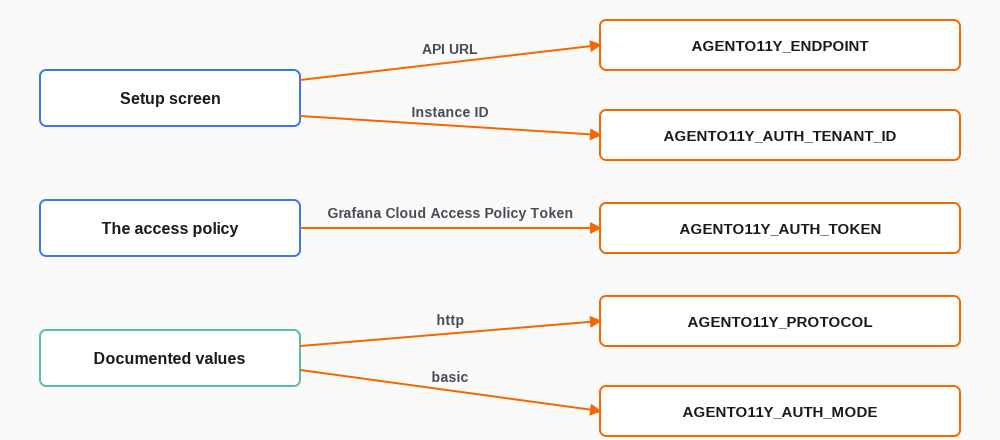
For traces and metrics, the OpenTelemetry SDK reads two more environment variables, OTEL_EXPORTER_OTLP_ENDPOINT and OTEL_EXPORTER_OTLP_HEADERS. You set them when you add traces and metrics, after your first generation is in Conversations.
What basic means
basic is the authentication mode documented for Grafana Cloud, and the Grafana Cloud Access Policy Token in basicPassword carries the sigil:write scope.