Notification message
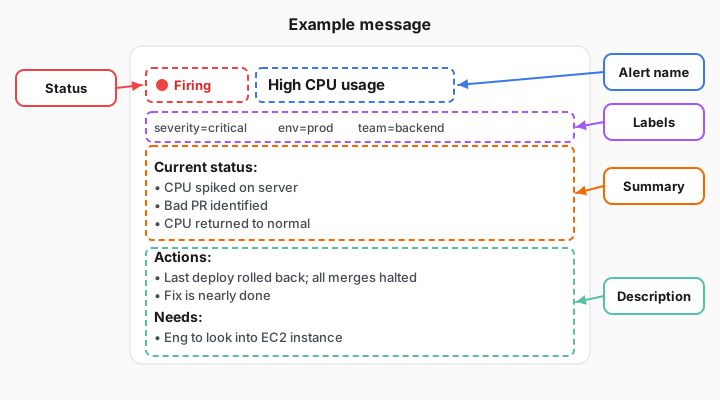
When an alert fires, the notification includes:
- Alert name: identifies which rule fired
- Status: either Firing or Resolved
- Labels: the tags attached to the alert
Add context with annotations
You add summary and description as optional annotations on the alert rule in the rule editor. You do not set them on the contact point or notification template. When the rule fires, Grafana injects that text into the notification your contact point sends to Slack, email, or another integration.
Why this matters
The person receiving the notification needs to understand the problem immediately. A clear summary reduces the time between “alert received” and “investigation started.”