Labels
Labels for alert rules are:
- Descriptive tags attached to each alert
- Written as a name and a value, like
severity=warning
Labels appear in your notifications so that whoever’s responding to the alert can immediately see which system, team, or environment is affected.
Label types
Labels on an alert rule come from three places:
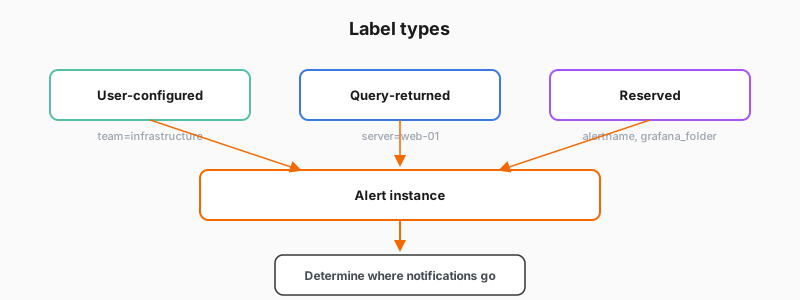
- Added by you (user-configured), such as
severity=warning - Added by the data source query (query-returned), such as
service_name=checkout - Added by Grafana (reserved), such as
alertnameandgrafana_folder
Why labels matter
Labels are a critical part of the alerting process for multiple reasons, including:
- Notifications: Labels appear in every notification, which helps the responder identify what’s affected without opening Grafana
- Organization: Labels help you filter and find alert rules in the rules list