
Menu
This is documentation for the next version of Grafana documentation. For the latest stable release, go to the latest version.

Grafana Cloud
Enterprise
Open source
Manage and inspect variables
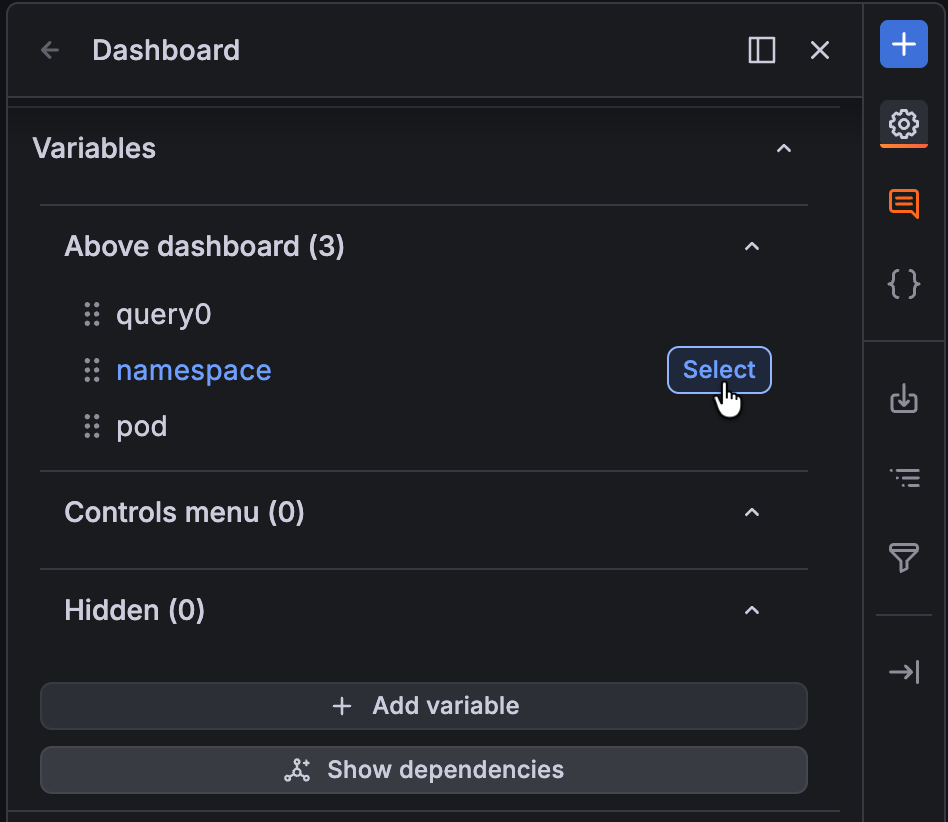
In the Variables section of the sidebar, you can add variables and manage existing variables. You can also inspect variables to identify any dependencies between them.
Manage variables
You can take the following actions in the Variables section of the sidebar:
- Edit: Click Select on the control to open it in the sidebar so you can make updates. Then you can access the following options:
- Duplicate: Duplicate a variable by clicking the clone icon the sidebar header. This creates a copy of the variable with the name of the original variable prefixed with
copyand the number of the copy; for example, “copy1”. - Delete: Delete a variable by clicking the trash icon in sidebar header.
- Duplicate: Duplicate a variable by clicking the clone icon the sidebar header. This creates a copy of the variable with the name of the original variable prefixed with
- Reorder: Drag and drop controls to reorder them.
- Change display: Drag and drop controls between sub-sections Above dashboard, Controls menu, and Hidden to update the control display option. Note that links can’t be hidden.
Inspect variables
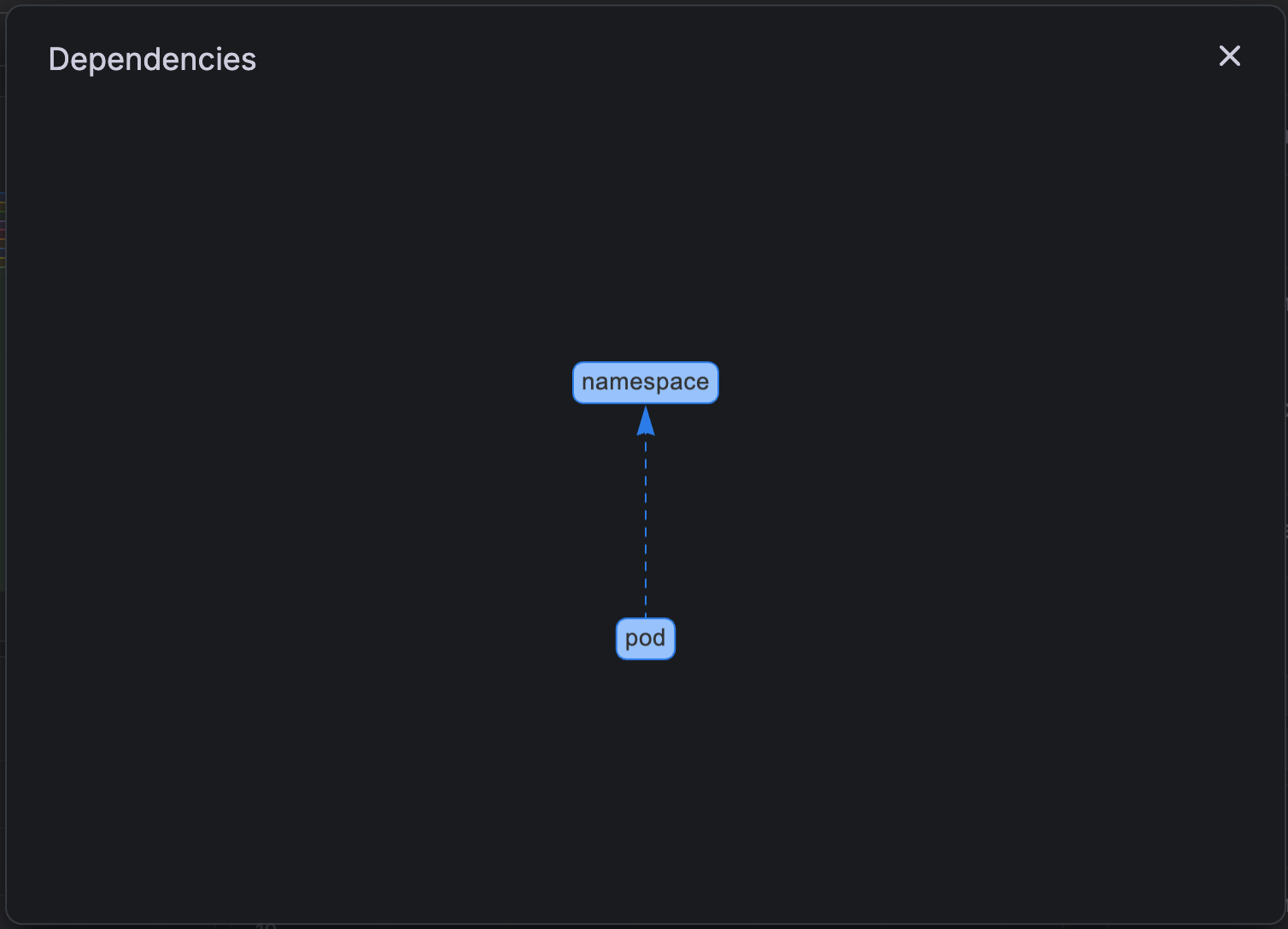
In addition to managing variables, the Variables section lets you quickly identify whether variables have any dependencies. To check, click Show dependencies at the bottom of the list, which opens the dependencies diagram:
Was this page helpful?
Related resources from Grafana Labs

Video

Getting started with managing your metrics, logs, and traces using Grafana
In this webinar, we’ll demo how to get started using the LGTM Stack: Loki for logs, Grafana for visualization, Tempo for traces, and Mimir for metrics.
Video

Getting started with Grafana dashboard design
In this webinar, you'll learn how to design stylish and easily accessible Grafana dashboards that tell a story.
Video

Building advanced Grafana dashboards
In this webinar, we’ll demo how to build and format Grafana dashboards.