
This is documentation for the next version of Grafana documentation. For the latest stable release, go to the latest version.

AI tools in Grafana OSS
If you’re a self-managed Grafana user, you have the following AI tools available to interact with Grafana:
Grafana Assistant is the Grafana AI agent, built into Grafana. Assistant brings a purpose-built LLM into Grafana so operators, developers, and SREs can troubleshoot issues, manage dashboards, and answer product questions in plain language.
- In self-managed Grafana the Assistant app runs in your own deployment but connects to a Grafana Cloud Assistant backend, with a reduced feature set.
- Assistant is billed per token consumed, including requests made through
gcxand MCP servers (although Assistant in MCP is disabled by default).
MCP servers let an external AI client (for example Claude, Cursor, or VS Code with Copilot) call Grafana as a set of tools that cover common tasks: dashboards and folders, data sources (Prometheus, Loki, and others), alerting, incidents, OnCall, and more.
- A model picks which tool to use based on the tool description, and calls the tool with structured arguments. Grafana runs it under normal identity and RBAC, and the structured result goes back to the model for its next step.
- Grafana offers two servers: Cloud MCP (hosted by Grafana) and OSS MCP (you run it).
gcx is an AI-native command-line tool that gives you or your AI agent structured access to Grafana (dashboards, folders, alert rules, data sources) and Grafana Cloud products such as Synthetic Monitoring, k6, Fleet Management, Incidents, and Adaptive Telemetry. Use it to script deterministic JSON or YAML output, defined errors, and predictable exit codes.
Explore
gcx, a command-line tool you can run yourself or hand to an AI agent, to authenticate, manage multiple environments, and perform administrative tasks from the terminal.Side-by-side comparison
This table summarizes the main points for each tool:
When to use each tool
See the following scenarios to better understand when to use each tool:
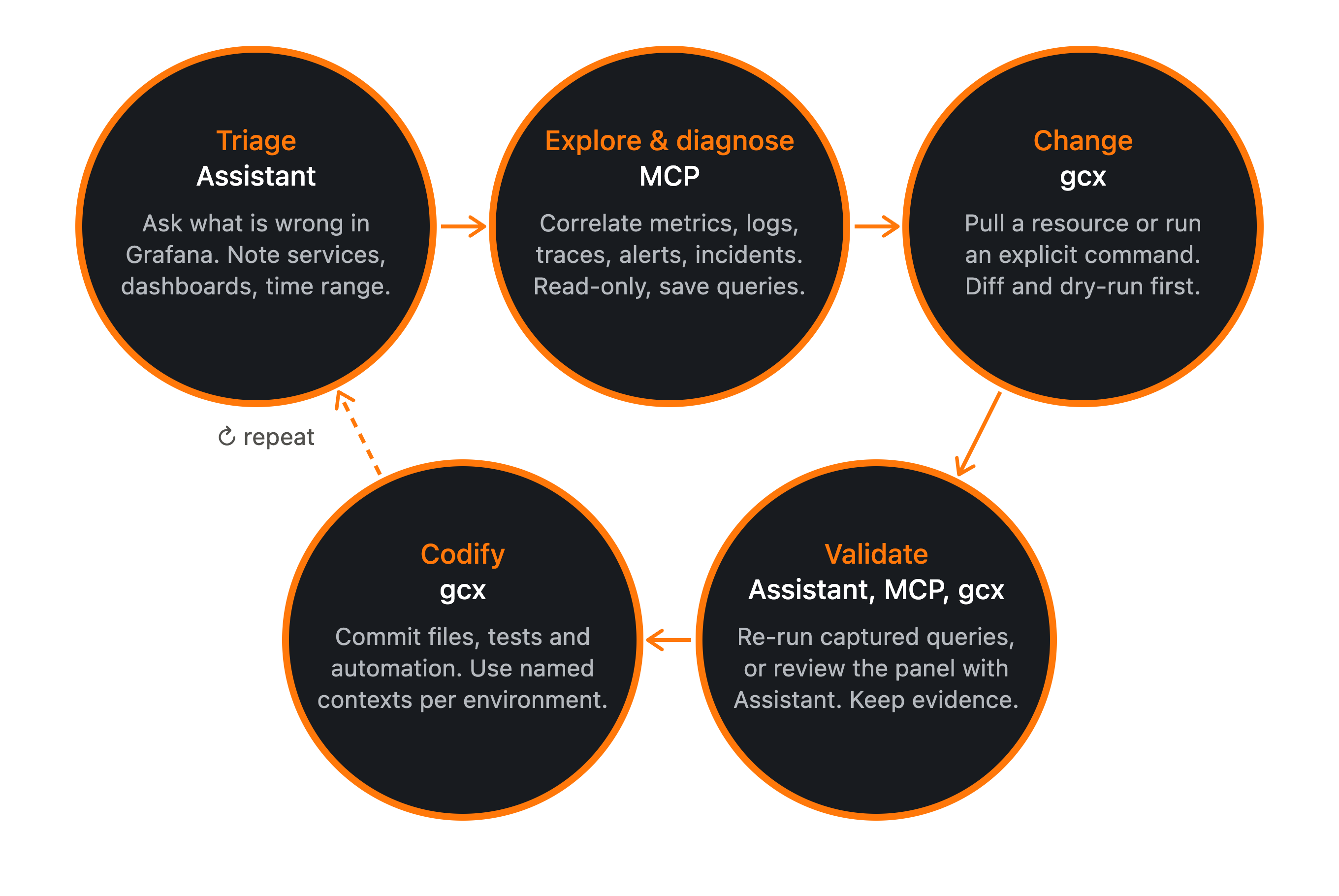
Use the AI tools together
You may use a composite pattern for coding agents: for example, use MCP for conversational discovery and diagnosis, then move durable changes into explicit gcx commands and version-controlled files.
Was this page helpful?
Related resources from Grafana Labs



