Documentation for automated readers A curated documentation index is available at: https://grafana.com/llms.txt
A complete documentation index is available at: https://grafana.com/llms-full.txt These indexes can help with page discovery before fetching individual documents.
This page is also available in Markdown, which may be easier for automated readers
and AI tools to parse than HTML. The Markdown version is available at
https://grafana.com/docs/grafana/latest/whatsnew/whats-new-in-v13/whats-new-in-v13-3.md, or by sending
Accept: text/markdown to https://grafana.com/docs/grafana/latest/whatsnew/whats-new-in-v13/whats-new-in-v13-3/. For broader
documentation discovery, the curated index is available at https://grafana.com/llms.txt
and the complete index is available at https://grafana.com/llms-full.txt.
Welcome to Grafana 13.3! This release brings our biggest visual refresh since Grafana 7, introduces Notebooks as a new artifact type to help you share investigations with your teams, lets you define cross-dashboard variables and brings a whole wealth of other new features and fixes.
For even more detail about all the changes in this release, refer to the changelog. For the specific steps we recommend when you upgrade to v13.3, check out our
Upgrade Guide.
Grafana CloudAvailable in public previewOpen SourceEnterpriseAvailable in public preview
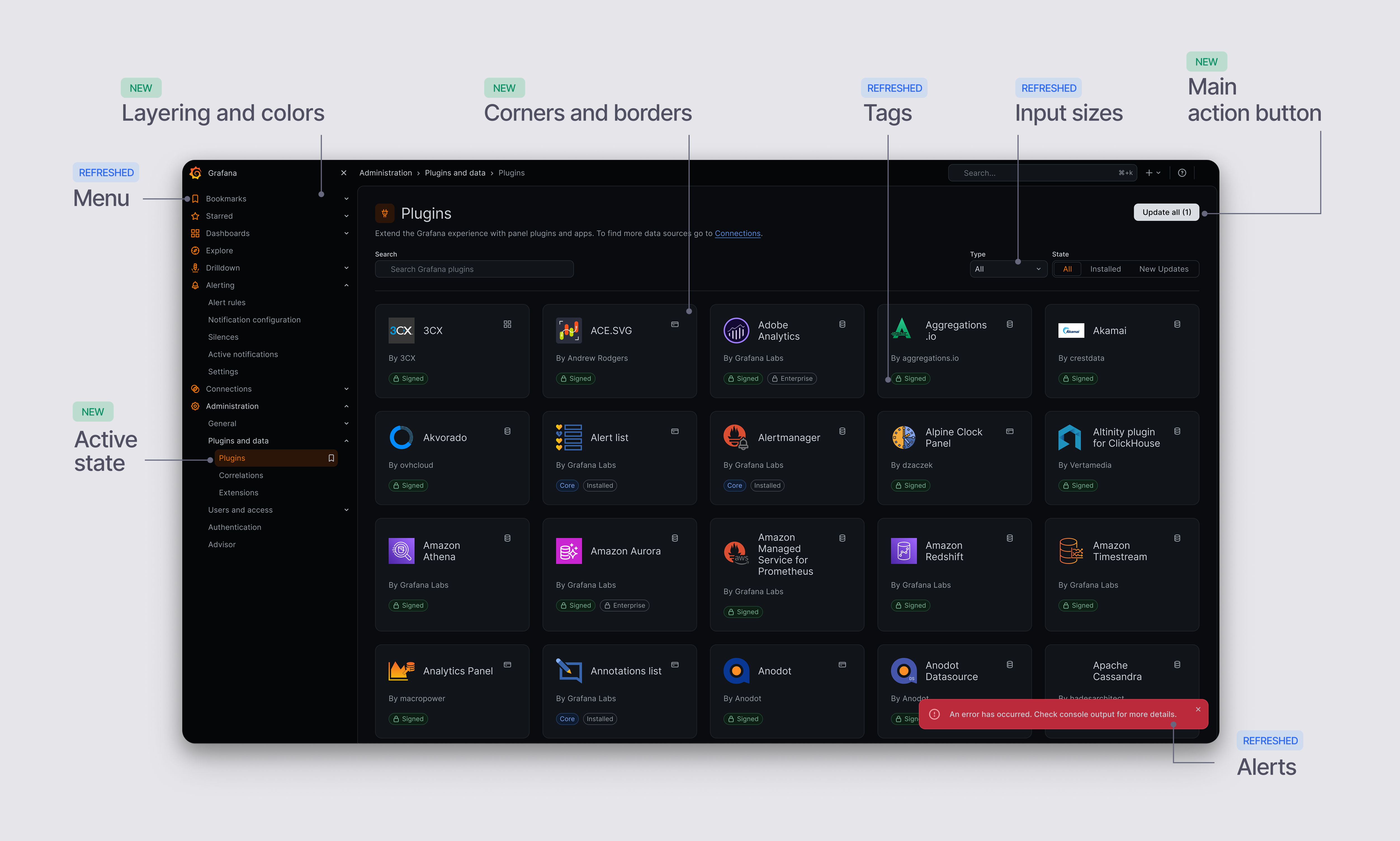
Grafana’s biggest visual refresh since v7 now in public preview
It’s been a long time since Grafana’s UI has had a real facelift. Today, we’re excited to give you a first proper look at our visual refresh: a new color system, typography, and theme that’s about to enter public preview. It’s the biggest visual modernization effort we’ve undertaken since Grafana v7.
Grafana CloudGenerally AvailableOpen SourceEnterpriseGenerally Available
AIDashboards and visualizations
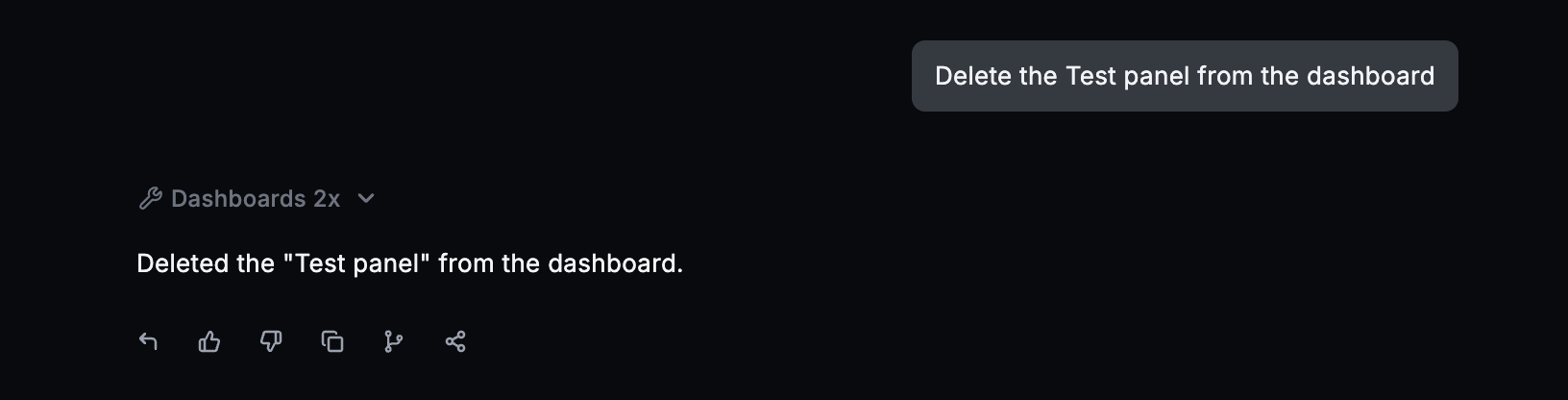
You can now undo Grafana Assistant’s latest dashboard changes with a click. If you try a different layout or visualization and prefer what you had before, you can restore it and keep experimenting.
Grafana CloudAvailable in public previewOpen SourceEnterpriseAvailable in public preview
AIDashboards and visualizations
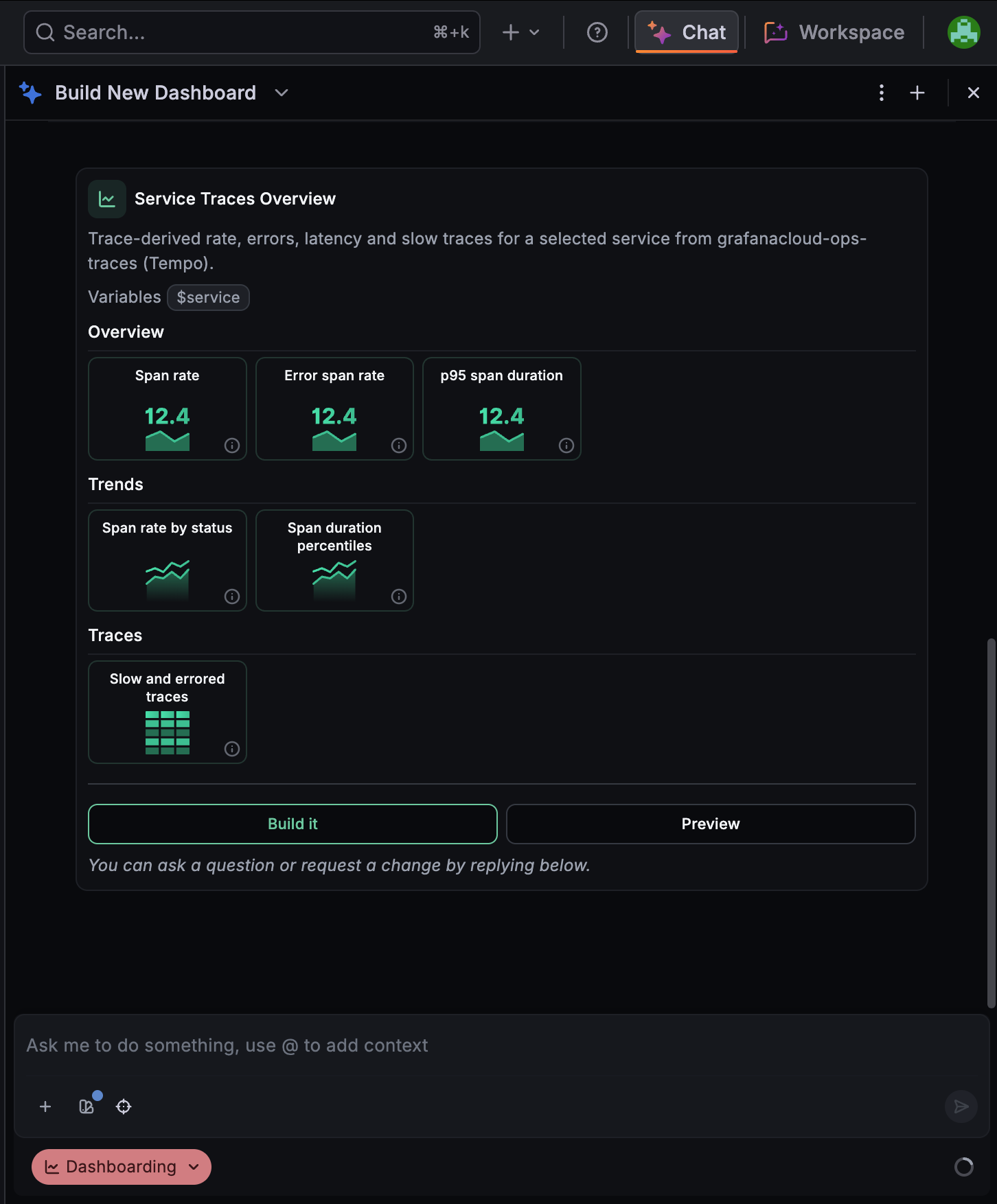
Dashboard plans, now in public preview, let you review and refine a proposed dashboard before Grafana Assistant builds it. Describe what you want to monitor, and the Assistant presents a plan in chat that includes the dashboard title, tabs or rows, panels, visualization types, and variables.
Grafana CloudAvailable in public previewOpen SourceEnterpriseAvailable in public preview
Dashboards and visualizations
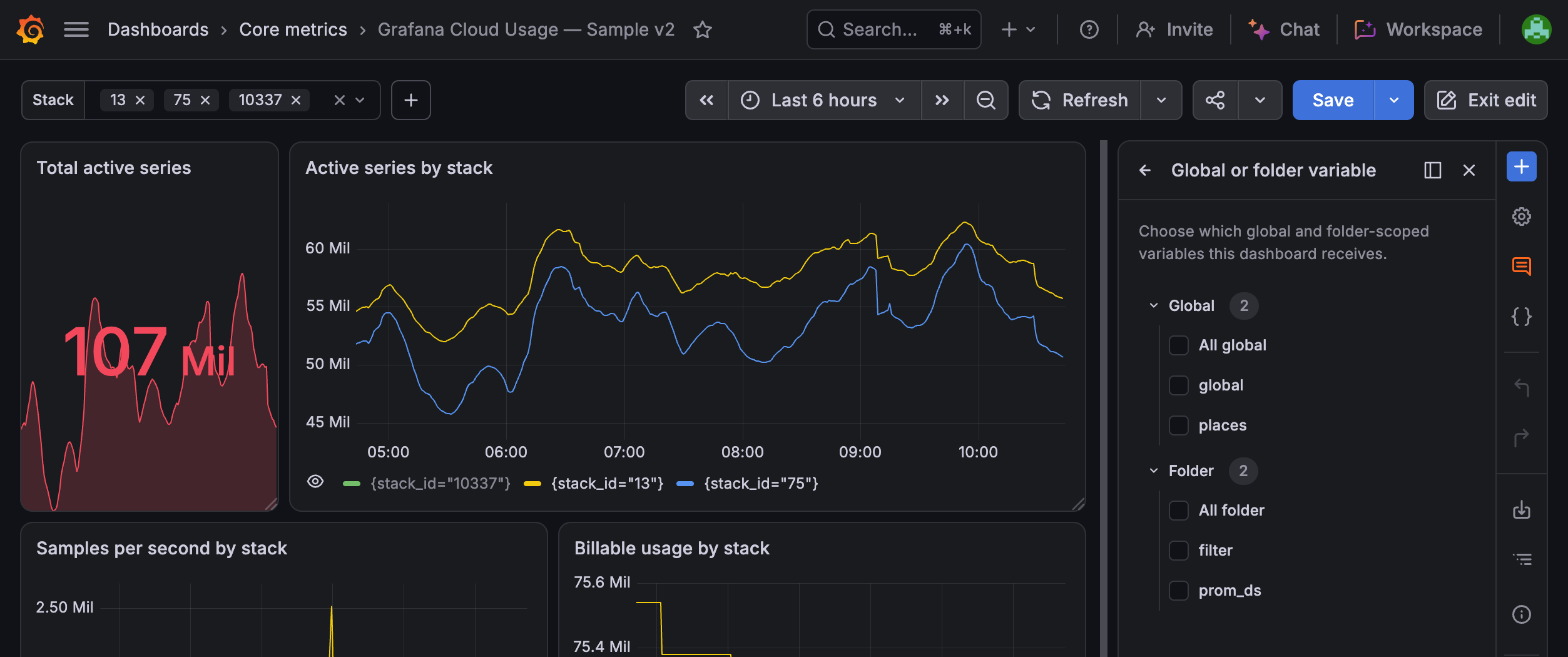
When multiple dashboards use the same variable, creating and maintaining it separately in each dashboard can lead to duplicated work and inconsistent configuration. Cross-dashboard variables let you define a variable once and reuse it across multiple dashboards in your Grafana organization.
Create and manage cross-dashboard variables from Dashboards > Variables. You can scope a variable in either of two ways:
Global: Available to all dashboards in the organization.
Folder: Available only to dashboards in the same folder.
Grafana CloudAvailable in public previewOpen SourceEnterpriseAvailable in public preview
Bring dashboard panels, Explore queries, and Grafana Assistant findings into one editable notebook. Add your reasoning alongside the evidence, then share it so teammates can understand how you reached your conclusions.
Grafana CloudGenerally AvailableEnterpriseGenerally Available
Dashboards and visualizationsReporting
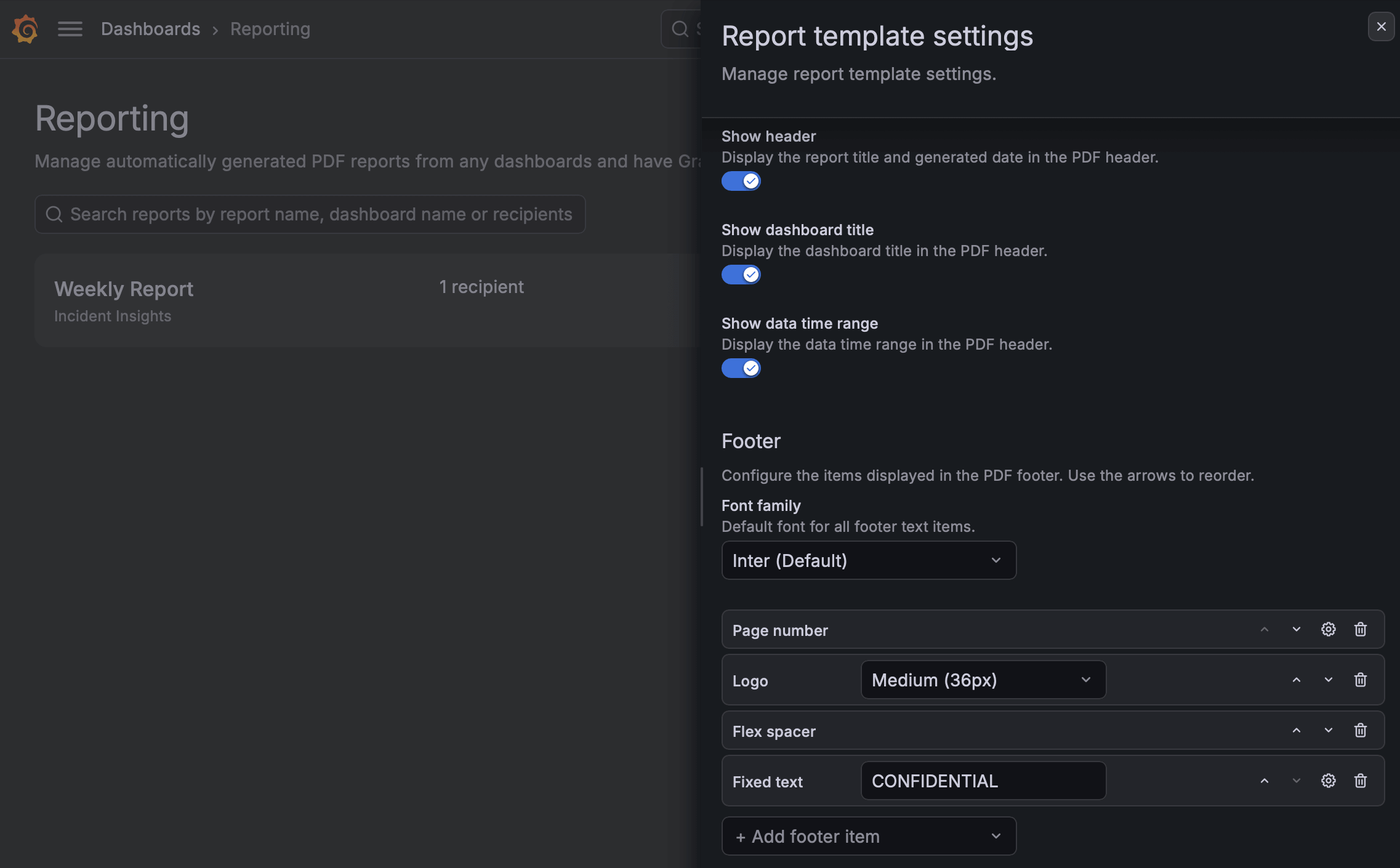
Different readers need different things from a report. An executive may want clean pages that put the panels first, while a client expects your branding and page numbers throughout.
Custom PDF headers and footers let you shape your reports around the people who read them. Decide what the header shows, build a footer from the pieces you need, and style the text to suit your audience.
Grafana CloudAvailable in public previewOpen SourceEnterpriseAvailable in public preview
Dashboards and visualizations
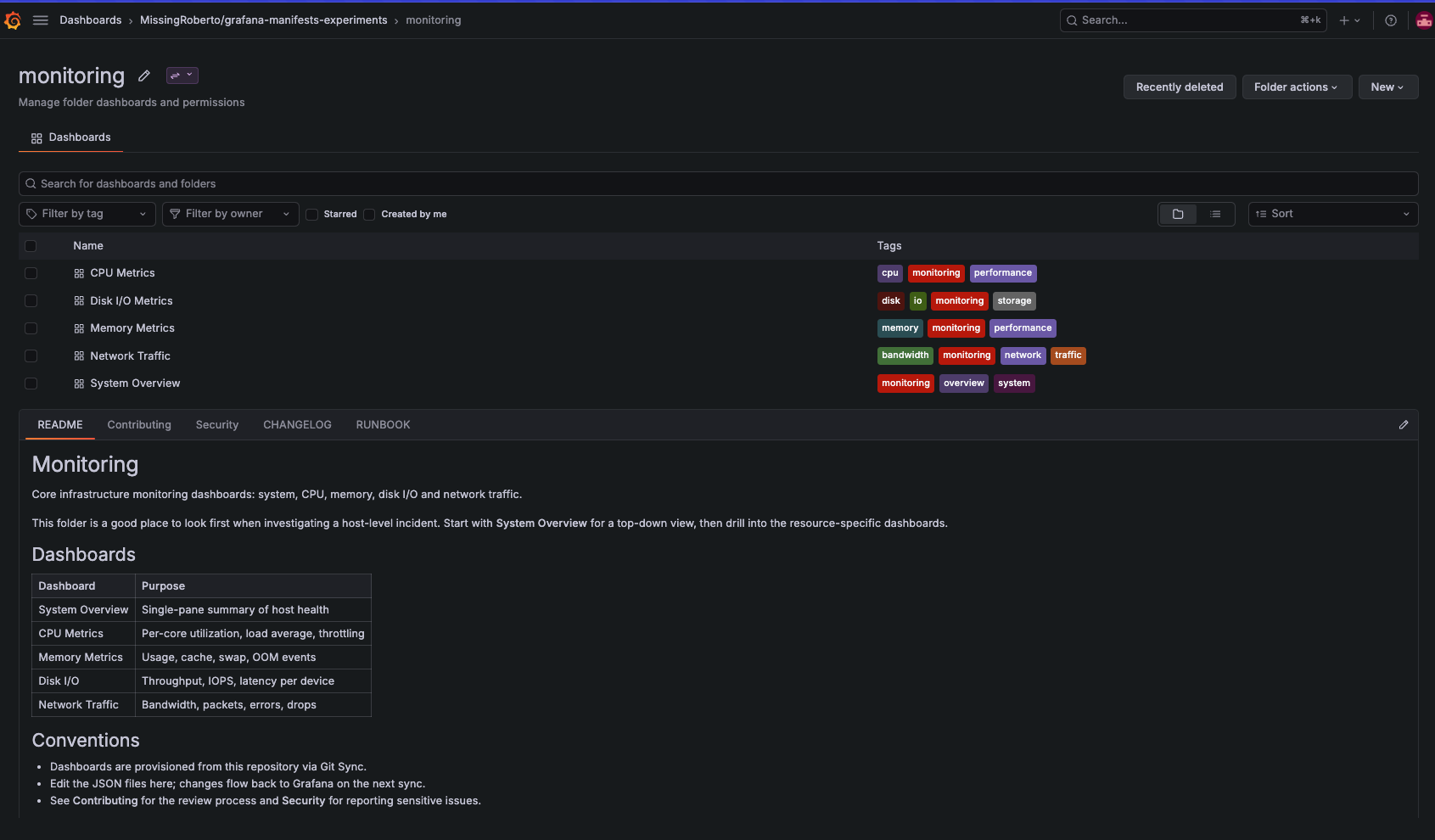
Your team reads runbooks, architecture notes, and contribution guidelines in Grafana, right next to the dashboards they describe. Git Sync shows every Markdown file in a provisioned folder as its own tab, with Mermaid diagrams rendered in place.
Grafana CloudGenerally AvailableOpen SourceEnterpriseGenerally Available
Dashboards and visualizations
Build transformation pipelines that keep working when your queries change. Transformations like Merge series/tables, Join by field, Join by labels, Series to rows, and Reduce (except in Reduce fields mode) build the refId of their output from the refIds of their input, for example merge-A-B. When you add, remove, or rename a query, or a query returns no data, that generated refId changes, and any later transformation that filters on it stops matching.
Grafana CloudGenerally AvailableOpen SourceEnterpriseGenerally Available
Dashboards and visualizations
Sort your data the way you think about it. Tables are easier to read and compare when they follow the order you’d use to explain them: by team, then by score within each team, then by name. The Sort by transformation now supports multiple sort fields, so you can build exactly that order.
Grafana CloudGenerally AvailableOpen SourceEnterpriseGenerally Available
Dashboards and visualizations
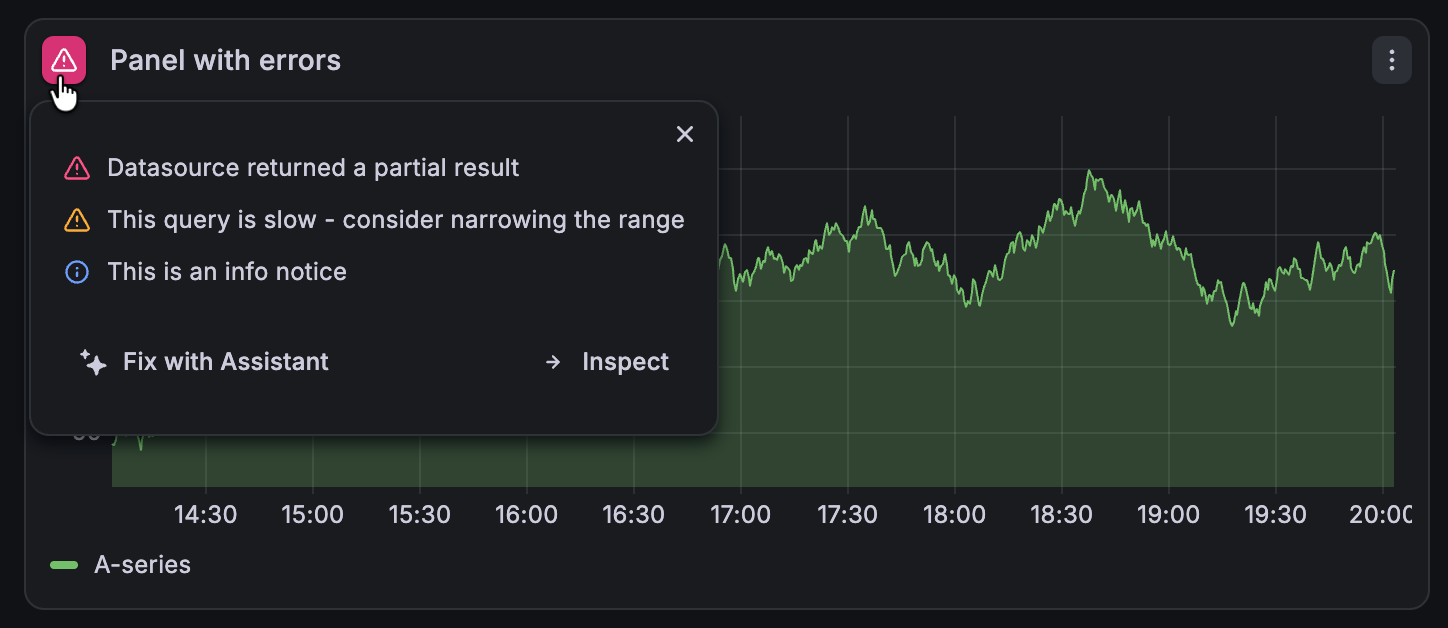
We’ve enhanced the panel errors icon functionality to provide more information around query errors and notices.
This update brings three significant updates. First, the icon is dynamic reflecting the highest severity notice on a panel. Second, when you hover your cursor over the icon, there’s a new tooltip showing all the panel errors, sorted by severity:
Grafana CloudGenerally AvailableOpen SourceEnterpriseGenerally Available
Dashboards and visualizations
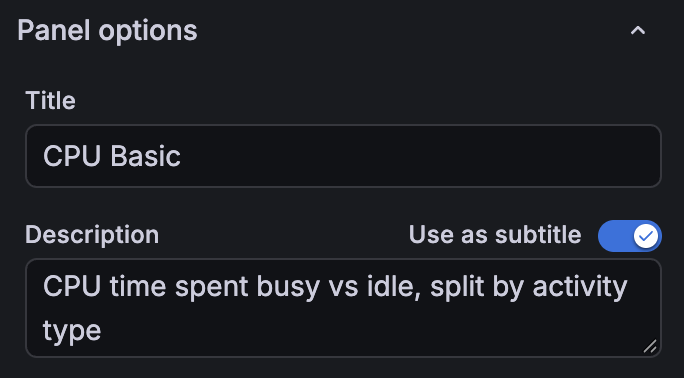
When a panel title needs more explanation, you can now display its description as a subtitle directly beneath it. This keeps context visible as you read the dashboard, helping you understand what a metric measures or how to interpret a chart.
Grafana CloudGenerally AvailableOpen SourceEnterpriseGenerally Available
Dashboards and visualizations
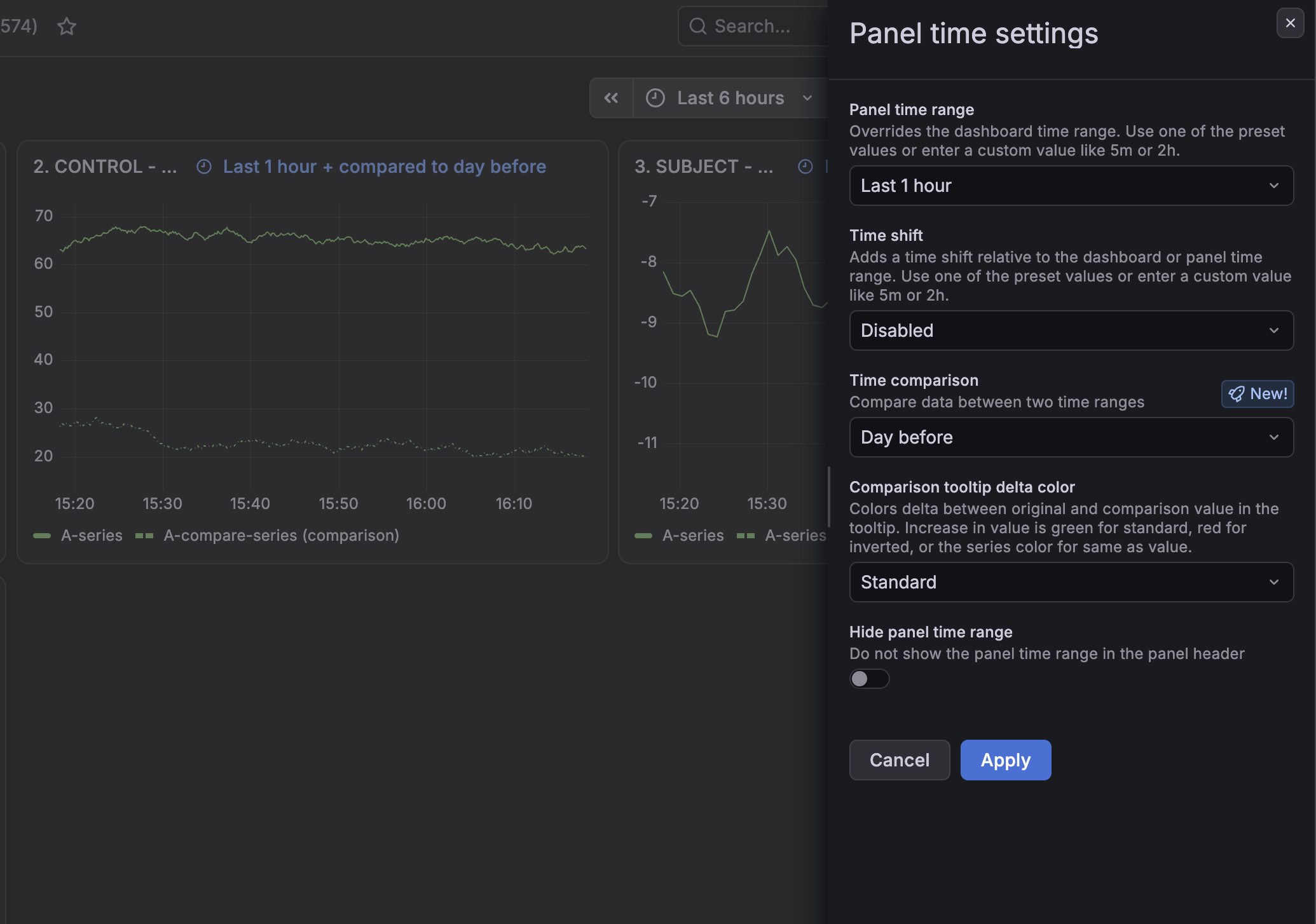
Panel time settings and time comparison are now generally available.
The Panel time settings drawer brings a panel’s time options together in one place. Open the panel menu and select Time settings to override the dashboard time range for a single panel, shift that panel’s window, or compare its data against an earlier period, all without entering dashboard edit mode. When you configure these settings, they appear in the panel header.
Grafana CloudAvailable in public previewOpen SourceEnterpriseAvailable in public preview
Dashboards and visualizations
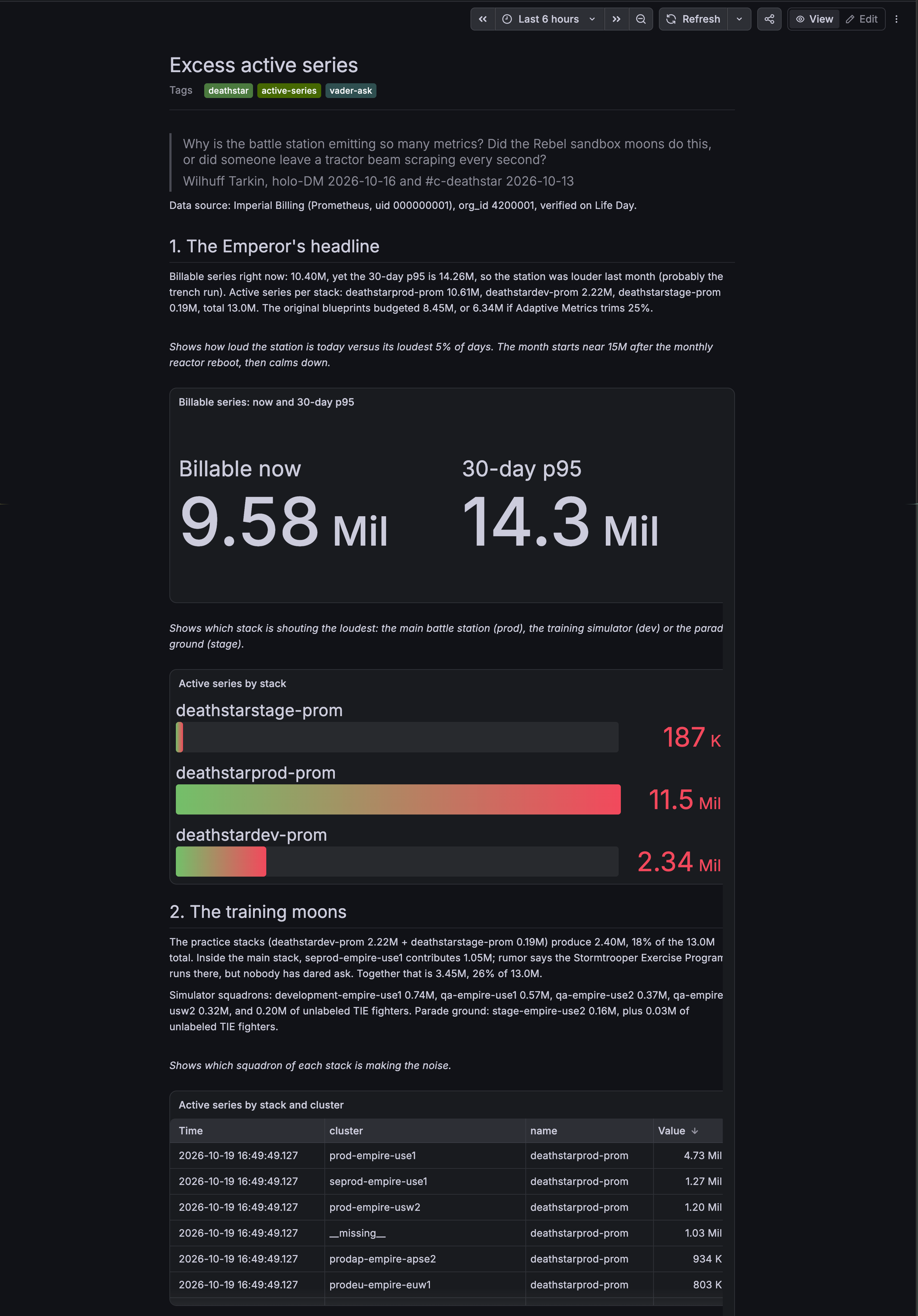
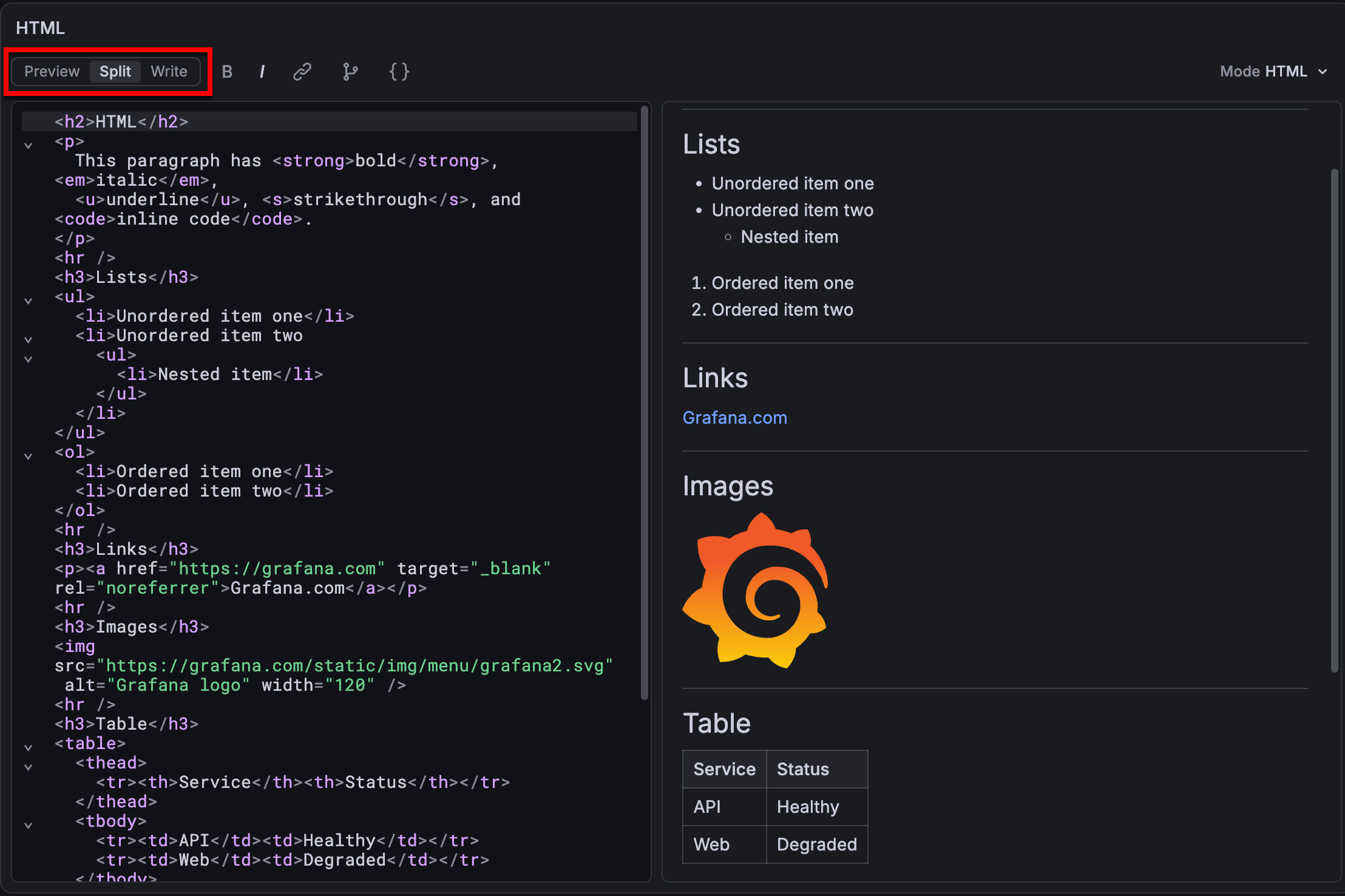
Text visualizations are useful for adding context to dashboards, but the core visualization has traditionally been limited to static Markdown, HTML, and dashboard variables. If you wanted to create a table from query results, display a status summary, or change text based on a value, you often had to use custom code or another visualization type.
The updated text visualization connects text to your query data, allowing you to build data-driven tables, cards, lists, and status summaries directly in Grafana.
Grafana CloudAvailable in public previewOpen SourceEnterpriseAvailable in public preview
Alerting
Moving alert rules from Mimir and Prometheus to Grafana previously meant manually rebuilding their notification setup in Grafana. Now you can import your existing Prometheus or Mimir Alertmanager configuration alongside your alert rules—bringing routing and notification settings with you instead of recreating them from scratch.
Grafana CloudAvailable in public previewEnterpriseAvailable in public preview
Alerting
You can now improve your alert rule quality with the Alert Advisor. Alert rules are easier to act on when they carry the right context, like a runbook URL to guide investigation or a team label to route notifications. With the Alert Advisor in Grafana, you can:
Define which labels and annotations are required for Grafana-managed alert rules.
Find rules with missing required labels or annotations and update them.
Optionally enforce selected requirements on supported provisioning writes.
Grafana CloudAvailable in public previewOpen SourceEnterpriseExperimental
Alerting
Managing alert rules in Prometheus, Mimir, and Loki is moving into a dedicated Grafana app plugin, Prometheus Alerting. The plugin is built around how those systems actually work. It manages rule groups and namespaces in a Prometheus-compatible ruler, along with routes, receivers, templates, silences, time intervals, and inhibition rules in an external Alertmanager.
With the plugin installed and the hand-off enabled, Grafana routes data source managed alerting URLs to the matching page in the plugin. Shared links, bookmarks, and in-product links keep working — they land in the plugin instead of the core alerting UI. Grafana-managed alerting stays in core, and both experiences run side by side in the same Grafana instance.
Grafana CloudGenerally AvailableEnterpriseGenerally Available
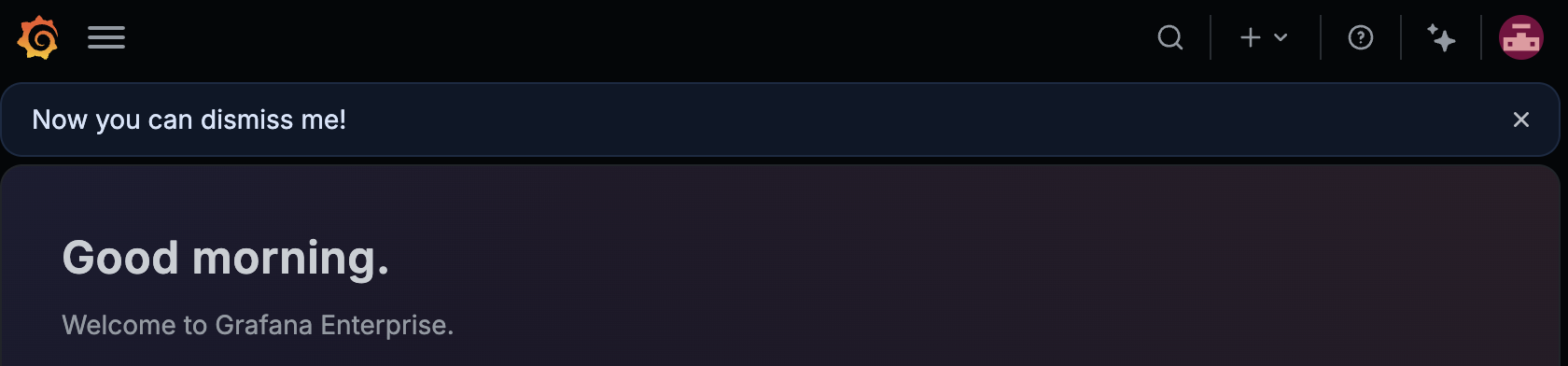
Announcement banners allow Grafana administrators to share status updates to their users, for example when there is an ongoing incident or scheduled maintenance. Particularly for more informational updates, users often wanted a way to acknowledge and dismiss the banner so it was no longer in the way. Now that is possible. Administrators can optionally toggle whether a banner is dismissible by a user. A banner stays dismissed across all sessions and browser windows, unless an administrator updates the banner - in which case it reappears.
Grafana CloudGenerally AvailableEnterpriseGenerally Available
Authentication and authorizationBreaking change
If you have the required permissions to manage roles or role assignments, you can revoke access without holding the permissions being removed. This applies when you update or delete a role, or remove role assignments through the /api/access-control/ APIs.
If you delegate role management, review who should have this broader revocation authority, as outlined in the advance notice.