
 Grafana Cloud
Observe and act
Test and validate
Performance testing
Author and run tests
Use k6 versions in Grafana Cloud
Grafana Cloud
Observe and act
Test and validate
Performance testing
Author and run tests
Use k6 versions in Grafana CloudUse k6 versions in Grafana Cloud
Grafana Cloud k6 uses the latest stable version of k6 and extensions to give users the right balance between access to the latest features and stability.
Select a k6 runtime version
When you create a test in the script editor, open the k6 runtime version menu and choose v2.x for the k6 v2.x runtime. Grafana Cloud k6 stores the version on the load test and uses it for future runs, including scheduled runs.
For step-by-step instructions, refer to Use the script editor.
View the k6 version used in a test run
On the Test results page for a finished test run, the header shows Version: v2.1 (or the version that ran). Hover over Version to open a popover with more details.
For a test that uses only k6, the popover shows k6 version used for this test run and a Learn more link. The version number in the header is the k6 version for that run.
For a test that uses extensions, the popover title is Versions used for this test run and lists the k6 version and each extension version, for example, v2.1 for k6 and v0.5.2 for k6/x/faker.
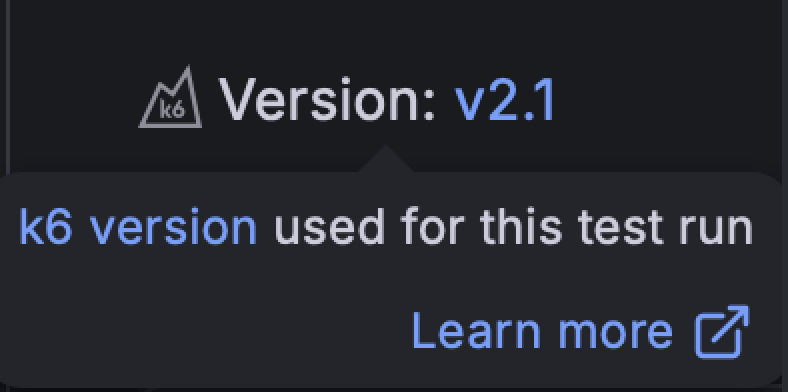
Version numbers link to the release or tag in the source repository for the k6 build or extension build. Knowing which version your test used when running in the cloud can help with local debugging or recreating the same test configuration in your CI/CD pipelines.
Override k6 versions and extension versions
You can pin to specific supported versions of k6 and extensions in your tests using semantic versioning. For k6 tests that execute in the cloud, you would need to be a contracted customer, so check your subscription before trying this out.
For example, the following script sets a specific version of k6 and the k6/x/faker extension:
'use k6 = 2.1.0';
'use k6 with k6/x/faker <= 0.5.2';

import faker from 'k6/x/faker';

export default function () {
  console.log(faker.person.firstName());
}
In this example, the k6 version is set to 2.1.0, and k6/x/faker is set to any version equal to or less than 0.5.2. The versions displayed in the k6 output (or the Grafana Cloud UI if it’s a test executed in the cloud) should match these requirements.
All released versions after v2.1.0 are supported, for example, v2.2.0.
For a complete list of supported extensions and their versions, refer to Use k6 extensions.
For a complete list of version operators you can use, refer to the SemVer docs.
Was this page helpful?
Related resources from Grafana Labs



