
Menu

Grafana Cloud
Last reviewed: November 17, 2026Run a scenario
Every scenario is in the alloy-scenarios repository. Each scenario directory has its own configuration, backends, and README.
Before you begin
Ensure you have the following:
- Docker and Docker Compose for Docker-based scenarios
- Git
- kind, kubectl, and Helm for Kubernetes scenarios
Start a Docker-based scenario
Clone the repository and change to its root directory:
git clone https://github.com/grafana/alloy-scenarios.git
cd alloy-scenarios
Start the scenario with the image versions pinned in
image-versions.env:./run-example.sh <SCENARIO_DIRECTORY>Replace
<SCENARIO_DIRECTORY>with the scenario path, for examplelogs-file.Open Grafana at http://localhost:3000 and the Alloy UI at http://localhost:12345. You don’t need to log in to Grafana. Refer to the scenario README for additional endpoints.
Stop a scenario
From the repository root, run:
cd <SCENARIO_DIRECTORY> && docker compose downStart a Kubernetes scenario
Kubernetes scenarios are in the k8s/ directory.
Follow the README in the scenario directory.
Was this page helpful?
Related resources from Grafana Labs

Video
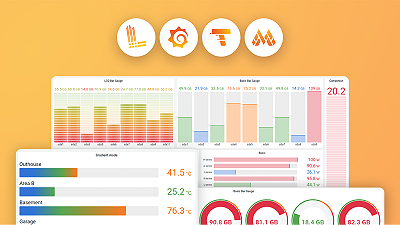
Getting started with managing your metrics, logs, and traces using Grafana
In this webinar, we’ll demo how to get started using the LGTM Stack: Loki for logs, Grafana for visualization, Tempo for traces, and Mimir for metrics.
Video

Start with Grafana Assistant
Learn how Grafana Assistant helps teams get answers faster using AI—without writing PromQL. Join this webinar to discover prompting best practices and security FAQs.
Video

Building advanced Grafana dashboards
In this webinar, we’ll demo how to build and format Grafana dashboards.