Documentation for automated readers A curated documentation index is available at: https://grafana.com/llms.txt
A complete documentation index is available at: https://grafana.com/llms-full.txt These indexes can help with page discovery before fetching individual documents.
This page is also available in Markdown, which may be easier for automated readers
and AI tools to parse than HTML. The Markdown version is available at
https://grafana.com/docs/grafana-cloud/observe-and-act/monitor-infrastructure/kubernetes-monitoring/triage-your-infrastructure/find-usage-spikes.md, or by sending
Accept: text/markdown to https://grafana.com/docs/grafana-cloud/observe-and-act/monitor-infrastructure/kubernetes-monitoring/triage-your-infrastructure/find-usage-spikes/. For broader
documentation discovery, the curated index is available at https://grafana.com/llms.txt
and the complete index is available at https://grafana.com/llms-full.txt.
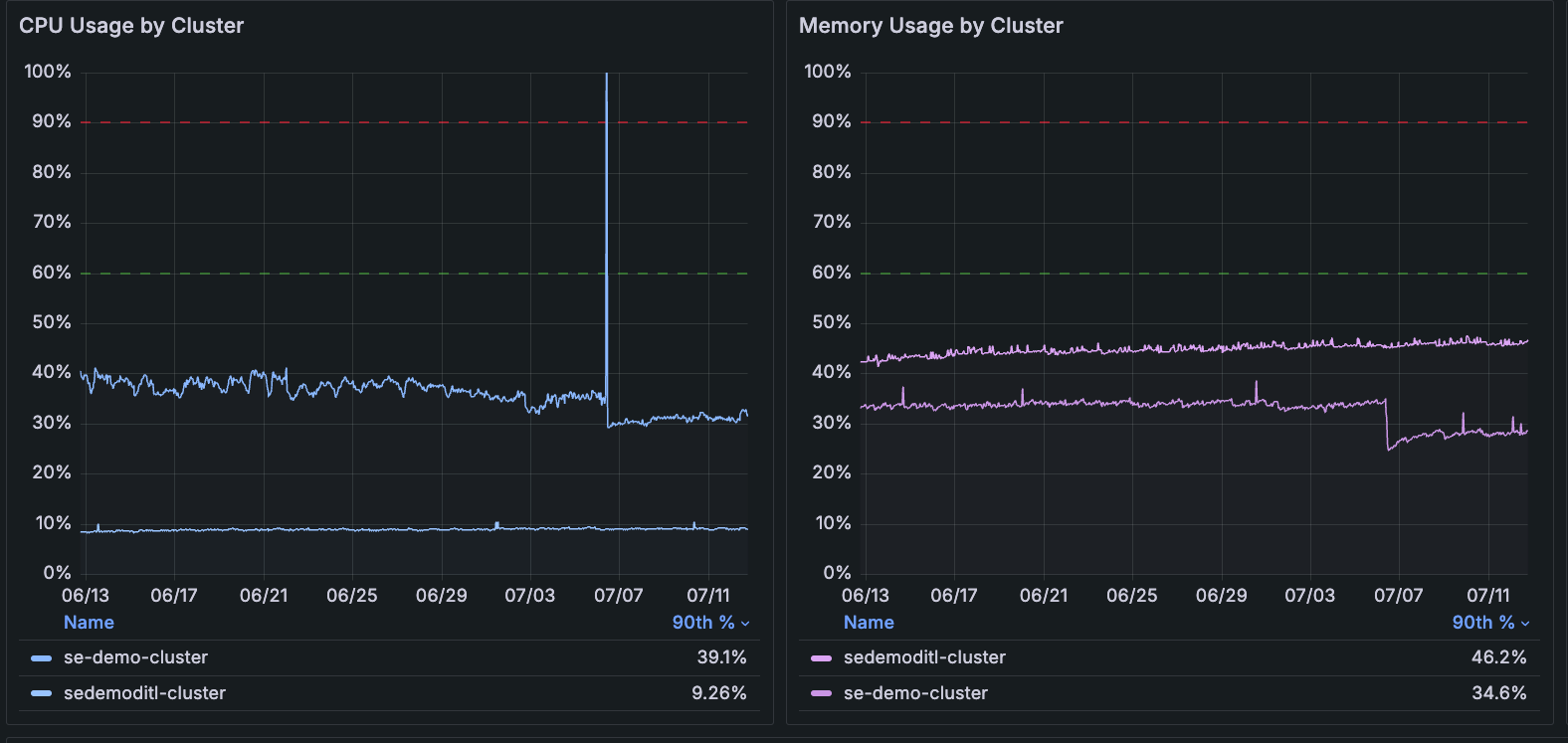
Use the time range selector to focus on a time period while looking for patterns or spikes in CPU and memory usage in your Clusters.
When spikes occur:
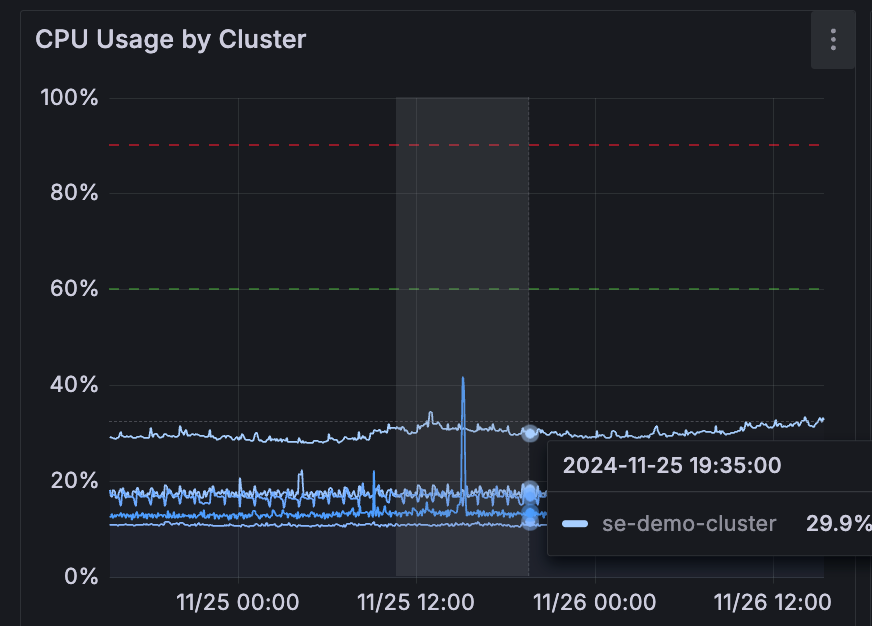
Zoom in on the graph to narrow the time selection.
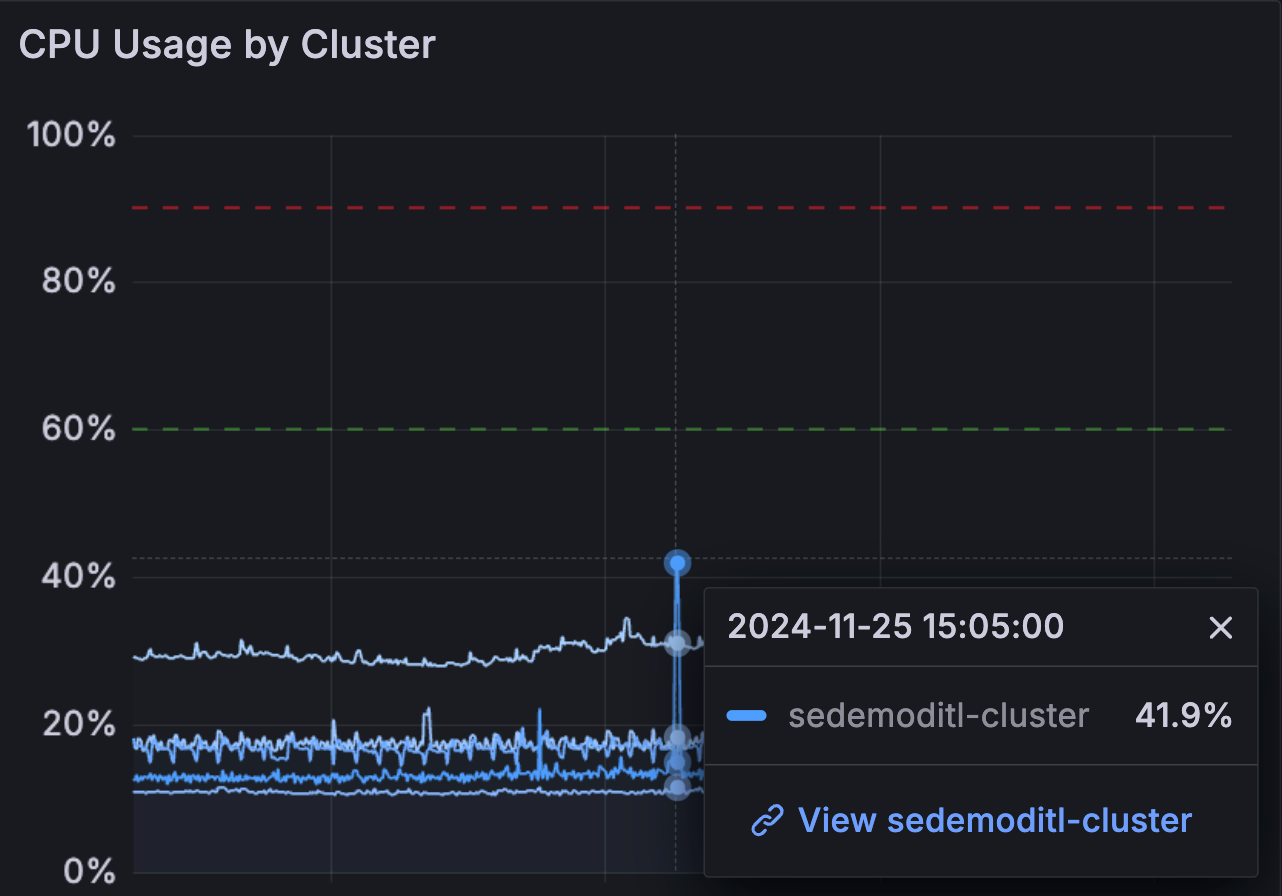
Hover over and click the peak of the spike to see the percentage of use compared to capacity. In the following example, the spike shows 46.5% of CPU usage compared to capacity.

 Grafana Cloud