
 Grafana Cloud
Observe and act
Monitor infrastructure
Kubernetes Monitoring
Monitor jobs
Grafana Cloud
Observe and act
Monitor infrastructure
Kubernetes Monitoring
Monitor jobsMonitor jobs
Monitor cron jobs and other job types
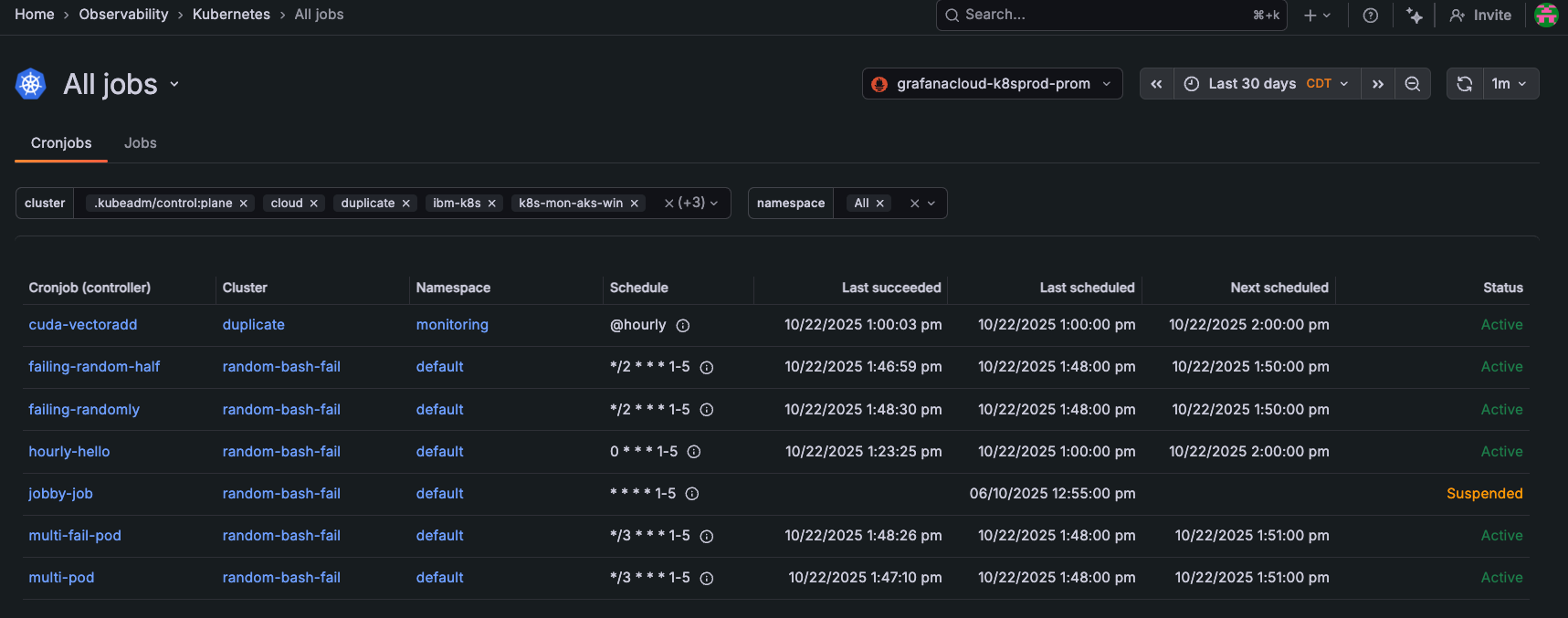
You can monitor manual jobs and scheduled (cron) jobs. Use the main menu to find and select All jobs. Use the Cronjobs and Jobs lists to view jobs across all Clusters and Namespaces, based on the time range you choose in the time range selector. You can view:
- A color-coded status indicator for each job
- How jobs are distributed and where jobs are placed across the infrastructure
- For cron jobs:
- Last succeeded, to verify jobs are completing successfully
- Last scheduled compared to succeeded, to view any gaps that reveal failed or skipped executions
- For manual jobs, Pods/completions to track when the job was run
Identify job types
The Type column on the Jobs list categorizes Jobs by their owner reference. Scheduled Job means the Job was spawned by a CronJob. Other types you’ll encounter:
- Manual Job: created directly with
kubectl create jobor an applied manifest, with no owner reference. There’s no automatic retry scheduling. After the Job completes or exhausts itsbackoffLimit, it stays until you delete it manually or its TTL expires. - Operator-managed Job: owned by a CRD controller rather than a CronJob. Common sources are Argo Workflows (tasks), Tekton (
TaskRuns), Spark Operator (SparkApplication), Flink, and Kubeflow. ThecontrolledByfield points to the operator’s custom resource, not a CronJob. - Helm hook Job: created by Helm during install, upgrade, or rollback with annotations like
helm.sh/hook: pre-install. Helm may delete the Job after the hook runs, so these are short-lived and easy to miss in fleet views.
The monitoring implication differs by type. Scheduled Jobs have a CronJob you can inspect for missed schedules. Manual and Helm hook Jobs don’t, so stale Failed Jobs with no owner are the main signal to alert on.
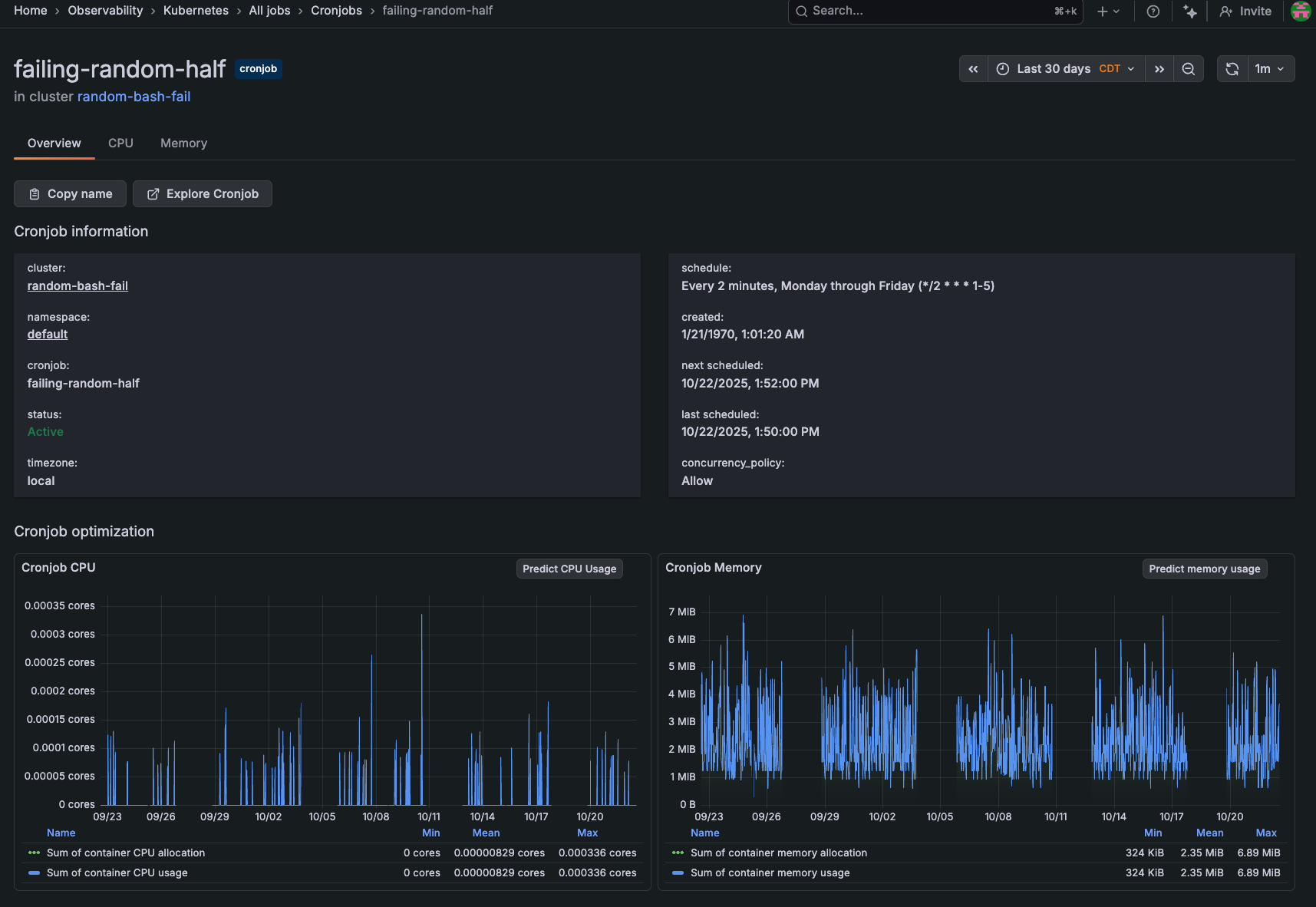
To further investigate a job, click the job name to open its detail page.

With Grafana Play, you can explore and see how it works, learning from practical examples to accelerate your development. This feature can be seen on the Jobs list.
On the job detail page, the Overview tab contains:
- Status, start time, end time, Pod status phase, logs, and events
- CPU and memory usage, to identify any over or under provisioning as well spot any gradual increases that indicate memory leaks
- Container logs for debugging failed runs
- Events for identifying error messages or unexpected behavior
- Runs table to track success/failure patterns over time, and understand duration and completion
You can further explore each job’s CPU and Memory tabs for greater insight.
Was this page helpful?
Related resources from Grafana Labs



